
Read this page as a quick path: scan the headings, use the step blocks, and escalate if the expected result does not happen.
Need help applying this to your account?
Contact support and we will keep this article attached to your request.
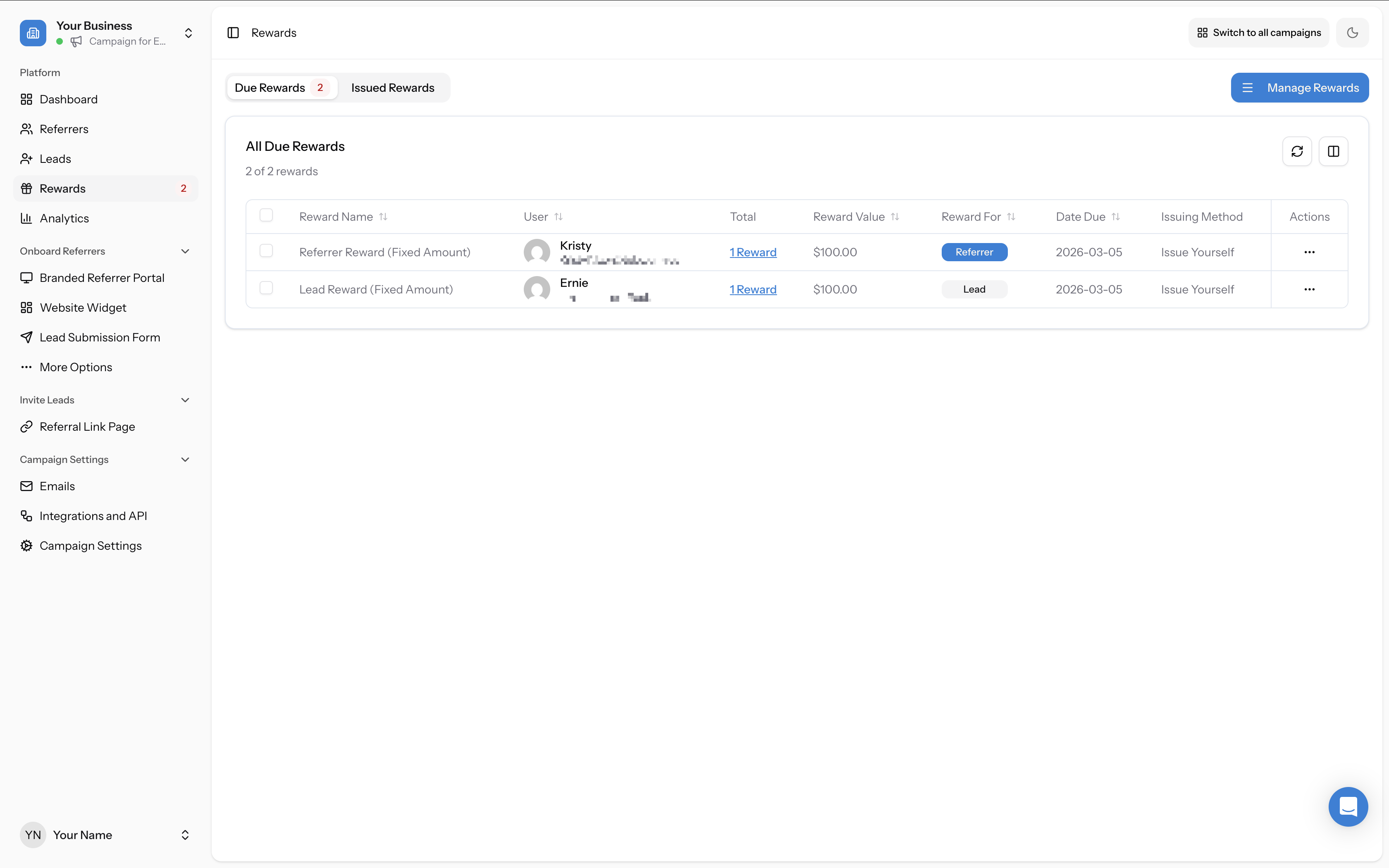
The Rewards page (accessible from the left sidebar) is where you configure what referrers (and optionally leads) receive when a successful referral happens, and where you manage the issuing of those rewards.
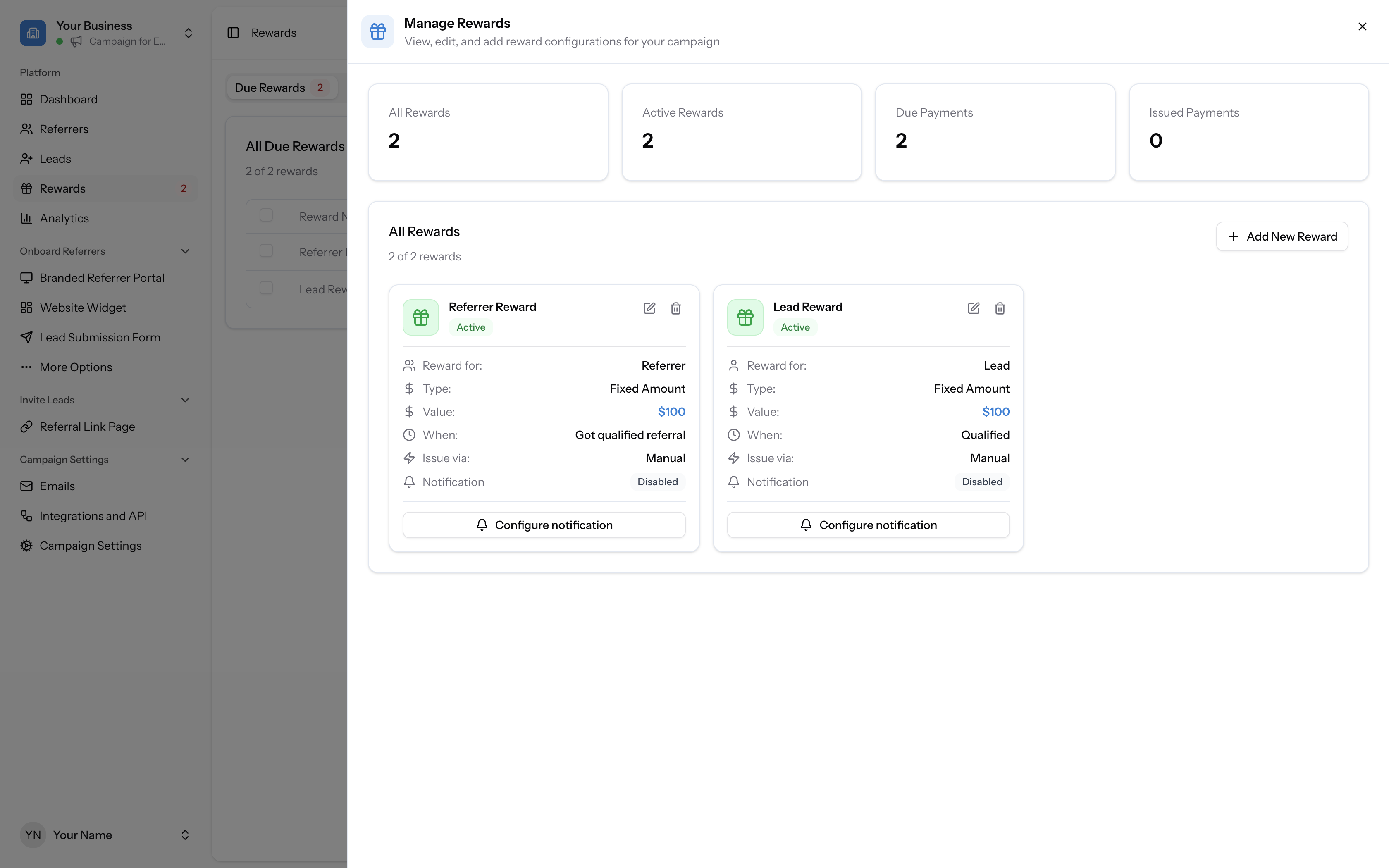
Click Manage Rewards in the top-right corner to open the reward management panel. This panel shows an overview of your reward stats (All Rewards, Active Rewards, Due Payments, Issued Payments) and lists all configured rewards as cards with their key settings.
Three reward types
Fixed Amount
A set cash value paid per qualified referral. You specify the amount and currency. Best for simple, transparent reward structures — e.g. "$50 for every customer you refer."
Commission Amount
A percentage of the referred customer's spend. You set the percentage, and optionally a commission cap (maximum payout per referral). Best for subscription businesses or any model where referred customers have variable transaction values — e.g. "Earn 10% of every order your referrals place."
Custom
A named non-monetary metric: points, tokens, credits, or any unit you define. You set the metric name and the amount per referral. Best for loyalty-style programs, SaaS credits, or any situation where cash payouts aren't the right fit.
All three reward types can be configured with different scheduling modes that control when and how often the reward is issued. See the section below for details.
Reward scheduling: One-time, Ongoing, and Milestone
Each reward type (Fixed Amount, Commission, or Custom) can be configured with one of three scheduling modes that control when and how often the reward is issued.
One-time (Standard)
The recipient receives the reward once per qualified referral. This is the default mode and works well for one-off purchases, fixed payouts, and simple sign-up bonuses.
Ongoing (Recurring)
The recipient is rewarded repeatedly at a set interval (Day, Week, Month, or Year) while the referral remains qualified. You choose how many times the reward repeats — from 1 to 10, or indefinitely. If a referral unqualifies, the reward can be set to either cancel permanently or pause and resume if the referral re-qualifies. Best for subscriptions, memberships, and recurring revenue models.
Milestone
The recipient earns rewards at specific referral count thresholds rather than for each individual referral. For example, you might configure a milestone reward that triggers at 1 referral, then at 3, then at 5 — creating tiered incentive levels that encourage referrers to keep referring. Milestone rewards are only available for the Referrer recipient and work with the qualification event.
See How to set up a reward for step-by-step configuration of each scheduling mode.
Who receives the reward
For each reward you configure, you choose whether it goes to the Referrer, the Lead, or both (by creating two separate reward configurations). This is how double-sided programs are set up.
The Due → Issued flow
This is the most important thing to understand about rewards in Referral Factory:
When a referral qualifies, the reward does not go out automatically by default. It appears in the Due Rewards tab, where it waits for you to issue it.
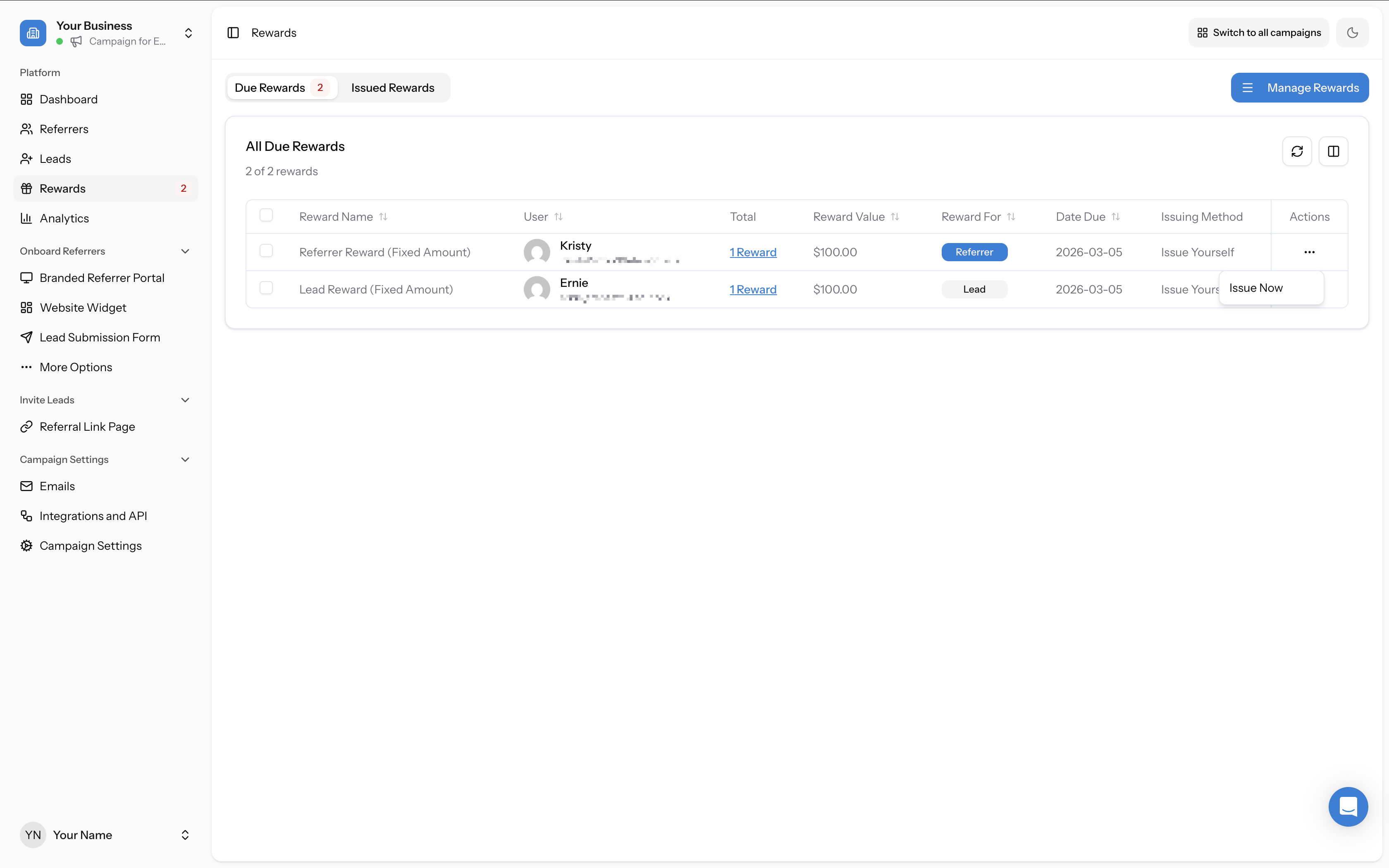
You can issue rewards manually — either one at a time using the three-dots action menu on each row and clicking Issue Now, or in bulk by selecting multiple rows with checkboxes. Alternatively, turn on Auto Issue in your reward configuration to have rewards sent automatically when qualification occurs. Auto Issue is available but not recommended — manual review gives you a chance to catch fraud or errors before paying out.
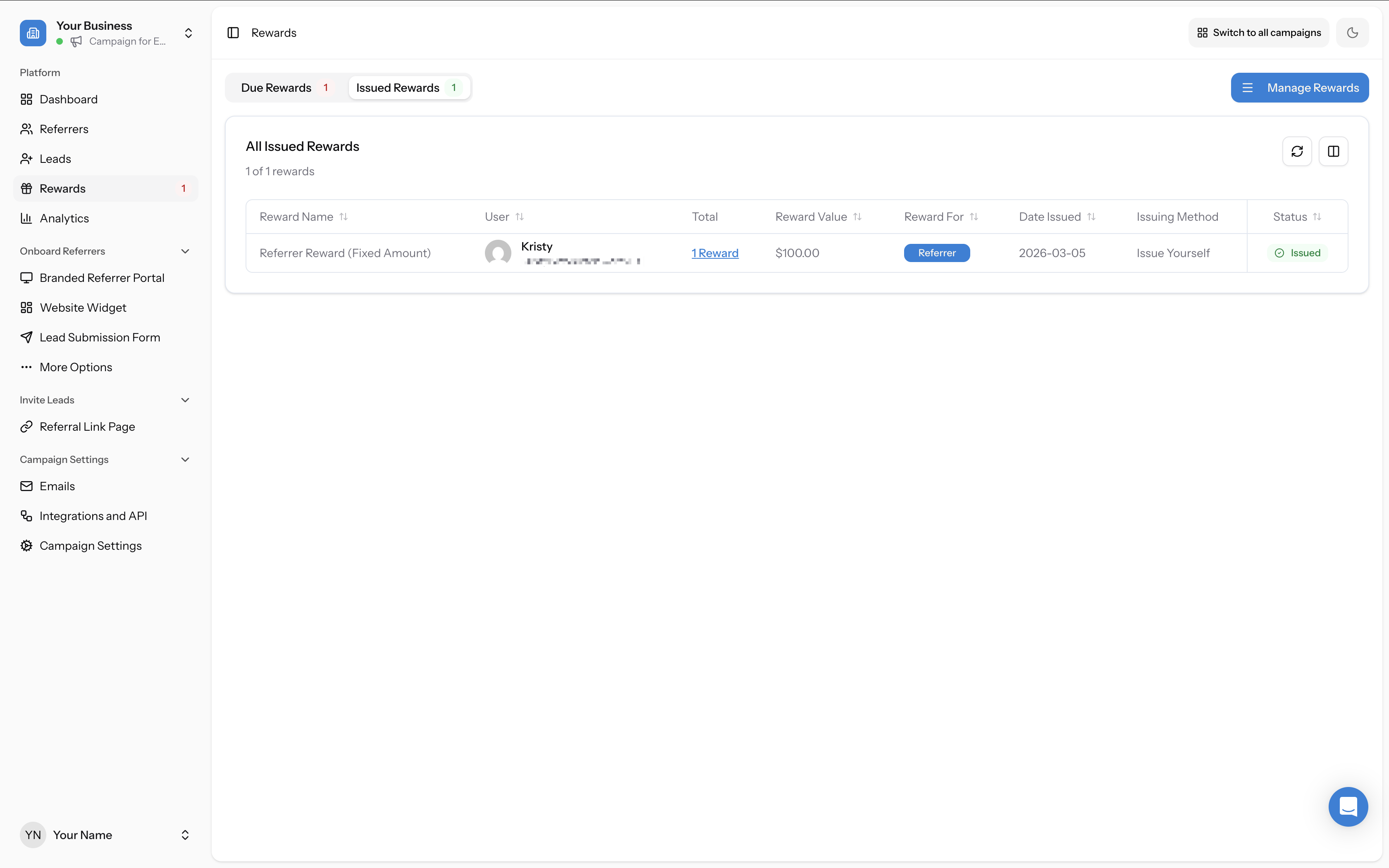
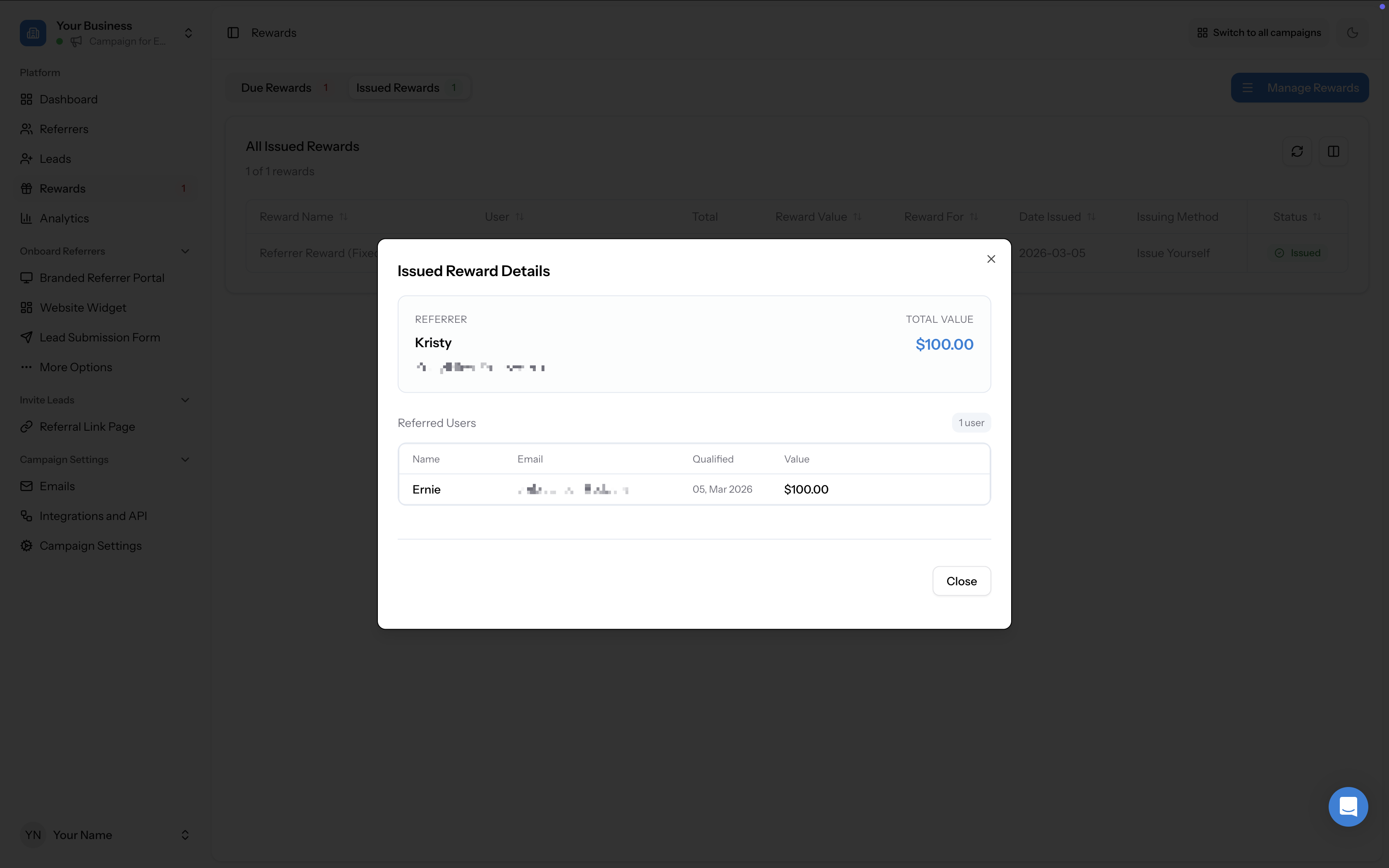
Once issued, rewards move to the Issued Rewards tab where you can view the status, issuing method, and full details of each issued reward. Click the Rewards link on any issued reward to see the full breakdown including the referrer, total value, and the referred users who triggered the reward.
Per-reward notification
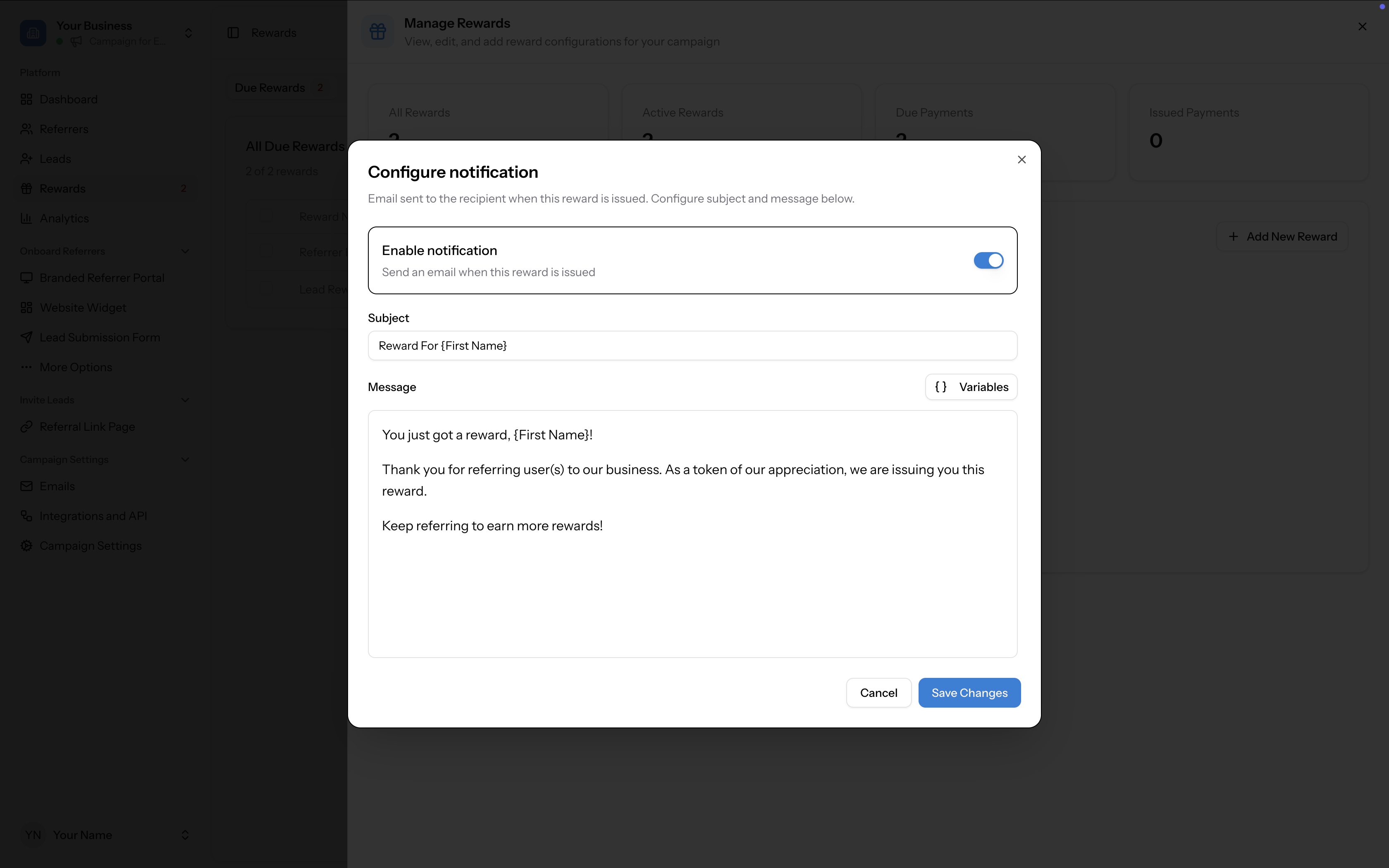
Each reward can have its own email notification configured. When enabled, an email is sent to the recipient when the reward is issued. You can customise the subject line and message body, and use variables like [First Name] to personalise the content. This is configured per reward via the Configure notification button on each reward card in the Manage Rewards panel.
See The 'Your reward is ready' email for more details on reward notification emails.
For help choosing the right reward structure, see How to choose the right reward type for your business. To configure your first reward, see How to set up a reward. For PayPal-specific setup, see FAQ: How do I connect PayPal to issue cash rewards?.