
Read this page as a quick path: scan the headings, use the step blocks, and escalate if the expected result does not happen.
Need help applying this to your account?
Contact support and we will keep this article attached to your request.
This email is sent when a reward is issued to a referrer (or lead, if you have a double-sided reward setup).
For integrations like Tremendous, this email may include a link for the recipient to claim their digital gift card or cash reward. For other reward types, the email confirms the reward has been processed.
This email is triggered by the reward issuance event, which may happen immediately after qualification (if Auto Issue is on) or when you manually issue the reward from the Due Rewards tab.
Configuring the reward notification
The reward notification email is configured per reward from the Manage Rewards panel:
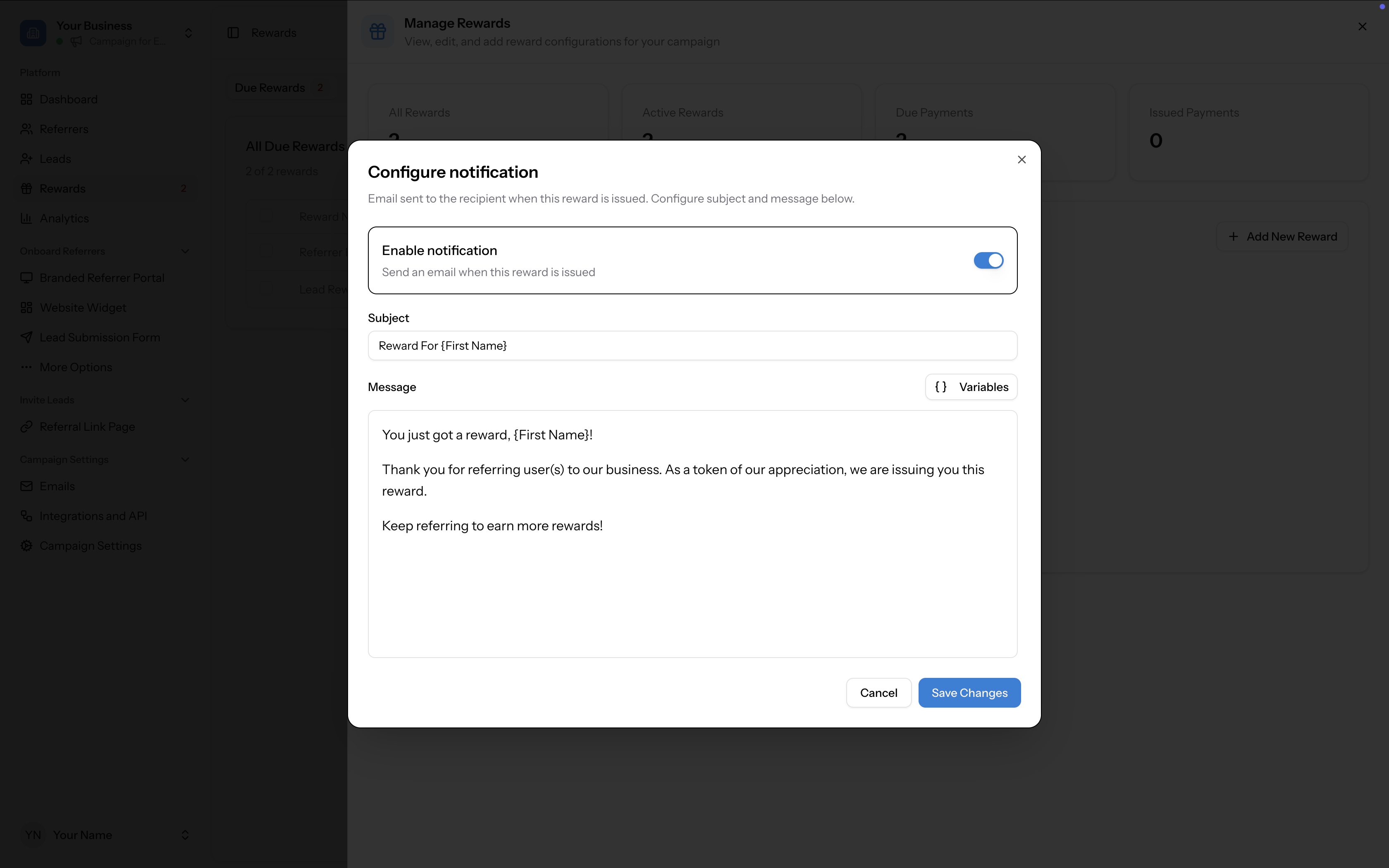
- Go to Rewards in the left sidebar and click Manage Rewards
- On the reward card, click Configure notification
- Toggle Enable notification on to send an email when this reward is issued
- Set the Subject line (e.g. "Reward For [First Name]")
- Write the Message body. Click Variables to insert dynamic fields like [First Name]
- Click Save Changes
Default message
The default reward notification message includes:
You can customise this to match your brand voice and include details specific to your reward type — for example, if you are issuing a Tremendous reward, consider mentioning that the recipient will also receive a separate email from Tremendous to claim their reward.
- A greeting with the recipient's first name
- A thank-you for referring users to your business
- A note that the reward is being issued
- An encouragement to keep referring