
Referral Factory features

Every feature needed to run referrals as a channel.

Referral Factory helps teams build branded referral programs, invite the right people, track links and codes, qualify real conversions, and reward customers without turning the program into a manual spreadsheet.

No-code launch
Links plus codes
Deep integrations

Referral Factory

2 active campaigns

Dashboard
Referrers
Leads
Rewards
Analytics
Emails

Platform view

Generate. Promote. Track. Reward.

Live features

Referrers

1,248

Leads

428

Due

73

Onboard

Popup + portal

Share

Links + codes

Qualify

CRM + API

Reward

Cash + gifts

Main components

The four jobs every referral program has to do.

Referral Factory is organized around the operating loop that makes referral programs work in real life: build the experience, promote it to the right people, track what happens, then reward only when a referral becomes valuable.

01

Build

Create branded referral journeys with pages, portals, forms, links, QR codes, and optional referral codes.

02

Promote

Ask customers to refer from emails, popups, sticky bars, website widgets, embedded portals, social posts, and CRM-driven prompts.

03

Track

Connect each share, signup, code entry, purchase, CRM update, upload, or API event back to the person who referred it.

04

Reward

Trigger cash, gift cards, account credits, coupons, manual approvals, and delayed rewards only when your rules are met.

Product video

See Referral Factory's features in motion.

The quickest way to judge a referral platform is to see the workflow, not just the checklist. This walkthrough shows how Referral Factory moves from campaign setup to tracking, qualification, and rewards.

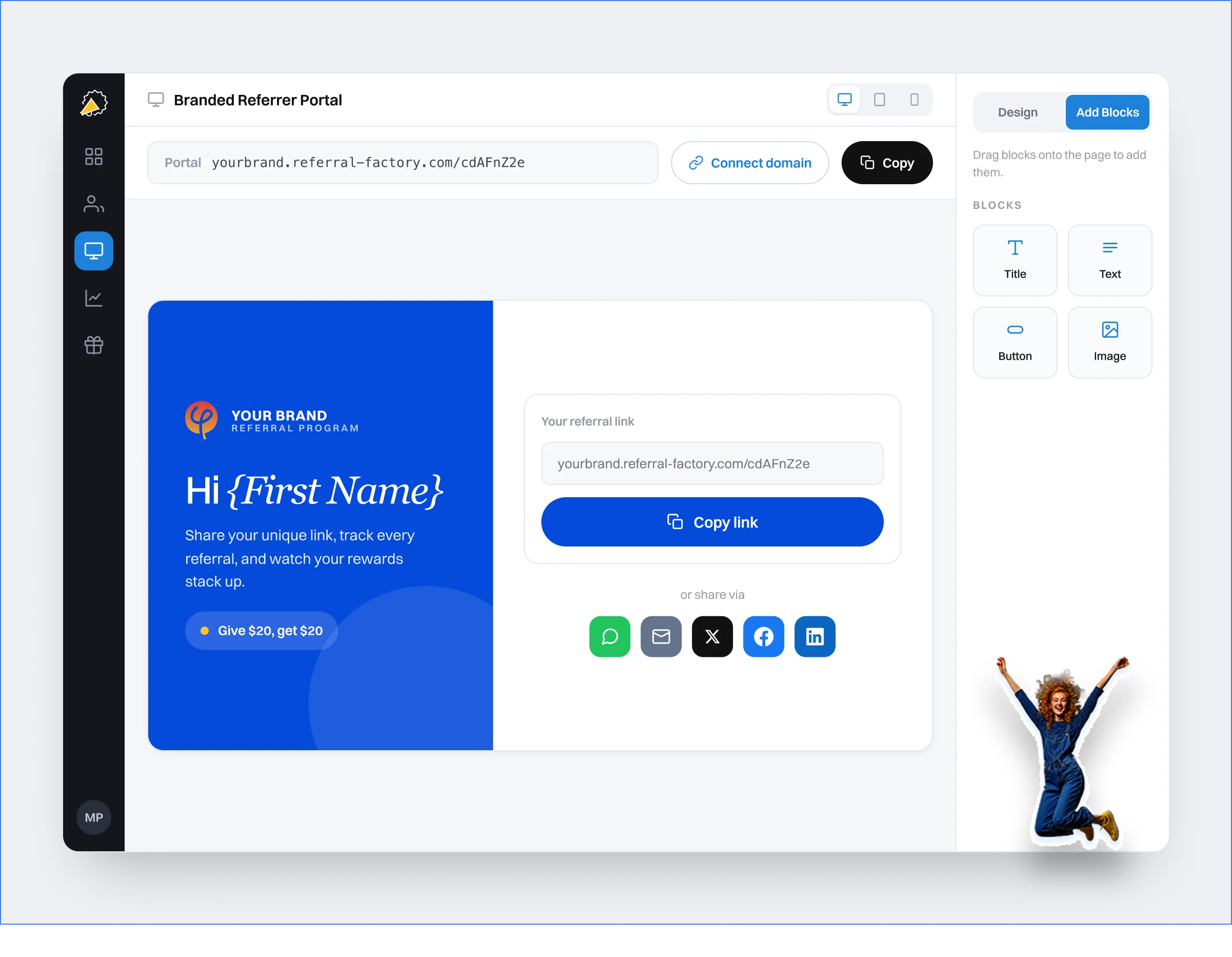
Branded pages and referrer portals
Tracking, qualification, and reward controls
Integrations for CRM, payments, API, and automation

Feature deep dive

Explore the platform by workflow.

The product is built for the whole referral loop, not just the signup form. Switch between feature areas to see how Referral Factory handles the messy parts that happen after launch.

9+ onboarding paths

Onboard referrers in the places they already are

Bring customers into your referral program without forcing them through one rigid path. Use a hosted portal, embedded portal, popup, sticky bar, upload, API, social share prompt, or lead submission form depending on how your business talks to customers.
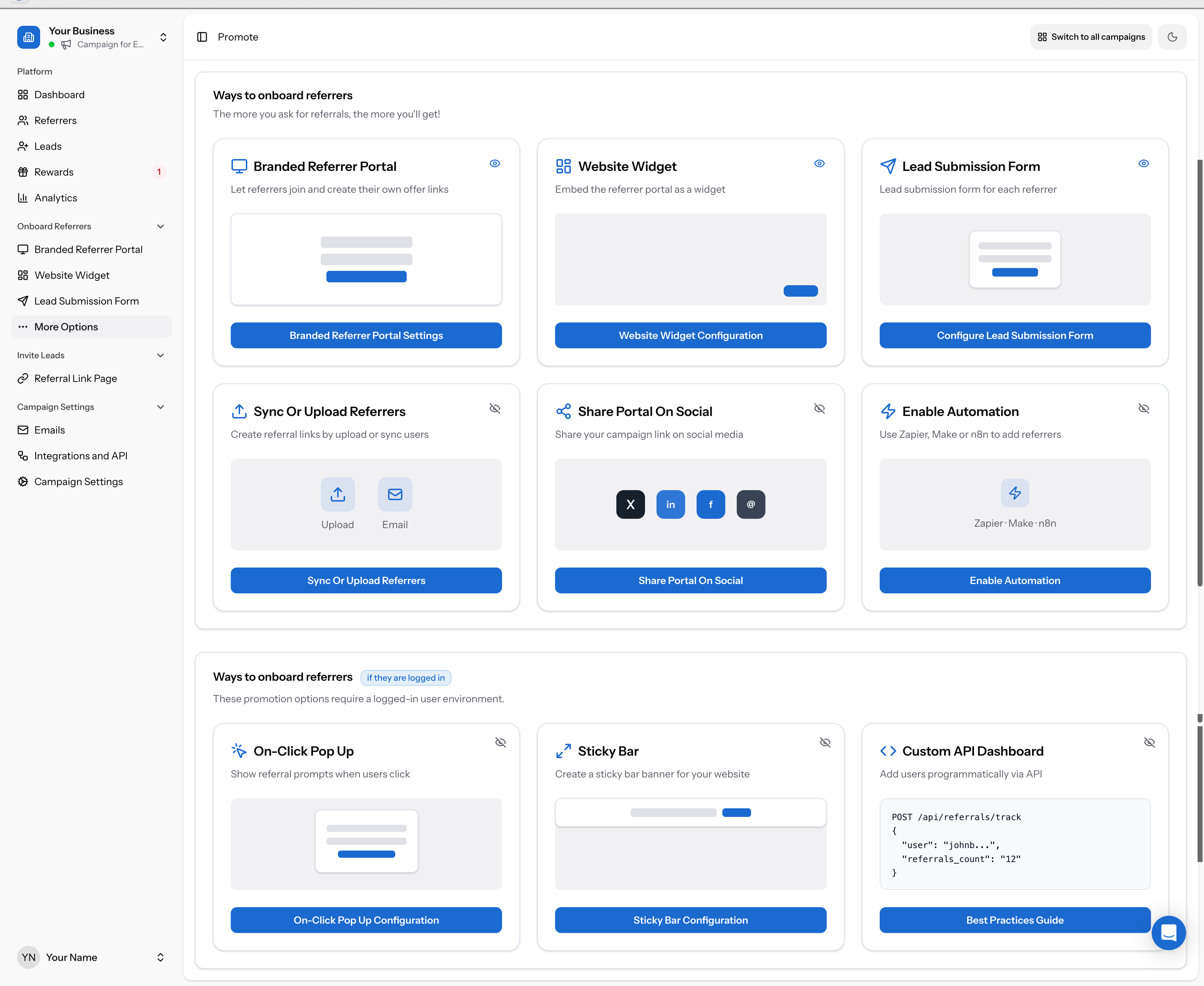
Referral Factory ways to onboard referrers

Branded referrer portal and embedded portal

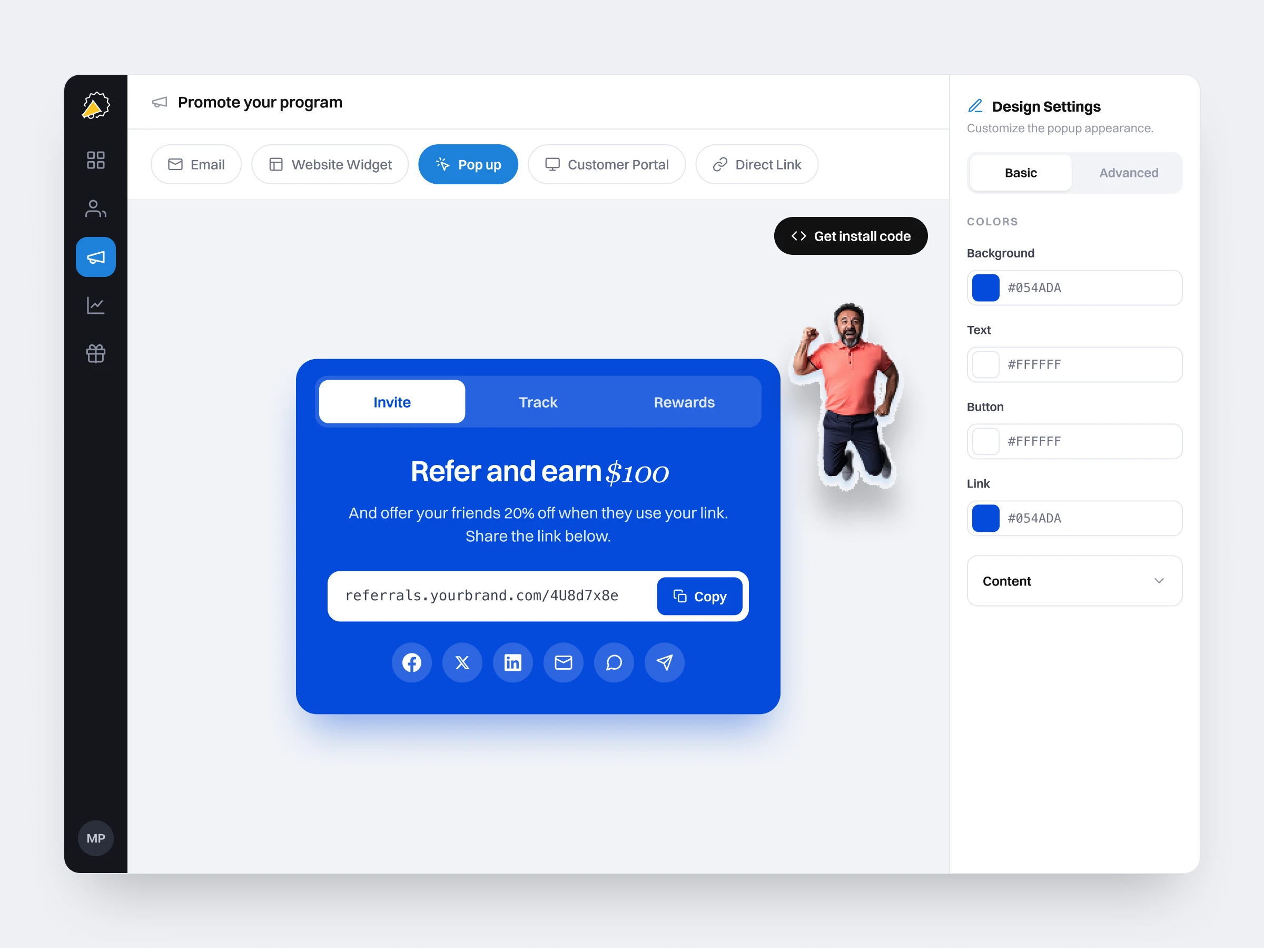
On-click popup, sticky bar, and website widget

Upload, CRM sync, API, Zapier, Make, or n8n onboarding

Feature inventory

A practical look at what is inside.

These are the feature areas buyers usually need to understand before choosing referral software: campaign control, participants, sharing methods, promotion, qualification, reward operations, analytics, and the technical connection points behind them.

01

Dashboard

A working view of campaign health, totals, and activity so teams can see whether referral activity is moving without opening five reports.

Total referrersTotal leadsAverage referrals per userCampaign switching
02

Referrers

Manage the people who can refer, whether they join themselves, come from a CRM sync, or are uploaded by your team.

Search and filtersReferral linksReferral codesSource and signup date
03

Leads

Track the people being referred and move them from new lead to qualified referral when your business rules are met.

Lead sourceReferred-by dataQualification statusCRM and upload qualification
04

Rewards

Control what becomes due, what has already been issued, and what needs review before a customer or advocate gets paid.

Due rewardsIssued rewardsManual reviewAutomated issuing
05

Analytics

Monitor reach, participation, conversion, referral volume, and reward progress so optimization is based on behavior, not guesses.

ReachConversion rateQualified referralsReward performance
06

Emails

Use referral-specific email workflows to announce the program, remind referrers, notify teams, and update participants.

Welcome emailsReferral notificationsEmail blastsCustom sending domain
07

Promotion tools

Surface the program inside the customer journey with popups, sticky bars, widgets, portals, embedded portals, and social sharing.

On-click popupSticky barWebsite widgetShare portal on social
08

Ways to refer

Use links first, then add codes or QR codes when a referral happens offline, verbally, at checkout, or inside another system.

Referral linksReferral codesQR codesLead submission forms
09

Integrations and API

Create a clean handoff between referrals and your revenue systems with CRM, payment, automation, webhook, and API workflows.

CRM syncStripe eventsZapier and MakeWebhooks and API
10

Governance and control

Give larger teams the operational controls needed for branded, secure, and compliant referral programs.

Custom domainsSSO optionsFraud checksRole and campaign controls

Inside the app

Screenshots that map to real operator jobs.

The feature set is broad, but each area exists for a concrete reason: get more people into the program, make sharing easy, keep attribution intact, qualify the right conversions, and reward without spreadsheet work.

Promotion surface area

Promotion surface area

Popups, sticky bars, embedded portals, uploads, social sharing, lead forms, and automation paths give teams more than one way to ask.

Email operations

Email operations

Always-on emails and campaign broadcasts keep referrers moving after the program launches.

Reward management

Reward management

Due and issued reward views help finance and marketing stay aligned before payouts are sent.

Website widgets

Website widgets

Embed referral prompts into your site so happy customers can join or share without leaving your brand experience.

Sticky bars

Sticky bars

Keep the referral ask visible without blocking the page or making customers hunt for the program.

API and webhooks

API and webhooks

Use technical workflows when referrals need to be created, updated, qualified, or rewarded from another system.

Compliance and fraud

Review before reward

Payment workflows

Stripe and purchases

Hosted or embedded

Portal, widget, custom domain

Automation

Webhooks, API, Zapier, Make

Feature FAQ

Questions buyers ask before choosing referral software.

These answers focus on what the platform actually does and how the feature set maps to the full referral workflow.
What features does Referral Factory include?+
Referral Factory includes branded campaign pages, referral links, QR codes, referral codes, referrer portals, popups, sticky bars, website widgets, lead forms, email workflows, analytics, reward management, fraud controls, integrations, webhooks, API access, uploads, and campaign settings for launch and optimization.
Is Referral Factory mainly a referral link tool?+
Referral links are the primary sharing method because they are easy to click and easy to track, but the platform covers more cases. You can also use referral codes, QR codes, lead submission forms, embedded portals, uploads, API workflows, and integrations when the referral does not start with a simple link click.
Can Referral Factory promote a referral program after launch?+
Yes. The platform includes multiple promotion surfaces: built-in emails, email blasts, on-click popups, sticky bars, website widgets, branded portals, embedded portals, social sharing, and CRM-driven referrer onboarding. The goal is to make the referral ask visible without relying on one launch email.
How does Referral Factory track conversions?+
Referral Factory keeps attribution from the referrer to the referred lead, then qualifies the referral when the chosen business event happens. That event can come from a CRM stage, Stripe payment, referral code redemption, webhook, API call, Zapier or Make workflow, JavaScript event, CSV upload, or manual review.
What reward features are available?+
Teams can offer cash, gift cards, account credits, coupons, discounts, custom rewards, delayed rewards, double-sided rewards, manual approvals, or automated issuing. Reward workflows can connect to providers like PayPal, Tremendous, Stripe, Zapier, Make, webhooks, or your own internal process.
Does Referral Factory work for teams without developers?+
Yes. Most teams can launch with the no-code builder, hosted pages, templates, uploads, emails, and standard integrations. Developer options are available when you need deeper control, including API, webhooks, JavaScript snippets, custom HTML pages, and embedded experiences.
Which integrations matter most for referral programs?+
The most important integrations are usually CRM, payment, automation, email, and API connections. Referral Factory supports workflows with HubSpot, Salesforce, Intercom, Zoho, Pipedrive, Monday, ServiceTitan, Stripe, Zapier, Make, n8n, webhooks, and custom systems.
What should I look for when comparing referral software features?+
Look beyond a long feature list. The important question is whether the platform can support the full loop: how people join, how they share, how attribution is preserved, how conversions are qualified, how rewards are controlled, how fraud is prevented, and how data flows back into the systems your team already uses.

See it live

Bring your referral feature checklist to a real workflow.

We can show how your customers would join, share, get tracked, qualify, and get rewarded using the channels and systems your business already has.