
Read this page as a quick path: scan the headings, use the step blocks, and escalate if the expected result does not happen.
Need help applying this to your account?
Contact support and we will keep this article attached to your request.
PayPal allows you to issue cash payouts directly to your referrers or leads via their PayPal account. Here's how to set it up.
Prerequisites
- You need a PayPal Business account
- The reward recipient must have a PayPal account (payouts are matched by email address)
- PayPal payouts are available on the Basic plan and above
Setting up a PayPal reward
Step 1: Create a reward and choose the recipient
Go to Rewards in the left sidebar, click Manage Rewards, then Add New Reward (or click the edit icon on an existing draft reward).
Select who the reward is for:
Then choose the reward type: Fixed Amount or Commission Amount. Custom rewards are not intended for use with PayPal.
- Referrer — the person who made the referral
- Lead — the new customer who was referred
Step 2: Configure the reward amount
First, ensure Fraud Protection is toggled on (recommended). This ensures rewards are only given for qualified referrals.
Then set your reward configuration:
Choose the reward frequency:
- Reward On Every — how many qualified referrals trigger a reward (e.g. every 1 qualified referral)
- Currency — select your currency (e.g. USD)
- Amount — the reward amount (e.g. $1)
- One-time reward per qualified referral — the referrer receives the reward once for each qualified referral
- Ongoing rewards per qualified referral — the referrer is rewarded every time the referral pays
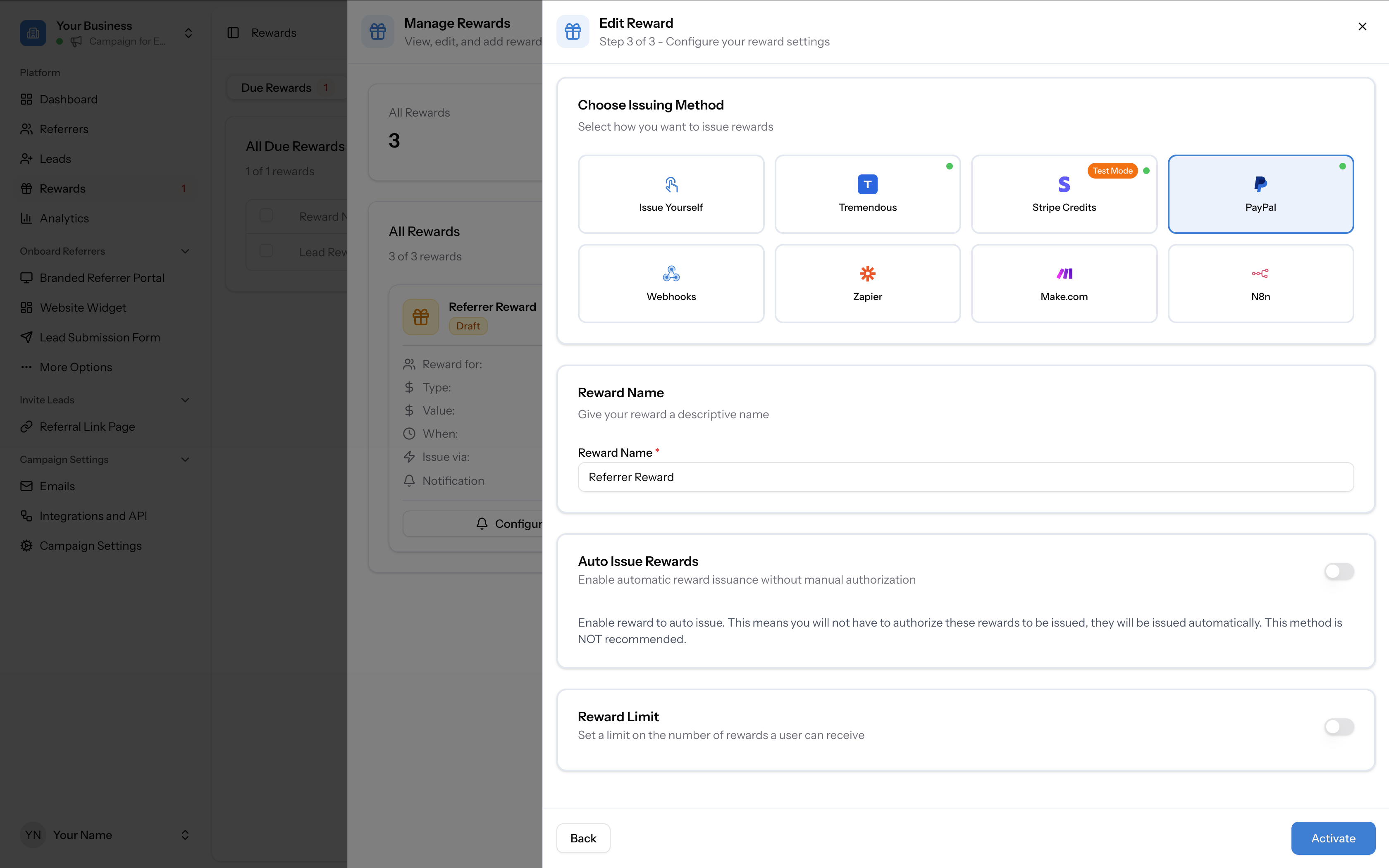
Step 3: Select PayPal as the issuing method
On the issuing method screen, select PayPal. Other available options include Issue Yourself, Tremendous, Stripe Credits, Webhooks, Zapier, Make.com, and N8n.
Connecting your PayPal account
The first time you select PayPal as an issuing method, you will be redirected to PayPal to authorise the connection. You'll see a consent screen asking you to connect your PayPal account to Referral Factory BV. This grants Referral Factory permission to:
Click Agree and link to complete the connection.
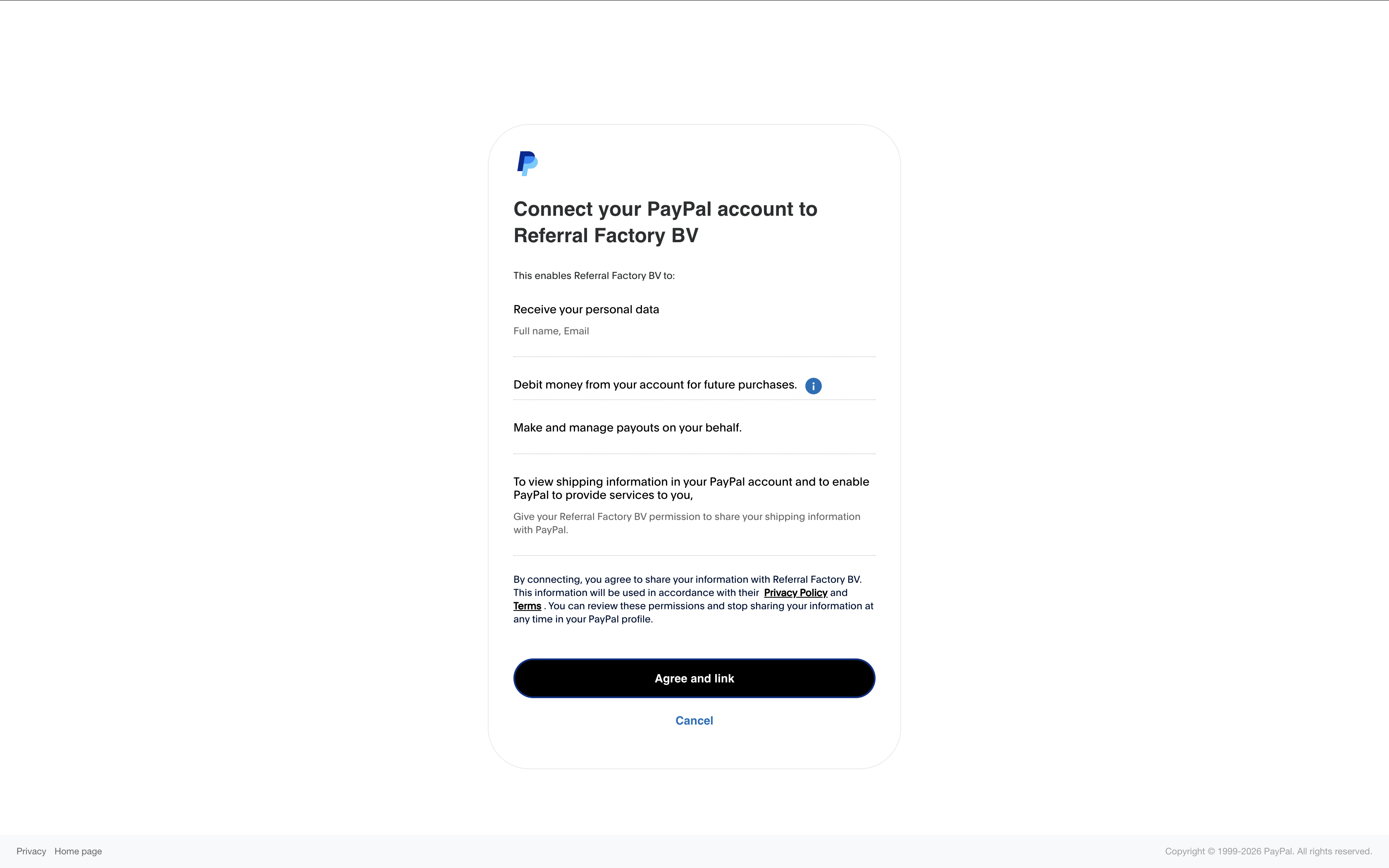
Once connected, you only need to do this once — PayPal will remain connected for future rewards.
- Receive your personal data (full name, email)
- Debit money from your account for future purchases
- Make and manage payouts on your behalf
Configure reward settings
After connecting PayPal, configure the remaining settings:
Click Activate to make the reward live.
- Reward Name — give your reward a descriptive name (e.g. "Referrer Reward")
- Auto Issue Rewards — toggle on if you want rewards to go out automatically when a referral qualifies (off by default; not recommended). When enabling Auto Issue, you will not need to manually approve each reward — they will be issued automatically.
- Reward Limit — toggle on to cap how many rewards a single participant can earn (off by default)
How PayPal rewards are issued
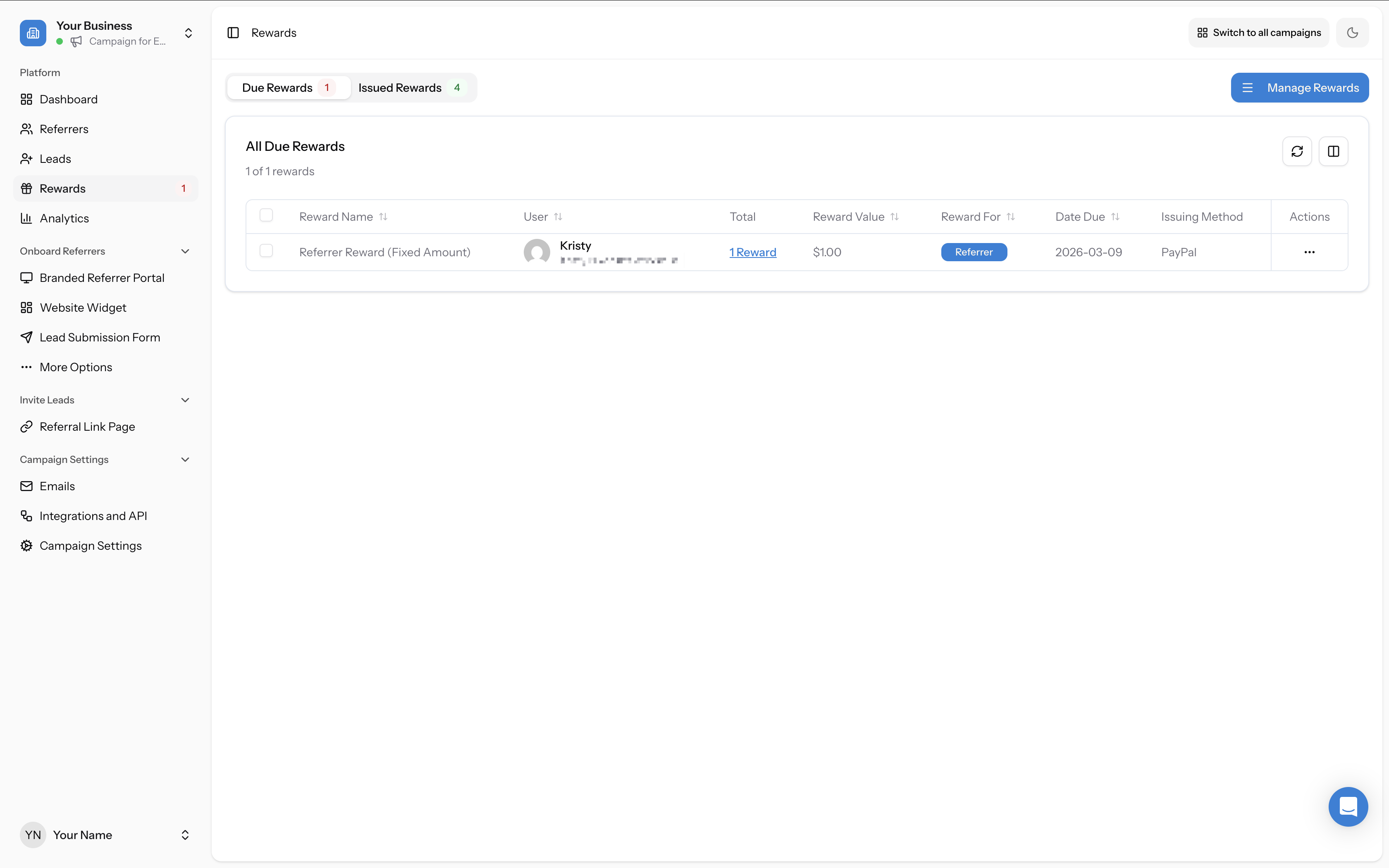
When a referral qualifies and a reward becomes due:
If Auto Issue is enabled, rewards are sent automatically without manual approval.
- Go to the Rewards page and open the Due Rewards tab. You will see pending rewards listed with the Issuing Method shown as PayPal.
- Click the three-dots action menu on a reward row and select Issue Now to send the payout. You can also select multiple rewards using checkboxes to issue in bulk.
- Once issued, the reward moves to the Issued Rewards tab.
Important notes
- Referrer must have PayPal: The reward recipient needs a PayPal account linked to their email address. If their email does not match a PayPal account, the payout will fail.
- Funds come from your PayPal account: Referral Factory orchestrates when rewards are sent, but the funds are debited from your connected PayPal account. Ensure your PayPal account has sufficient balance.
- One-time connection: You only need to authorise the PayPal connection once. It remains active for all future rewards unless you disconnect it.
- Check connection status: You can verify your PayPal connection at any time by going to Campaign Settings → Integrations and API → Rewards tab.