
Read this page as a quick path: scan the headings, use the step blocks, and escalate if the expected result does not happen.
Need help applying this to your account?
Contact support and we will keep this article attached to your request.
Reward notifications are email alerts sent to referrers (or leads, in a double-sided reward setup) when a reward is issued. Each reward has its own notification setting, configured directly from the Rewards tab alongside the reward itself.
How to customise it
1. Go to Rewards in the left sidebar.
2. You will see your reward cards (for example, Referrer Reward and Lead Reward). Each card displays the current notification status.
1. Click Configure notification on the reward card you want to update.
2. From the notification settings, toggle the notification on and customise the subject line and message body to match your reward type and brand voice.
3. Save your changes.
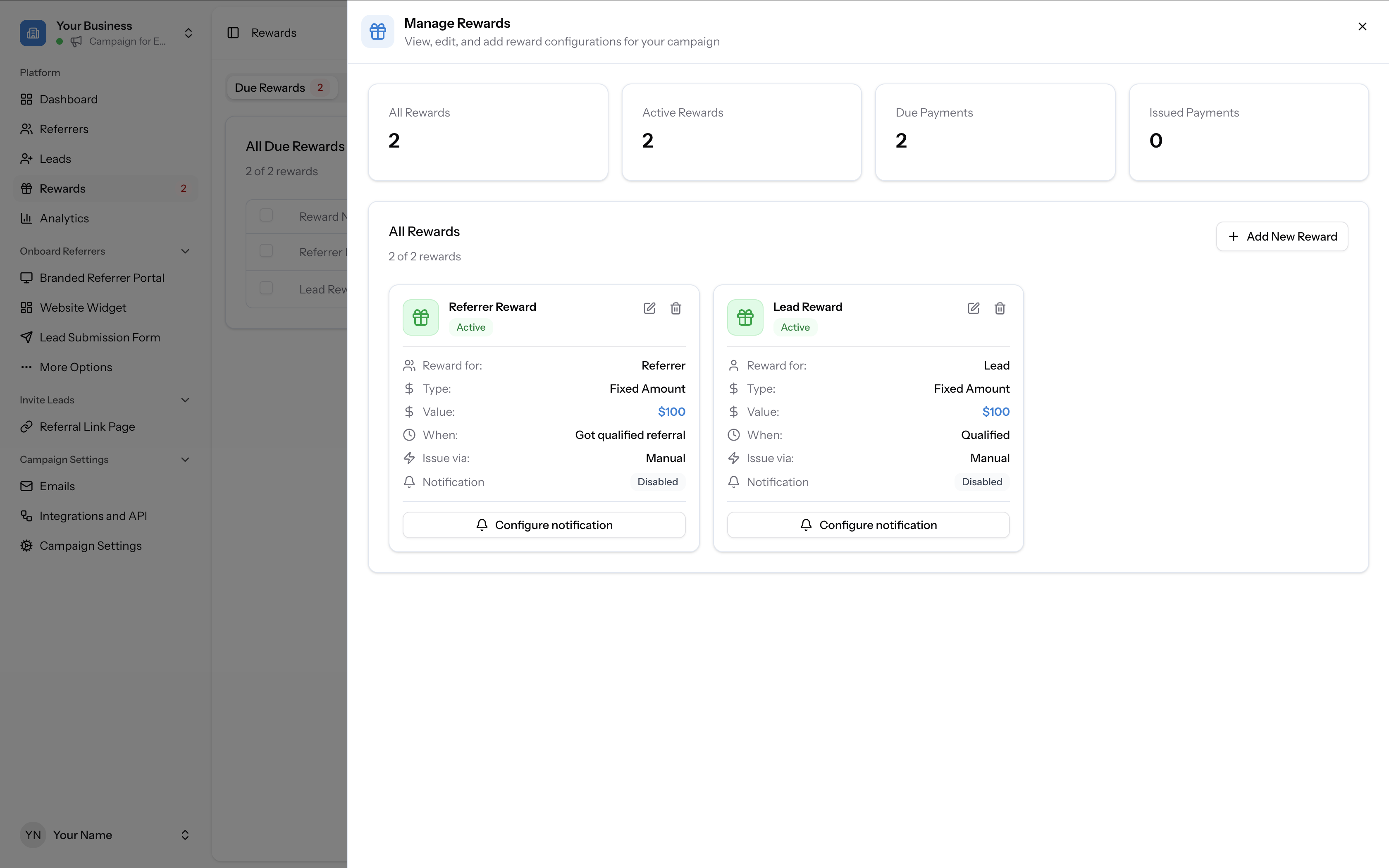
faq how do i customise the reward email notification: manage rewards panel showing referrer reward and lead reward cards, each with a configure notification button and notification: disabled status
Manage Rewards panel showing Referrer Reward and Lead Reward cards, each with a Configure notification button and Notification: Disabled status