Read this page as a quick path: scan the headings, use the step blocks, and escalate if the expected result does not happen.
Need help applying this to your account?
Contact support and we will keep this article attached to your request.
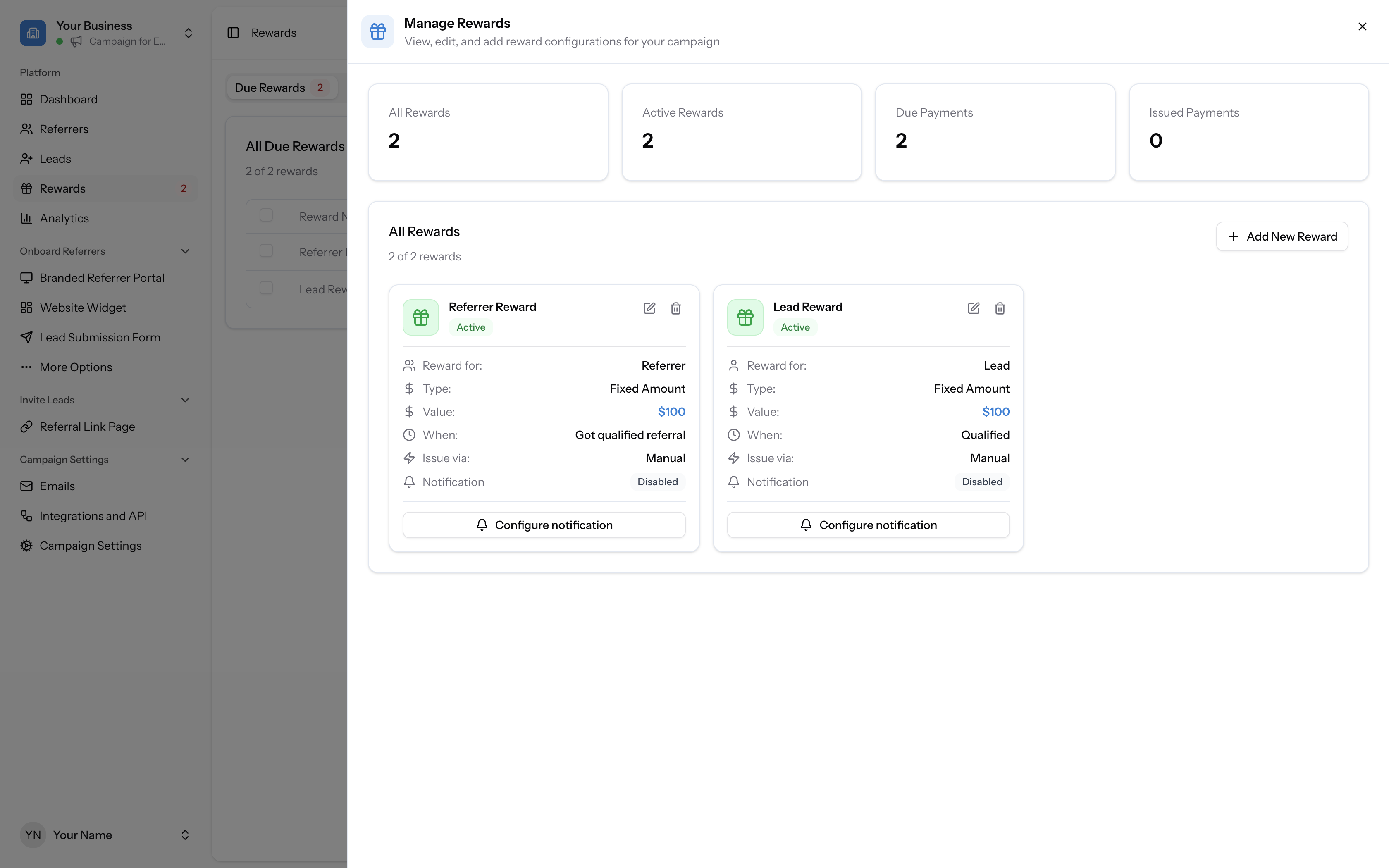
All rewards in your campaign are tracked in the Rewards section, which you can access from the left-hand sidebar. At the top you will see a summary showing your total rewards, active rewards, due payments, and issued payments.
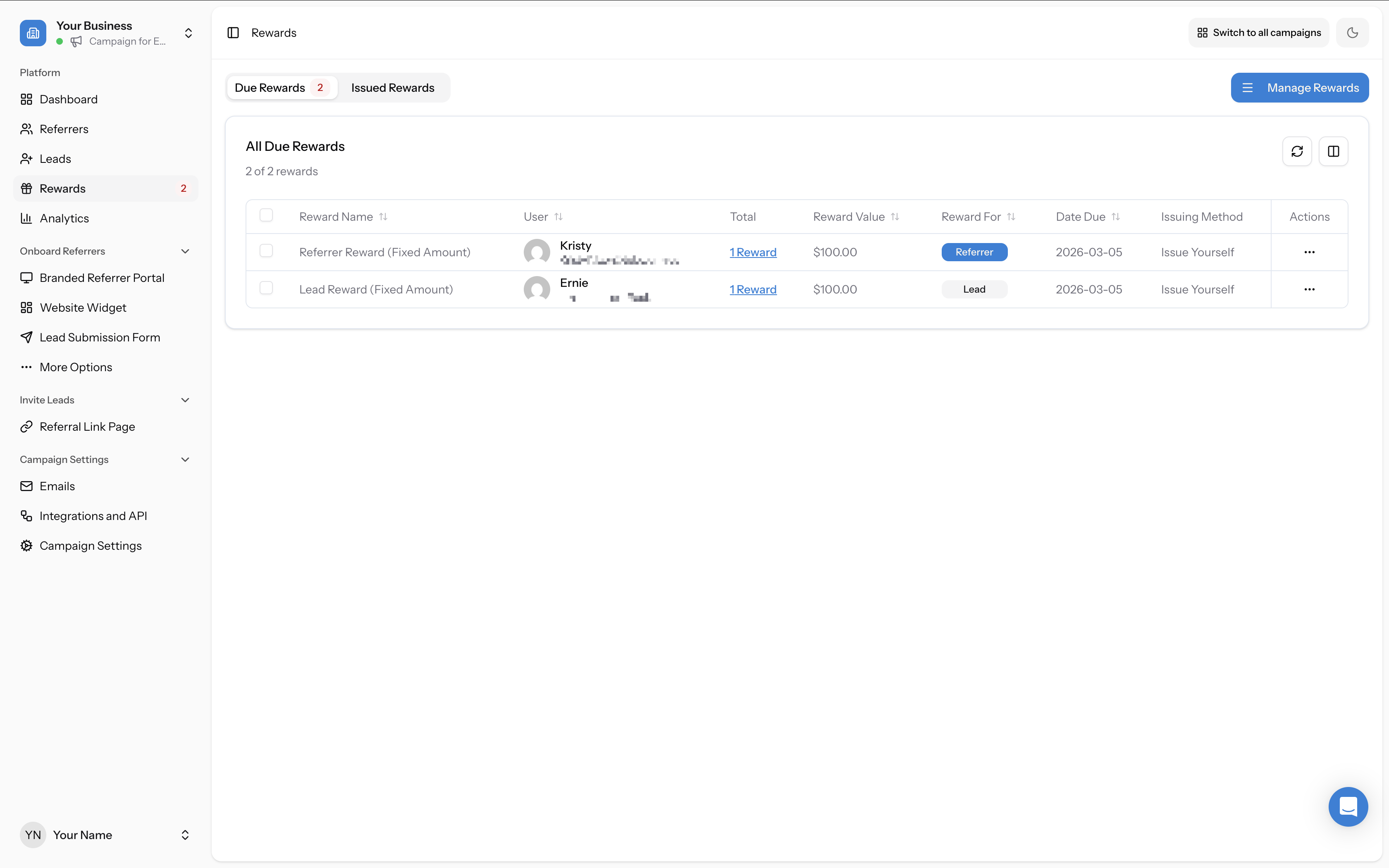
Due Rewards
The Due Rewards tab shows rewards that have been triggered by a qualified referral but have not yet been issued. This is your queue of rewards waiting to go out. Each row shows the reward name, the user it belongs to, the reward value, who the reward is for (Referrer or Lead), the date it became due, and the issuing method.
To issue a reward manually, click the actions menu (three dots) on the right-hand side of the row and select Issue.
Issued Rewards
The Issued Rewards tab shows rewards that have been successfully sent to participants. You can see the full history of all rewards issued for your campaign.
Reward summary stats
The overview at the top of the Rewards section shows four stats:
- All Rewards — total number of reward configurations in your campaign
- Active Rewards — reward configurations that are currently active
- Due Payments — the number of individual reward payments waiting to be issued
- Issued Payments — the number of reward payments that have been successfully sent
Managing your reward configurations
Click Manage Rewards (top right of the Rewards tab) to view, edit, and add reward configurations for your campaign. This is where you define who gets rewarded, the reward type and amount, when it triggers, and how it is issued.