Need help applying this to your account?
Contact support and we will keep this article attached to your request.
What should I check first?
Open Integrations & API → CRM and confirm Intercom shows Connected. Then check the relevant Leads, Referrers or Qualification Rules settings.
Why is a Lead or Referrer not being sent?
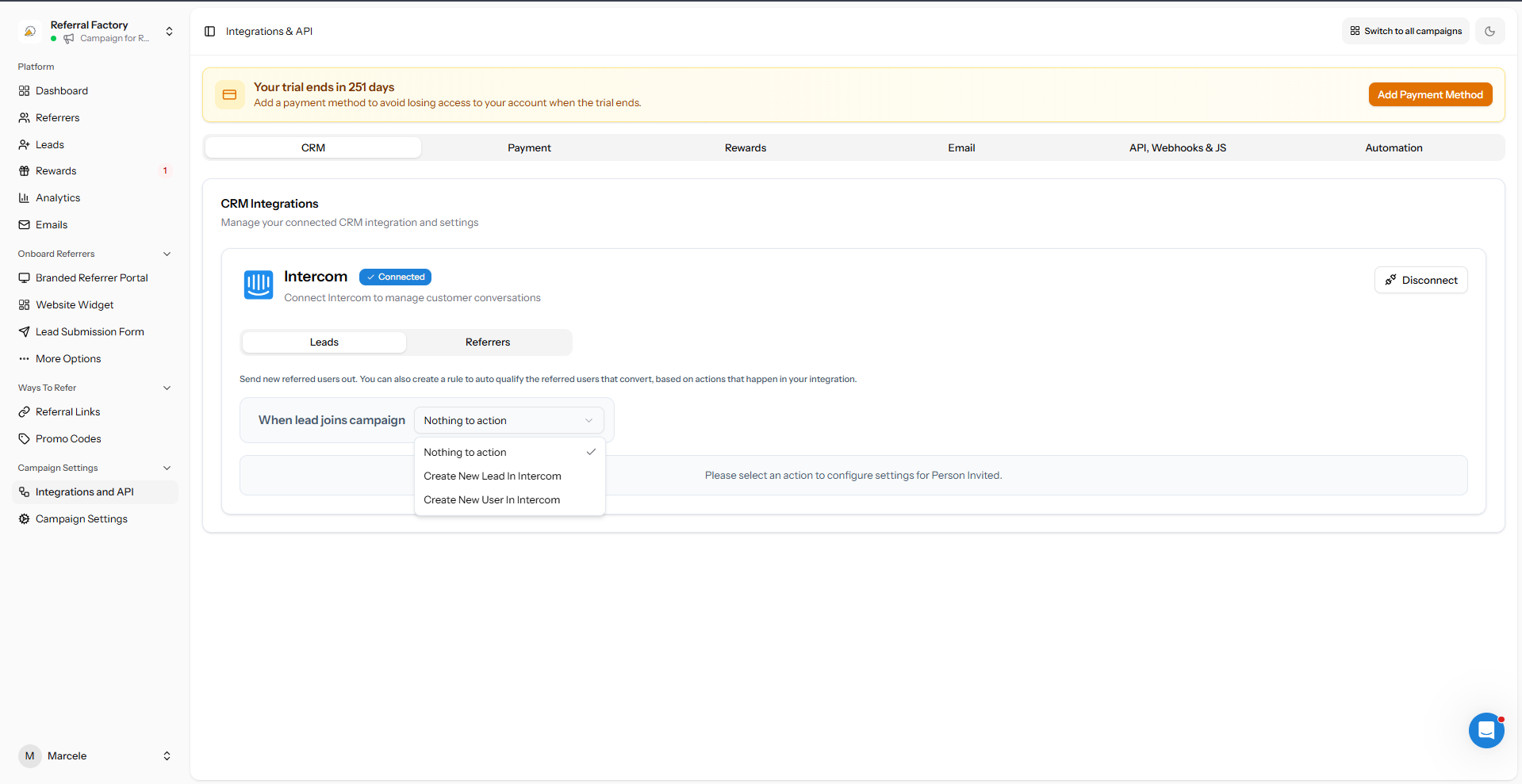
Confirm the action is not set to Nothing to action, Email is mapped, the record meets the campaign trigger, and the duplicate setting matches the expected behaviour.
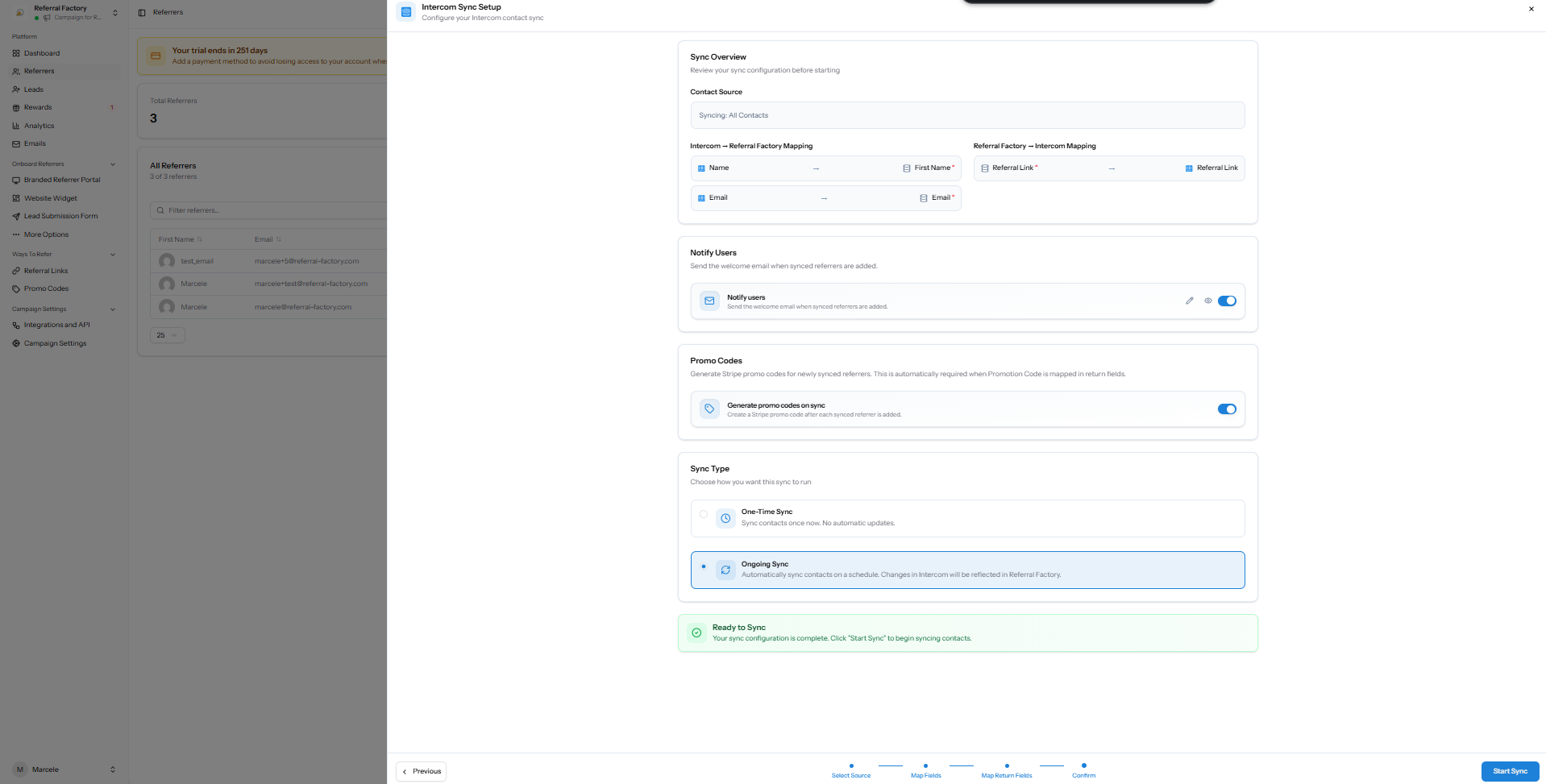
For referrers, test with a person who newly joins the campaign rather than someone added through the existing-contact sync.
Why are fields missing or not updating?
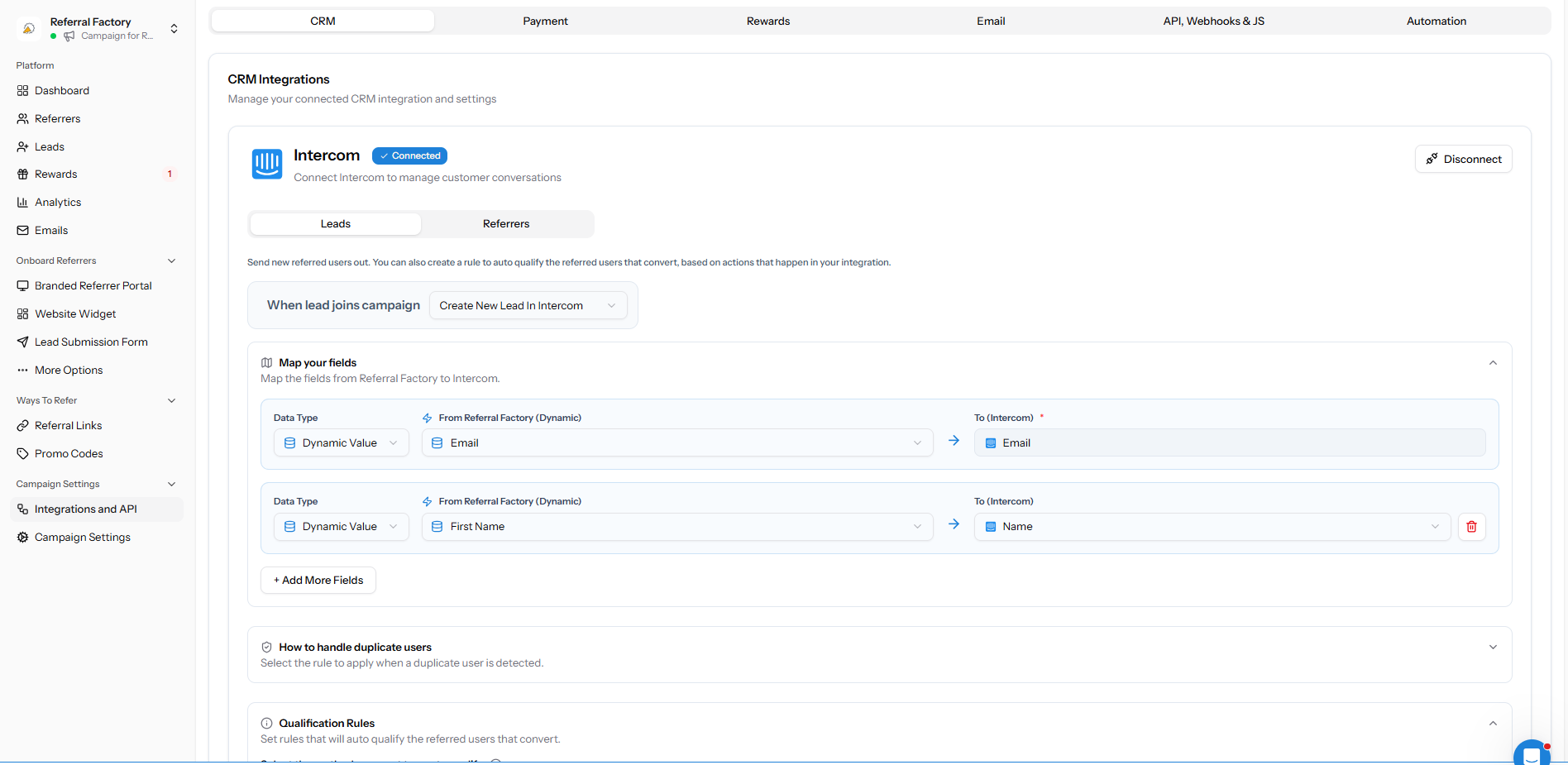
Reload fresh data from the integration after adding a new Intercom property. Check that each Referral Factory value maps to the intended Intercom field and that an ongoing sync is enabled when updates should continue.
Why is Qualification not working?
Confirm the rule is enabled, the correct attribute is selected, and the Intercom value exactly matches the target value. Test with a newly created test lead.
Could the sync be delayed?
Check the saved action, audience, mappings and sync type first. If the record still does not appear, capture the campaign name, test email, selected path and time of the test before contacting support.