
Read this page as a quick path: scan the headings, use the step blocks, and escalate if the expected result does not happen.
Need help applying this to your account?
Contact support and we will keep this article attached to your request.
If you use Intercom to manage your customers, you can connect it to Referral Factory and automatically qualify referrals when a contact's data attribute changes in Intercom.
Before you start
Connect Intercom in Campaign Settings → Integrations and API → CRM tab. See How to connect Intercom to Referral Factory for full instructions.
Step 1: Choose an action for new leads
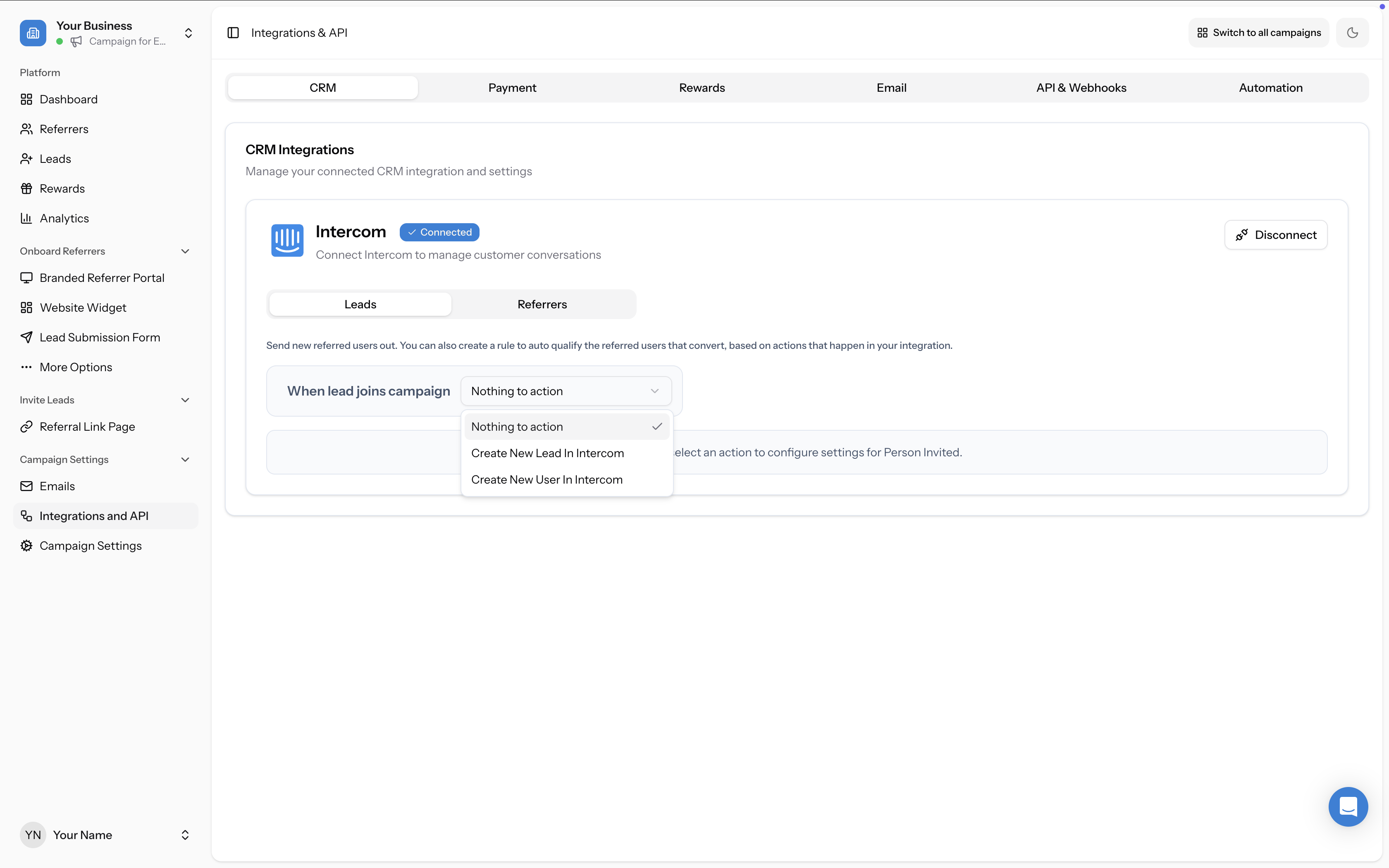
On the Intercom integration panel, go to the Leads tab. Under "When lead joins campaign", select Create New Lead In Intercom or Create New User In Intercom.
Step 2: Map your fields and configure duplicate handling
Map the fields you want to send from Referral Factory to Intercom (e.g., Email, First Name). Then choose how to handle duplicate contacts. See How to map fields between Intercom and Referral Factory for details.
Step 3: Set your qualification rule
Scroll down to the Qualification Rules section. Under "Select the method you want to use to qualify", you have two options:
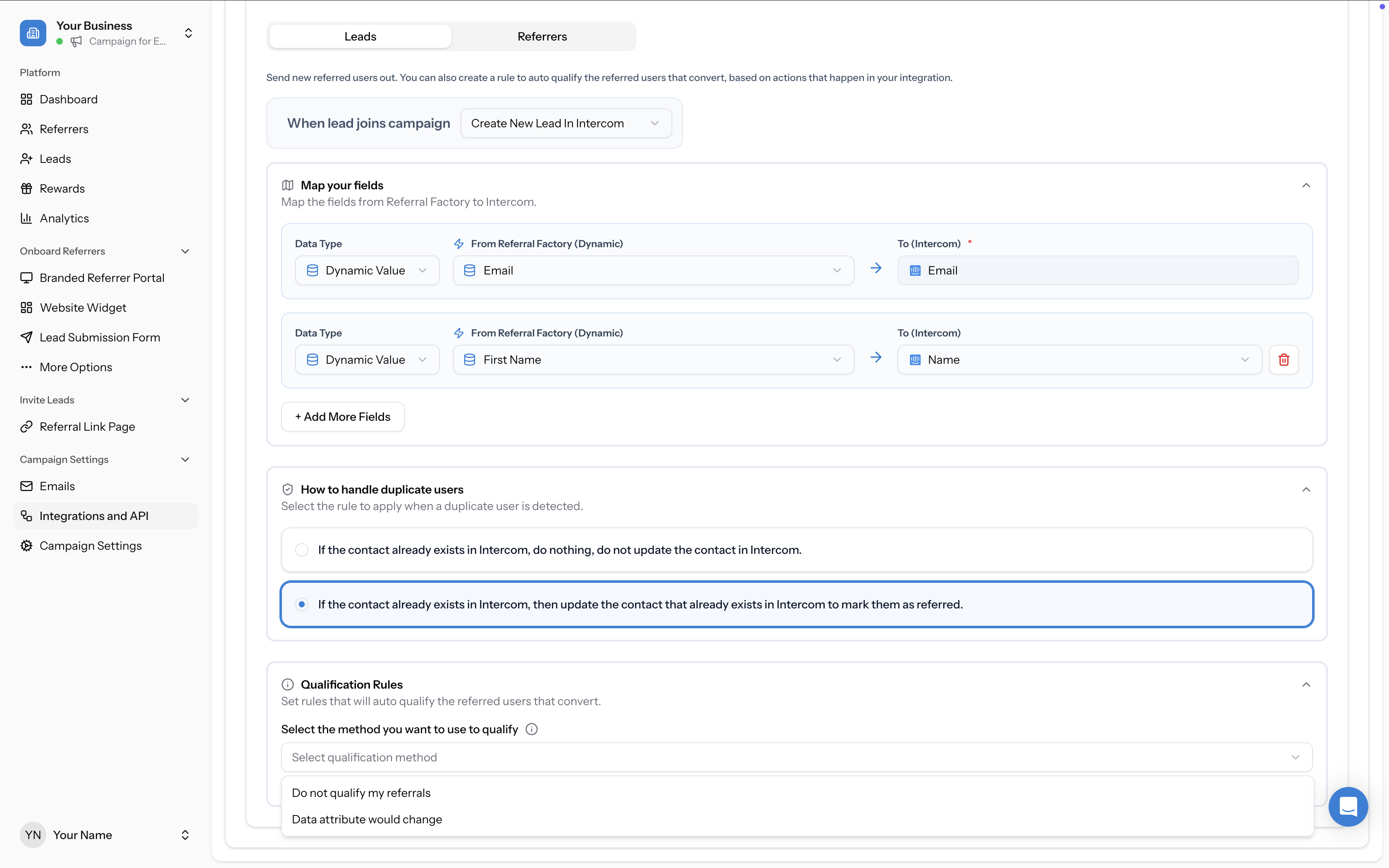
- Do not qualify my referrals — No automatic qualification will happen via this integration
- Data attribute would change — Qualify the referral when a specific Intercom data attribute changes to a target value
Step 4: Configure the qualifying attribute
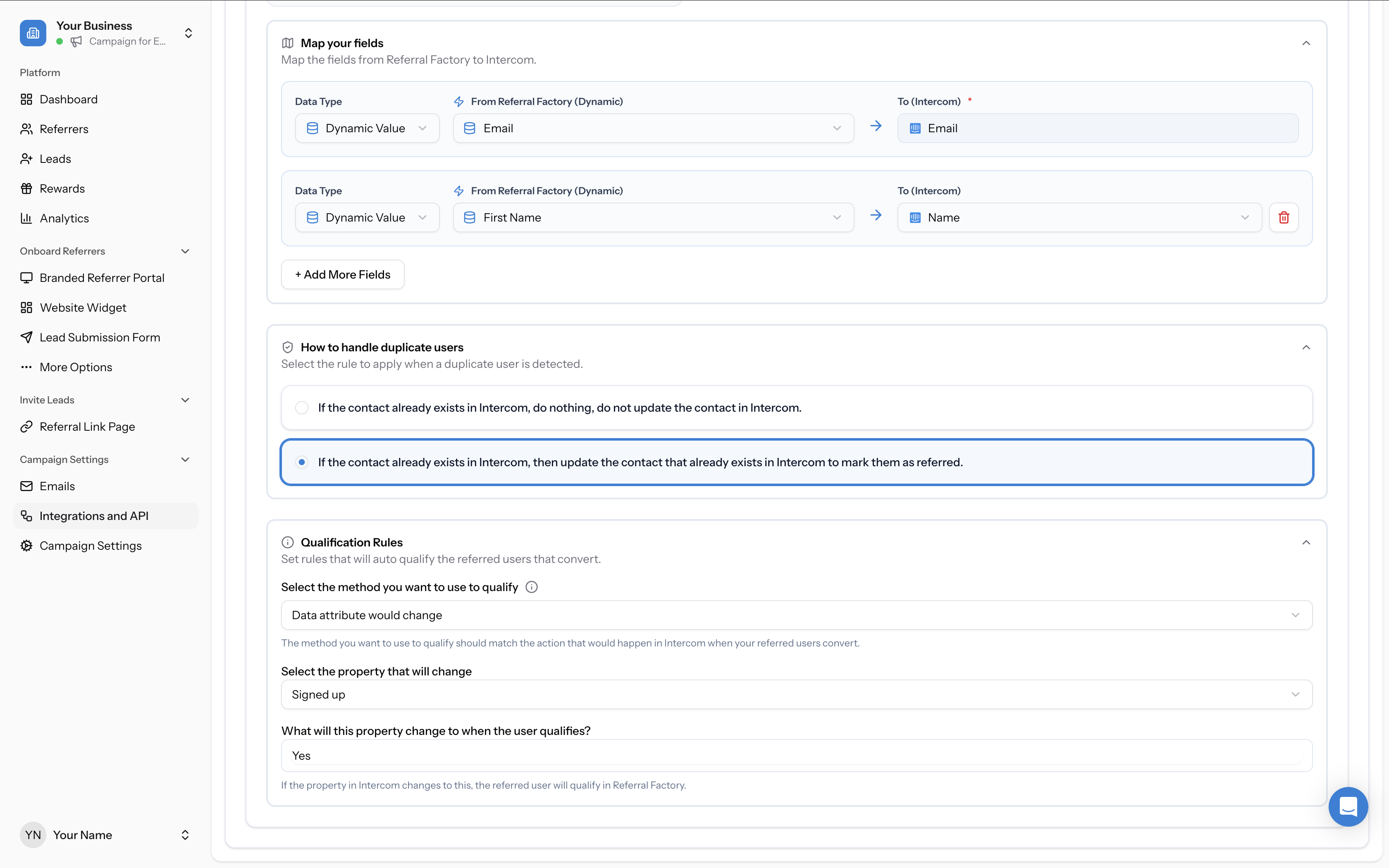
If you selected Data attribute would change:
When the referred contact's Intercom attribute reaches the target value, their lead status in Referral Factory automatically changes to Qualified and any configured rewards are triggered.
- Select the property that will change — Choose the Intercom data attribute to monitor (e.g., "Signed up")
- Set the target value — Enter the value that triggers qualification (e.g., "Yes")