
Read this page as a quick path: scan the headings, use the step blocks, and escalate if the expected result does not happen.
Need help applying this to your account?
Contact support and we will keep this article attached to your request.
Referral Factory integrates directly with HubSpot, Salesforce, Intercom, and ServiceTitan. The setup process is similar for each CRM.
Zoho, Pipedrive, and Monday.com are coming soon. You can request access from the CRM tab.
Step-by-step
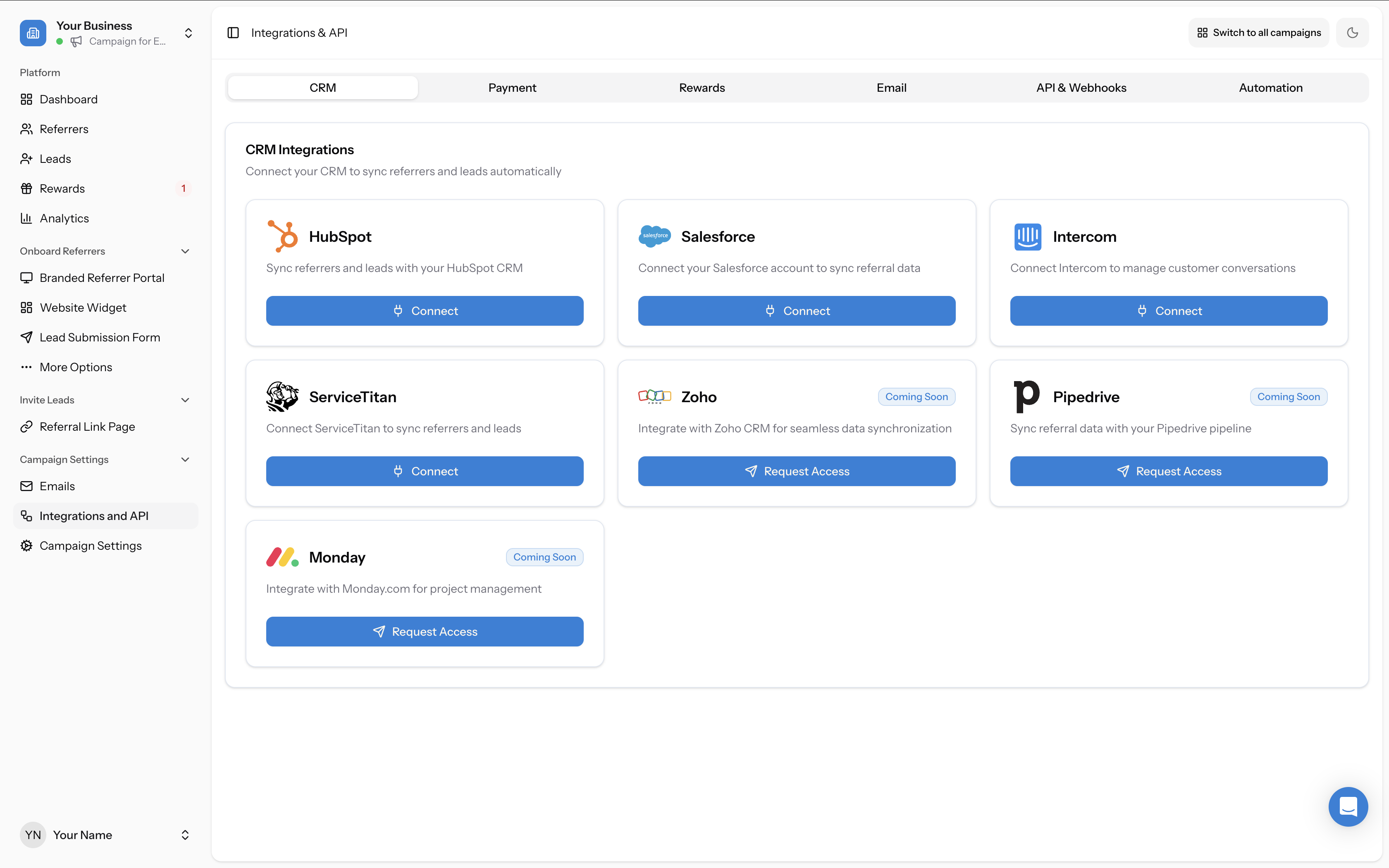
- Go to Campaign Settings → Integrations and API → CRM tab and select your CRM
- Authenticate by logging into your CRM account
- Configure the Referrers tab — choose the pipeline, deal stage, and map contact fields
- Configure the Leads tab — these settings are independent from the referrer settings
- Save your integration
ServiceTitan: different setup process
ServiceTitan uses a different connection method than the other CRMs. Instead of OAuth authentication, ServiceTitan requires a two-phase setup: first you submit your Tenant ID for approval by the Referral Factory team (1–2 business days), then you install the Referral Factory app in your ServiceTitan account and finalize the connection with your Client ID, Client Secret, and Booking Provider Value. See How to Connect and Configure Your ServiceTitan Integration for the full walkthrough.
Common issue: contacts not syncing
The most common reason contacts don't sync is that the integration is set to "Do nothing" for existing contacts. If a contact already exists in your CRM and you've selected "Do nothing," Referral Factory will not update or create a duplicate — it will skip the sync silently. Review your settings for both the Referrers and Leads tabs.
Salesforce: "cannot reference converted lead" error
This error occurs when a Lead in Salesforce has already been converted to a Contact before the referral sync attempts to reference it. Once a Lead is converted, Salesforce does not allow API actions on the original Lead record. Ensure Leads are not converted before the referral process completes. See FAQ: What does the "cannot reference converted lead" error mean in Salesforce? for more detail.
Qualifying referrals via your CRM
Scroll to the bottom of your integration settings to find the Qualify Referrals section. Here you can select the deal stage that should trigger automatic qualification. For the full picture, see The 6 ways to qualify leads in Referral Factory.