
Read this page as a quick path: scan the headings, use the step blocks, and escalate if the expected result does not happen.
Need help applying this to your account?
Contact support and we will keep this article attached to your request.
Connecting Salesforce lets you automatically send referred leads to Salesforce, sync Salesforce contacts into your campaign as referrers, and qualify referrals based on changes in your CRM.
Step 1: Open the CRM integration tab
Go to Campaign Settings → Integrations and API → CRM tab. You will see tiles for each available CRM integration, including Salesforce.
Step 2: Connect your Salesforce account
Click Connect on the Salesforce tile. A modal appears asking you to choose a connection mode:
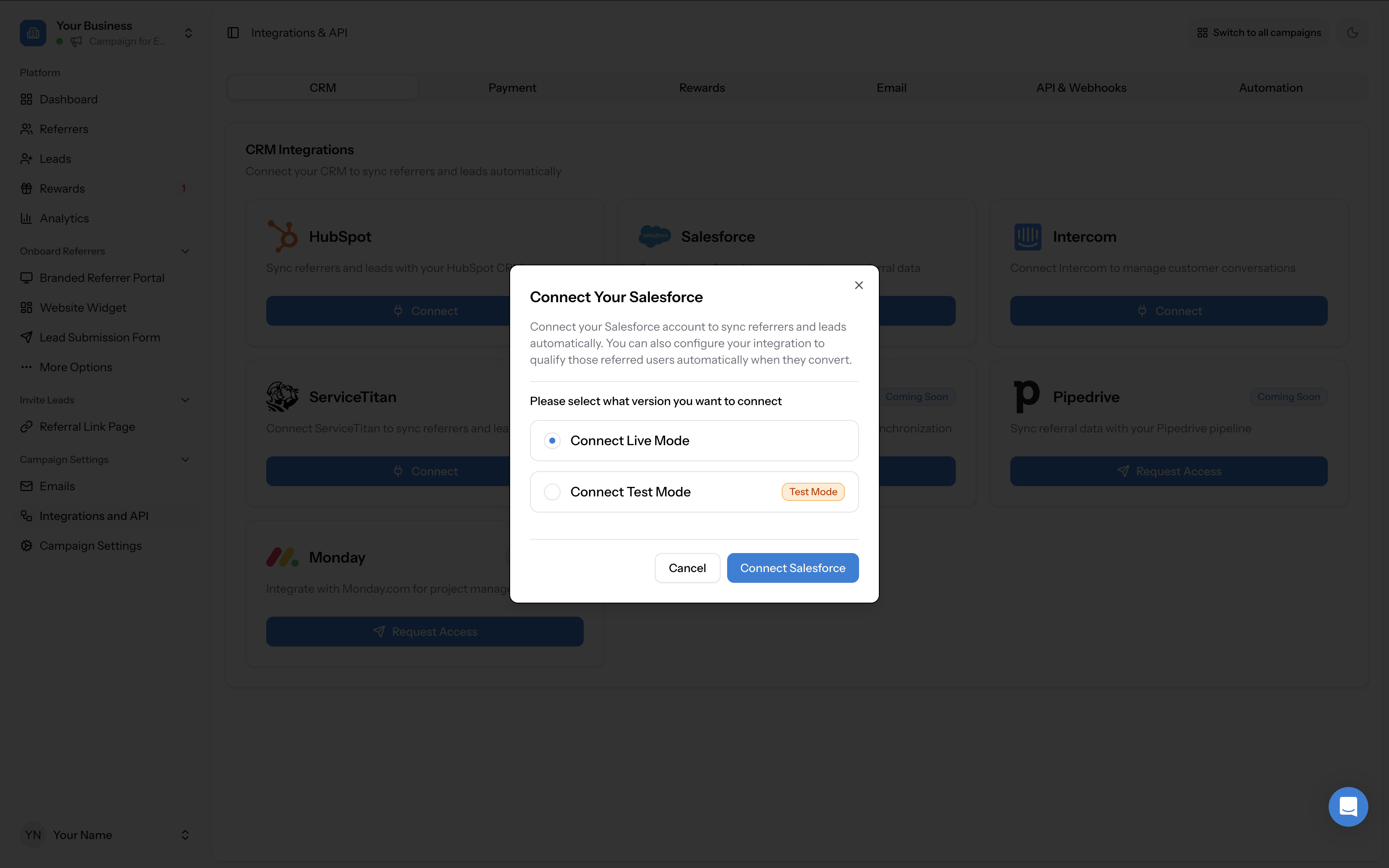
Select your mode and click Connect Salesforce. You will be redirected to Salesforce's OAuth authorisation page, which lists the permissions Referral Factory needs (access the identity URL service, manage user data via APIs, and perform requests). Click Allow to grant access.
Once authorised, you are returned to the integration settings with Salesforce showing a green Connected badge.
- Connect Live Mode — connects to your production Salesforce environment
- Connect Test Mode — connects to a Salesforce sandbox for testing before going live
Step 3: Configure the Leads tab
The Leads tab controls what happens when a new referred user (lead) joins your campaign. Use the When lead joins campaign dropdown to choose an action:
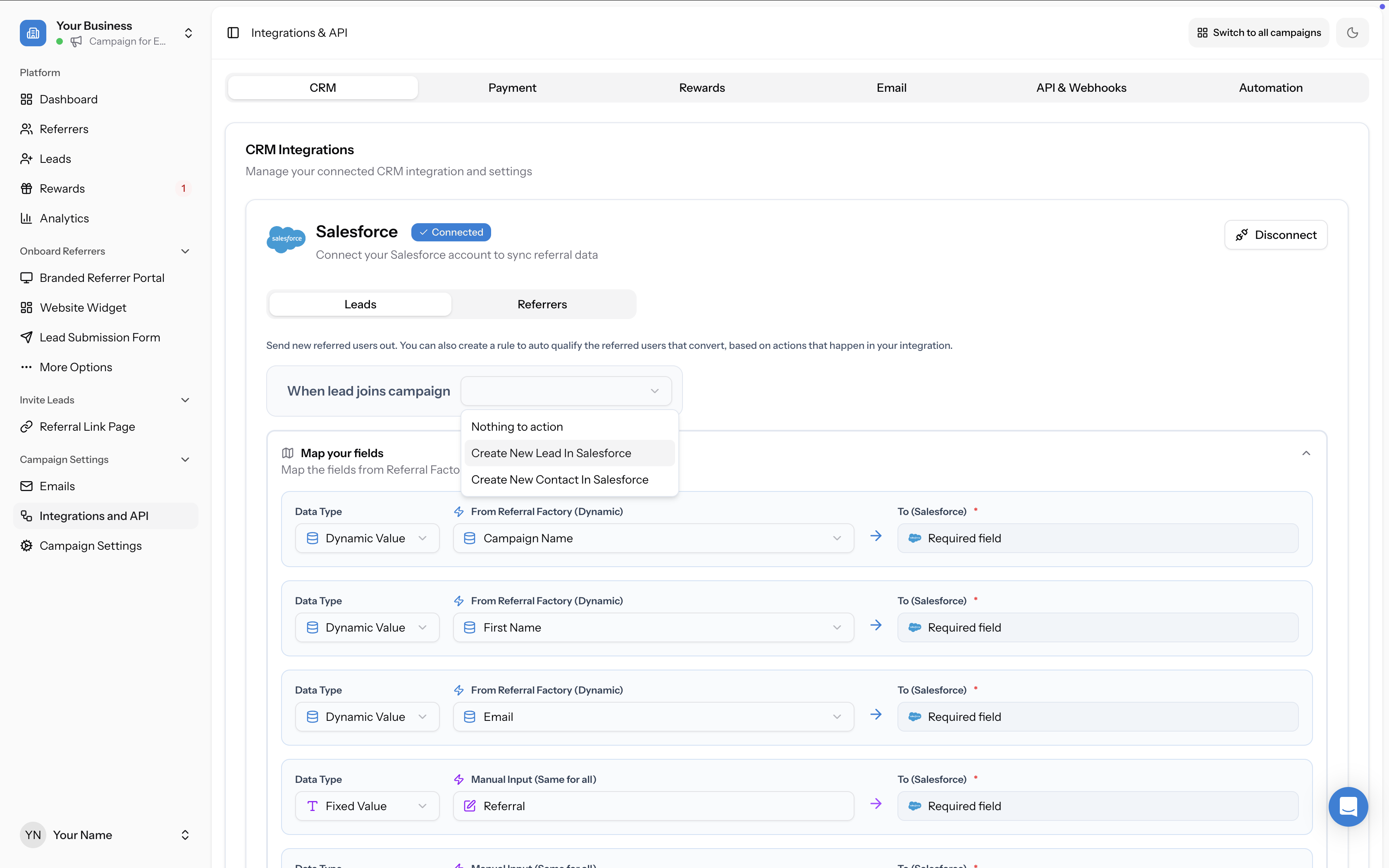
- Nothing to action — no record is created in Salesforce
- Create New Lead in Salesforce — creates a Lead object
- Create New Contact in Salesforce — creates a Contact object
Map your fields
After selecting an action, map the fields from Referral Factory to the corresponding Salesforce fields. Each row has three columns:
Click + Add More Fields to add additional field mappings.
Required fields depend on the Salesforce object type:
A yellow Setup Required warning appears if required fields are not yet mapped.
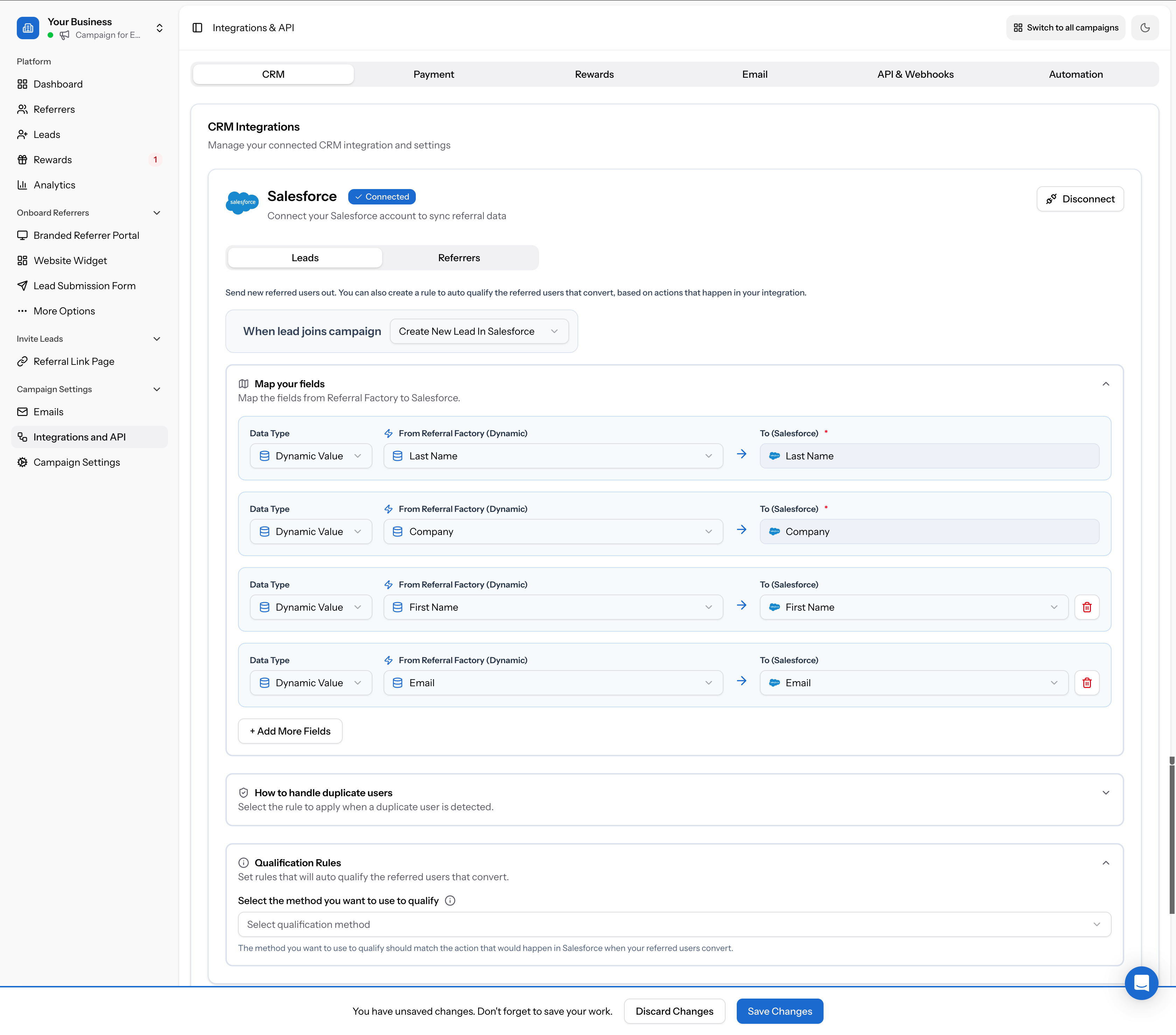
- Data Type — choose Dynamic Value (pulled from the referral), Fixed Value (same for all), or Manual Input (same for all)
- From Referral Factory — the Referral Factory field (e.g. First Name, Email, Company, Campaign Name, Referral Code, Source, Referral Link)
- To (Salesforce) — the corresponding Salesforce field
- Lead: Last Name and Company are required
- Contact: Last Name is required
Handle duplicate users
Choose how to handle cases where a Lead or Contact already exists in Salesforce:
- Do nothing, do not update the Lead/Contact in Salesforce — the referral will never qualify via this integration. In other words, if the lead already existed inside Salesforce, they won’t be considered a successful referral.
- Update the Lead/Contact that already exists in Salesforce to mark them as referred — the referral can still become qualified
- Create a new Lead/Contact with the same email in Salesforce — the referred user would only qualify if they become a customer on the new profile
Set qualification rules
Qualification rules let you auto-qualify referrals based on actions in Salesforce. See How to qualify leads automatically via Salesforce for full details on each method.
Click Save Changes when you are done configuring.
Step 4: Configure the Referrers tab
The Referrers tab controls what happens when a new direct user (referrer) joins your campaign. This sends referrer data out to Salesforce each time someone joins as a referrer.
Use the When referrer joins campaign dropdown to choose an action:
Map the referrer fields (e.g. Last Name, First Name, Email, Referral Link) the same way as the Leads tab, and configure duplicate handling.
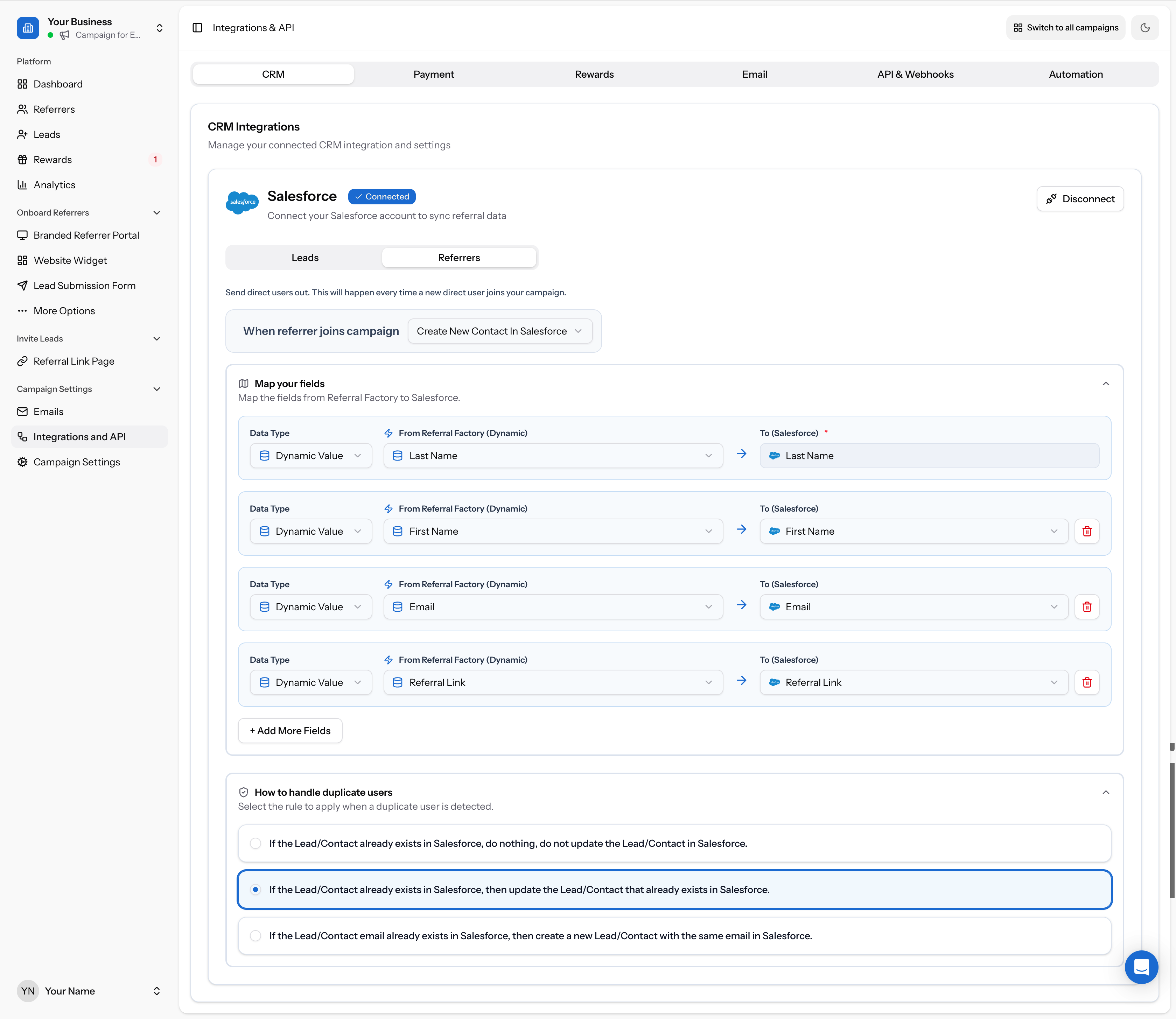
- Nothing to action — no record is created
- Create New Lead in Salesforce
- Create New Contact in Salesforce
Disconnecting Salesforce
To disconnect, click the Disconnect button in the top-right corner of the Salesforce integration panel. This stops all syncing but does not delete any records already created in Salesforce.