
Need help applying this to your account?
Contact support and we will keep this article attached to your request.
What are the actual referral methods
Referral link
Each Referrer receives a personal Referral Link. They can copy the link or use the available sharing buttons to send it through email, SMS, social media, or another supported channel.
When the referred person opens that link and completes the campaign’s referral journey, Referral Factory uses the link’s tracking information to connect the activity to the correct Referrer.
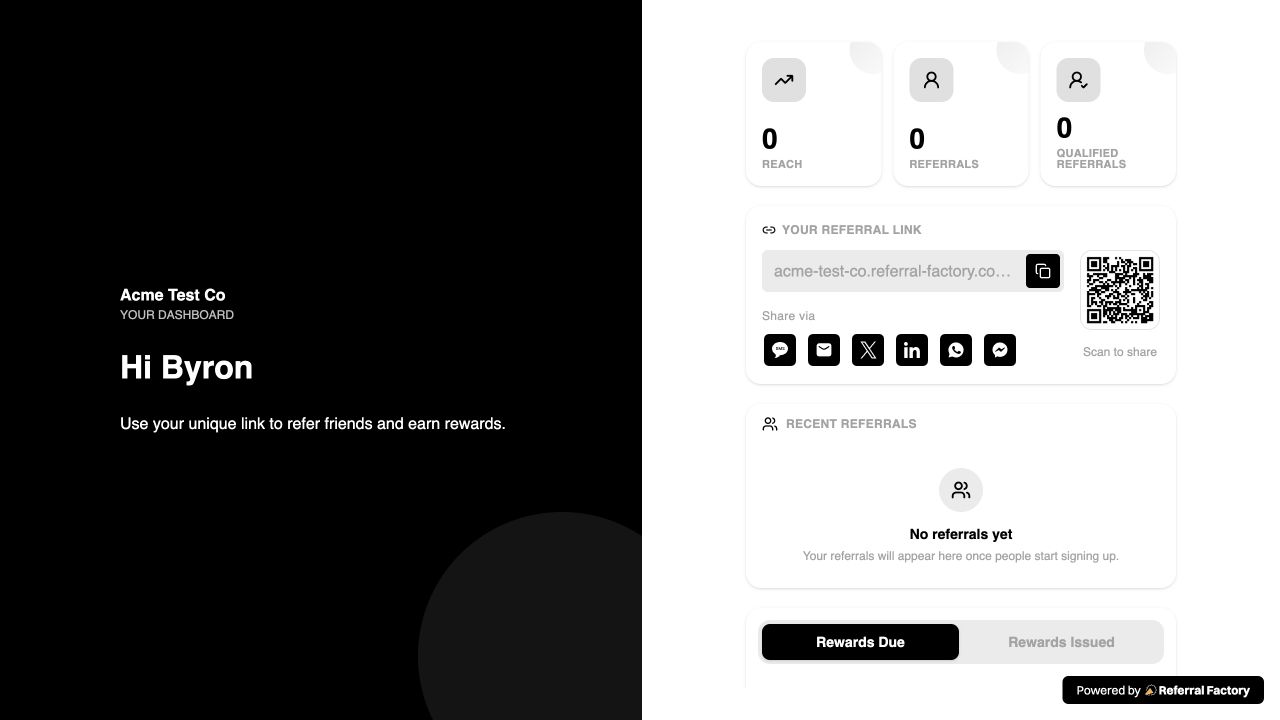
The Referrer dashboard displays the personal link, a copy control, and sharing options. This is what the customer sees when they use their referral link.
See the referrer portal guide for more about finding the link, logging in, tracking referrals, and viewing qualification or reward status.
QR code
Each Referrer can use a personal QR Code connected to their referral information. They can show the QR Code in person or share it digitally so the referred person can scan it with a phone.
The QR Code provides a convenient in-person route, while Referral Factory keeps the referral associated with the Referrer when the referred person completes the supported journey.
This is what the personal QR Code looks like in the Referrer experience. The exact placement and availability depend on the campaign’s Referral Link settings.
See the in-person QR referral guide for the in-person workflow and QR Code details.
Direct Lead submission
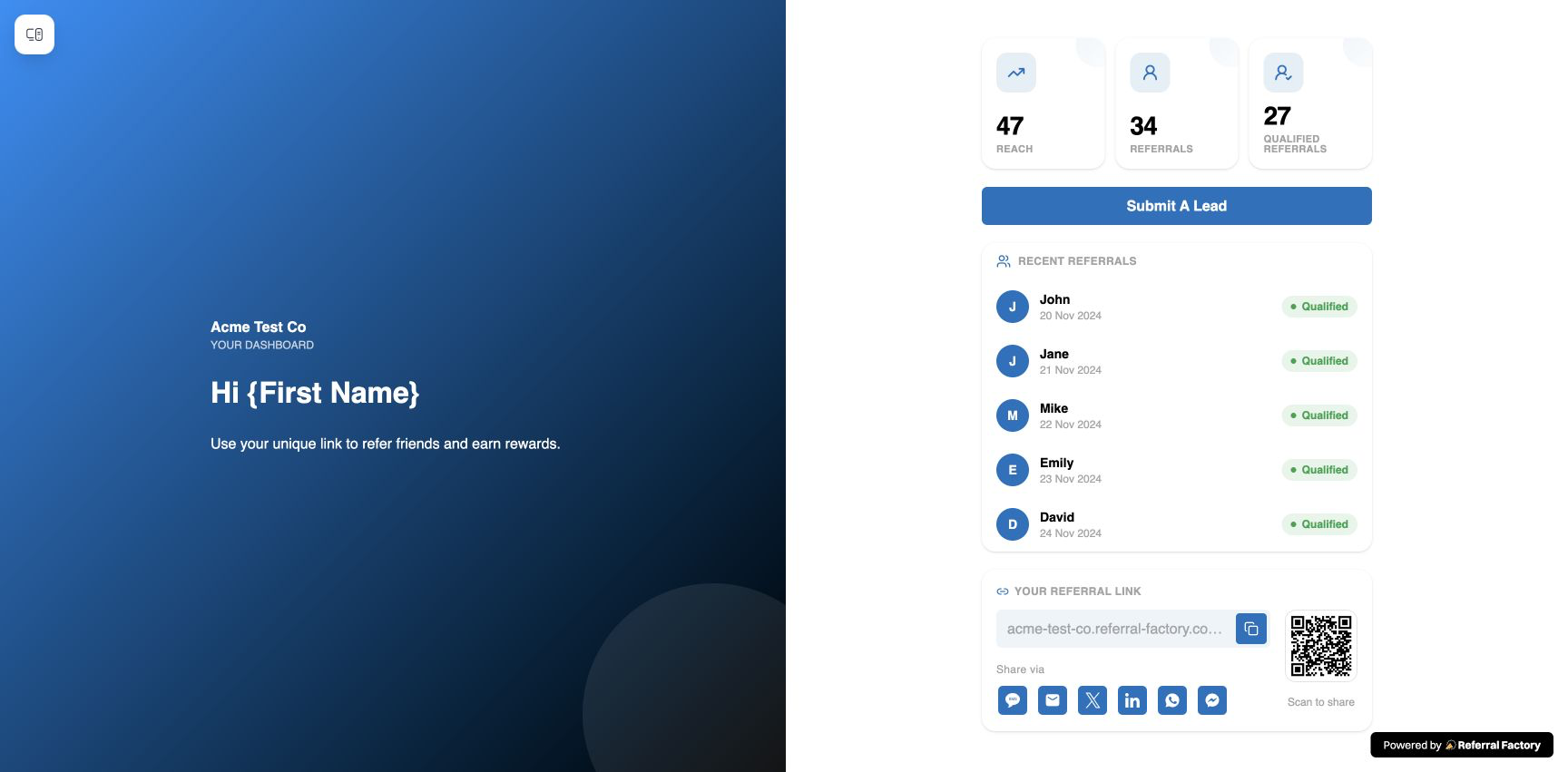
With a Lead Submission Form, the Referrer enters the referred person’s details directly instead of asking that person to click a referral link.
The submission is made through the Referrer’s unique form link or through a configured referral experience that supports direct lead submission. Referral Factory attaches the submitted lead to that Referrer and then applies the campaign’s qualification and reward rules.
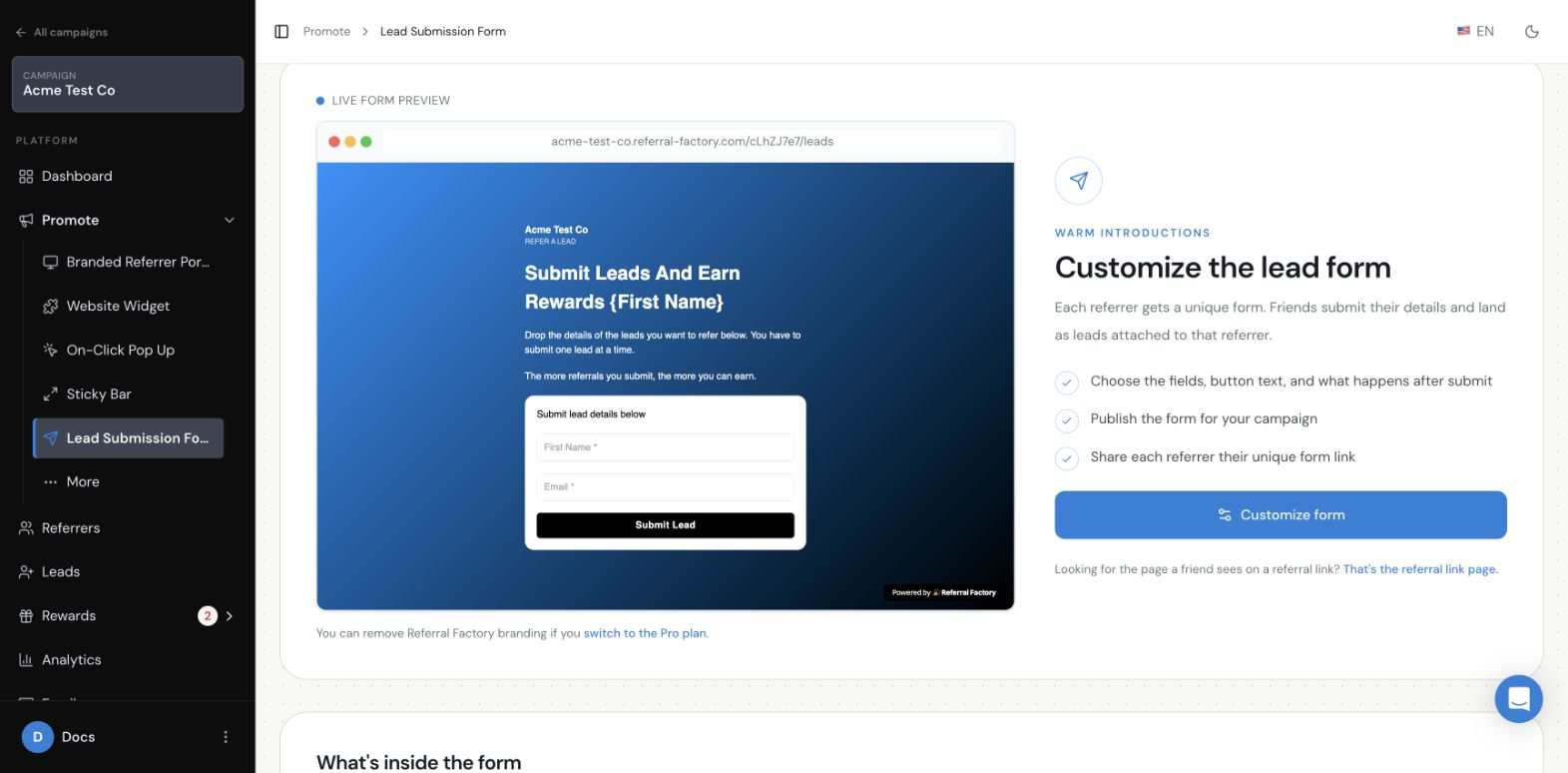
The form can be configured with the fields and response shown to Referrers. A Referrer submits one lead at a time through the form.
See the Lead Submission Form setup guide for configuration and the offline lead-submission guide for the use case.
Stripe Promo Code
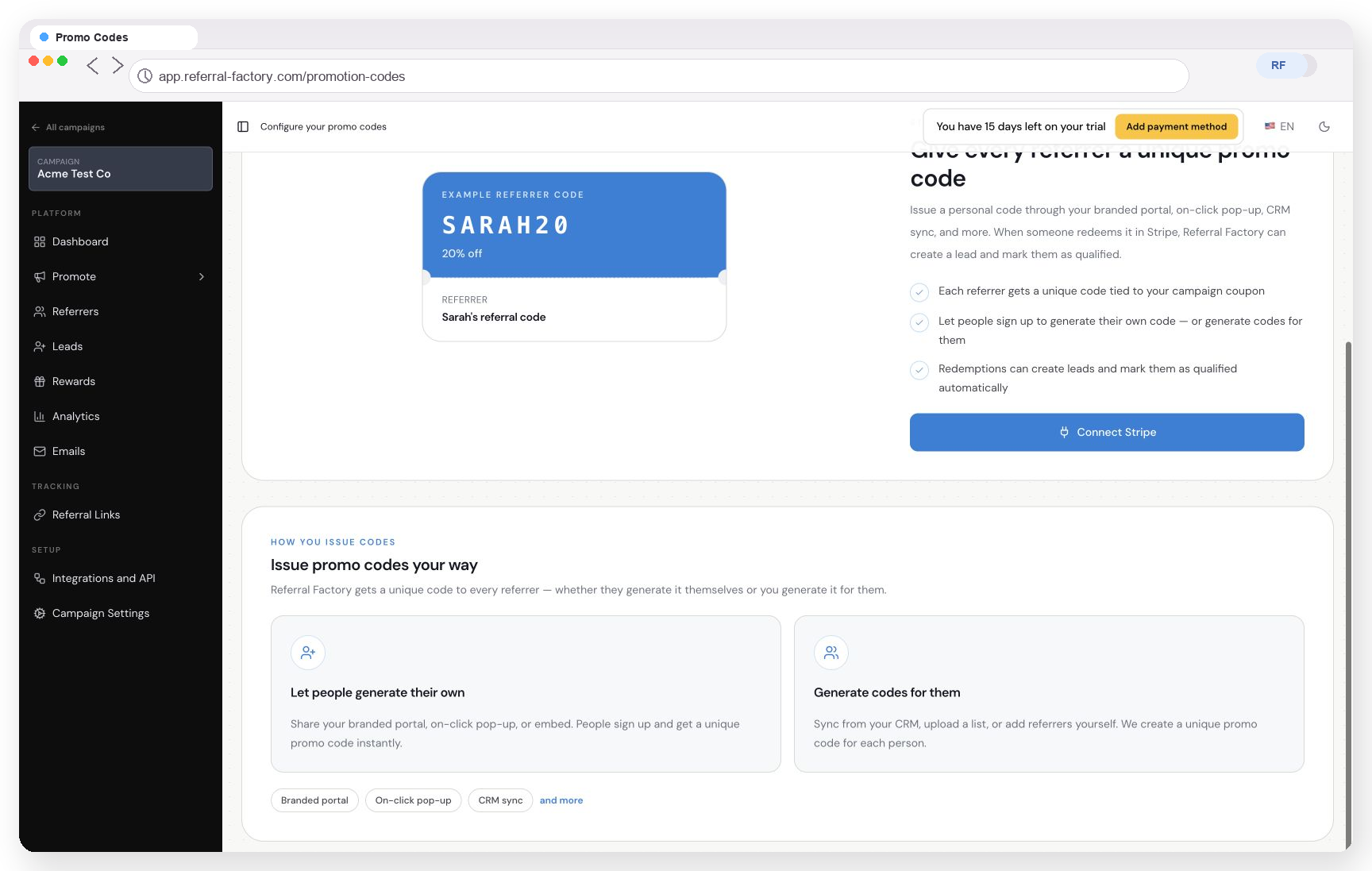
When Stripe Promo Codes are configured, each Referrer can receive a unique code to share. The referred person uses the code in the Stripe checkout or payment flow configured for the campaign.
Referral Factory associates the code with the Referrer. When the supported Stripe flow receives and processes a redemption, it can create or update the related referral activity according to the campaign setup.
The Promo Codes area shows the unique-code model and the option to connect Stripe. Promo Codes are only available when this feature and the required Stripe flow are configured.
See How to Set Up and Use Coupons in Referral Factory for configuration details.
How do customers access these referral methods
The following features are access surfaces. They do not replace the Referral Link, QR Code, Lead Submission Form, or Promo Code. They give customers a place to join, log in, view, or use the referral tools.
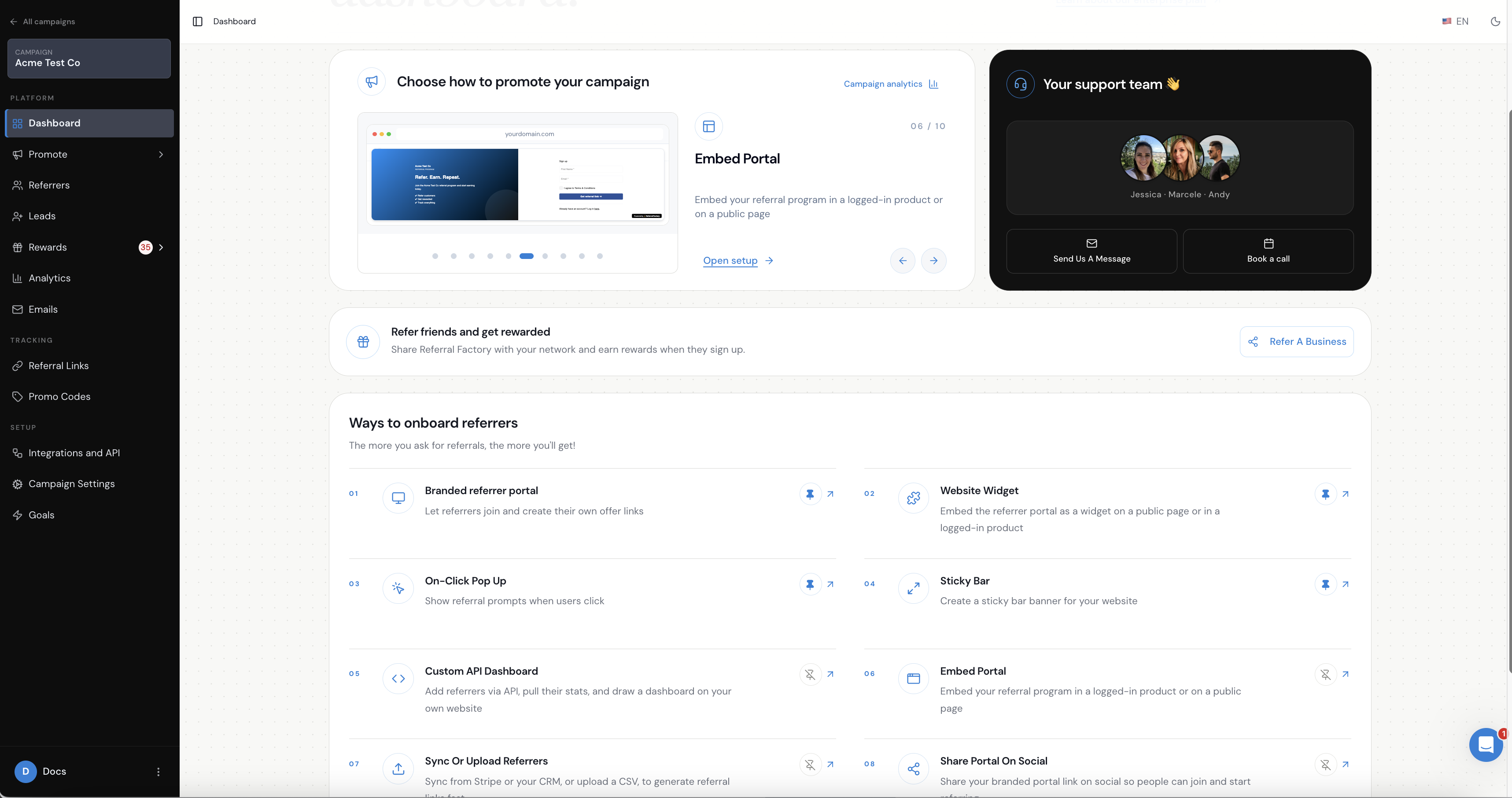
Branded Referrer Portal
The Branded Referrer Portal gives customers a branded place to join the program, log in, find their referral information, share it, submit leads where configured, and track referrals and rewards. See the Branded Referrer Portal setup guide.
Website Widget
The Website Widget places a referral entry point on a public website or, where configured, inside a logged-in product. It helps customers open their referral experience; it is not a separate attribution method. See the Website Widget setup guide.
On-Click Pop Up
The On-Click Pop Up opens the referral experience when a customer clicks a configured button or link. The customer may still use a Referral Link, QR Code, Lead Submission Form, or Promo Code after the experience opens. See the On-Click Pop Up setup guide.
Sticky Bar
The Sticky Bar keeps a referral call to action visible on a website or product. Its configured action can open the referral experience or a direct referral form, but the underlying referral method is still the tool the customer uses after clicking it. See the Sticky Bar setup guide.
Embedded Branded Referrer Portal
The Branded Referrer Portal can be embedded inside a public website page or a logged-in product or customer portal. Embedding changes where the portal appears, not how Referral Factory attributes the referral.
See the embedded referral-program guide for setup instructions.
How does Referral Factory keep attribution connected
The attribution mechanism depends on the method the Referrer uses:
The campaign then applies its own lead, qualification, and reward rules to the resulting activity.
- A Referral Link carries the Referrer’s tracking information.
- A QR Code points to the Referrer’s referral experience or referral destination.
- A Lead Submission Form is unique to the Referrer, so the submitted lead is attached to that person.
- A Promo Code is unique to the Referrer and can connect a supported Stripe redemption back to them.
Which method should I choose
Use a Referral Link when customers and referred people can complete the referral journey online.
Use a QR Code when customers make referrals in person and the referred person can scan with a phone.
Use direct Lead Submission when the Referrer already knows the person’s details and should submit them directly.
Use a Stripe Promo Code when your campaign uses Stripe and you want the referred person to enter a code during the supported payment flow.
What happens after a referral is made
The referred person’s activity appears in the campaign according to the method used. Referral Factory associates that activity with the Referrer, applies the campaign’s qualification rules, and updates the relevant referral and reward status when the configured conditions are met.
The Referrer can return to the available referral experience to find their link, QR Code, form, or Promo Code and to track the resulting referral activity.