
Need help applying this to your account?
Contact support and we will keep this article attached to your request.
How do QR code referrals work?
A QR code is a scannable version of a customer’s unique referral link. In the referrer-facing experience, the QR code is connected to the referrer’s unique referral link. This lets a customer share their referral in person by showing the code on their phone or using a downloaded image in printed assets like a business card.
Does each referrer get their own QR code?
Yes. A referrer’s QR code is associated with that referrer’s unique referral link for the campaign. It is not a single shared QR code for every customer. The person must first be enrolled as a referrer before their personal referral QR code can be shown.
Where can Referrers find their QR code?
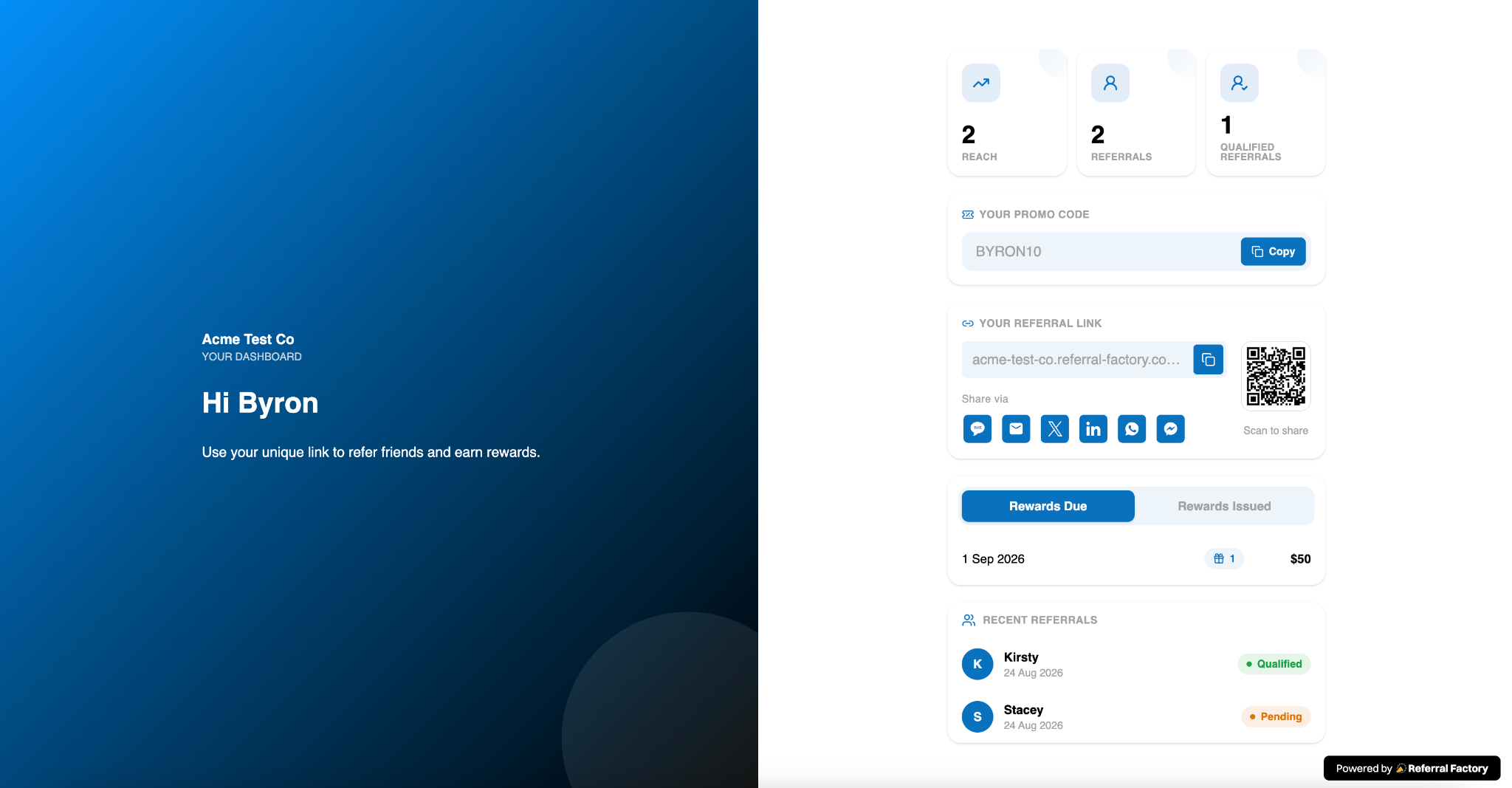
A referrer can find the QR code in the Dashboard of the Branded Referrer Portal when the business has included the referral-link experience. The Dashboard can show the referral link, a copy control, a QR code, and sharing buttons together. A business can also provide a downloaded QR image for use outside the portal.
The referrer Dashboard can show a personal referral link, QR code, copy control, and sharing buttons together.
Can Referrers save their QR code to apple wallet or google wallet?
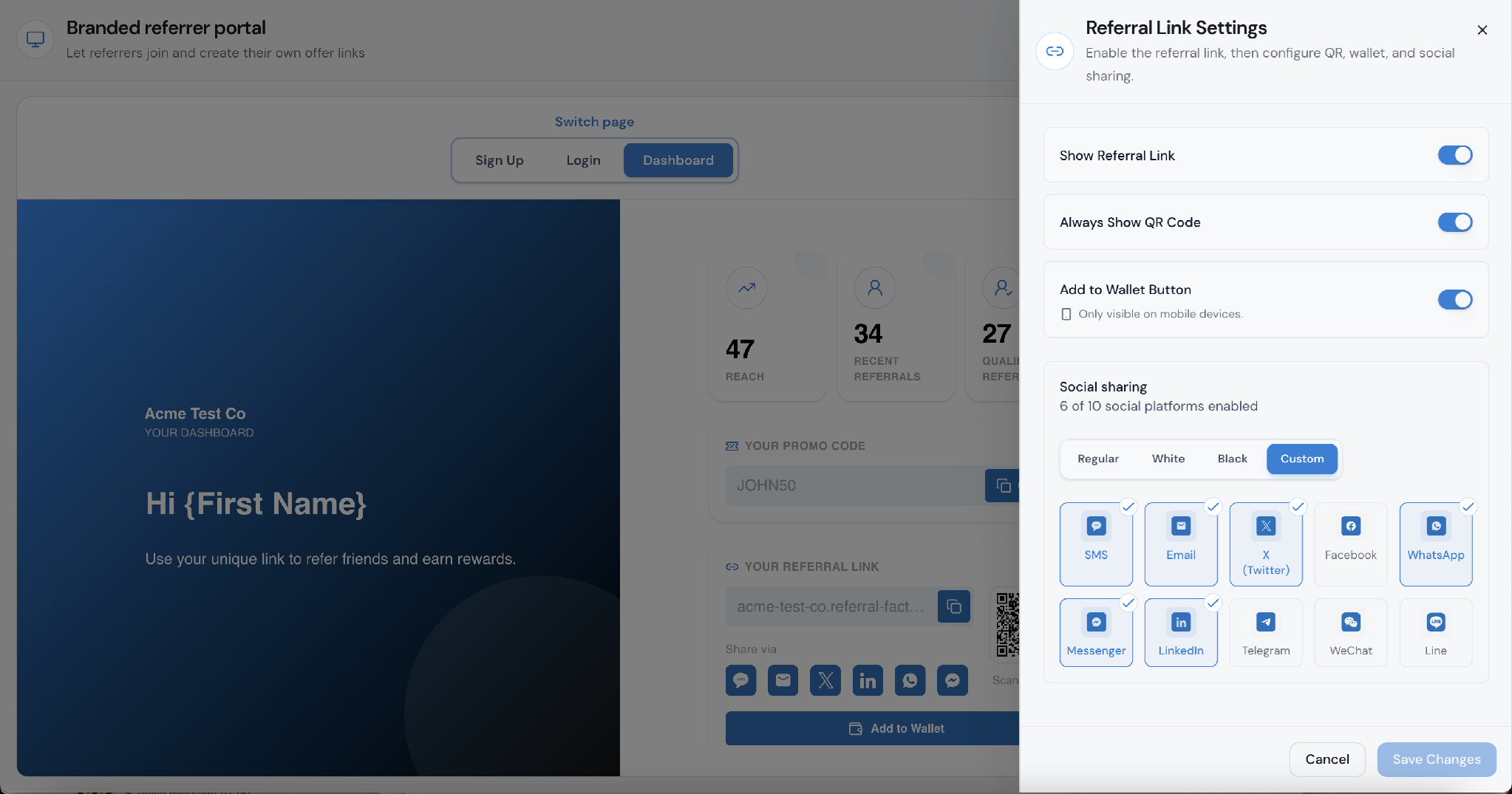
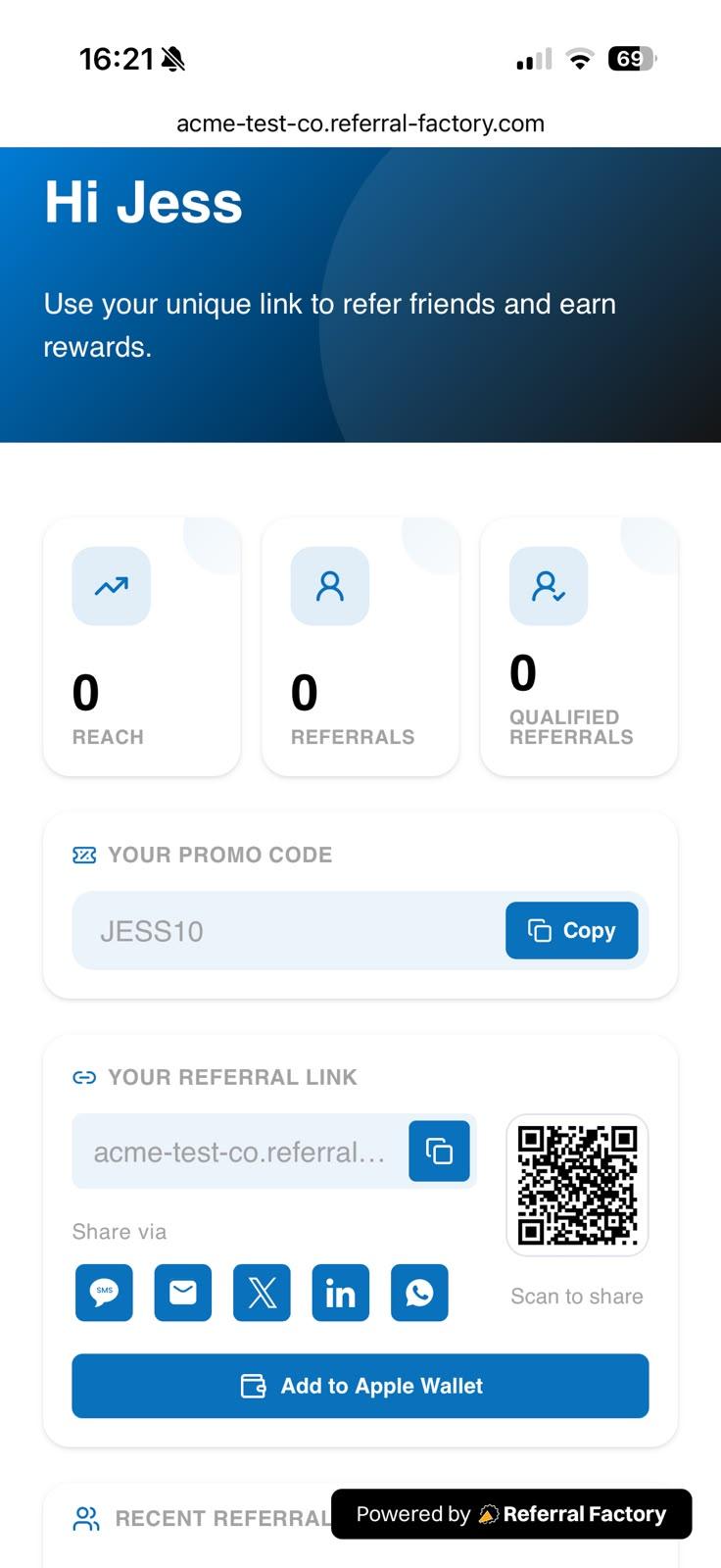
Yes. A business can enable the Add to Wallet Button in the Referral Link Settings for the portal Dashboard. The control is shown as mobile-only, so the button appears for referrers on supported mobile devices. When a referrer opens the Dashboard on a compatible device, they can select Add to Apple Wallet or the corresponding wallet option available on that device.
Referral Link Settings includes Always Show QR Code and Add to Wallet Button controls for the Dashboard.
On a supported mobile device, the referrer sees Add to Apple Wallet beneath their referral link and QR code.
What happens when someone scans a Referrer’s QR code?
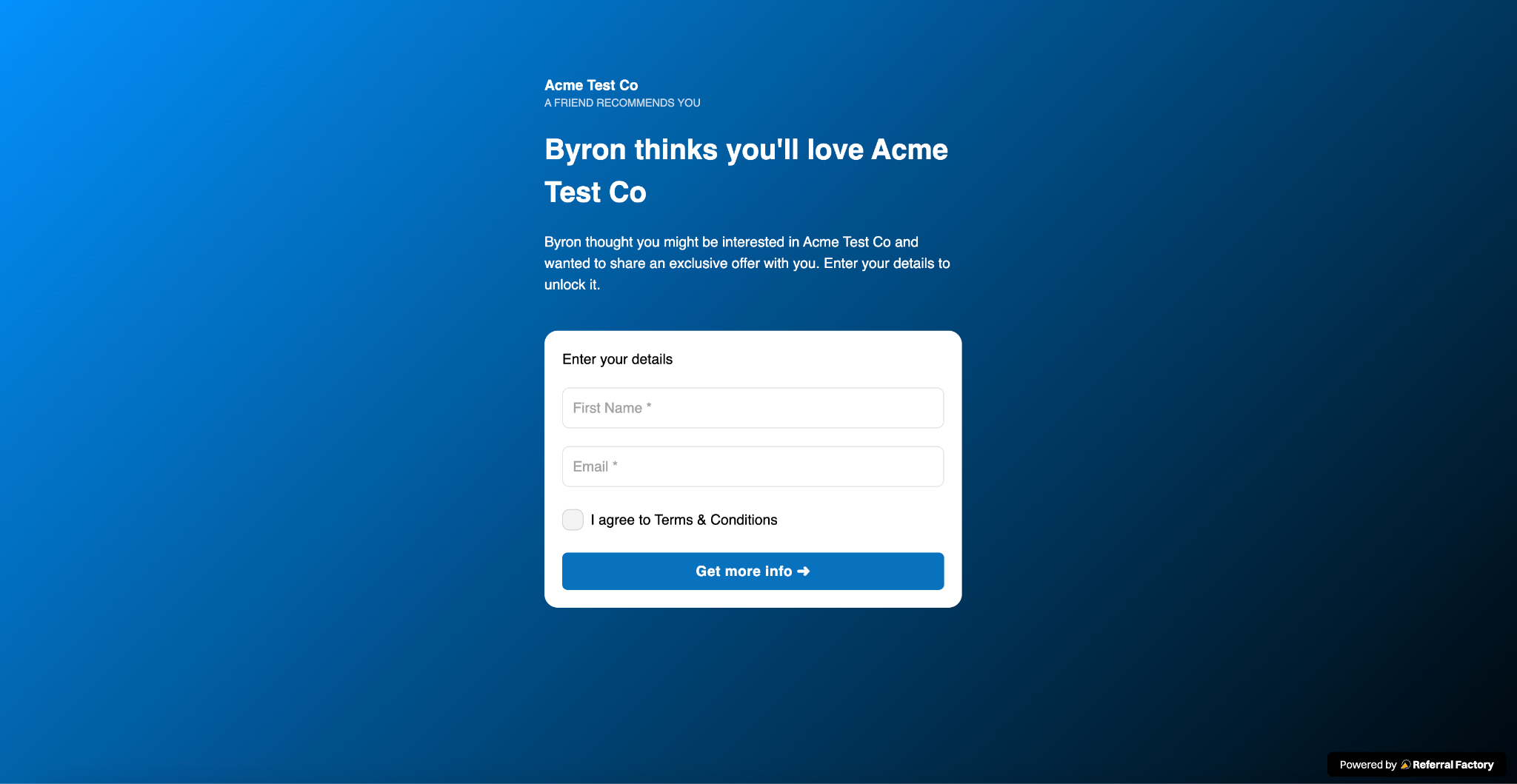
The scan opens the referral landing page connected to that referrer’s QR code. The referred person can then continue through the campaign experience on their phone and complete the action shown there, such as submitting their details.
How does the QR code keep the referral tied to the right Referrer?
Each QR code points to the individual referrer’s unique referral link. Referral Factory uses the tracking information in that link to identify who shared it. If the referred person completes the campaign form, the resulting lead is attributed to the referrer connected to the QR code.
Where should customers use their QR code for in-person referrals?
Customers can show the code from their phone wherever they meet potential referred people, including at an appointment, during a conversation, at an event, at a store or service location, or when meeting a friend, colleague, or potential customer. The referred person scans the code rather than typing the referral URL.
Can the same QR code be used more than once?
Yes. A referrer can reuse the same personal QR code whenever they want to make another referral. Each person who scans it is taken through that referrer’s referral journey. Referral Factory’s normal duplicate rules still apply if the same person submits more than once.
What happens after someone signs up through the QR code?
The referred person completes the campaign experience connected to the QR code. When they submit the campaign form, Referral Factory records the lead against the referrer whose QR code they scanned. The referral can remain pending or become qualified according to the campaign’s qualification rules, and any reward follows the campaign’s reward setup.
How do I test a Referrer’s QR code before using or printing it?
Before sharing or printing the QR code, scan it with a separate phone and confirm that:
If the QR code will be printed, test the final printed version before distributing it.
- it opens the correct referral page;
- the referral is connected to the intended referrer;
- the page works properly on mobile; and
- a test submission appears against the correct referrer in Referral Factory.