
Need help applying this to your account?
Contact support and we will keep this article attached to your request.
Overview
Referral Factory and HighLevel (also known as GoHighLevel) can work together across your referral program. You can turn existing HighLevel contacts into referrers, send new referrers and leads to HighLevel as contacts or opportunities, and use changes in HighLevel, such as an opportunity reaching a stage or a contact getting a tag, to qualify a referral in Referral Factory. Once a referral is qualified, your campaign’s reward rules decide what happens next.
What can Referral Factory and HighLevel do together?
Referral Factory connects your referral program with the contacts and opportunities you already manage in a HighLevel sub-account. You can bring existing contacts into your referral program, send new referrers and leads to HighLevel, write each referrer’s referral link back to a HighLevel contact field, and use HighLevel updates to qualify successful referrals. A qualified referral can then move into the campaign’s reward process.
HighLevel is connected from the CRM section of a campaign’s Integrations and API page. Once connected, you can configure separate settings for your leads and referrers in each campaign.
What do I need before I connect HighLevel?
- Access to the HighLevel agency or sub-account you want to connect, with permission to install apps there.
- Account owner or Account Admin access in Referral Factory to connect HighLevel. Campaign Admins can set up the Leads and Referrers settings after it is connected.
- At least one pipeline in the HighLevel sub-account, if you want to create opportunities or qualify referrals from opportunity stages.
- A text custom field for contacts in HighLevel, for example Referral Link, if you want to store each referrer’s link in HighLevel.
- No other CRM connected in Referral Factory. Referral Factory connects one CRM at a time, so disconnect any other CRM first.
How do I connect HighLevel to Referral Factory?
The connection uses HighLevel’s own sign-in and approval screen, so you never copy API keys. The connection is saved for your whole Referral Factory account and links to one HighLevel sub-account. You then set up each campaign separately.
Step 1
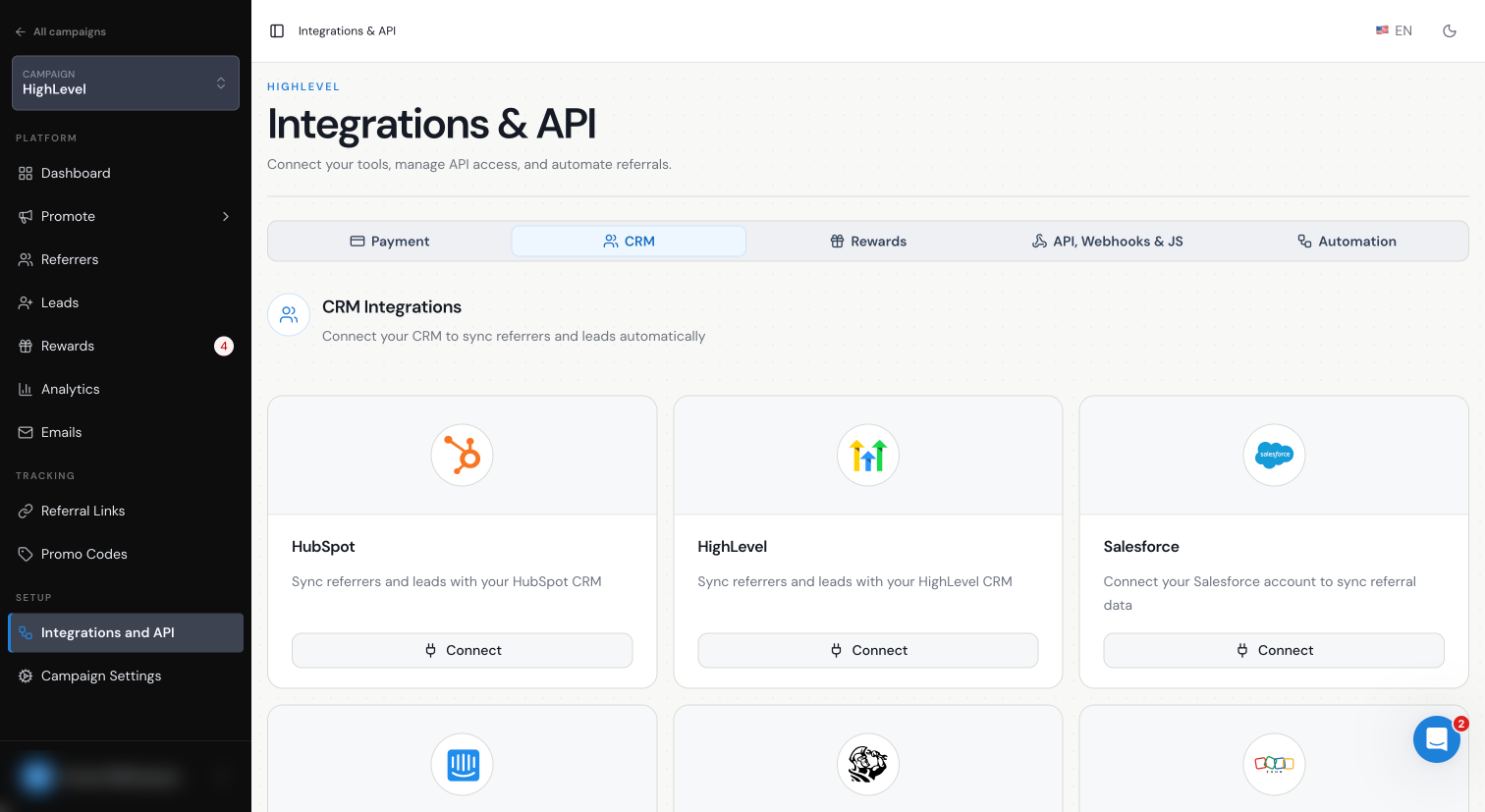
Open the CRM page. In Referral Factory, select your campaign, open Integrations and API, and choose CRM.
Step 2
Choose HighLevel. Find HighLevel in the list of CRMs and select Connect.
Step 3
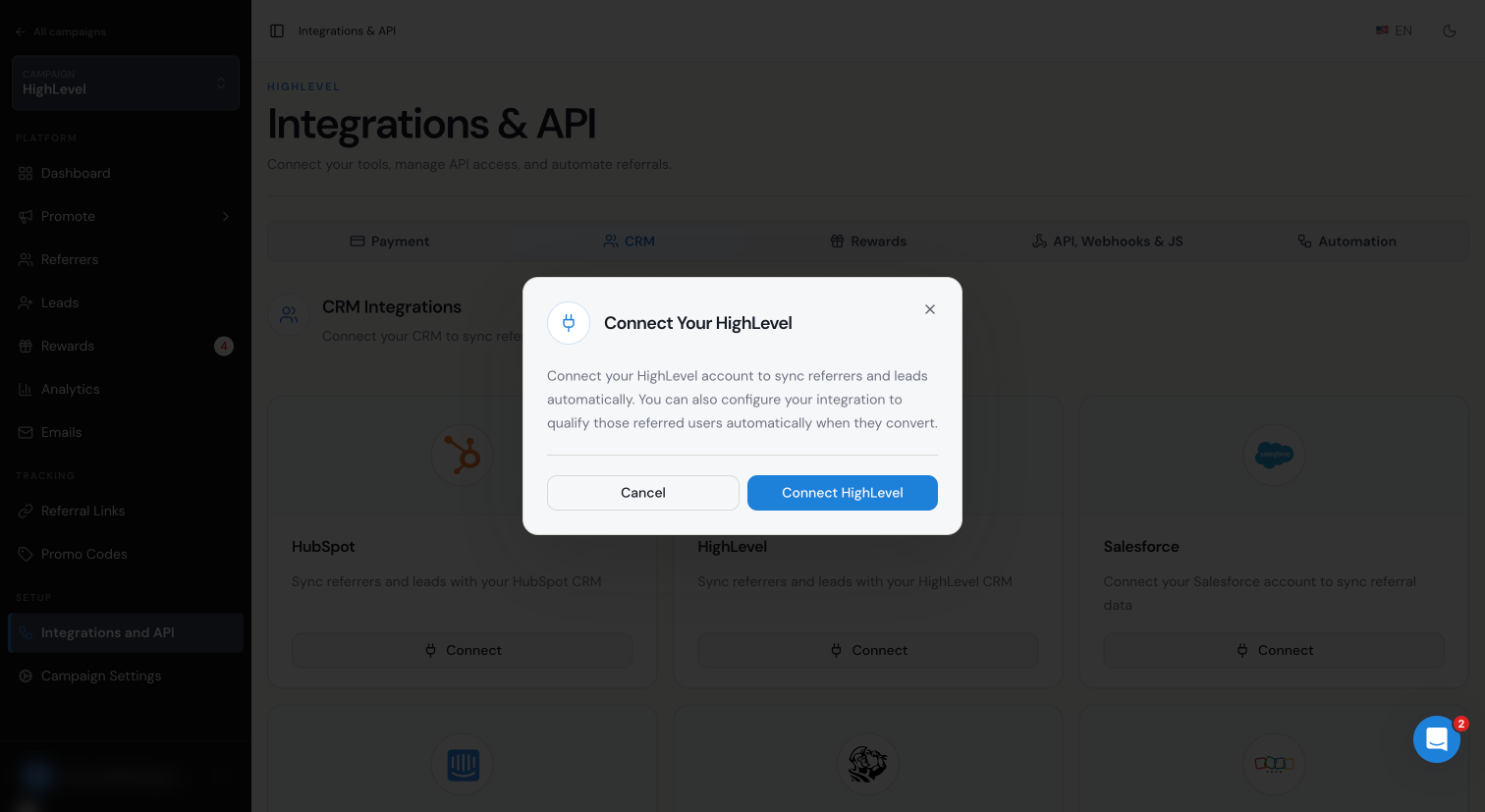
Start the connection. In the Connect Your HighLevel window, select Connect HighLevel.
Step 4
Approve access in HighLevel. HighLevel opens the Referral Factory app in the HighLevel Marketplace. Sign in if asked, then follow HighLevel’s steps to connect the app to your sub-account or agency.
Step 5
Choose a sub-account if asked. If you approved access for an agency with more than one sub-account, choose which sub-account Referral Factory should use. See the next section.
Step 6
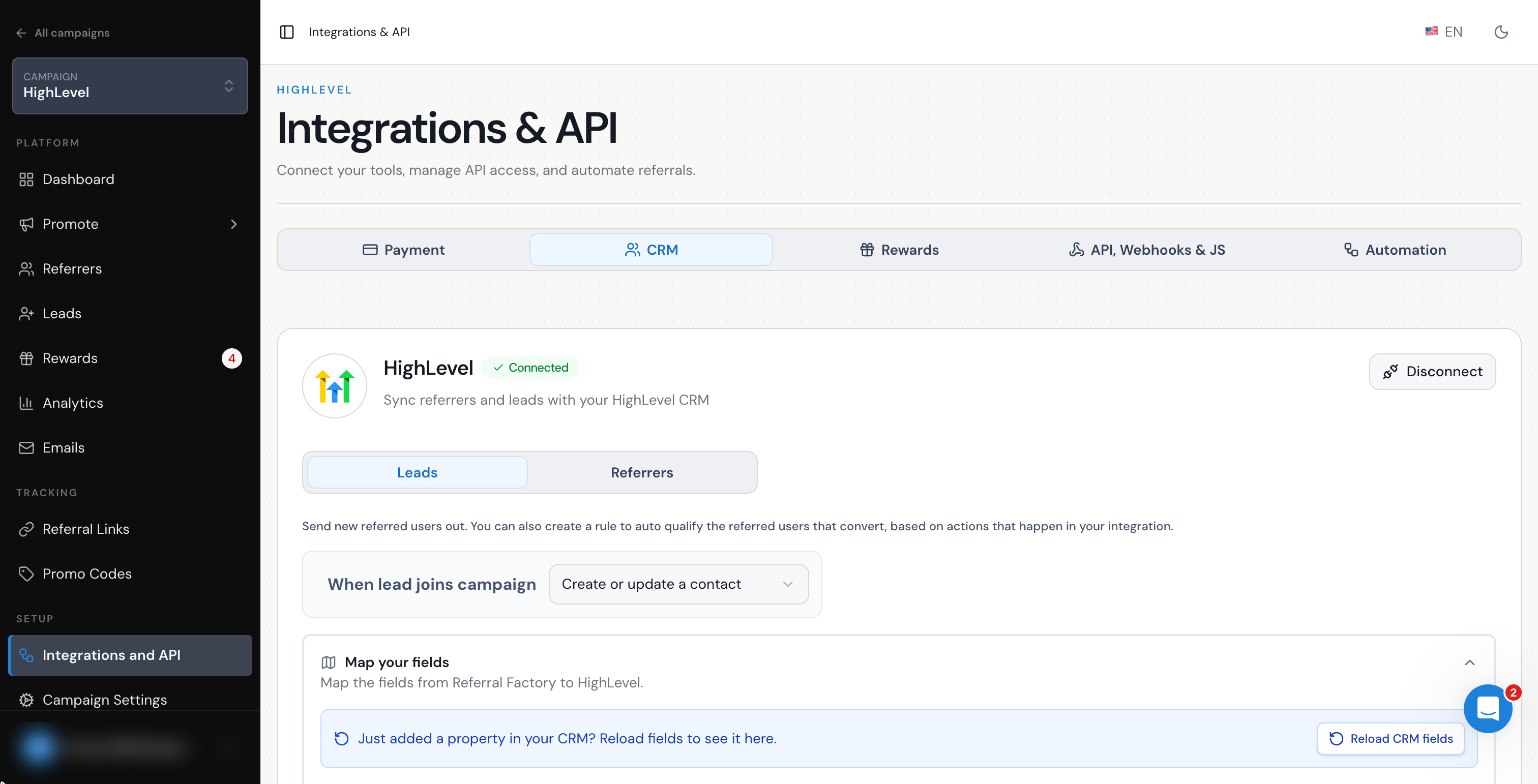
Check the status. HighLevel now shows as Connected, and the Leads and Referrers tabs are ready to set up. The account owner also receives a confirmation email.
What if my HighLevel agency has more than one sub-account?
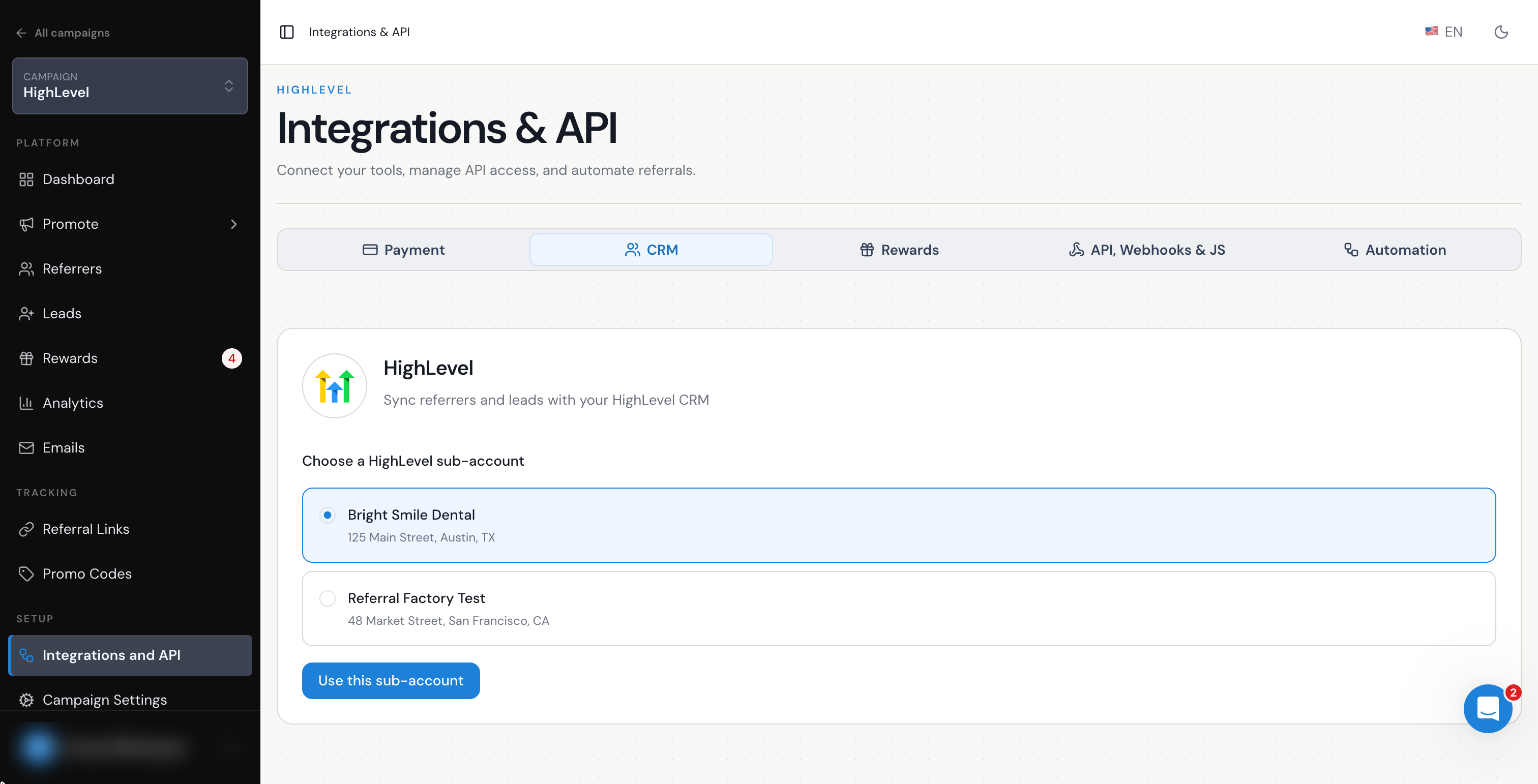
If you connect at agency level and the Referral Factory app is installed on more than one of your sub-accounts, Referral Factory asks which sub-account to use before the connection is finished. Each option shows the sub-account’s name and address.
If you choose a single sub-account on the HighLevel screen, or the app is installed on only one sub-account, this step is skipped and that sub-account is used automatically.
Step 1
Find the sub-account. Under Choose a HighLevel sub-account, check the names and addresses to find the sub-account whose contacts and opportunities you want to use.
Step 2
Select it. Choose that sub-account in the list. The first one is selected by default.
Step 3
Confirm. Select Use this sub-account. HighLevel then shows as Connected.
Can I change the HighLevel sub-account later?
Referral Factory works with one HighLevel sub-account at a time. To use a different sub-account, disconnect HighLevel on the CRM page, connect again, and choose the other sub-account. Your campaign settings are kept, but check that the pipelines, stages and custom fields you mapped exist in the new sub-account.
If Referral Factory shows No HighLevel sub-account has this app installed yet, install the Referral Factory app on the sub-account in HighLevel, then select Connect HighLevel again.
Can I give my existing HighLevel contacts their own referral links?
Yes. You can sync all of your HighLevel contacts, or only the contacts with one tag, into your campaign as referrers. Referral Factory gives each one their own referral link and can write that link back to a contact field in HighLevel, so you can use it in your HighLevel emails, SMS and workflows.
Learn more: the HighLevel referral-link sync guide
Can new referrers be sent to HighLevel automatically?
Yes. The Referrers tab of the connected HighLevel settings lets you create or update a contact or an opportunity in HighLevel when a new referrer joins the campaign.
Learn more: the HighLevel referrer-sync guide
Can leads be sent to HighLevel automatically?
Yes. The Leads tab lets you create or update a contact, or an opportunity in the pipeline and stage you choose, when a lead joins the campaign. Your team can then follow up in HighLevel.
Learn more: the HighLevel lead-sync guide
How can HighLevel automatically qualify referrals in Referral Factory?
You choose the HighLevel change that means the referral was successful. If leads are sent as contacts, a referral can qualify when a contact field changes to a value you choose, for example when the contact gets a Customer tag. If leads are sent as opportunities, a referral can qualify when the opportunity reaches one of the stages you select. HighLevel tells Referral Factory about the change, so the referral is usually qualified within a few minutes.
Sending a lead to HighLevel and qualifying the referral are two separate settings. Sending the lead does not qualify the referral.
Learn more: the HighLevel automatic-qualification guide
Can I use the HighLevel opportunity value for commission rewards?
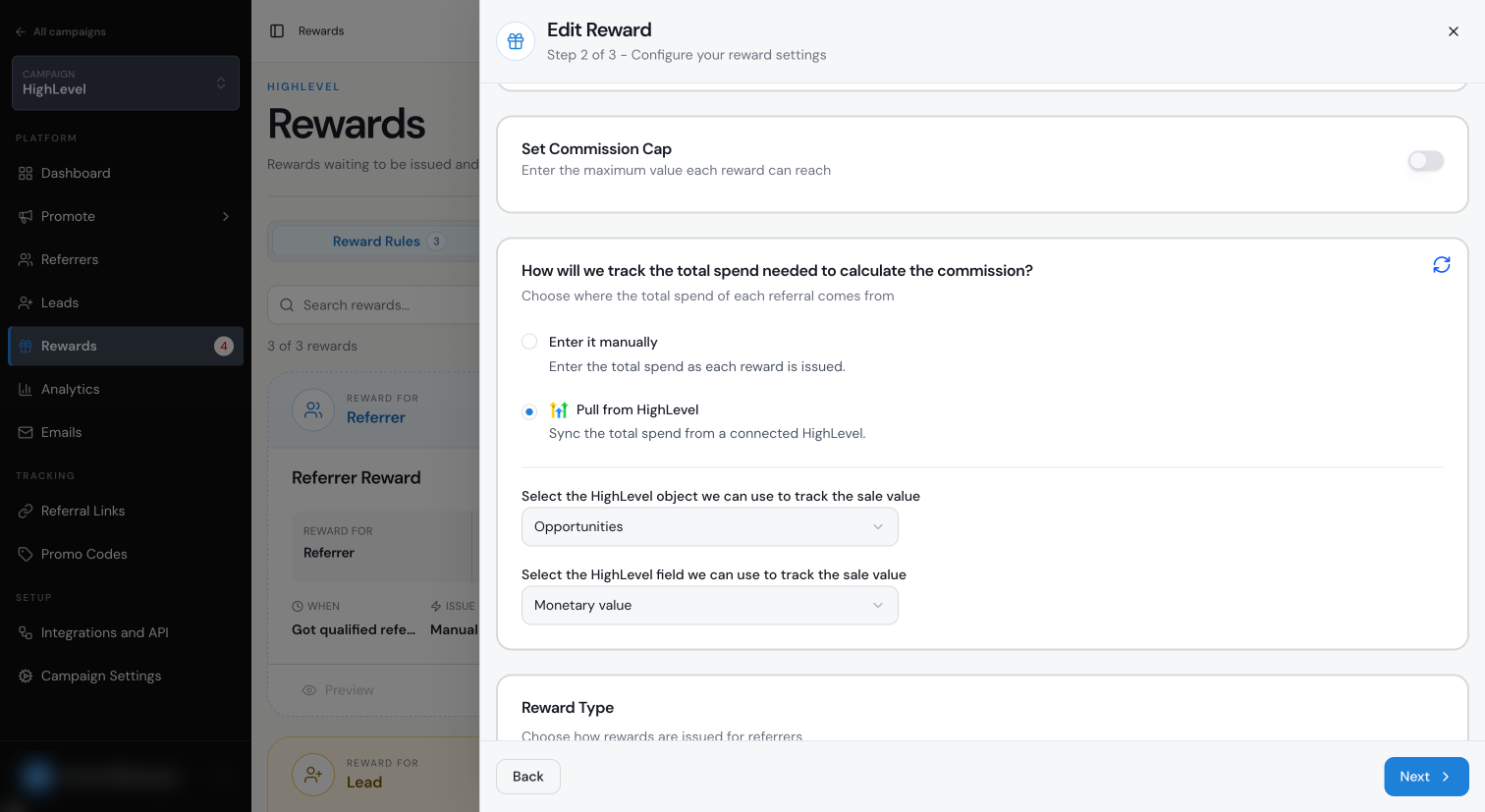
Yes. When you set up a commission reward, go to How will we track the total spend needed to calculate the commission? and choose Pull from HighLevel. Then choose Opportunities as the HighLevel object and Monetary value as the field. Referral Factory adds up the monetary value of the opportunities linked to the referral’s HighLevel contact to calculate the commission. You can also choose Contacts and a contact field that holds the sale value.
What happens if I disconnect HighLevel?
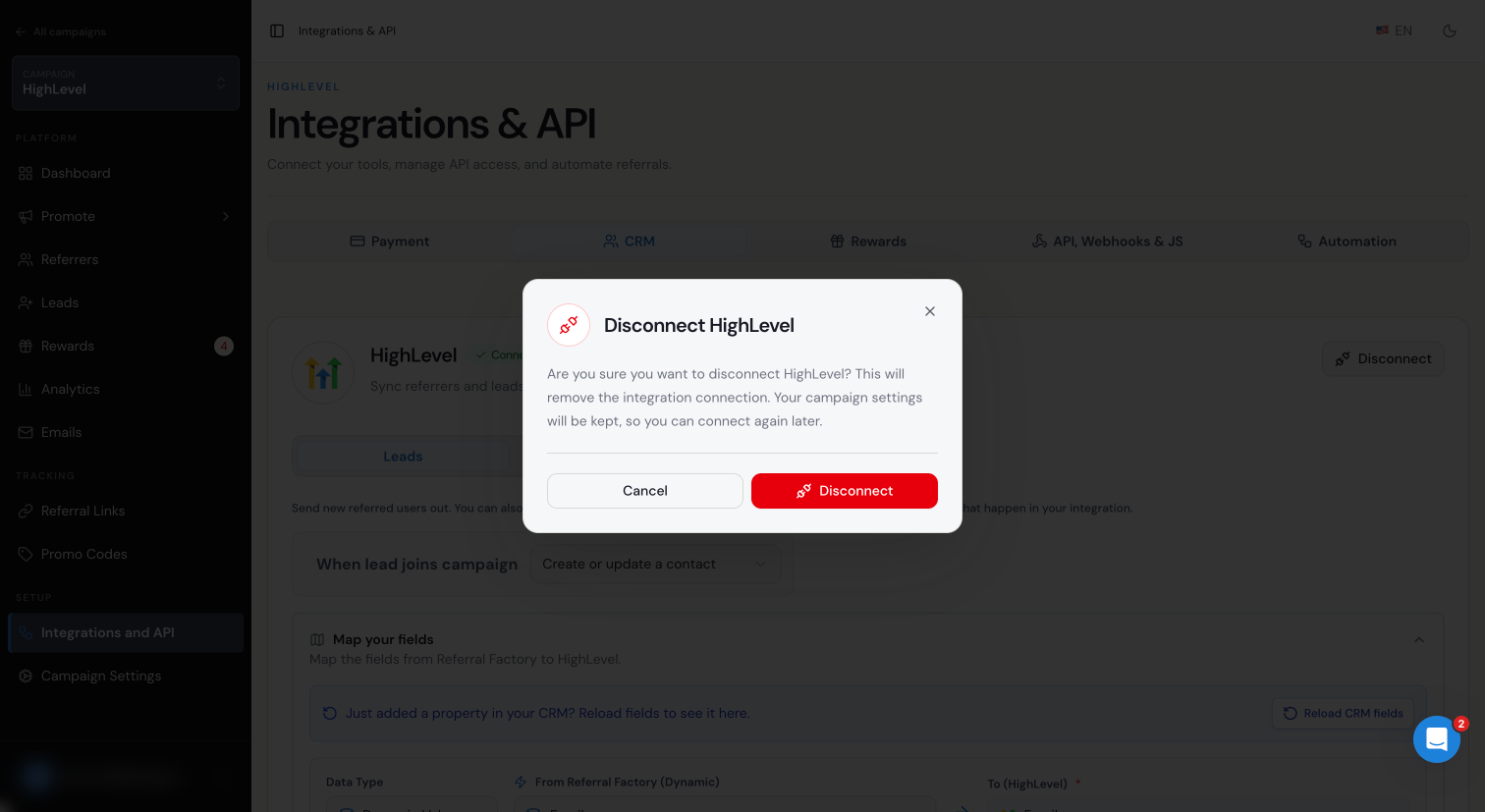
You can disconnect HighLevel from the CRM page: select Disconnect, then confirm in the Disconnect HighLevel window. Your campaign settings are kept, so they work again when you reconnect, and the account owner receives an email confirming the disconnection. Disconnecting does not remove the Referral Factory app from HighLevel. If you no longer want it installed, uninstall it in HighLevel.
If HighLevel stops accepting the connection, for example because the app was uninstalled or access was removed, Referral Factory disconnects HighLevel and emails the account owner. Connect again to continue.
How can I automate my referral program with HighLevel?
You can automate the handoff between your referral program and your team: existing contacts can receive their own referral links, new referrers and leads can be added to HighLevel, and an opportunity stage or a contact update can qualify the referral in Referral Factory. A qualified referral can then move into the reward process without your team having to update both systems by hand.
Learn more: the HighLevel automation guide