
Need help applying this to your account?
Contact support and we will keep this article attached to your request.
Overview
Braze often knows first when someone buys. A webhook is a message that Braze sends to another tool. With a webhook in a Braze Canvas, Braze tells Referral Factory that a lead became a customer. The lead is qualified, and your campaign’s reward rules decide what happens next.
Example: Tom signs up with Anna’s link. Later, Tom buys in your app. Braze runs your Canvas, the webhook tells Referral Factory, Tom is qualified, and Anna gets her reward.
What do I need?
- Braze connected, and leads sent to Braze. Read the Braze lead guide.
- An event in Braze that shows a lead became a customer, for example a purchase or a custom event like First purchase.
- A Referral Factory plan with API access. The webhook uses the Referral Factory API.
- About 5 minutes in Braze.
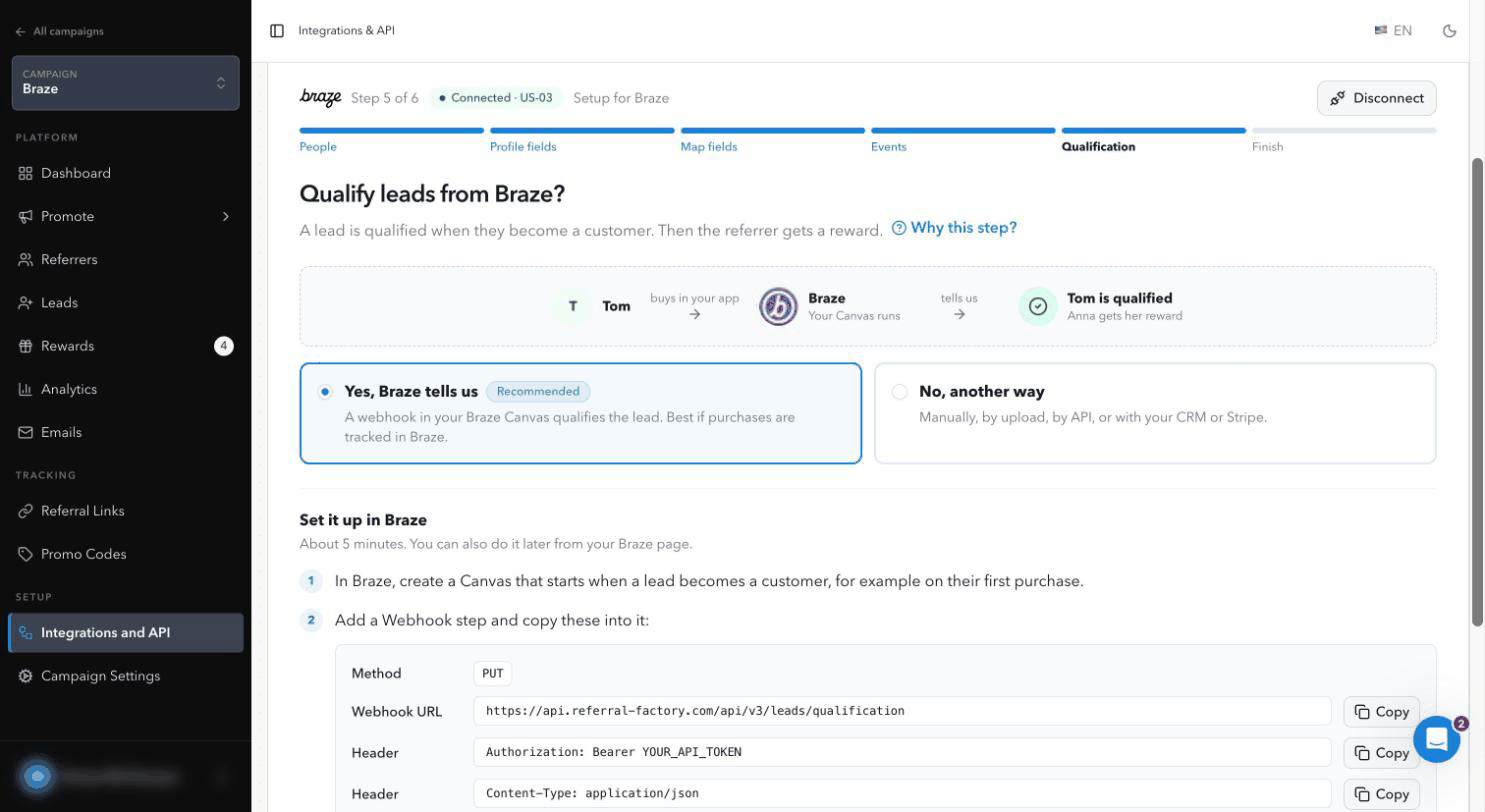
Step 1: Choose “Yes, Braze tells us”
In the Qualification step of the Braze setup, choose “Yes, Braze tells us”. You can also do this later: on the Braze page, select Edit under Qualification.
Step 2: Copy the webhook details
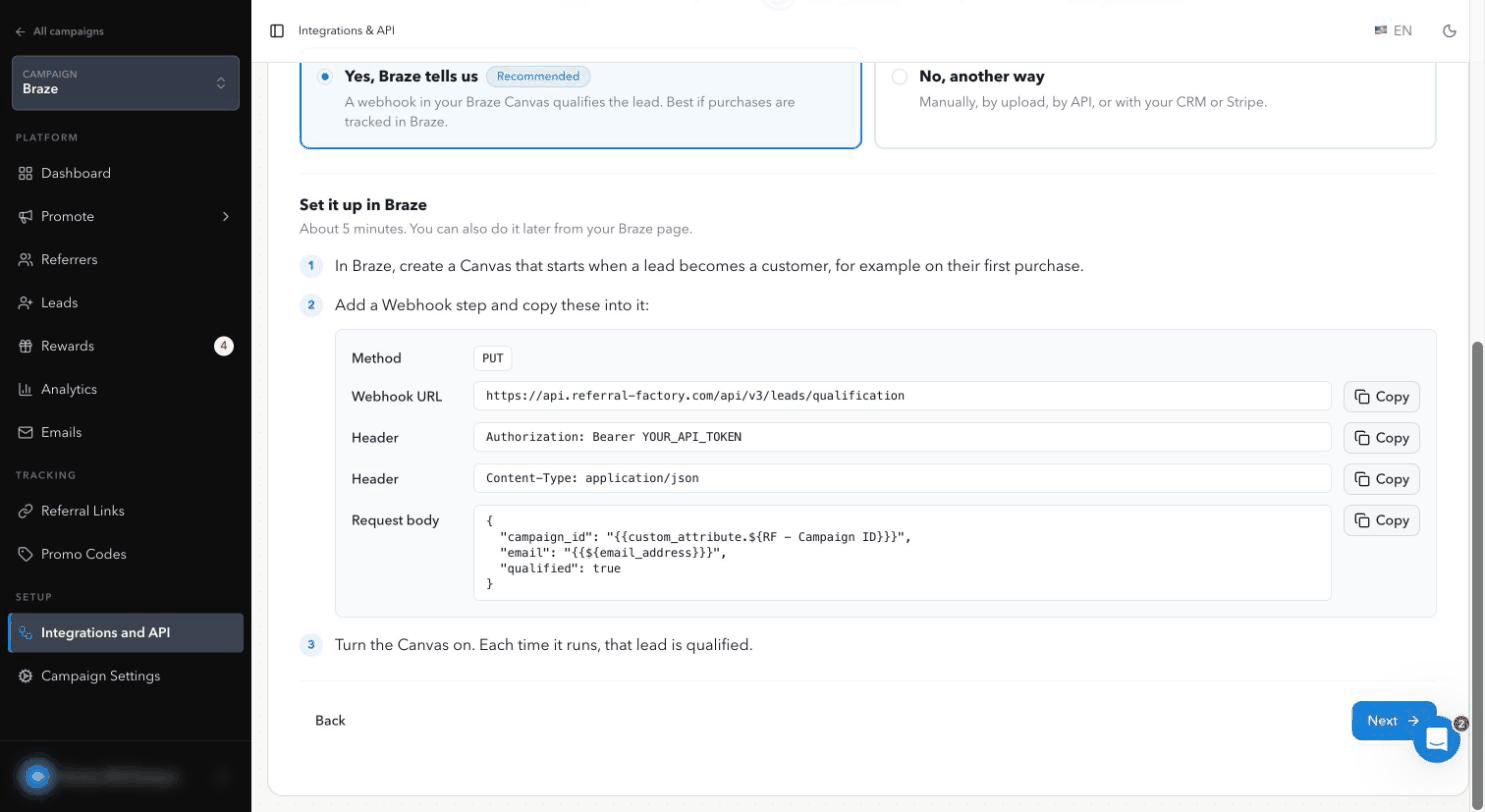
Under Set it up in Braze, Referral Factory shows everything you need for the webhook. Each line, except Method, has a Copy button.
In your account, the Authorization line shows your real Referral Factory API key, not YOUR_API_TOKEN. Keep it secret. Don’t see the Authorization line? Your account has no API key yet. An Account Admin can create one in Integrations and API › API, Webhooks & JS.
The body has Liquid codes in {{ }}. Braze fills in each lead’s RF - Campaign ID and email when the Canvas runs. Don’t change them.
- Method:
PUT - Webhook URL:
https://api.referral-factory.com/api/v3/leads/qualification - Header:
Authorization: Bearer YOUR_API_TOKEN - Header:
Content-Type: application/json - Request body:
{"campaign_id": "{{custom_attribute.${RF - Campaign ID}}}", "email": "{{${email_address}}}", "qualified": true}
Step 3: Create the Canvas in Braze
Copy each value exactly. Don’t add a space or a full stop at the end of the URL.
Step 1
Create a Canvas. In Braze, go to Messaging › Canvas, select Create Canvas, and give it a name, for example Qualify referral leads.
Step 2
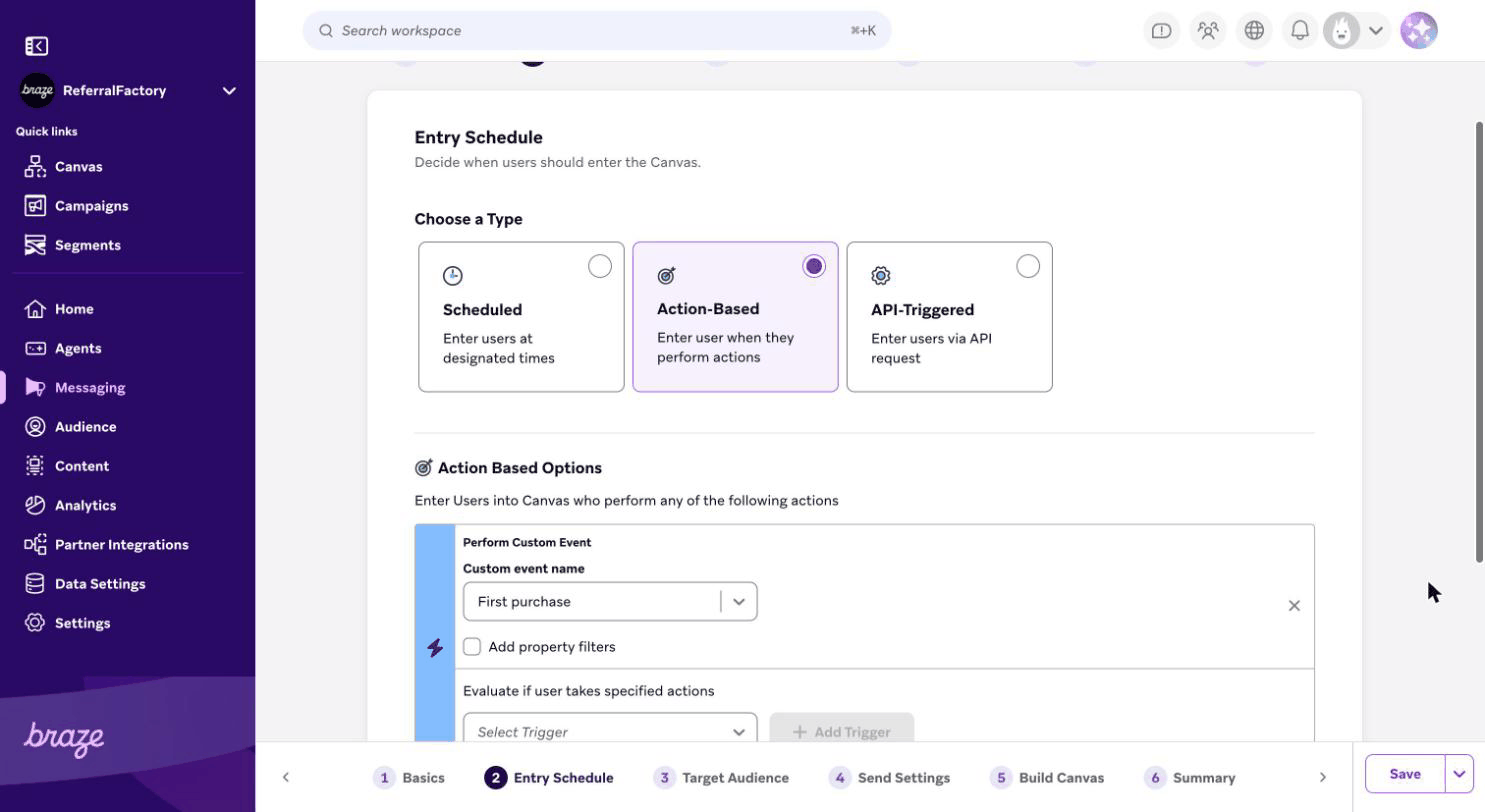
Choose when it starts. In Entry Schedule, choose Action-Based. Under Action Based Options, open Select Trigger and pick the action that means the lead became a customer, for example Make Purchase or Perform Custom Event. Select Add Trigger. For a custom event, pick it under Custom event name, for example First purchase.
Step 3
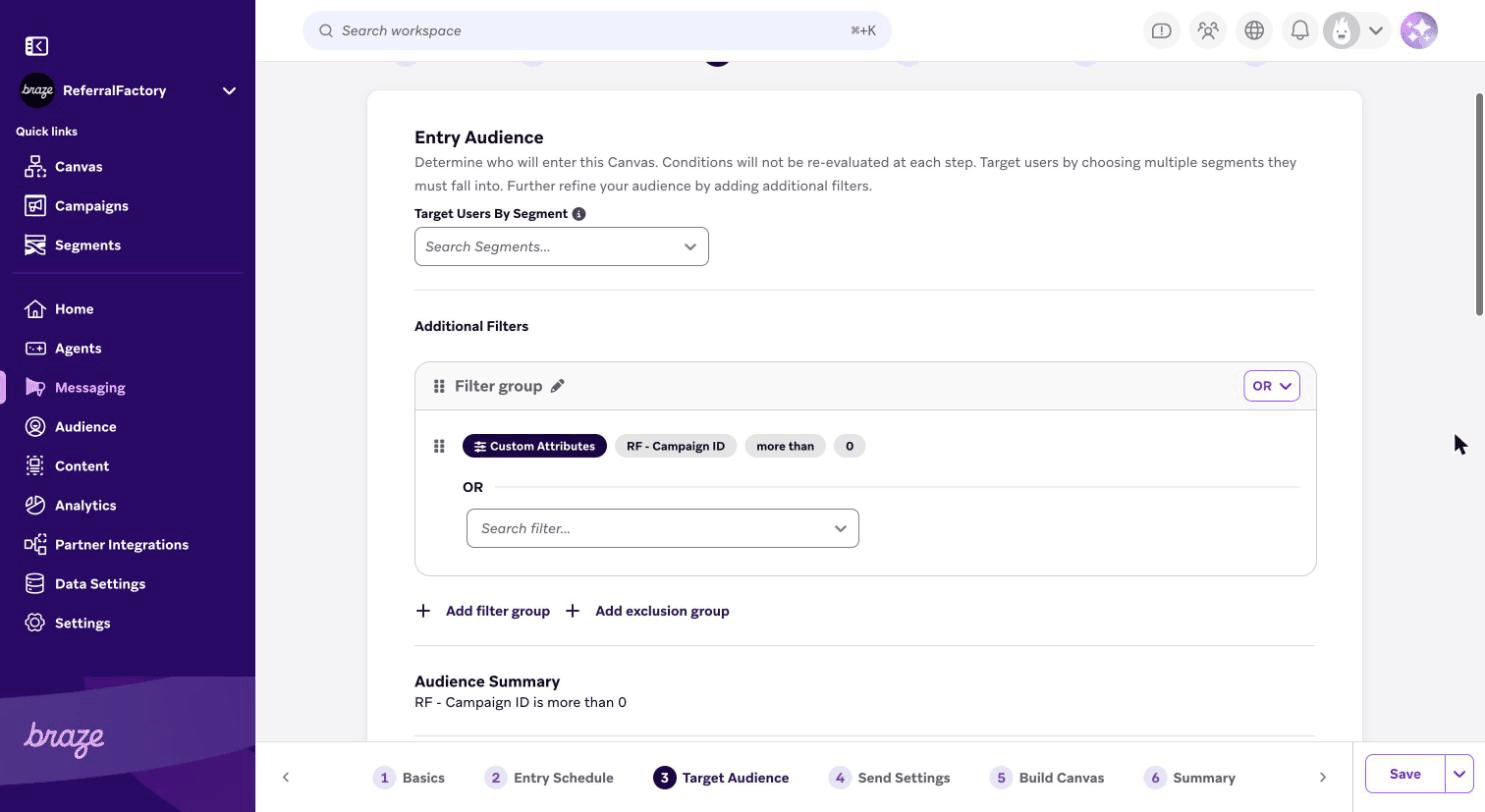
Only let referral leads in. In Target Audience, under Additional Filters, add Custom Attributes › RF - Campaign ID › more than › 0.
Step 4
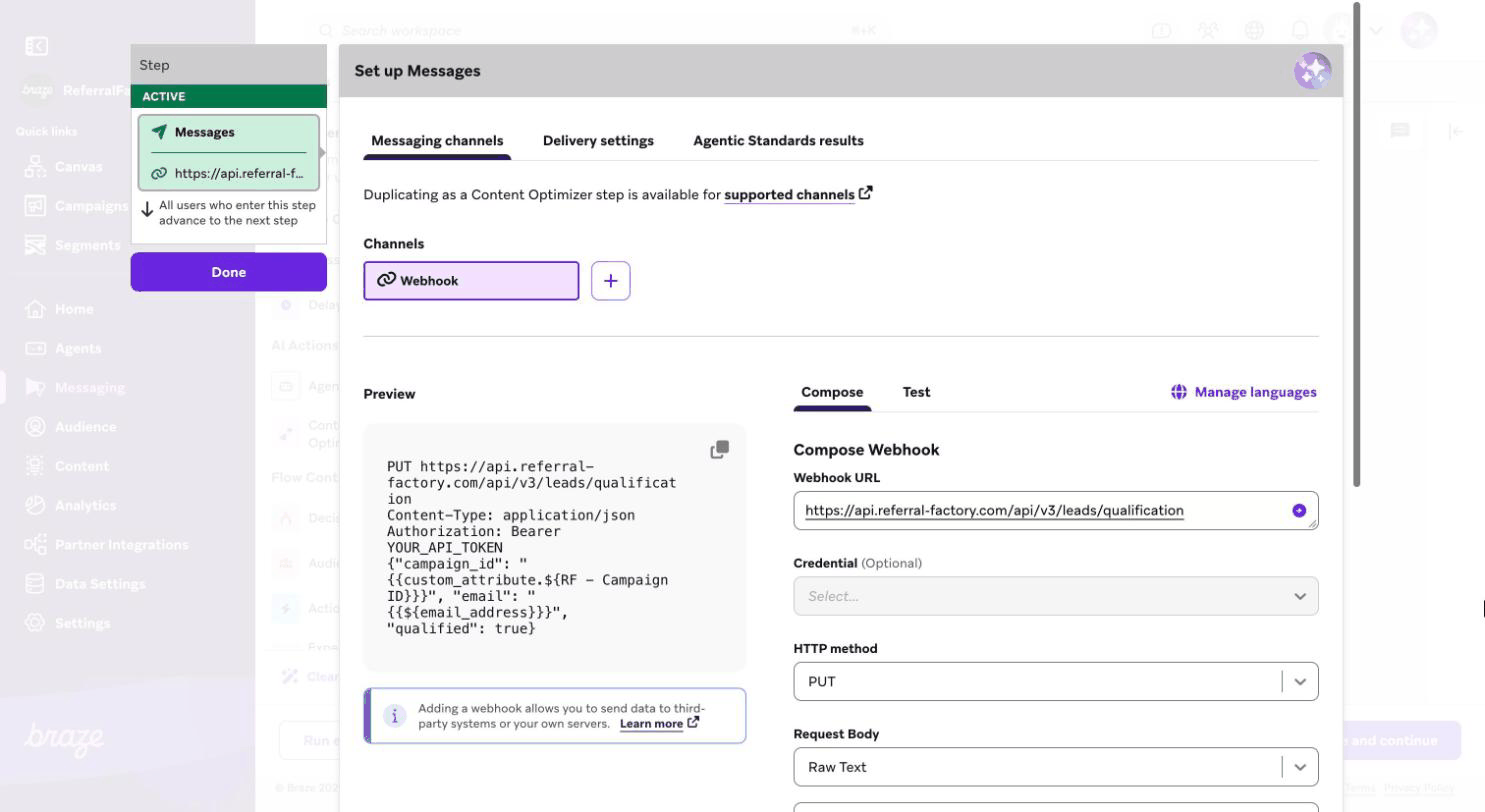
Add a Webhook step. In Build Canvas, add a Message step and choose Webhook as the channel.
Step 5
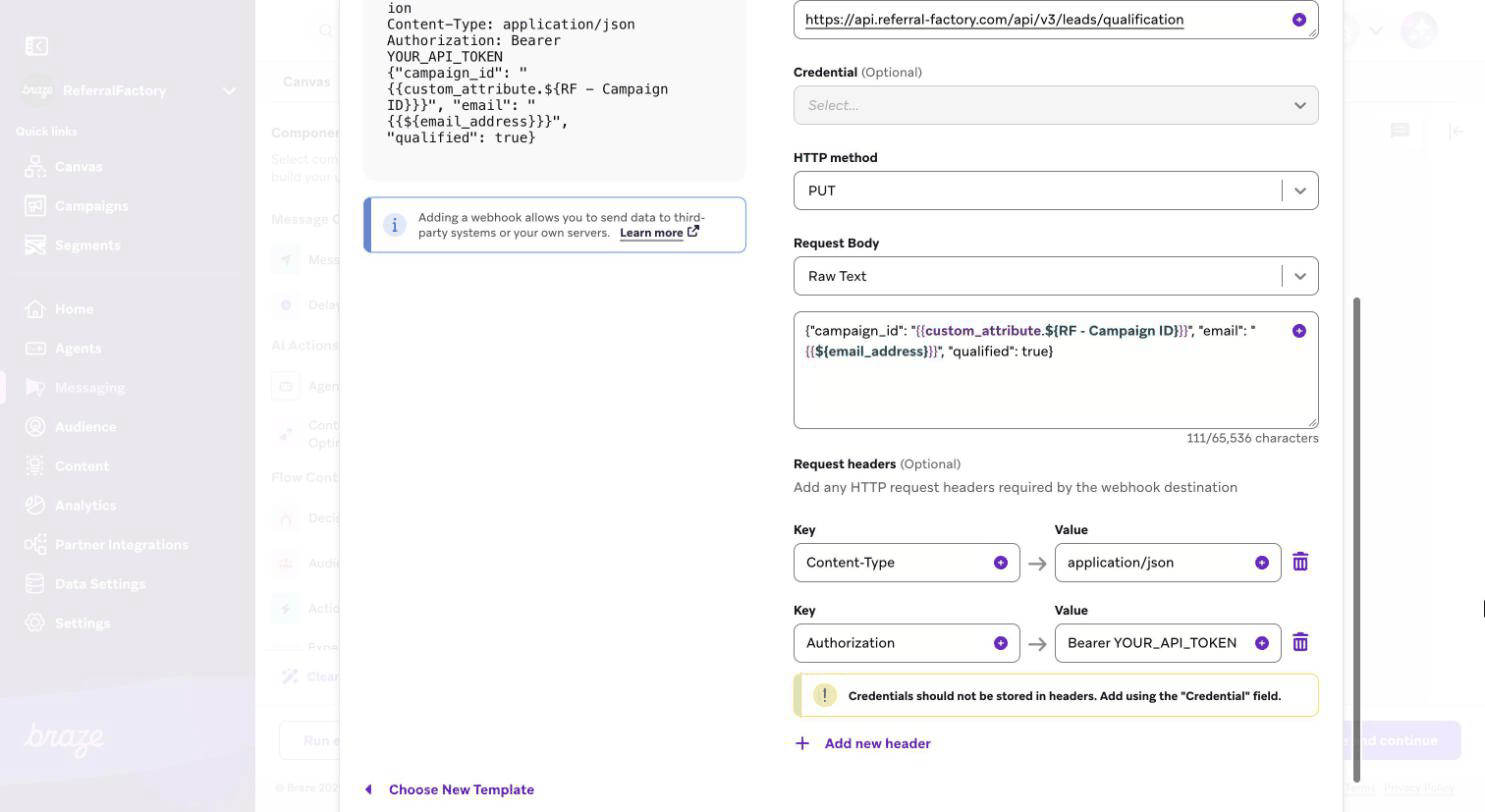
Paste the URL and body. In Compose Webhook, paste the Webhook URL. Set HTTP method to PUT. For Request Body, choose Raw Text and paste the body.
Step 6
Add the two headers. Under Request headers, select Add new header. In Key, type Authorization. In Value, paste only the part that starts with Bearer. Add a second header with Key Content-Type and Value application/json. Then select Done.
Step 7
Launch the Canvas. On the Summary step, select Launch Canvas.
Two things to know about the Canvas
- Braze may show the note “Credentials should not be stored in headers.” You can ignore it. The webhook works with the Authorization header.
- Changed a Canvas that is already live? Braze keeps your changes as a draft. Go to the Summary step and select Update Canvas, or your changes are not used.
Step 4: Check that it works
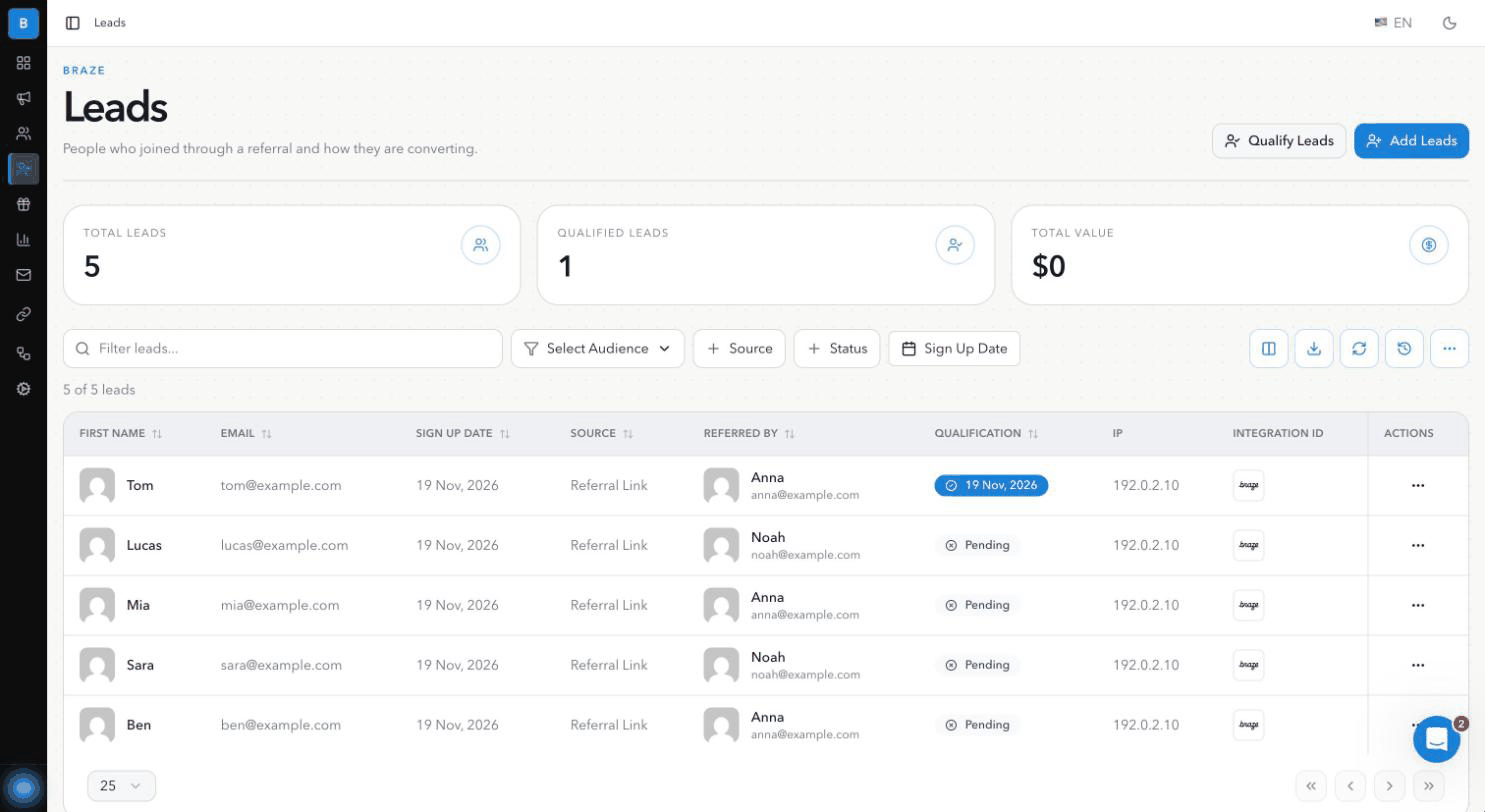
Make a test purchase with a test lead, or wait for a real customer. Then open Leads in Referral Factory. When the Canvas has run, the lead shows a qualification date in the Qualification column instead of Pending.
Can Braze reach my custom goals too?
Yes. After you choose “Yes, Braze tells us”, you also see Custom goals if your campaign has them. Turn on the switch next to a goal. The text under it changes from Not from Braze to Reached from Braze, and Referral Factory shows the webhook details for that goal.
Make a Canvas for that goal and add a Webhook step. Use the same method and headers as above, the Webhook URL
https://api.referral-factory.com/api/v3/leads/goal, and the request body shown for the goal. The body has the goal’s ID and "mark_as_reached": true.What if I don’t want Braze to qualify leads?
Choose “No, another way”. Then qualify leads on the Leads page, by upload, by API, or with your CRM or Stripe. Nothing needs to be set up in Braze.
Why isn’t my Canvas qualifying leads?
Check that the Canvas is live, the URL has nothing extra at the end, the method is PUT, and both headers are there as Key and Value. The lead must have been sent to Braze by Referral Factory, with RF - Campaign ID on their profile.
Learn more: the Braze troubleshooting guide