
Need help applying this to your account?
Contact support and we will keep this article attached to your request.
Overview
If something is missing in Braze, or a lead is not qualified, start here. Each answer is a short check you can do yourself.
What should I check first?
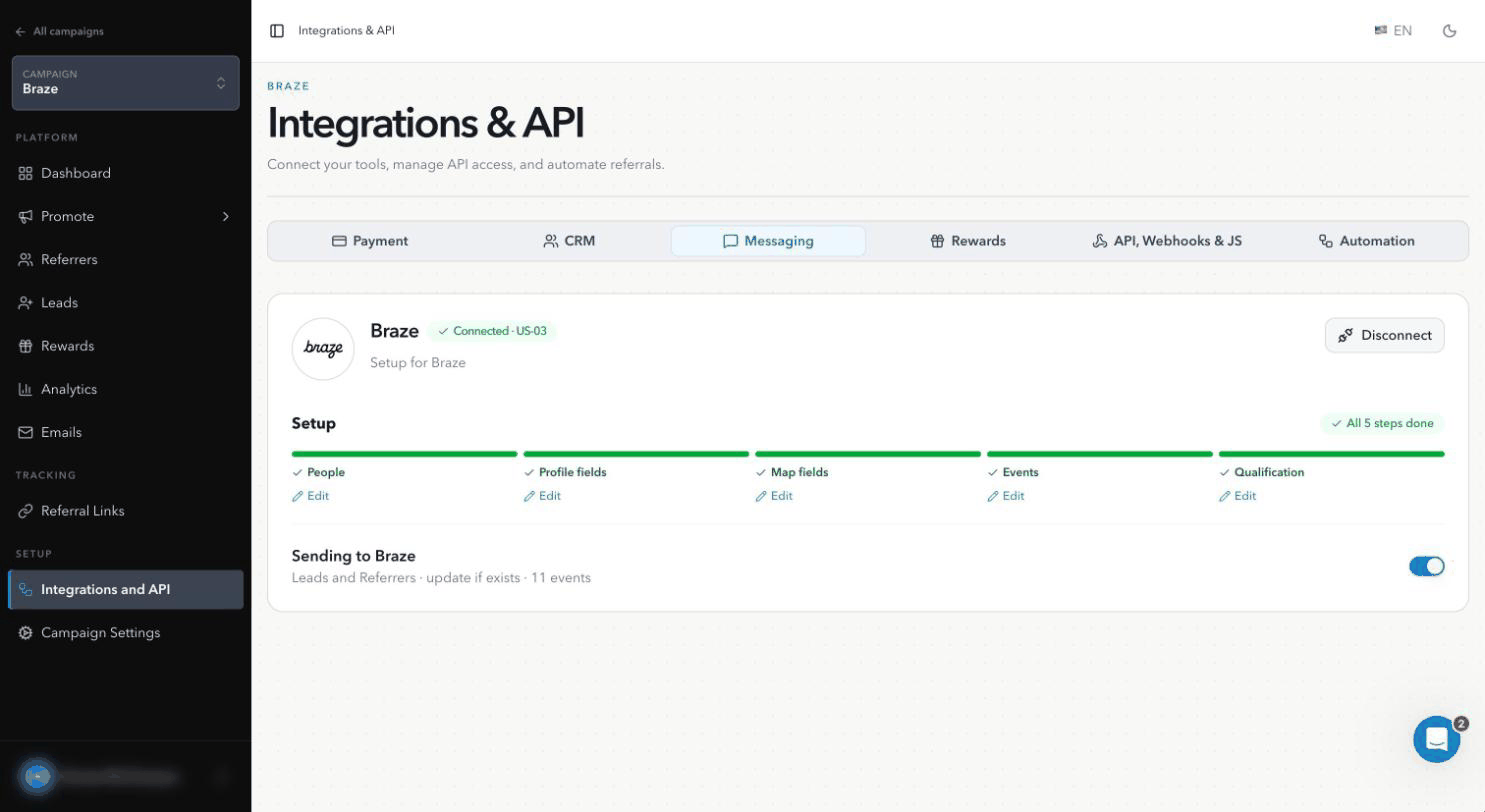
Open the Braze page: select the campaign, open Integrations and API, and choose Messaging.
- Braze shows Connected.
- The page shows All 5 steps done, or All 4 steps done if you only send referrers. If not, finish the setup.
- Sending to Braze is on.
- The People step has the right people picked: leads, referrers or both.
Why can’t I connect Braze?
Only the account owner or an Account Admin can connect or disconnect Braze. If you see an error, it tells you what to fix:
- “Braze did not accept this key…”: check that you copied the whole key, picked the right server, and gave it the
users.trackpermission. - “Your key is missing…”: the message names the missing permissions. Braze keys can’t be edited, so create a new key with
users.track,users.export.idsandcustom_attributes.getticked, then select Connect again. - “We could not reach this Braze server…”: pick the server that matches your Braze dashboard address. Read which Braze server to pick.
- “Braze could not be reached right now…”: wait a minute and try again.
Why isn’t a person showing in Braze?
New people can take a minute to show in Braze. Then search for their email in Braze.
- Check that the person’s group is picked in the People step. Leads and referrers are separate.
- Check that Sending to Braze is on.
- People who joined before you finished the setup are sent the next time something happens for them, for example when a friend signs up with their link. To send them now, use Sync with Braze in the actions menu (…) on their row.
- Hover the Braze icon in the Integration ID column to see the status.
Why does Sync with Braze say Not sent?
The person was already in Braze, and the campaign is set to “Do nothing”. With “Do nothing”, people who were already in Braze only get events. To update their profile, select Edit under People and choose “Update if exists”.
If you see “Turn on Braze for this campaign first.”, turn on Sending to Braze, and check that the person’s group is picked in the People step.
Why is a profile field empty or not updated in Braze?
If the person was already in Braze and the rule is “Do nothing”, we don’t change their profile fields. Choose “Update if exists”. Also check that the field is mapped on the right tab, Leads or Referrers, in Map fields.
Why can’t I find a field in the Braze field list?
New Braze fields can take a few minutes to show up. Select Reload Braze fields, then open the list again.
If you see Add your Braze field name, your key can’t list your Braze fields. Type the field name, or connect again with a key that has
custom_attributes.get.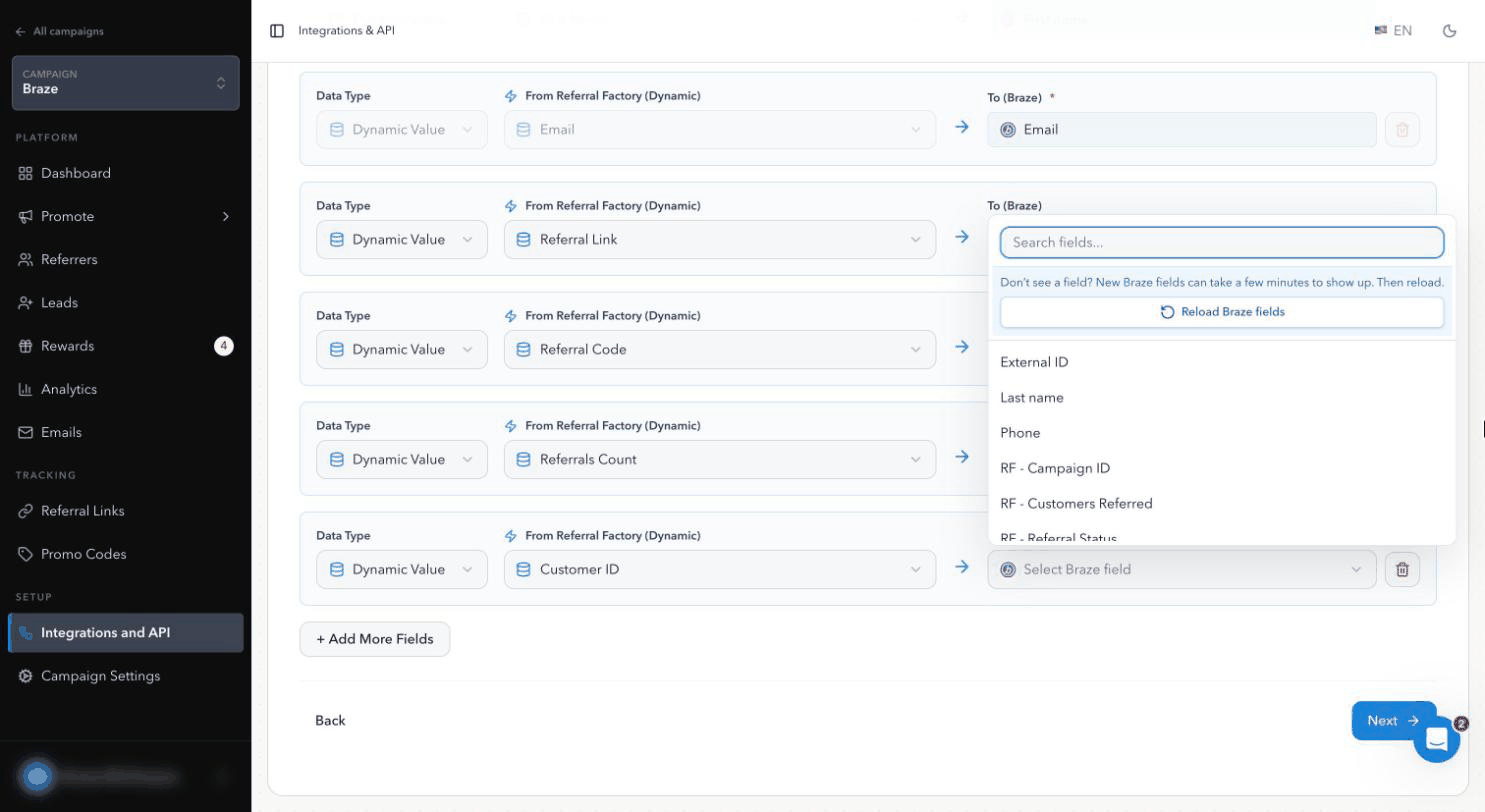
Why can’t I save External ID?
For External ID, set Data Type to Dynamic Value, not Fixed Value. Then pick the Referral Factory field that holds your user ID.
Why don’t I see an event in Braze?
- Check that the event is on in the Events step, in the right list: leads or referrers.
- Events are only sent for things that happen after you finish the setup.
- In Braze, look under Custom Events on the person’s profile. New event names can take a few minutes to show in Braze lists.
Why isn’t my Braze Canvas qualifying leads?
To see the error, open the Canvas in Braze, or go to Settings › Message Activity Log. A 401 error means the API key in the Authorization header is wrong. A 403 error means your plan has no API access. A 404 error usually means the URL is wrong, or the person is not a lead in that campaign.
- The Canvas is live. If you changed it, go to the Summary step and select Update Canvas. Braze keeps changes as a draft until then.
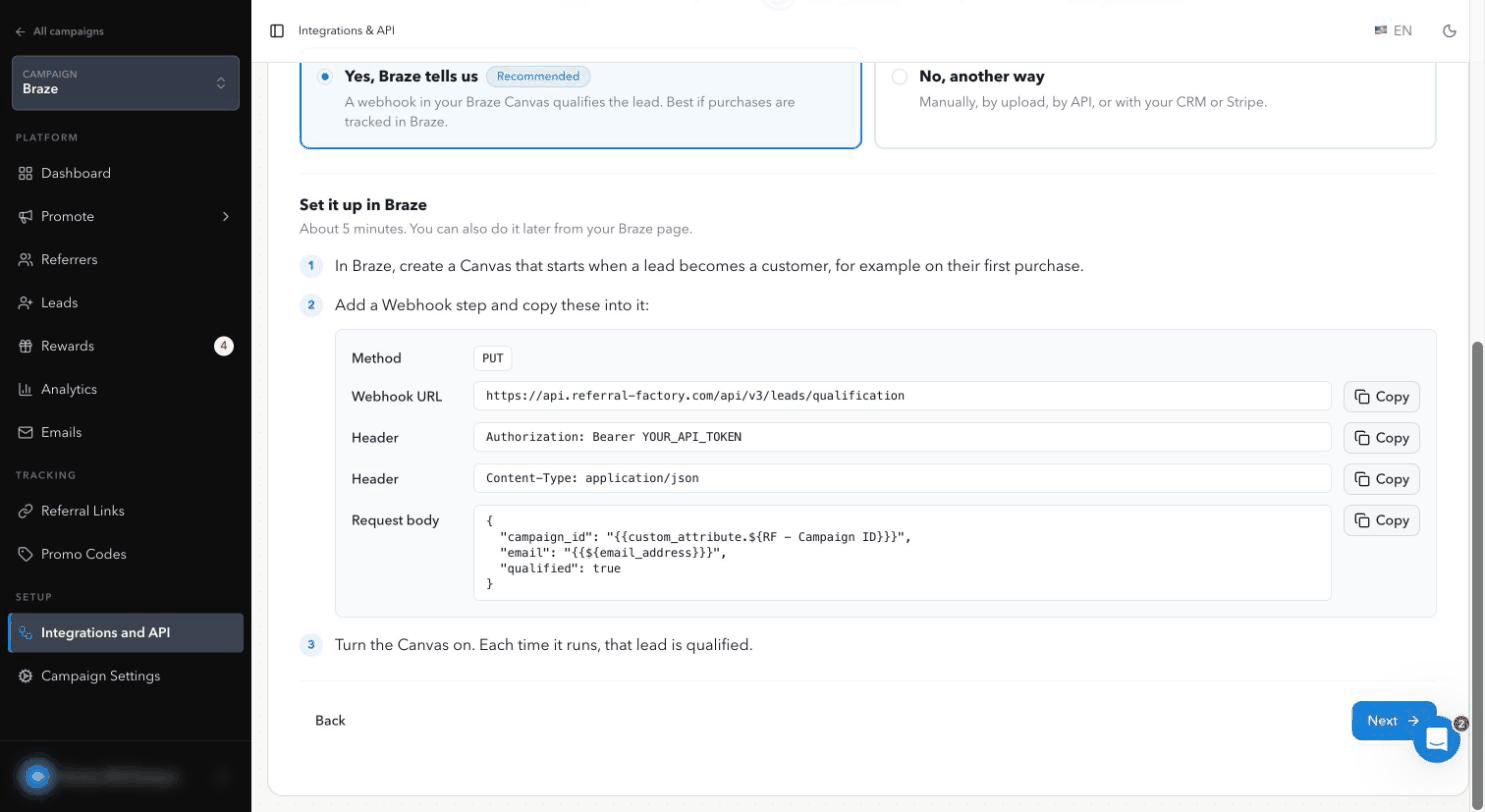
- The Webhook URL is exactly
https://api.referral-factory.com/api/v3/leads/qualification, with no space or full stop at the end. - The HTTP method is PUT.
- Both headers are there, each split into Key and Value: Key Authorization with Value Bearer and your API key, and Key Content-Type with Value application/json.
- You did not select Regenerate for your Referral Factory API key. A new key stops the old one. Copy the new Authorization line into your Canvas.
- The lead was sent to Braze by Referral Factory and has RF - Campaign ID on their profile.
- The lead’s email in Braze is the same as in Referral Factory.
- Your Referral Factory plan includes API access.
What happens when I disconnect Braze?
We stop sending to Braze. Your campaign setup is kept and works again when you connect again. Nothing is deleted from Braze.
When should I contact Referral Factory support?
Contact support if Braze does not connect with a new key, a person is still missing in Braze after Sync with Braze, or a Canvas webhook still fails after the checks above.
Include the campaign name, your Braze server, the person’s email, the time you tested, and the exact message or error you saw. Don’t send your API keys.