
Need help applying this to your account?
Contact support and we will keep this article attached to your request.
Referral Factory lets you track individual referrals and overall program performance. The easiest way to find the information you need is to use Leads, Referrers and Analytics for different parts of the referral journey.
Where can I see individual referrals?
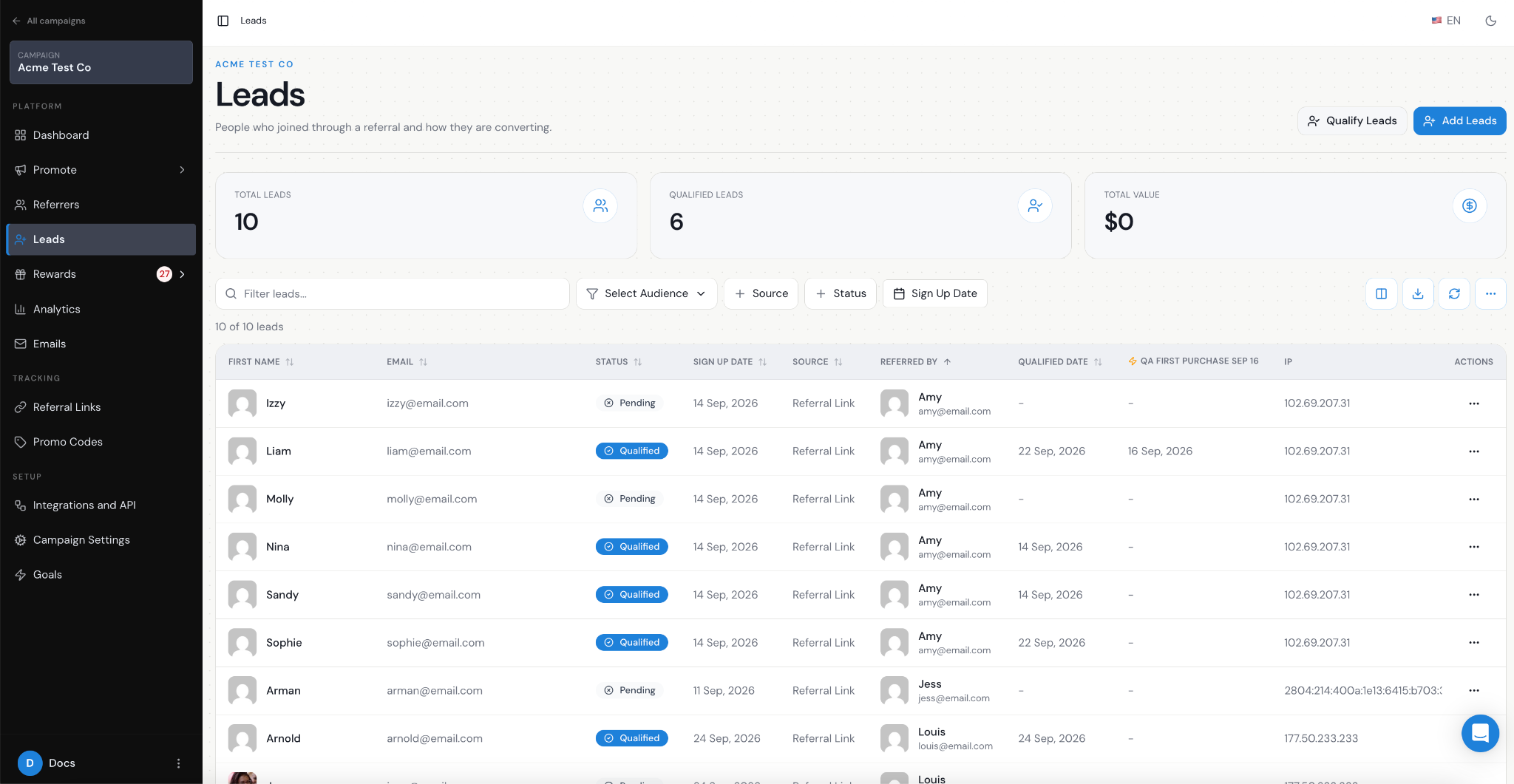
Open Leads to see the people who have been referred into your campaign.
A new Lead can start as Pending and later become Qualified when they meet the success condition you have defined for your referral program.
This makes Leads the best place to answer questions such as:
- Who referred them in Referred By
- Where they came from in Source
- Whether they are Pending or Qualified
- Their Qualified Date, where applicable
- Who referred this person?
- Has this Lead converted yet?
- Which Leads are still Pending?
- When was this Lead qualified?
Where can I see overall conversion performance?
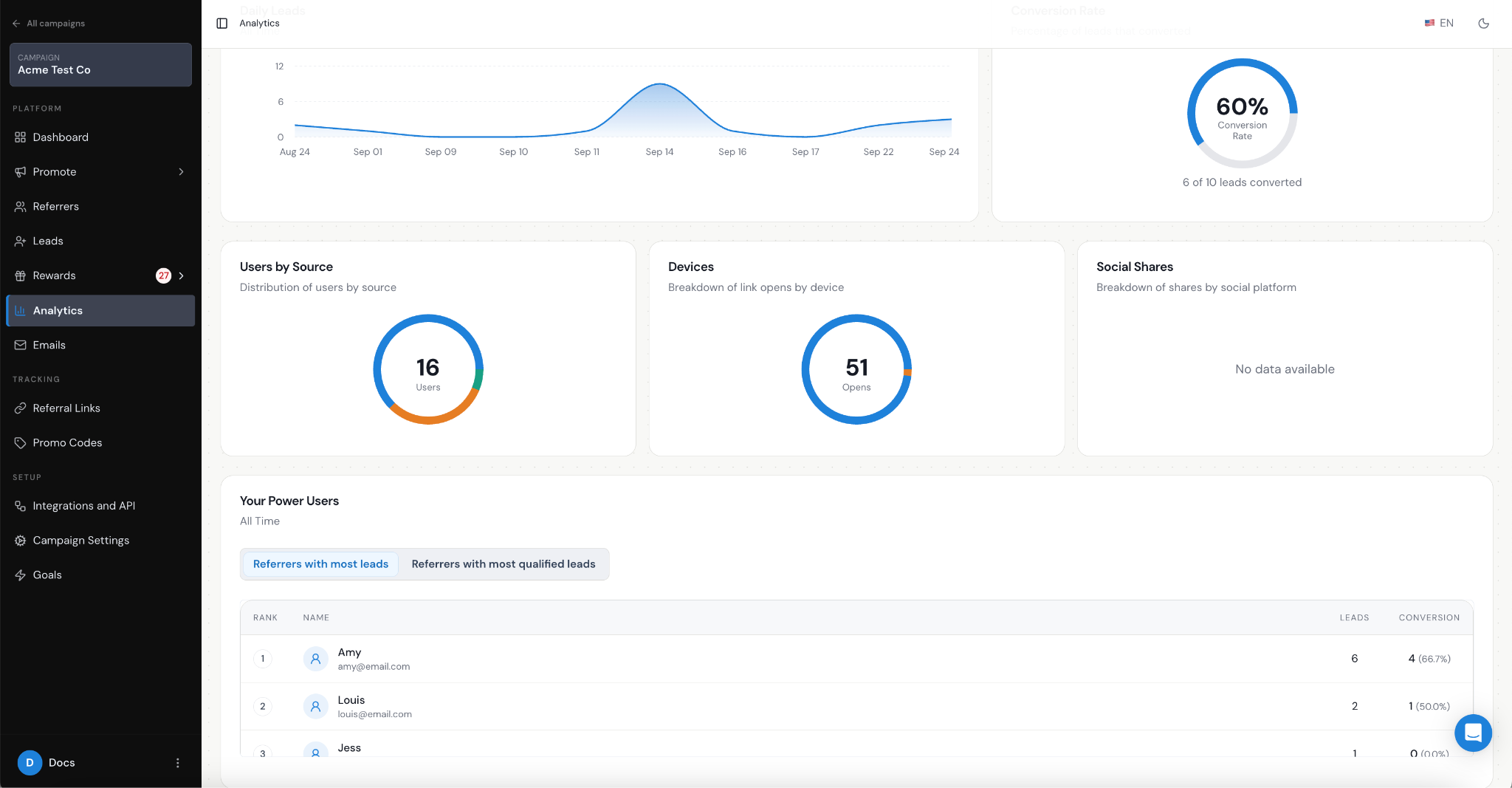
Open Analytics when you want to understand how the campaign is performing as a whole.
Use the date controls to look at performance over different periods.
| Conversion Rate = Converted Leads ÷ Total Leads × 100 |
|---|
- Total Reach
- Total Users
- Total Leads
- Converted Leads
- Daily Leads
- Conversion Rate
- Users by Source
- Devices
- Social Shares
- Power Users
Where can I see which Referrers perform best?
Open Referrers when you want to look at individual Referrer performance. You can use this area to understand which Referrers are generating referral activity and successful referrals.
The Power Users section in Analytics also helps you compare:
- Referrers with the most Leads
- Referrers with the most qualified Leads
What is the difference between reach, Leads and Qualified Leads?
| Reach = someone opens a Referral Link Page |
|---|
| Lead = the referred person submits their details and is captured in Referral Factory |
| Qualified Lead = the Lead later completes the action your business considers a successful referral |
Looking at these stages together helps you understand whether people are only viewing your referral pages, becoming Leads, or actually converting.
Can I export the data?
You can export data from the Leads and Referrers areas if you want to analyse the underlying participant data outside Referral Factory. This can be useful if you want to combine referral data with other information from your business systems.