
Read this page as a quick path: scan the headings, use the step blocks, and escalate if the expected result does not happen.
Need help applying this to your account?
Contact support and we will keep this article attached to your request.
Referral Factory has built-in analytics for tracking referrals, but you may want to use external tracking tools to understand which channels drive sign-ups. Here is what works and what does not.
UTM parameters on referral links
You can append UTM parameters (such as
?utm_source=email&utm_medium=newsletter) to your campaign join links without breaking them. The links will still work normally.However, Referral Factory does not track or report on UTM values anywhere in the dashboard. There is no built-in UTM reporting.
This means appending UTMs is only useful if you have Google Analytics enabled (see below), which will pick up the UTM values and show them in your GA reports.
Keep in mind that UTM parameters are generally designed for marketing channels, not individual people. Since each referrer already has a unique referral link, adding UTMs per referrer is impractical. UTMs make more sense on your campaign join link (the link people use to become referrers) to track which channel drove them to join — for example, LinkedIn vs email vs your website.
Google Analytics integration
Referral Factory has a built-in Google Analytics integration. When enabled, your GA tracking code is loaded on all your referral pages, allowing Google Analytics to capture page views, UTM parameters, and traffic sources.
To enable it:
- Click your name in the bottom-left corner of the dashboard, then click Organisation to open your Business Settings. Select the Tracking tab and add your GA Tracking ID.
- Then, for each campaign you want to track, go to Campaign Settings and toggle Google Analytics on.
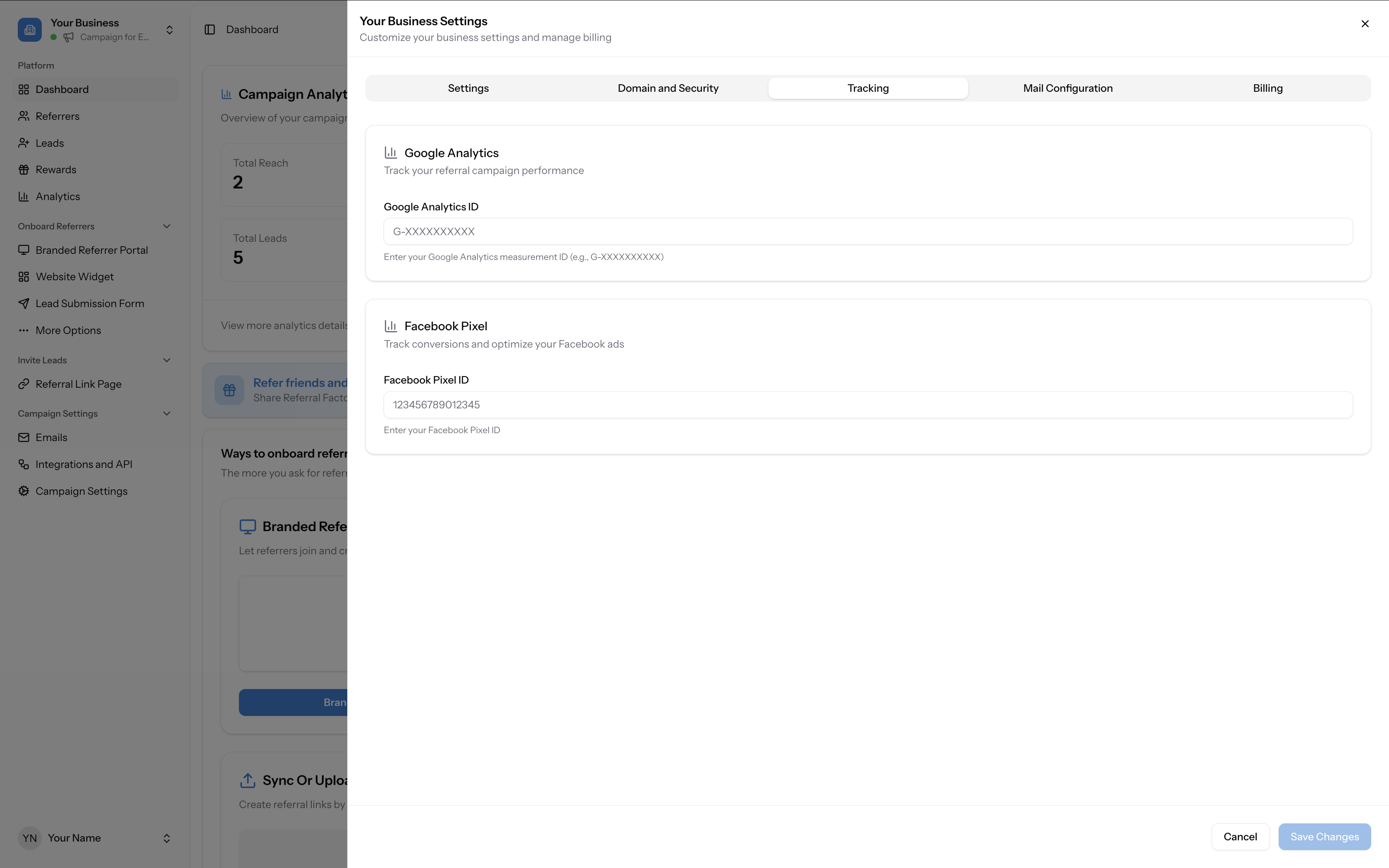
Business Settings dialog showing the Tracking tab with Google Analytics and Facebook Pixel ID fields
Navigate to Business Settings → Tracking tab to add your Google Analytics ID and Facebook Pixel ID
Facebook Pixel
There is a built-in Facebook Pixel integration. You can add one Pixel ID per account — click your name in the bottom-left corner, click Organisation to open Business Settings, then select the Tracking tab.
The current implementation is basic — it fires a page-view event when someone visits your referral page. Custom events (such as Lead or CompleteRegistration) are not supported at this time.
What is not supported
The following are not available on Referral Factory-hosted referral pages:
- Google Tag Manager (GTM) — you cannot add a GTM container to referral pages.
- Custom scripts — there is no way to inject custom JavaScript or third-party tags into the
<head>of your referral pages. - Other tracking pixels — only Google Analytics and Facebook Pixel are supported natively.
Alternatives for channel-level source tracking
If you need to know which channel (e.g. LinkedIn, email, or your website) is driving referrers to join your program, here are two practical approaches:
- Duplicate campaigns per channel — create a separate campaign for each channel (e.g. one for email, one for LinkedIn). Each campaign's analytics will tell you how many referrers joined from that channel.
- Use the CRM integration — if you connect a CRM like HubSpot, you can pass a lead source field when syncing contacts. This lets you tag the source externally without duplicating campaigns.
JavaScript qualification snippet
If your goal is conversion tracking (knowing when a referred lead completes a purchase or sign-up on your own website), the JavaScript qualification snippet is the right tool. This is installed on your own thank-you or confirmation page and calls
window.RF.qualify() to automatically qualify the referral inside Referral Factory.See How to qualify referrals using a JavaScript snippet on your website for setup instructions.