
Read this page as a quick path: scan the headings, use the step blocks, and escalate if the expected result does not happen.
Need help applying this to your account?
Contact support and we will keep this article attached to your request.
To remove a referrer from your campaign, locate them in the Referrers tab and click the ⋯ menu (three dots) on their row. Select Delete Referrer. You will be asked to confirm before the deletion is processed.
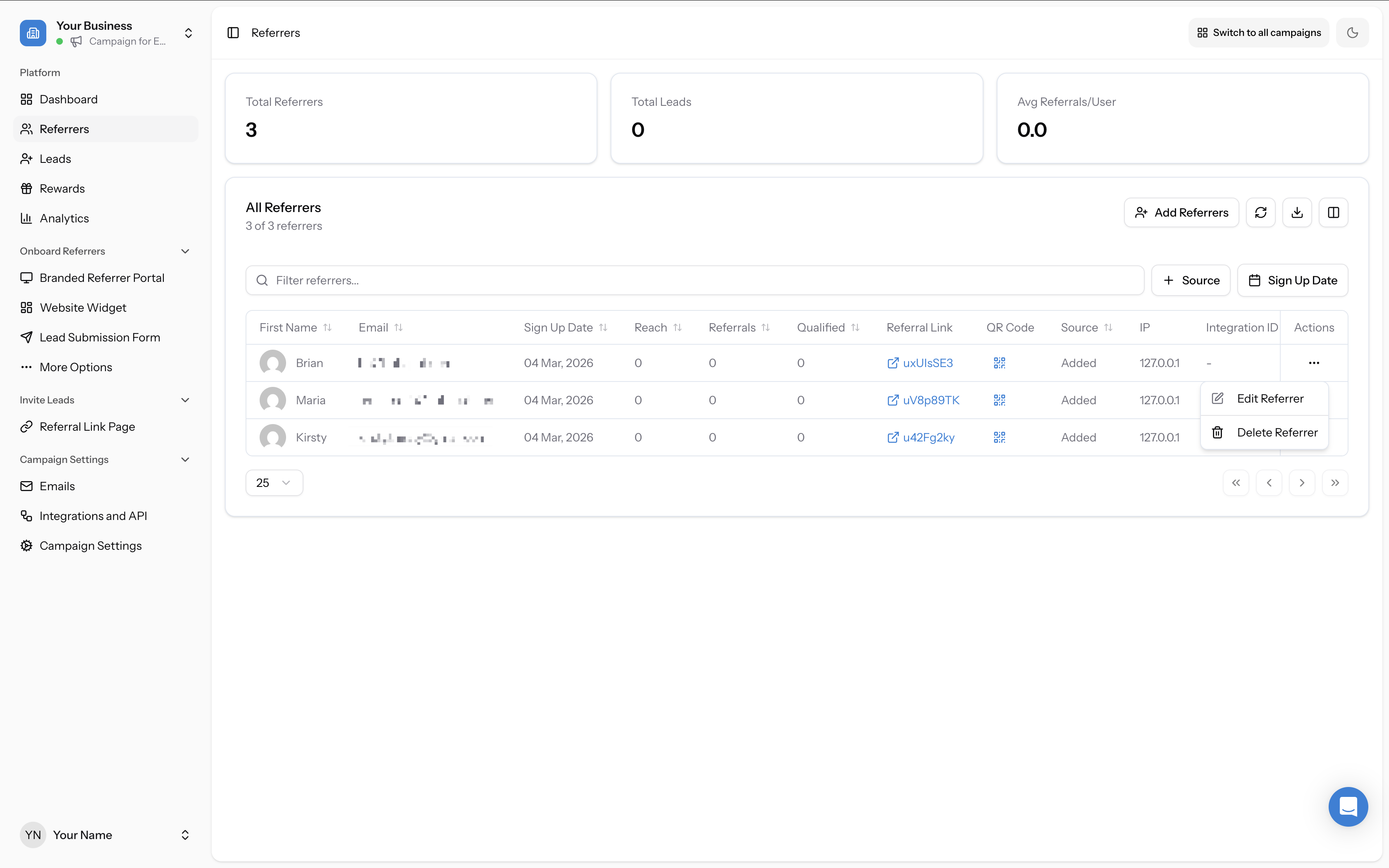
⚠️ Deleting a referrer is permanent. Their referral link will stop working, and any leads attributed to them will lose their attribution. If they have pending rewards, those will also be affected. Delete with care.
Editing a referrer
If you need to update a referrer's details rather than remove them, click the ⋯ menu and select Edit Referrer instead. This lets you change their name or email address without losing their referral history.
Can I deactivate a referrer without deleting them?
Referral Factory does not currently have a "deactivate" or "pause" state for individual referrers — the only options are Edit and Delete. If you want to temporarily stop a referrer from generating new leads without losing their history, consider pausing the entire campaign instead.