
Need help applying this to your account?
Contact support and we will keep this article attached to your request.
Overview
If a Pipedrive record is missing or a referral has not qualified, start with the checks for the workflow you are using. Leads, Referrers, and Qualification Rules are separate parts of the Pipedrive integration.
What should I check first if my Pipedrive integration isn't working?
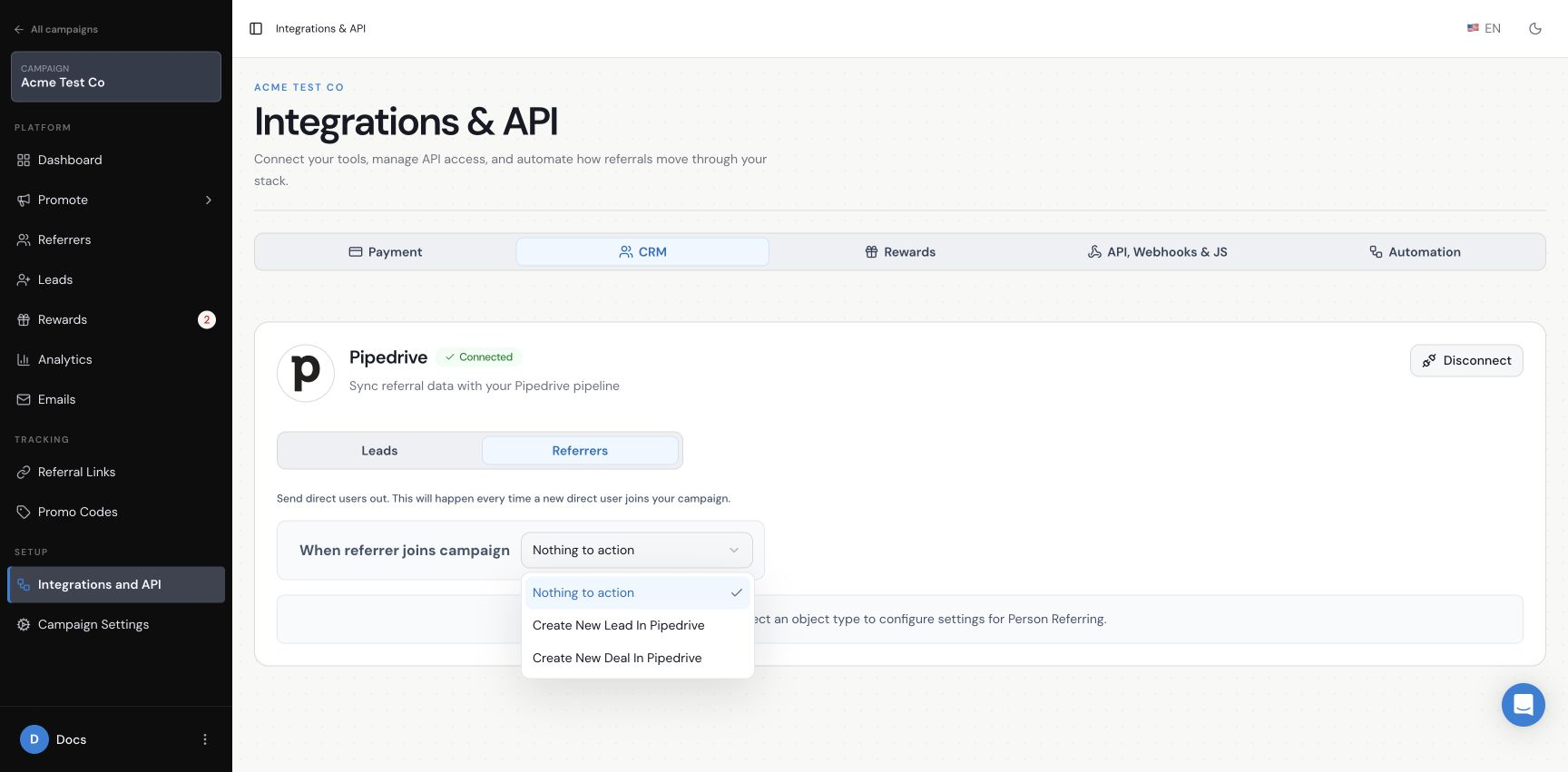
Select the campaign first, then open Integrations and API and choose CRM. Confirm that Pipedrive says Connected. Next, open the tab for the thing that is not working: Leads for campaign leads, Referrers for new referrers, or Leads and Qualification Rules for automatic qualification.
Check that the relevant action is not set to Nothing to action, that all required fields are mapped, and that you saved the changes. If the setting is correct, allow time for the integration to process before testing again.
Confirm the Pipedrive connection and the selected Referrers action
Why isn't a new Lead being sent to Pipedrive?
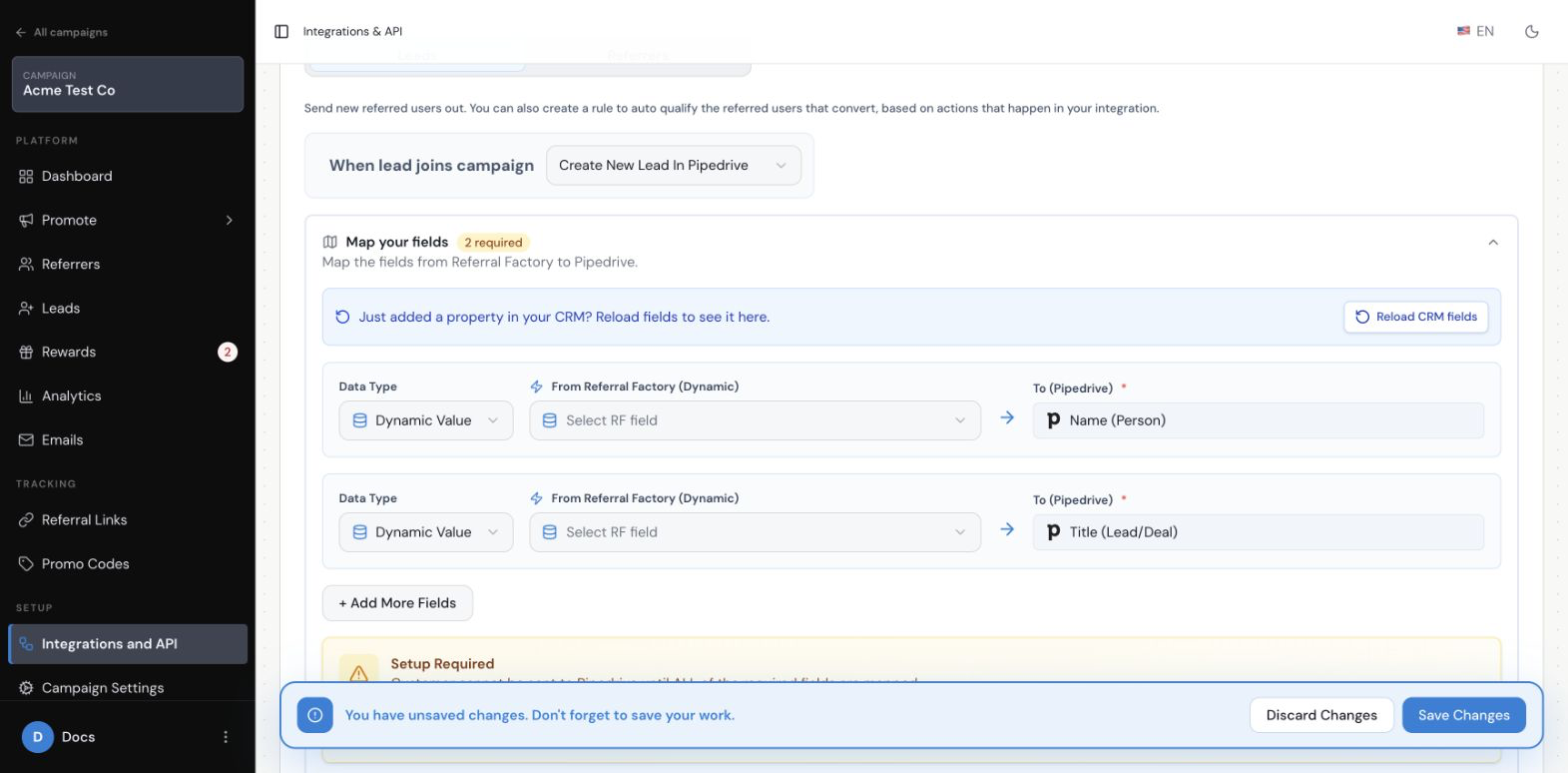
Open the Leads tab and check When lead joins campaign. It must be set to Create New Lead In Pipedrive or Create New Deal In Pipedrive, not Nothing to action. Then open Map your fields and check that every required Pipedrive field has a Referral Factory value.
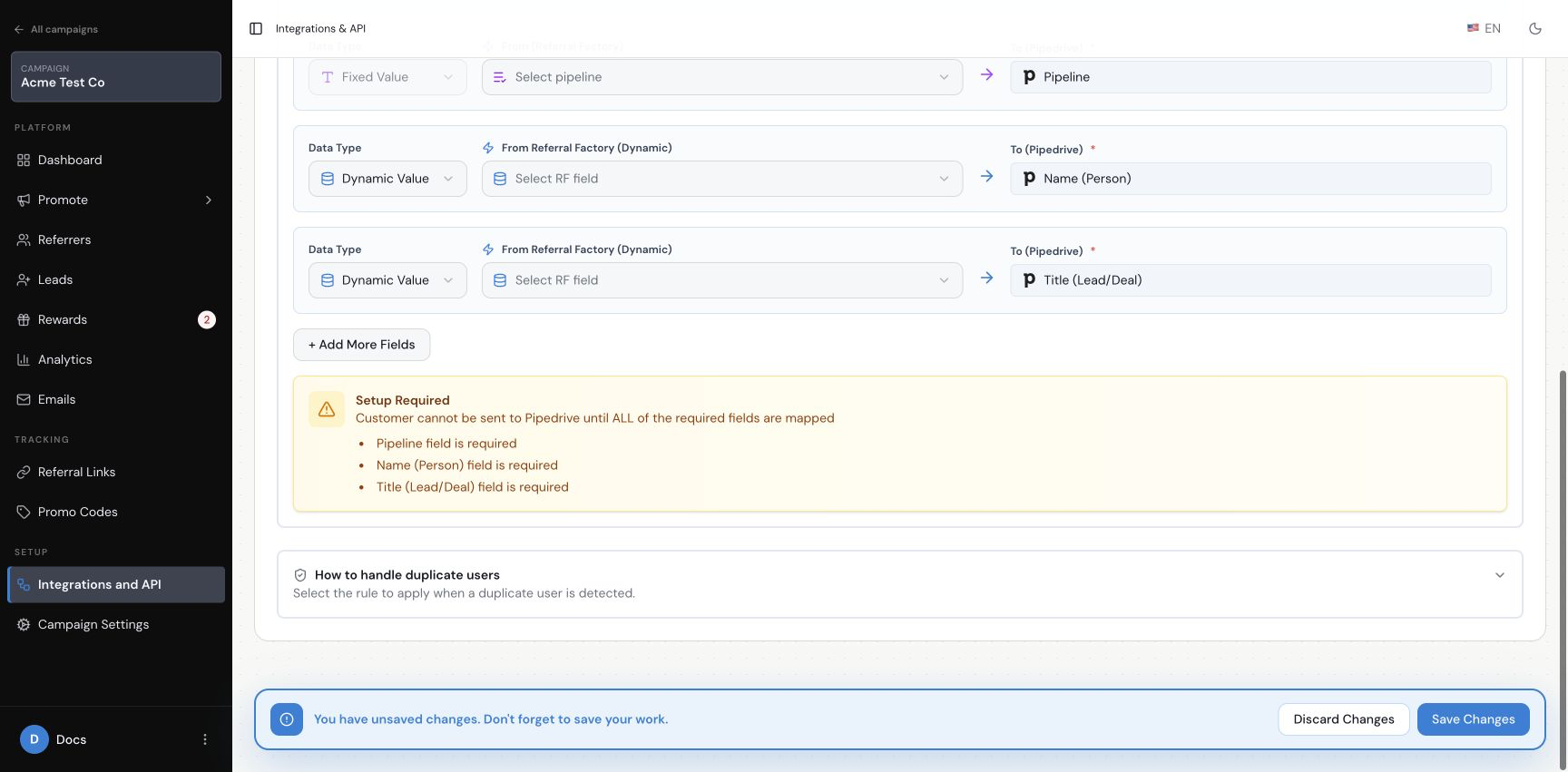
For a Pipedrive Lead, the current required destinations are Name (Person) and Title (Lead/Deal). For a Pipedrive Deal, Pipeline is also required. If the setup shows Setup Required, the lead cannot be sent until those mappings are complete.
A Setup Required message means required mappings are still missing
Why isn't a new Referrer being sent to Pipedrive?
Open the CRM Referrers tab and check When referrer joins campaign. Choose Create New Lead In Pipedrive or Create New Deal In Pipedrive. Then check the fields shown for that choice and complete every required mapping.
The Lead path requires Name (Person) and Title (Lead/Deal). The Deal path also requires Pipeline. These settings apply to new referrers who join after the action and mappings have been saved; they do not import people who already exist in Pipedrive.
Check the additional Pipeline mapping when creating a Pipedrive Deal
Why isn't Pipedrive qualifying referrals automatically?
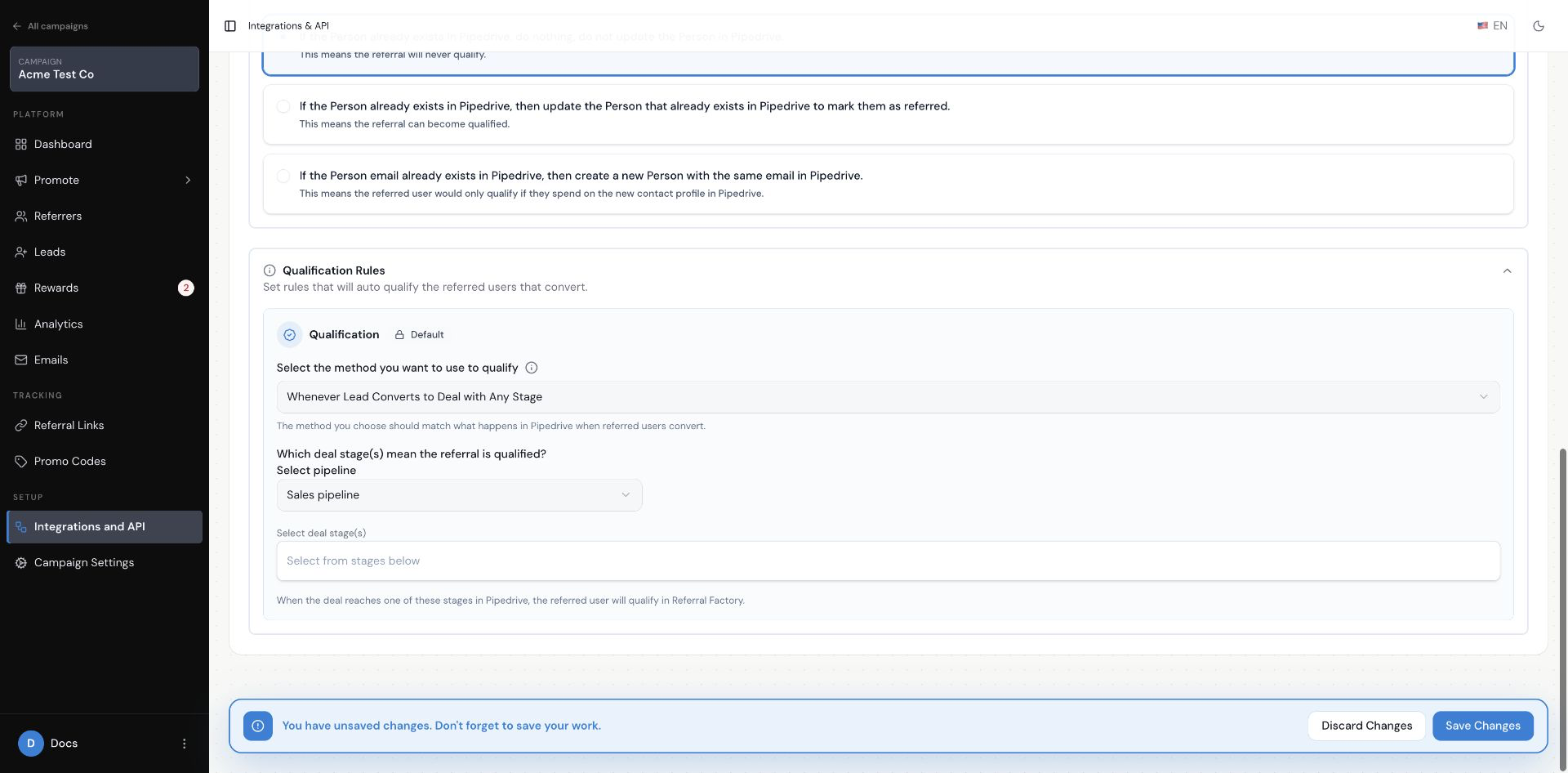
First check that the campaign’s qualification rule matches the Pipedrive record it creates. If the campaign creates a Pipedrive Lead, choose Whenever Lead Converts to Deal or Whenever Lead Converts to Deal with Any Stage. If it creates a Pipedrive Deal, choose The deal stage would change or The deal would be marked as WON.
For a stage rule, check the selected pipeline and deal stage. For a Lead conversion rule, check whether the rule requires only conversion or conversion plus a selected stage. For a Won rule, check that the matching Deal is marked Won. Sending a record to Pipedrive does not qualify the referral by itself.
Check the Lead conversion rule and its pipeline or stage requirement
Why are some Pipedrive fields missing or not updating?
Open the relevant mapping section and select Reload CRM fields. Then open the field menu again. If a field is still unavailable, check that you are in the correct Leads or Referrers tab and that the field belongs to the connected Pipedrive account.
A field only updates when it is mapped to a Referral Factory value and the saved action sends that workflow to Pipedrive. Check the Setup Required message and complete all required rows before testing again.
What happens if the person already exists in Pipedrive?
For leads, open How to handle duplicate users in the Leads tab. The current options are to do nothing, update the existing Person to mark them as referred, or create a new Person with the same email address. Read the explanation under each option before choosing one because the result is different for each choice.
The current Referrers setup does not show the same duplicate-handling section. If the person is a new referrer and already exists in Pipedrive, contact Referral Factory support before relying on a particular outcome.
Could the Pipedrive sync just be delayed?
Yes. Pipedrive updates can take up to 30 minutes to appear in Referral Factory. After creating a dummy lead or referrer, allow that time before checking the record or qualification status again.
Why can't I connect or reconnect Pipedrive?
Open Integrations and API and choose CRM to check the connection status. Before connecting or reconnecting, also make sure you have the correct permissions in Referral Factory. You need to be the Account Admin or have Campaign Admin access, which includes permission to manage campaign integrations. If Pipedrive says Connected, do not disconnect it just to test the integration. If the connection cannot be completed or no longer connects, contact Referral Factory support with the campaign name, the screen you were using, and the exact message shown.
Do not send passwords, API keys, tokens, or other credentials when asking for help.
When should I Contact Referral Factory support?
Contact support if Pipedrive is not connected, a required field cannot be mapped after you reload CRM fields, a saved Lead or Referrer action still does not process after the expected delay, or a qualification rule does not update the matching referral after the Pipedrive record meets the rule.
Include the campaign name, whether the issue affects a Lead, Referrer, or Qualification Rule, the selected Pipedrive action, the time you tested it, and the exact error or visible result. Include screenshots of the relevant settings if they do not contain credentials or sensitive customer data.