
Need help applying this to your account?
Contact support and we will keep this article attached to your request.
Overview
Referral Factory and Pipedrive can work together across your referral program. You can turn existing Pipedrive contacts into referrers, send new referrers and leads to Pipedrive, and use activity in Pipedrive; for example, a deal being marked Won to qualify a referral in Referral Factory. Once a referral is qualified, your campaign’s reward rules determine what happens next.
What can Referral Factory and Pipedrive do together?
Referral Factory connects your referral program with the sales process you already manage in Pipedrive. You can use the integration to bring existing contacts into your referral program, send new referrers and leads to Pipedrive, and use Pipedrive activity to qualify successful referrals. A qualified referral can then move into the campaign’s reward process.
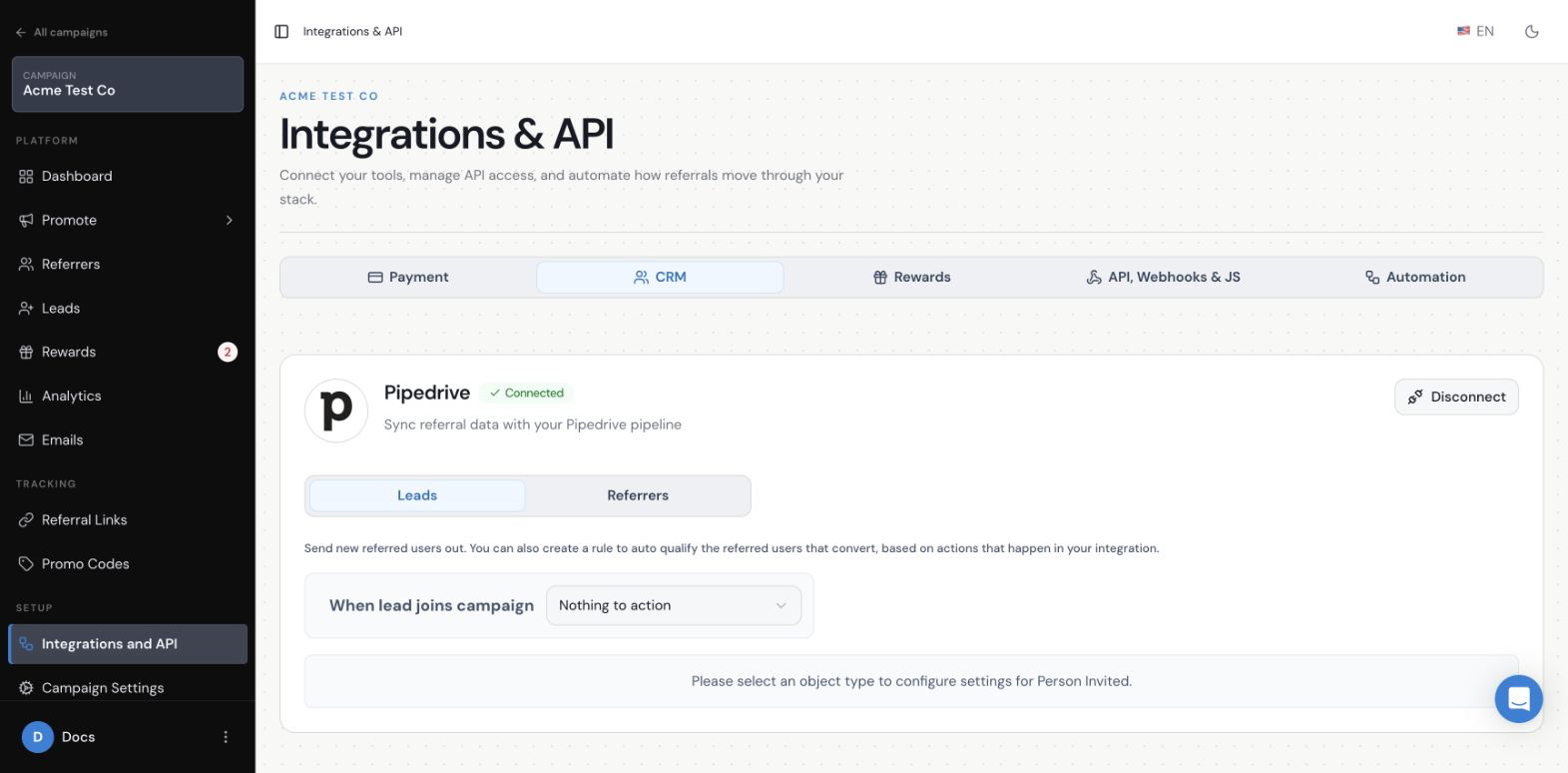
Pipedrive is connected to an individual campaign from . Once connected, you can configure separate settings for your leads and referrers.
Pipedrive connected in Integrations & API
Can I give my existing Pipedrive Contacts their own referral links?
Yes. You can add selected existing Pipedrive contacts to your Referral Factory campaign as referrers. Once they’ve been added as referrers, Referral Factory can give them their own referral links to share with other people.
Learn more: the Pipedrive referral-link sync guide
Can new Referrers be sent to Pipedrive automatically?
Yes. The Referrers area of the connected Pipedrive settings lets you send a new referrer’s details to Pipedrive when they join the campaign. Your team can then see that referrer in the same place where it manages other contacts.
Learn more: the Pipedrive referrer-sync guide
Can Leads be sent to Pipedrive automatically?
Yes. The Leads area lets you send a lead’s details to Pipedrive when they join the campaign. Your team can then follow up with the lead in Pipedrive instead of checking Referral Factory for the person’s initial details.
Use the dedicated guide for sending leads to Pipedrive for the record choice, field mapping, and duplicate-handling instructions.
Learn more: the Pipedrive lead-sync guide
How can I track Leads and conversions with Pipedrive?
Referral Factory keeps track of which referrer introduced each lead. You can then send that lead to Pipedrive so your team can manage the sales process there.
You can also use activity in Pipedrive to qualify the referral in Referral Factory. For example, when a lead reaches the stage you use to identify a successful conversion, Referral Factory can mark that referral as qualified.
Sending a lead to Pipedrive and qualifying the referral are two separate actions. Sending the lead does not automatically qualify the referral.
How can Pipedrive automatically qualify referrals in Referral Factory?
After Pipedrive is connected, choose the Pipedrive condition that means a lead has become a successful referral. When the lead meets that condition, Referral Factory can mark the referral as qualified.
Learn more: the Pipedrive automatic-qualification guide
Can a won Deal in Pipedrive trigger a referral reward?
Yes. If a Won deal is the condition you use to qualify a successful referral, Referral Factory can mark the referral as qualified when that deal is won in Pipedrive.
What happens next depends on your campaign’s reward settings. A deal being marked Won does not automatically issue a reward unless the qualification and reward rules have been configured.
Use the dedicated Pipedrive qualification guide for the exact setup steps.
How can I automate my referral program with Pipedrive?
You can automate the handoff between your referral program and your sales team: existing Pipedrive contacts can receive their own referral links, new referrers can be added to Pipedrive, leads can be sent to Pipedrive, and a qualifying sales result can update the referral in Referral Factory. A qualified referral can then move into the reward process without your team having to update both systems manually.
Learn more: the Pipedrive automation guide