
Need help applying this to your account?
Contact support and we will keep this article attached to your request.
Overview
You can automatically send new leads from Referral Factory to Pipedrive as either a Lead or a Deal. This guide shows you how to choose what gets created, map the right fields and test the setup.
Can I automatically send new Leads to Pipedrive?
Yes. When a lead joins your campaign, Referral Factory can create a new Lead or a new Deal in your connected Pipedrive account. You choose which record to create for that campaign.
Before you start
Make sure Pipedrive is connected in Referral Factory and that your campaign collects the lead information you want to send. Select the campaign first. You will then use Integrations and API, CRM, and the Leads tab.
How do I choose what happens when a Lead joins my campaign?
Open Integrations and API, select CRM, and open Leads. Under When lead joins campaign, choose one of the available actions: Nothing to action, Create New Lead In Pipedrive, or Create New Deal In Pipedrive.
Choose the Pipedrive action for a new campaign lead
Choose Create New Lead In Pipedrive or Create New Deal In Pipedrive to continue with setup. Nothing to action leaves the campaign turned off for this Pipedrive action.
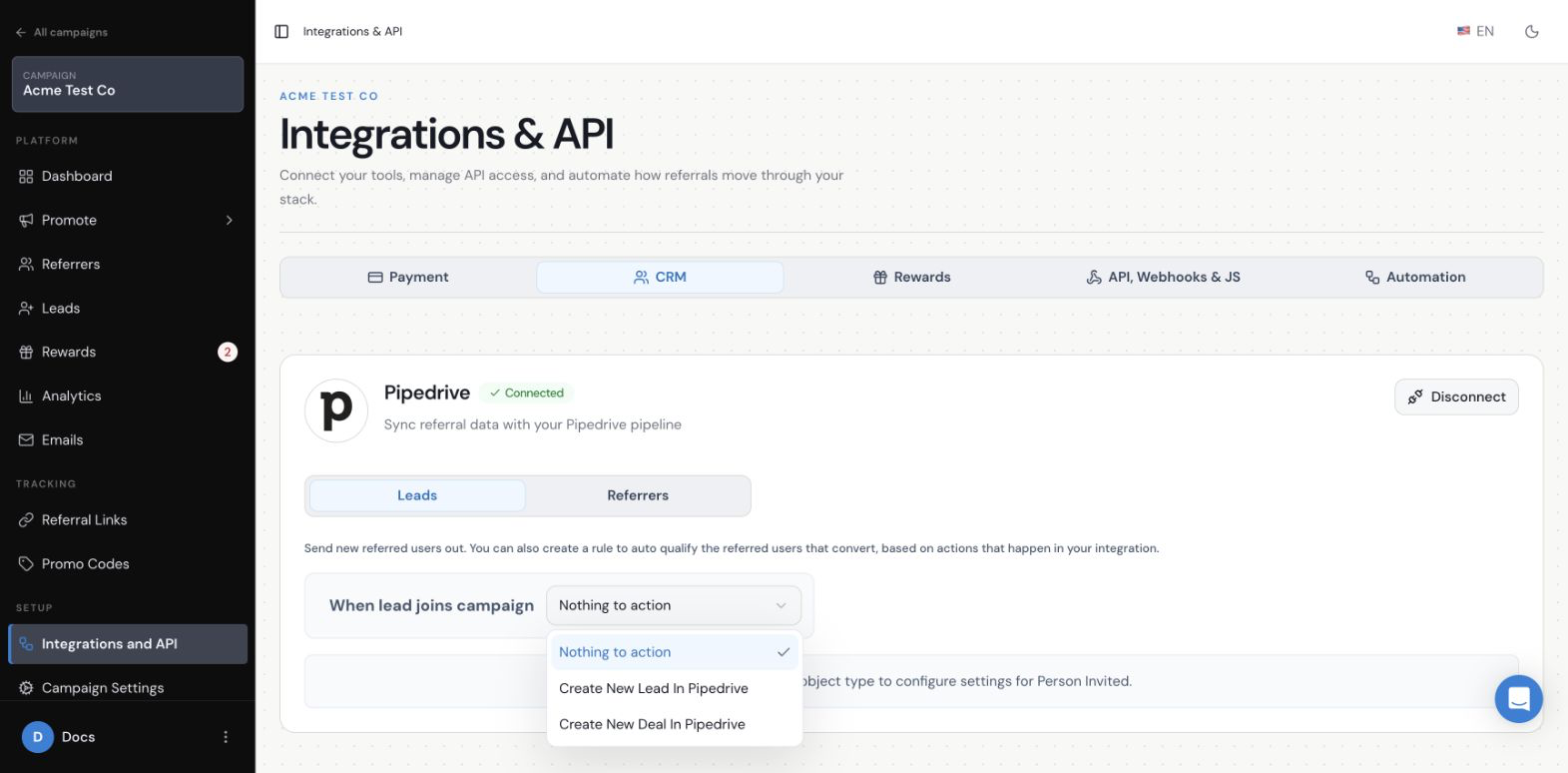
How do I create a new Lead in Pipedrive?
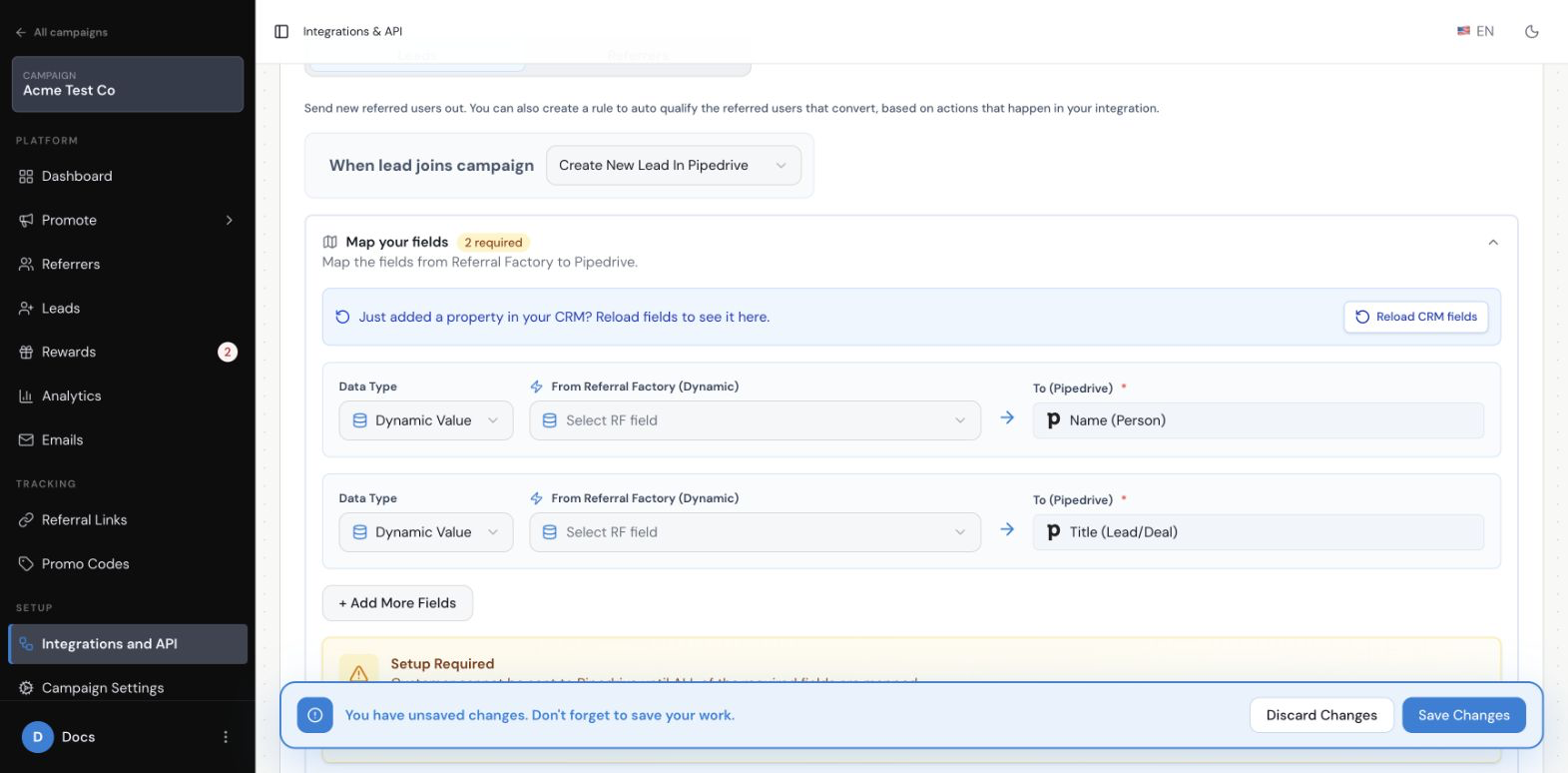
Choose Create New Lead In Pipedrive. Referral Factory opens the Map your fields section. The Lead path currently requires two Pipedrive fields: Name (Person) and Title (Lead/Deal).
Configure the required fields for a new Pipedrive Lead
For each required field, choose the Referral Factory value that should be sent to Pipedrive. A common choice is to use the lead’s name for Name (Person) and a suitable campaign or lead value for Title (Lead/Deal). The exact Referral Factory fields available depend on what your campaign collects.
How do I create a new Deal in Pipedrive?
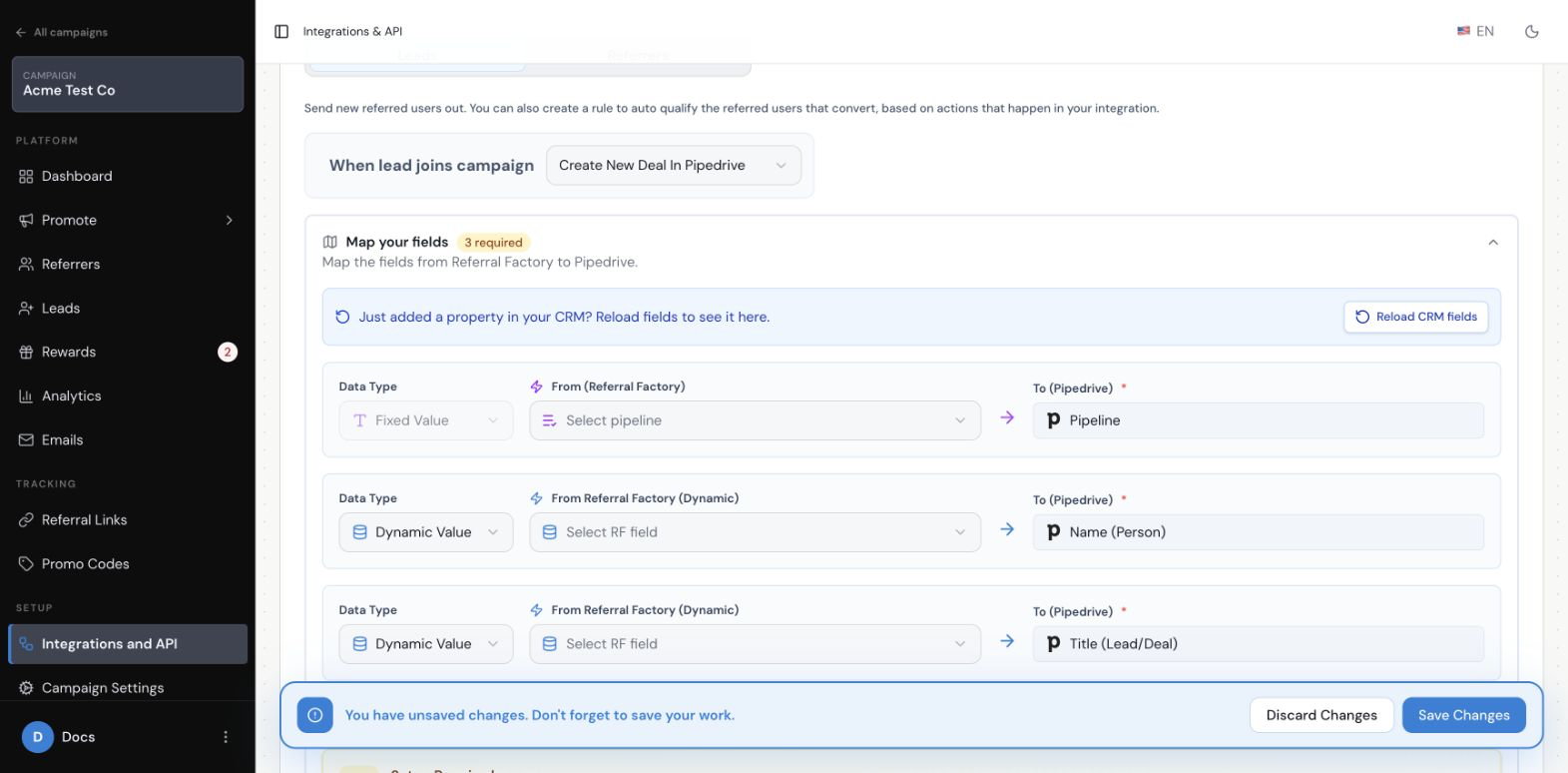
Choose Create New Deal In Pipedrive. The Deal path currently shows three required Pipedrive fields: Pipeline, Name (Person), and Title (Lead/Deal).
Configure the required fields for a new Pipedrive Deal
Pipeline uses a Fixed Value, so choose the Pipedrive pipeline where new deals should be created. Name (Person) and Title (Lead/Deal) use lead-specific information, so choose Dynamic Value for those rows and select the matching Referral Factory fields.
How do I map Referral Factory fields to Pipedrive?
In each row, choose the Data Type, select the value under From Referral Factory, and check the destination under To (Pipedrive). Use Dynamic Value for information that changes from lead to lead, such as a name or email. Use Fixed Value for a value that should be the same every time, such as the Pipedrive Pipeline used for new deals.
If a field you need is missing, use Reload CRM fields and check the list again. Complete every row marked required before saving. You can use Add More Fields when you need to send additional information.
What lead information can be sent to Pipedrive?
You can send the information collected when the lead joins your campaign, along with other referral details that you choose to map. The available Referral Factory fields depend on the campaign and the data collected in your form. You can also add extra fields to send more information when the setup screen provides them.
For example, you might send the lead’s name and email, campaign details, or the referral details your team needs to understand where the lead came from. Only map information your team needs in Pipedrive.
What happens if the Lead already exists in Pipedrive?
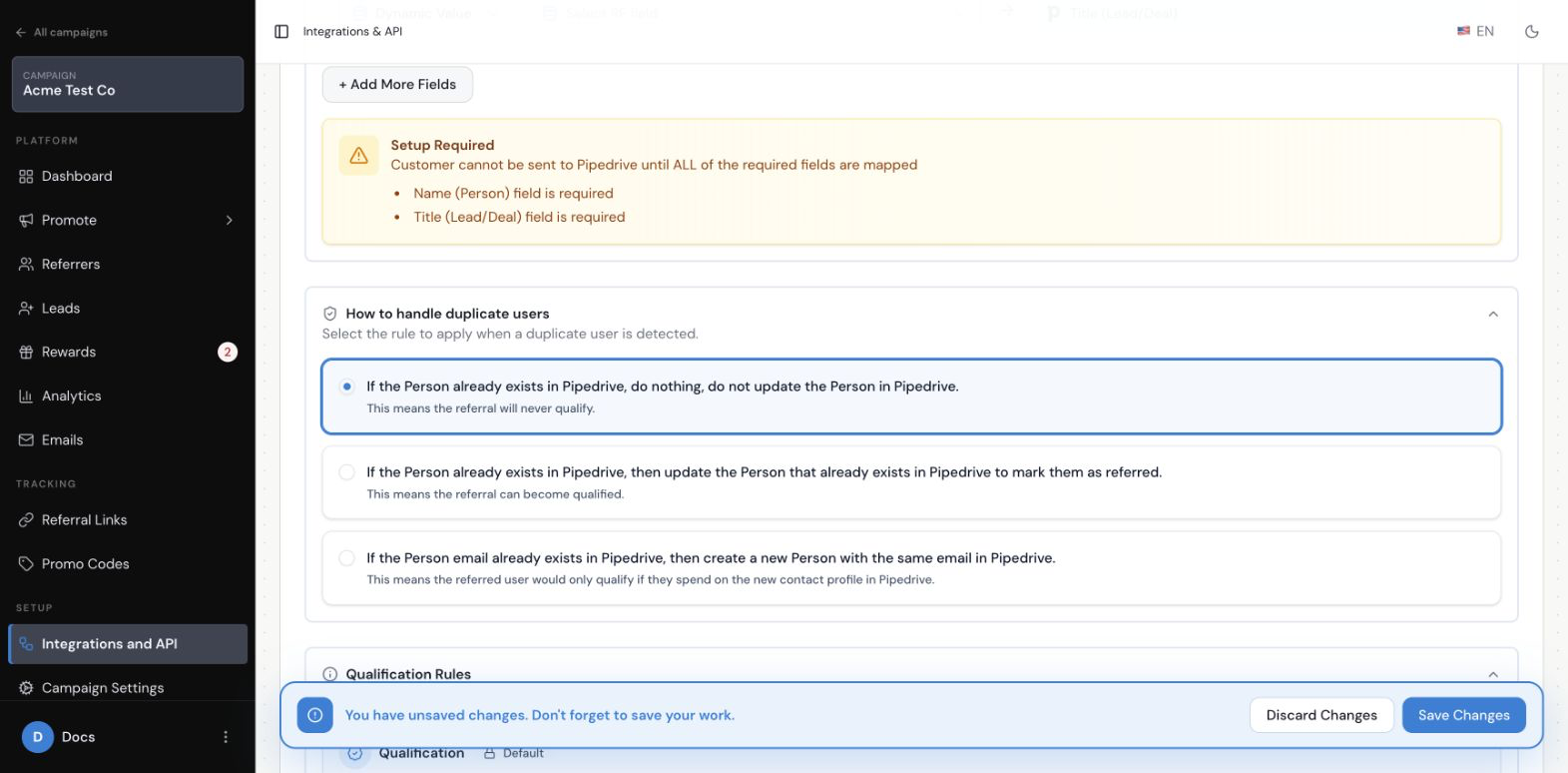
Under How to handle duplicate users, choose what Referral Factory should do when it finds an existing Pipedrive person:
Choose how Referral Factory handles an existing Pipedrive person
Read the explanation under each choice before selecting one. Updating an existing person changes the record already in Pipedrive. Creating a new person can create two Pipedrive people with the same email address.
- Do nothing and do not update the existing Person.
- Update the existing Person to mark them as referred.
- Create a new Person with the same email address.
How do I save and test my Pipedrive Lead settings?
Review the required mappings and duplicate choice, then select Save Changes at the bottom of the setup panel. To test the setup, use a separate dummy lead and complete the campaign sign-up journey with a referral link or other enabled campaign entry point. Wait for the sync, then check Pipedrive for the new Lead or Deal and confirm that the mapped information is in the expected fields.
Do not use a real customer as your test. If the test record does not appear, check the selected action, required mappings, duplicate rule, and Pipedrive connection before trying again.
When does Referral Factory send the Lead to Pipedrive?
Referral Factory sends the lead when they join your campaign, as long as you selected Create New Lead In Pipedrive or Create New Deal In Pipedrive and saved the required settings.
How long does it take for the Lead to appear in Pipedrive?
It can take up to 30 minutes for the lead information to pass from Referral Factory to Pipedrive. If it has not appeared after that time, check that the campaign is not set to Nothing to action, that all required fields are mapped, and that the Pipedrive connection is still active.
Does sending a Lead to Pipedrive automatically qualify the referral?
No. Sending a lead to Pipedrive only sends the lead information. It does not qualify the referral. Qualification is configured separately, so use the Pipedrive automatic-qualification guide.