
Need help applying this to your account?
Contact support and we will keep this article attached to your request.
Overview
Referral Factory can qualify a lead automatically when the related Pipedrive record reaches the point you choose. The available rules depend on whether your campaign creates a Pipedrive Lead or a Pipedrive Deal.
What does it mean to qualify a Lead in Referral Factory?
A lead is qualified when they complete the action that counts as a successful referral for your campaign. For example, you might qualify the lead when a Pipedrive Deal reaches a chosen stage or is marked Won.
When the rule is met, the referral status changes to qualified in Referral Factory. Qualification and rewards are separate settings, so a reward is only triggered if your campaign has a reward rule that uses qualified referrals.
How does automatic Qualification with Pipedrive work?
Once a lead has been sent to Pipedrive, Referral Factory can use what happens to that lead or deal to decide when the referral should be marked as qualified. The qualification options depend on whether Referral Factory creates a Lead or a Deal in Pipedrive. You choose the point that represents a successful referral for your business, and when that happens in Pipedrive, Referral Factory automatically marks the referral as qualified.
How do I qualify referrals when Referral Factory creates a Pipedrive Lead?
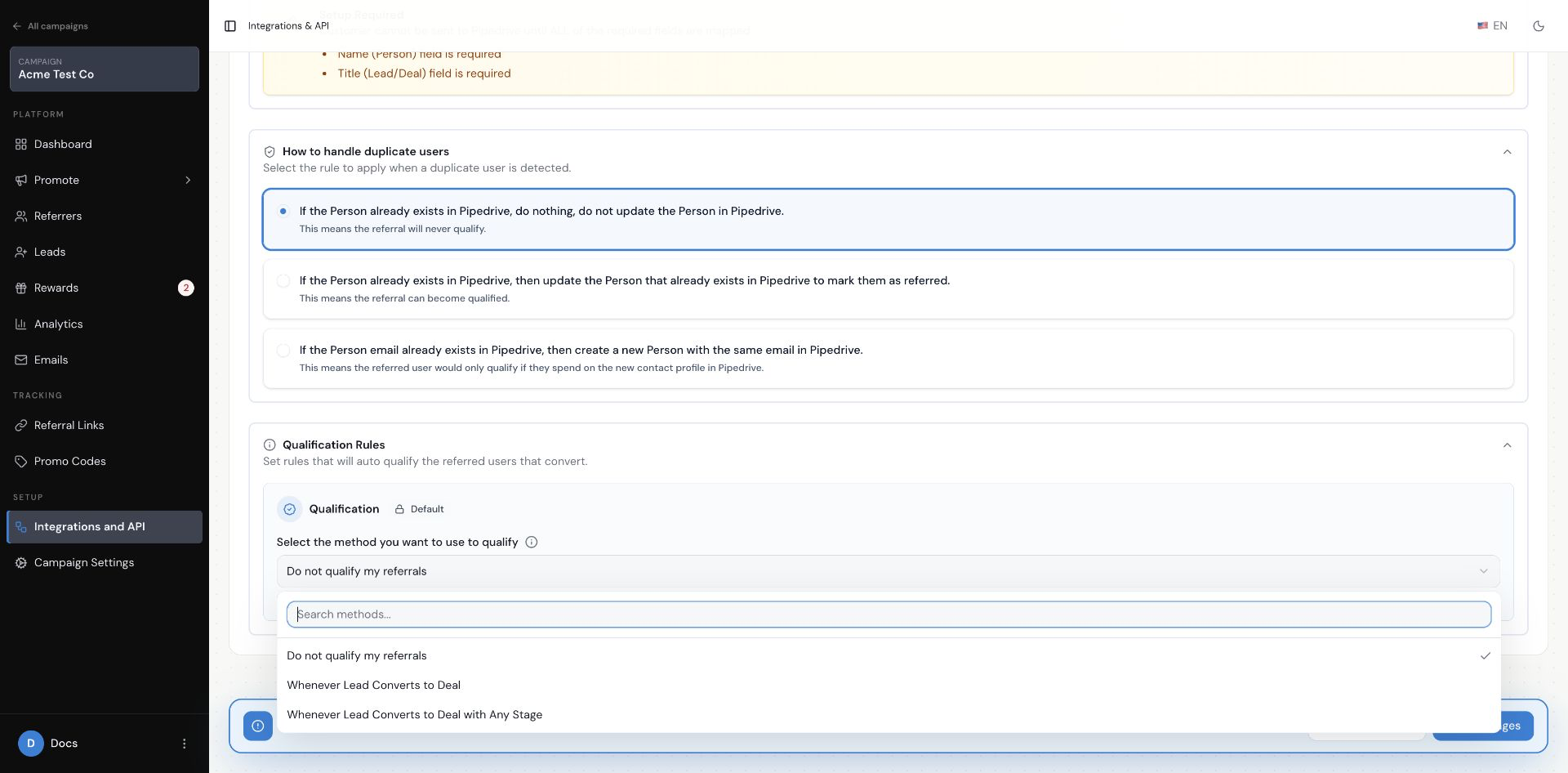
First, make sure the campaign is set to Create New Lead In Pipedrive when a lead joins the campaign. Then open Qualification Rules and choose one of the Lead-specific options.
Choose a qualification method for a campaign that creates Pipedrive Leads
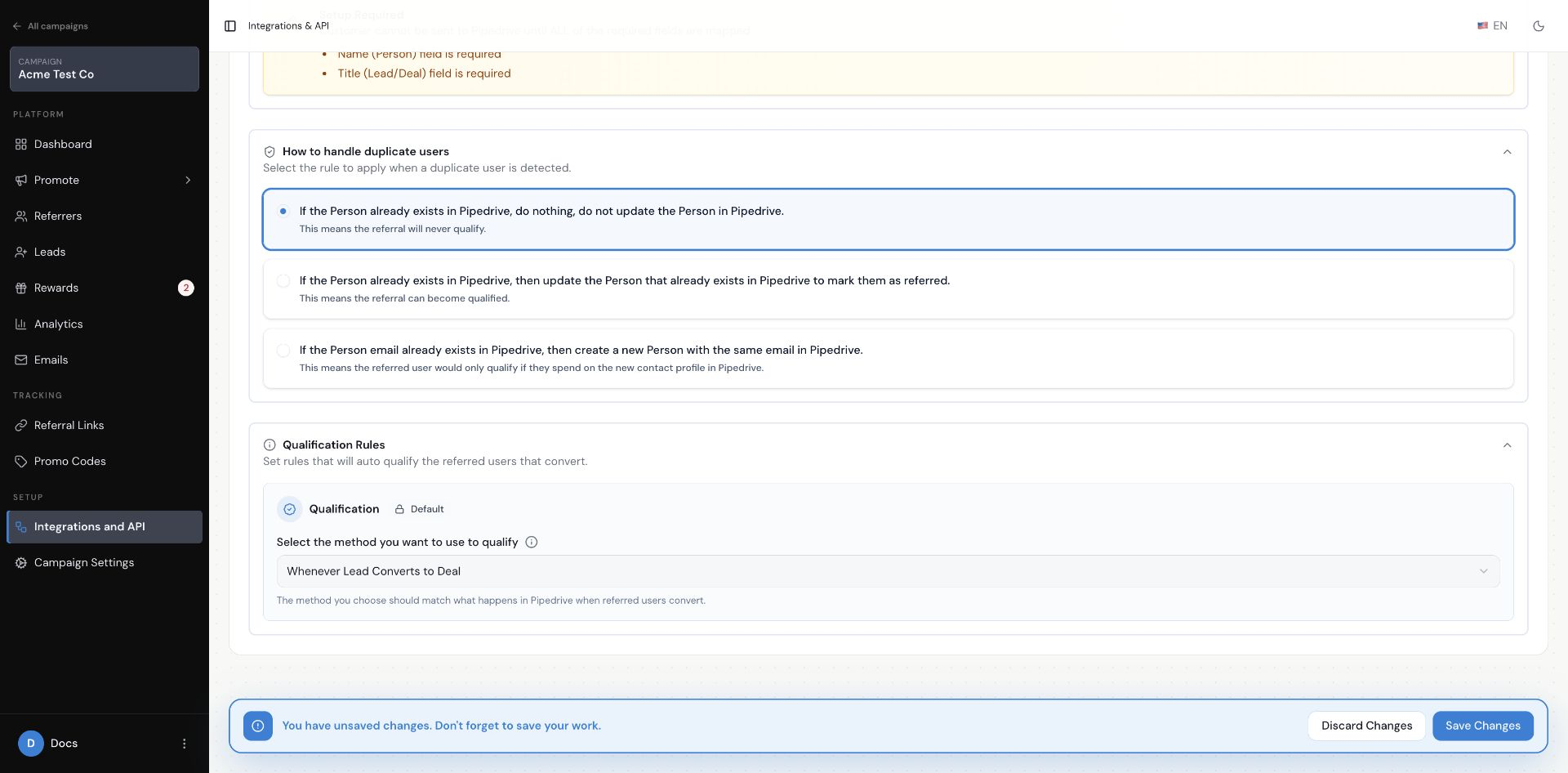
Choose Whenever Lead Converts to Deal when any conversion from the Pipedrive Lead to a Deal should qualify the referral. This option does not ask you to choose a pipeline or stage.
Qualify when a Pipedrive Lead converts to a Deal
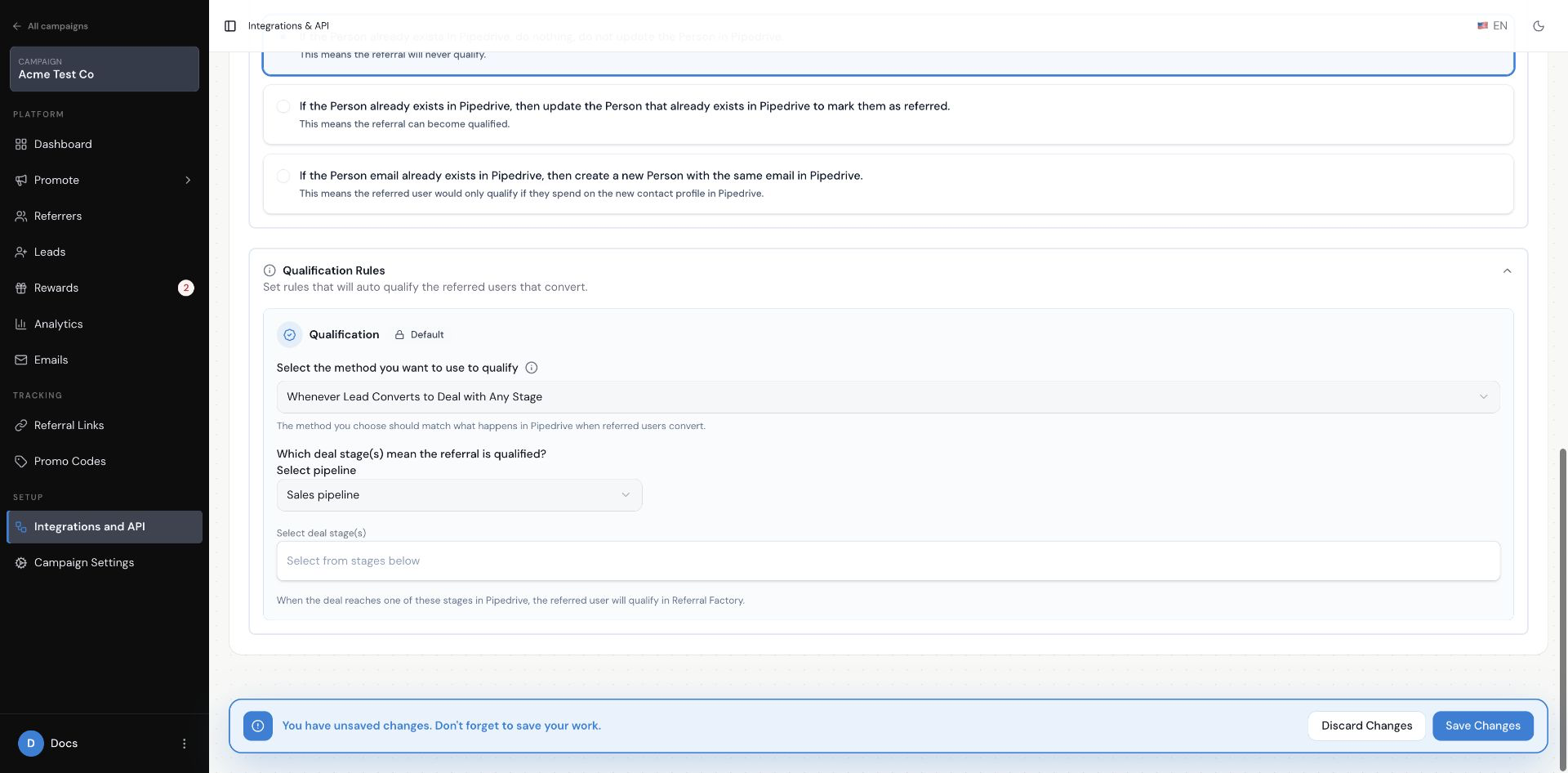
Choose Whenever Lead Converts to Deal with Any Stage when the conversion must also reach a particular stage. Select the pipeline, then select one or more deal stages under Select deal stage(s). The referral qualifies when the Deal reaches one of those stages.
Qualify a converted Lead after its Deal reaches a chosen stage
How do I qualify referrals when Referral Factory creates a Pipedrive Deal?
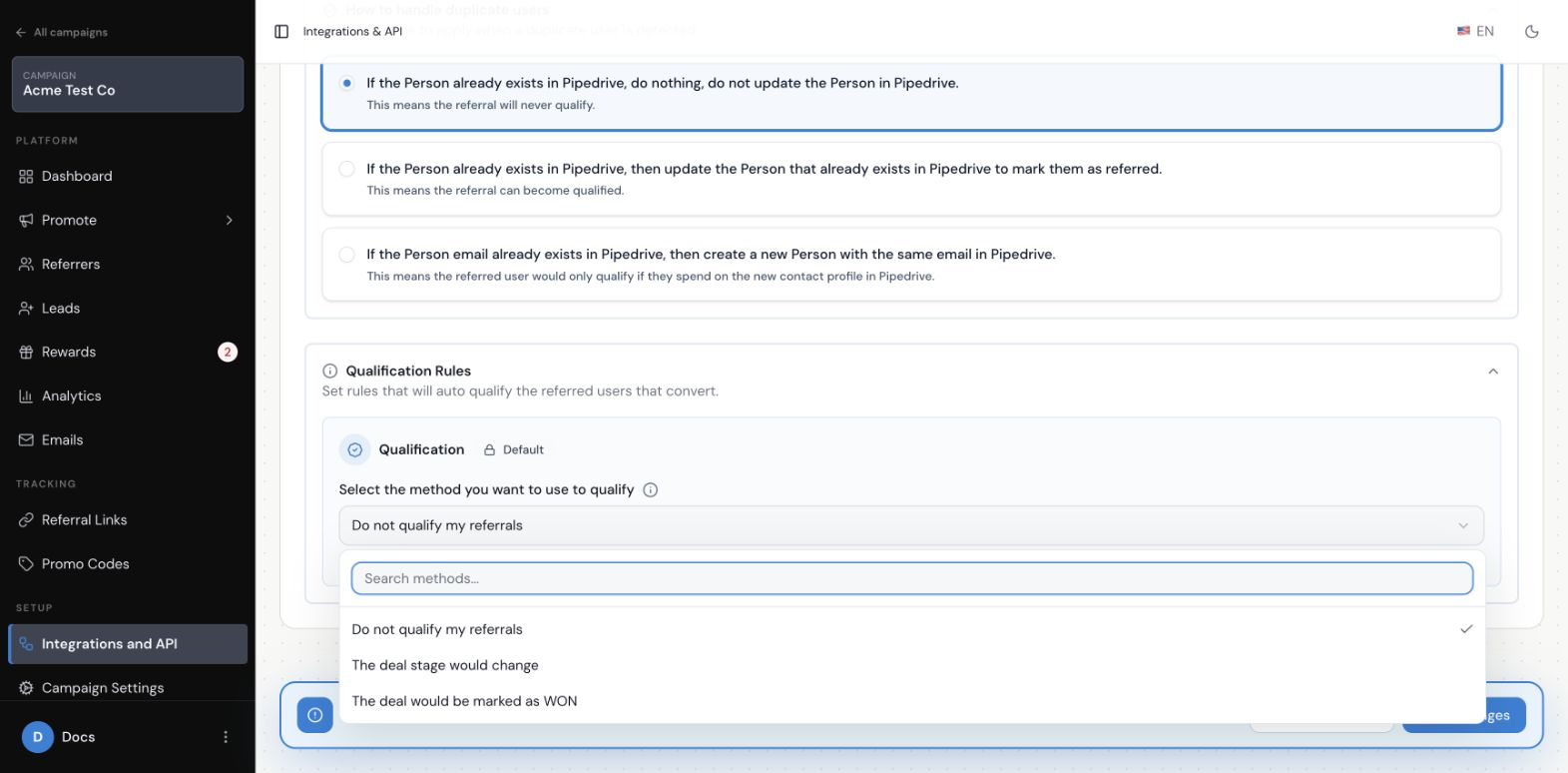
First, make sure the campaign is set to Create New Deal In Pipedrive when a lead joins the campaign. Then open Qualification Rules and choose the rule that matches how your team marks a successful Deal.
Choose a qualification method for a campaign that creates Pipedrive Deals
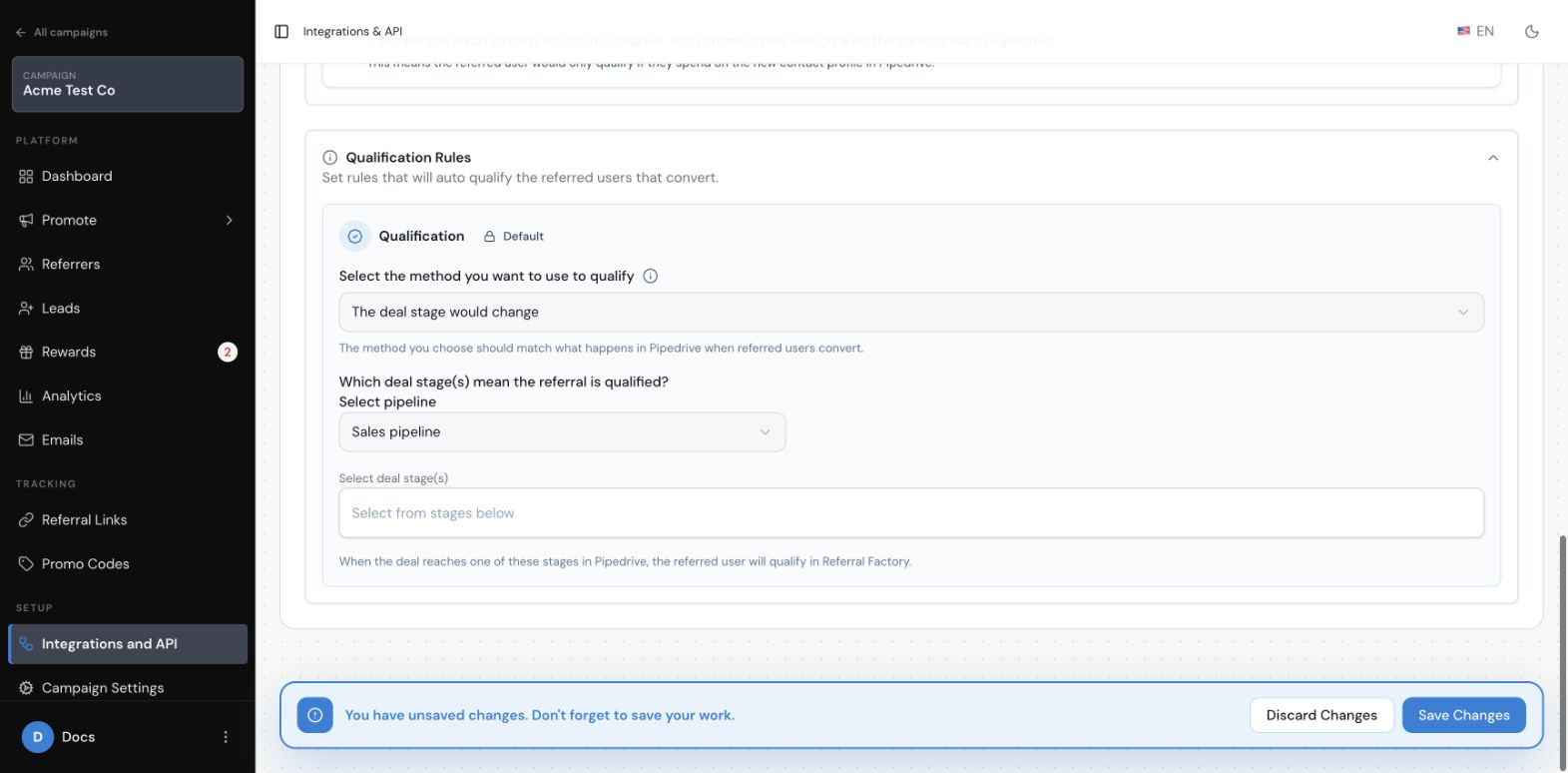
Choose The deal stage would change when a Deal reaching one or more stages should qualify the referral. Select the pipeline, then select the deal stages under Select deal stage(s).
Qualify when a Pipedrive Deal reaches a chosen stage
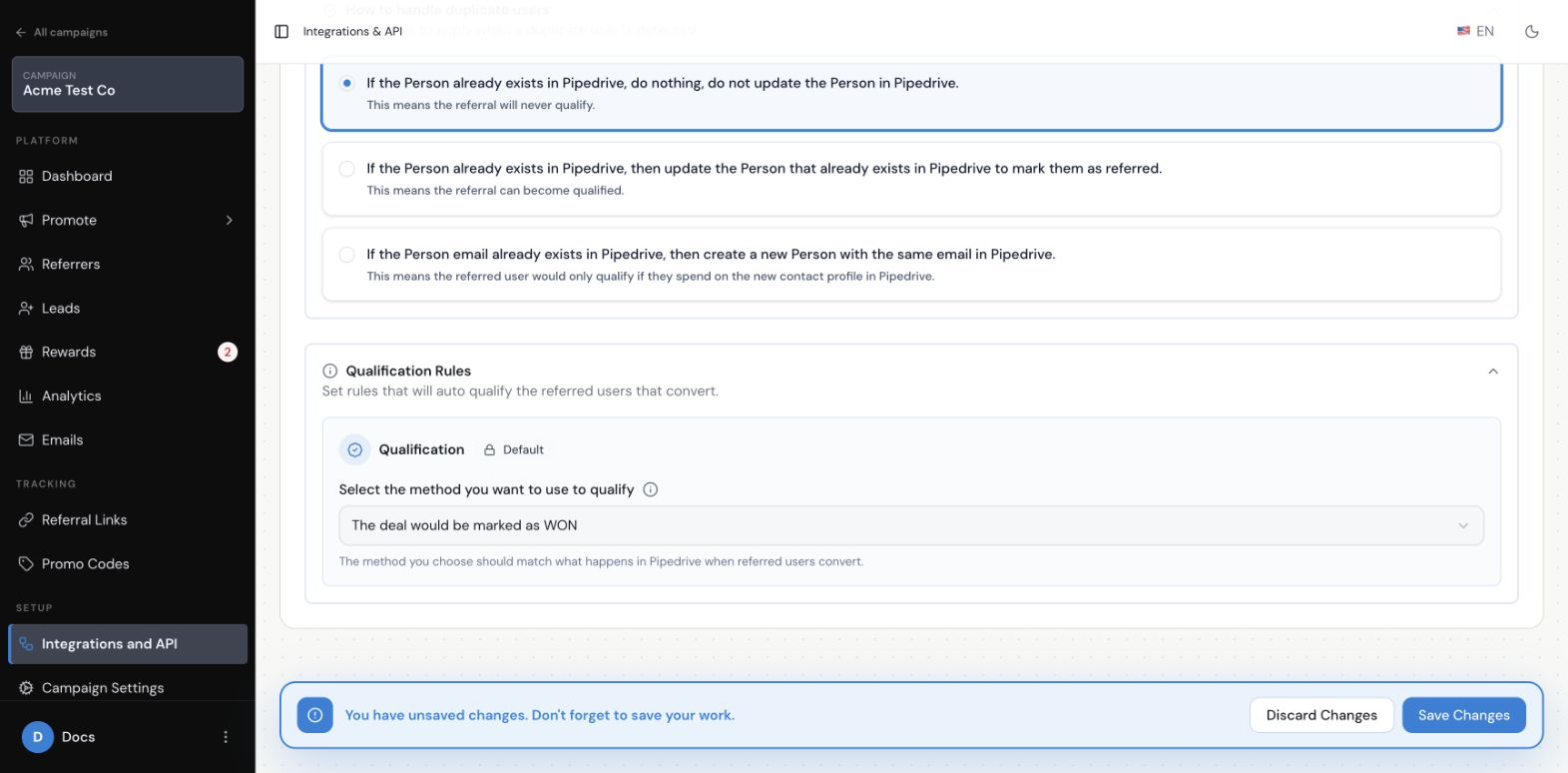
Choose The deal would be marked as WON when your team uses Pipedrive’s Won status to show that the Deal became a customer. This option does not ask you to select a pipeline or stage.
Qualify when a Pipedrive Deal is marked Won
How does Referral Factory know which Lead to qualify?
Referral Factory links the Pipedrive Lead or Deal created for the campaign lead to the matching referral. When that specific record meets the rule you selected, Referral Factory qualifies that referral rather than qualifying every referral in the campaign.
How long does automatic Qualification take?
Referral Factory starts processing the qualification when the Pipedrive record reaches the selected condition. Allow up to 30 minutes before treating a test as unsuccessful.
What happens in Referral Factory after a Lead is Qualified?
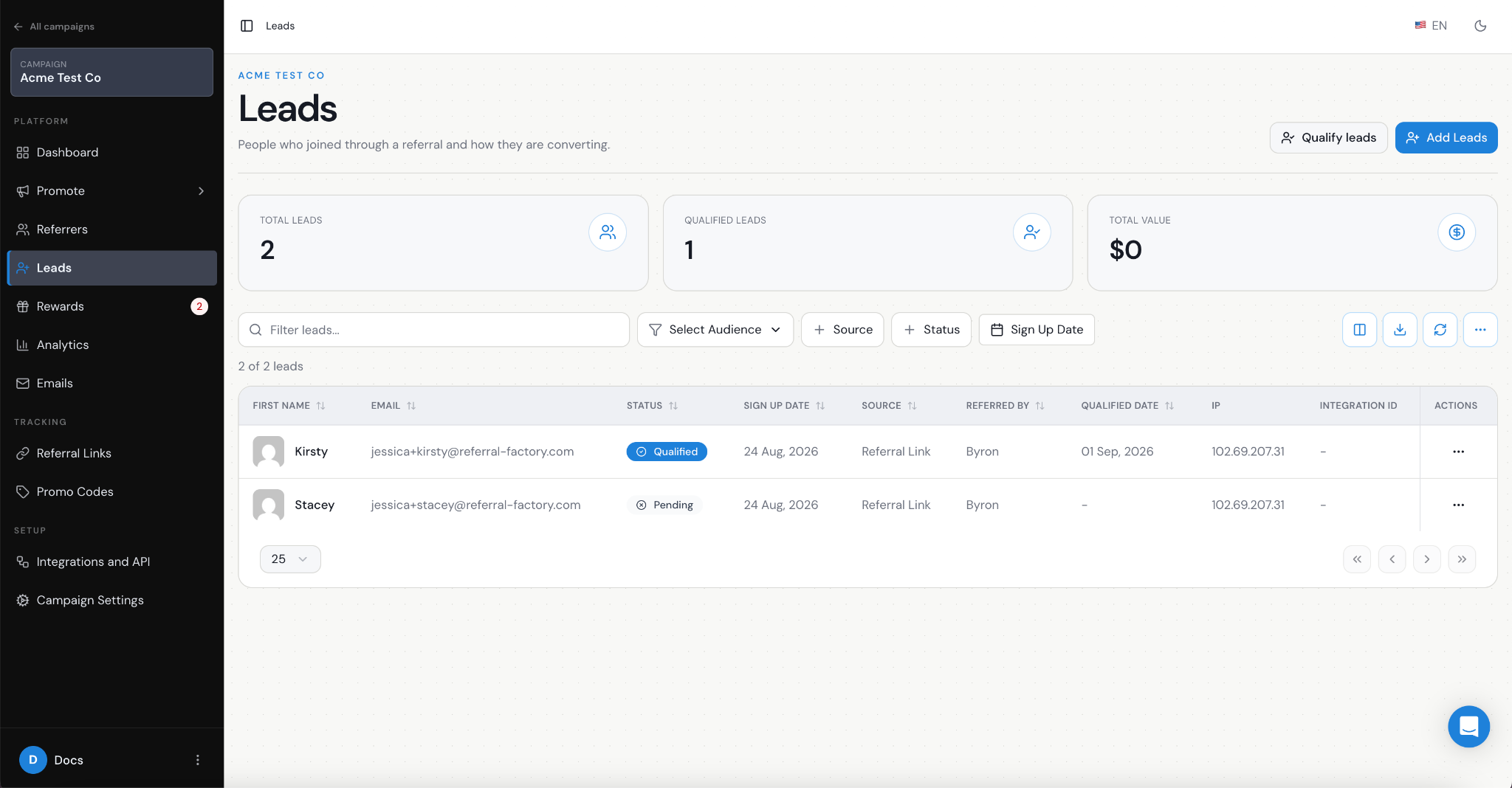
The referral status changes to qualified in Referral Factory. You can then see the qualified referral in the campaign, and any campaign reward rule that depends on qualification can continue according to its own settings.
Does qualifying a Lead trigger a reward?
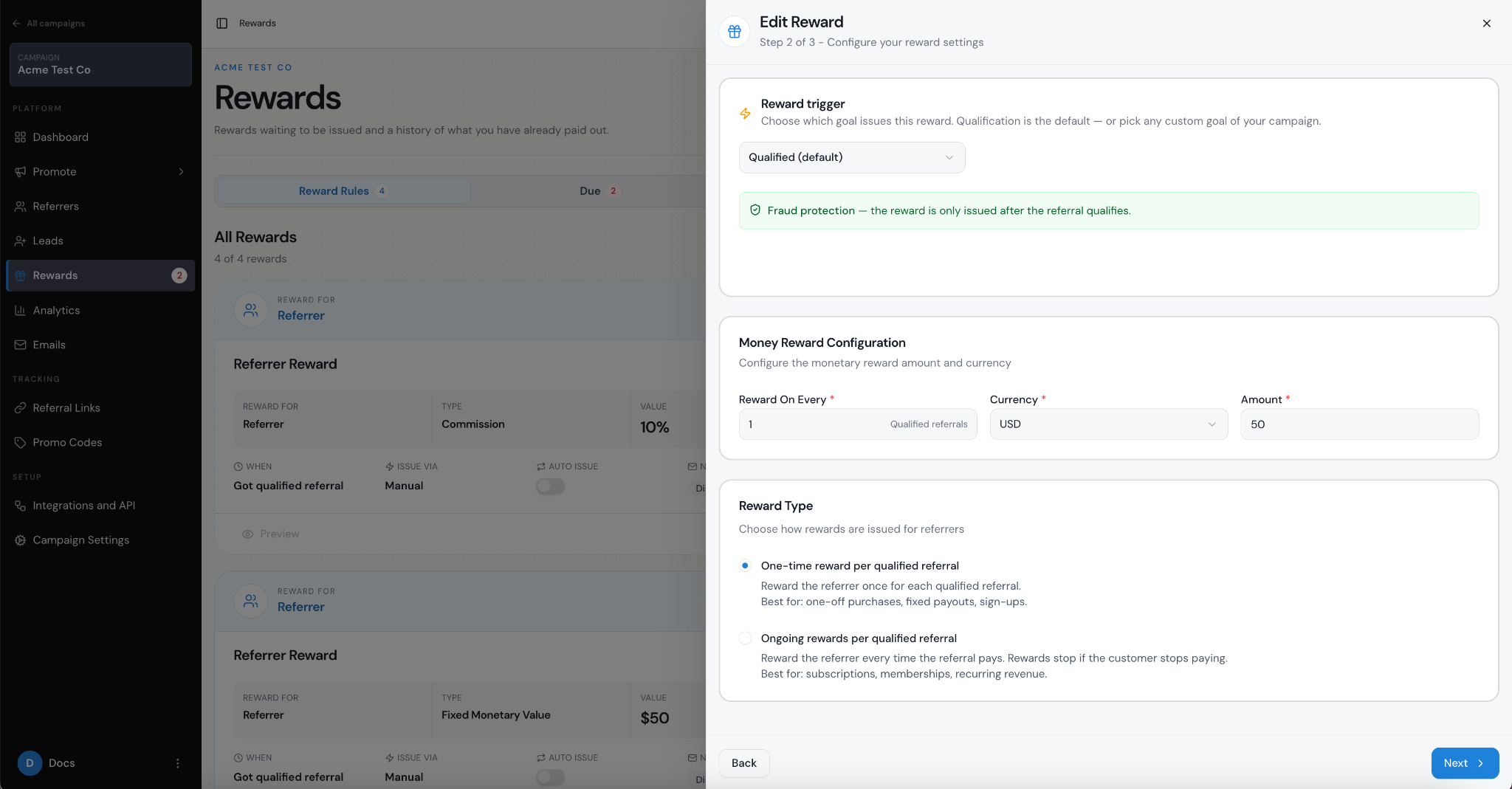
It can. Qualification makes the referral eligible for a reward when the campaign has a reward rule based on qualified referrals. Qualification does not by itself define the reward, its timing, or its notification settings.
How do I test automatic Qualification with Pipedrive?
Use a dummy referral and a dummy Pipedrive record. Follow the branch that matches your campaign: convert the Pipedrive Lead to a Deal, or move the Pipedrive Deal to the selected stage or Won status. After allowing up to 30 minutes, open the referral in Referral Factory and confirm that its status is qualified.
If you used a stage rule, confirm that the test record is in the selected pipeline and stage. If you used a Won rule, confirm that the matching Deal is marked Won. Use dummy data for testing so you do not change a real customer record.