
Need help applying this to your account?
Contact support and we will keep this article attached to your request.
What should I check first?
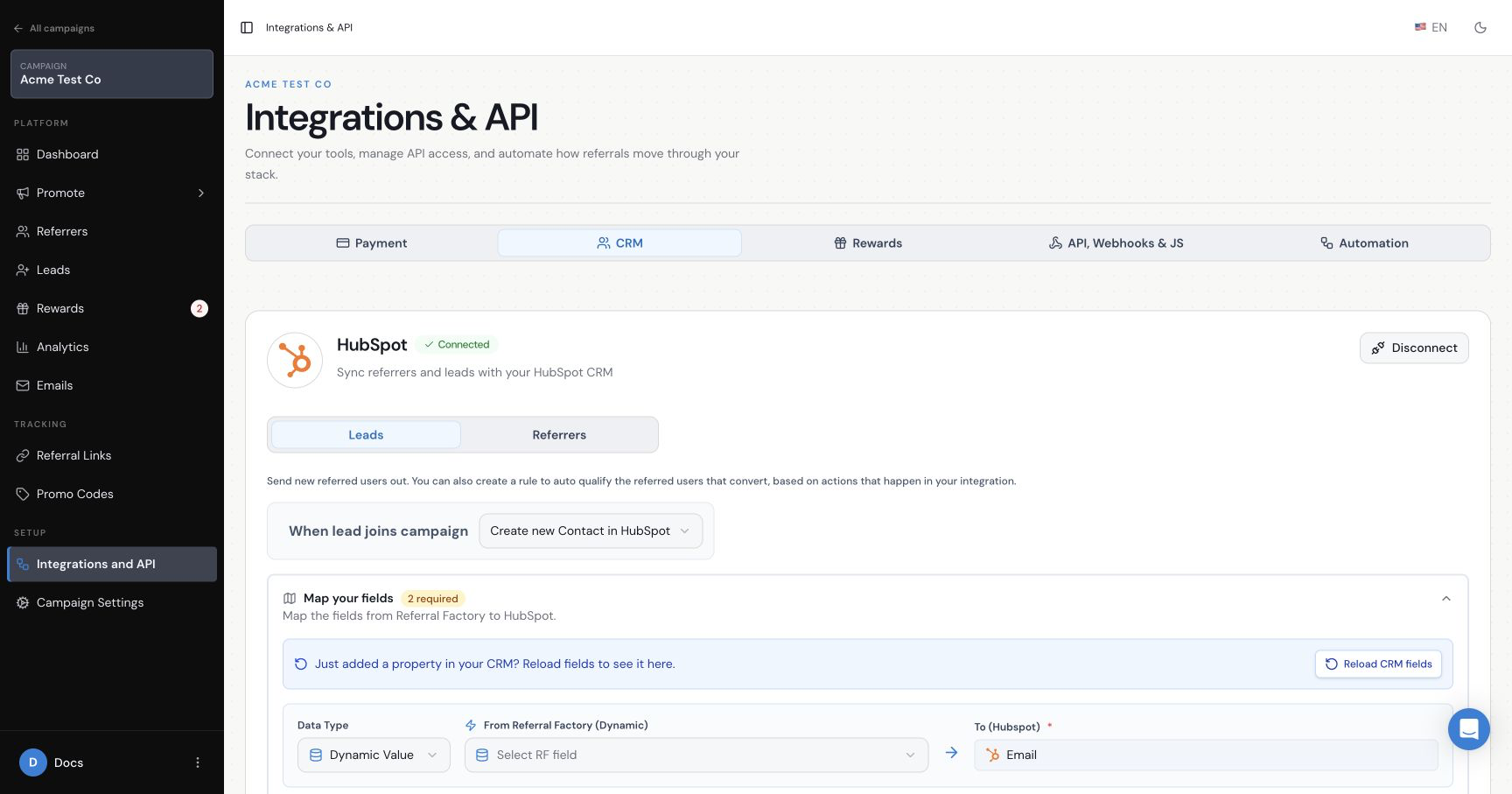
Open Integrations & API → CRM and confirm that HubSpot shows Connected. Then check the relevant area: Leads for new leads, Referrers for new referrers, the contact sync for existing HubSpot contacts, or Goal Rules for qualification.
Change one setting at a time and use one dummy record. This makes it much easier to identify which part of the journey is failing.
Why isn’t a new Lead being sent to HubSpot?
- Confirm that the Leads action is not set to Do nothing.
- Complete every required mapping and save the settings.
- For a Deal, confirm the Pipeline, Deal Stage and Deal Name mapping.
- If an associated Contact is enabled, map its Email and First Name.
- Test with a lead created after the settings were saved.
Why isn’t a new Referrer being sent to HubSpot?
Check the action in the Referrers tab and complete the required Email and First Name mappings. For the Deal path, also check the Pipeline, Deal Stage and associated Contact fields. Confirm that you are testing a newly joined referrer rather than a contact imported through the existing-contact sync.
Why aren’t existing HubSpot Contacts receiving referral information?
Confirm that you used Referrers → Add Referrers → Sync, selected HubSpot, chose the intended contact source and mapped the required Referral Link return field. If you used Choose from List, confirm that the correct saved HubSpot list was selected.
Why can’t I see a HubSpot list?
Check that the list exists in the connected HubSpot account. Reopen the sync and choose Choose from List. If the correct account is connected but the list still does not appear, contact support rather than selecting a different list as a workaround.
Why is a HubSpot property missing from the mapping screen?
Select Reload CRM fields in the mapping screen, then confirm that the property exists in the connected HubSpot account. In HubSpot, check that the property is available for the object you selected and is usable in forms where required.
Date picker, number, calculation, score and file-upload properties may not be available for this mapping. If a supported property is still missing after reloading the fields, reconnect the integration and test again.
Why is a mapped field not updating?
Confirm that the mapping points to the intended HubSpot property and that the source value exists for the test person. For an existing Contact, check whether the duplicate-handling option permits Referral Factory to update the record.
If the same contact participates in more than one campaign, map each campaign’s referral information to a separate HubSpot property so values do not overwrite one another.
Why isn’t HubSpot qualifying referrals automatically?
- Confirm that the qualification method is selected and saved.
- For Contacts, check the exact Contact property and target value.
- For Deals, check the exact pipeline and Deal stage.
- Make sure the Leads action and Goal Rule use compatible record types.
- Check whether duplicate handling prevented the existing Contact from being updated.
Could the HubSpot sync be delayed?
Yes. After checking the action, mappings and HubSpot record, allow up to 12 hours for a sync or qualification update to appear. Do not repeatedly disconnect the integration or change several settings during that window because it makes the original test harder to trace.
Why did HubSpot disconnect?
HubSpot can invalidate an authorisation token after a password reset, security change or permission change. Return to the campaign’s CRM integrations, connect HubSpot again and authorise the intended account. If an ongoing sync was active during the disconnect, tell support which campaign and time period may have been affected.
When should I Contact support?
Contact support if the connection is active, the action and required mappings are saved, and a controlled test still does not create, update or qualify the expected HubSpot record after the relevant processing window.
Include the campaign name, test email, approximate test time, selected Contact or Deal path, and screenshots of the saved settings. Do not send passwords, API keys or private access tokens.