
Need help applying this to your account?
Contact support and we will keep this article attached to your request.
Can I automatically send new Leads to HubSpot?
Yes. Referral Factory can create a HubSpot Contact or Deal when a new lead joins your campaign. You choose the destination, map the lead information and save the campaign settings.
Before you start
Open the campaign, select Integrations & API, open CRM, and connect HubSpot if it is not already connected. Decide whether your sales team works new leads as Contacts or Deals. Have the HubSpot pipeline and initial Deal stage ready if you choose the Deal path.
How do I choose between a Contact and a Deal?
Open the HubSpot Leads tab. Under When a lead joins campaign, choose Create new Contact in HubSpot or Create new Deals in HubSpot. If you select Do nothing, this setting will not send the lead to HubSpot.
Choose Contacts when your team manages incoming people directly on contact records. Choose Deals when the sales opportunity and its pipeline stage are the main record used for follow-up and conversion.
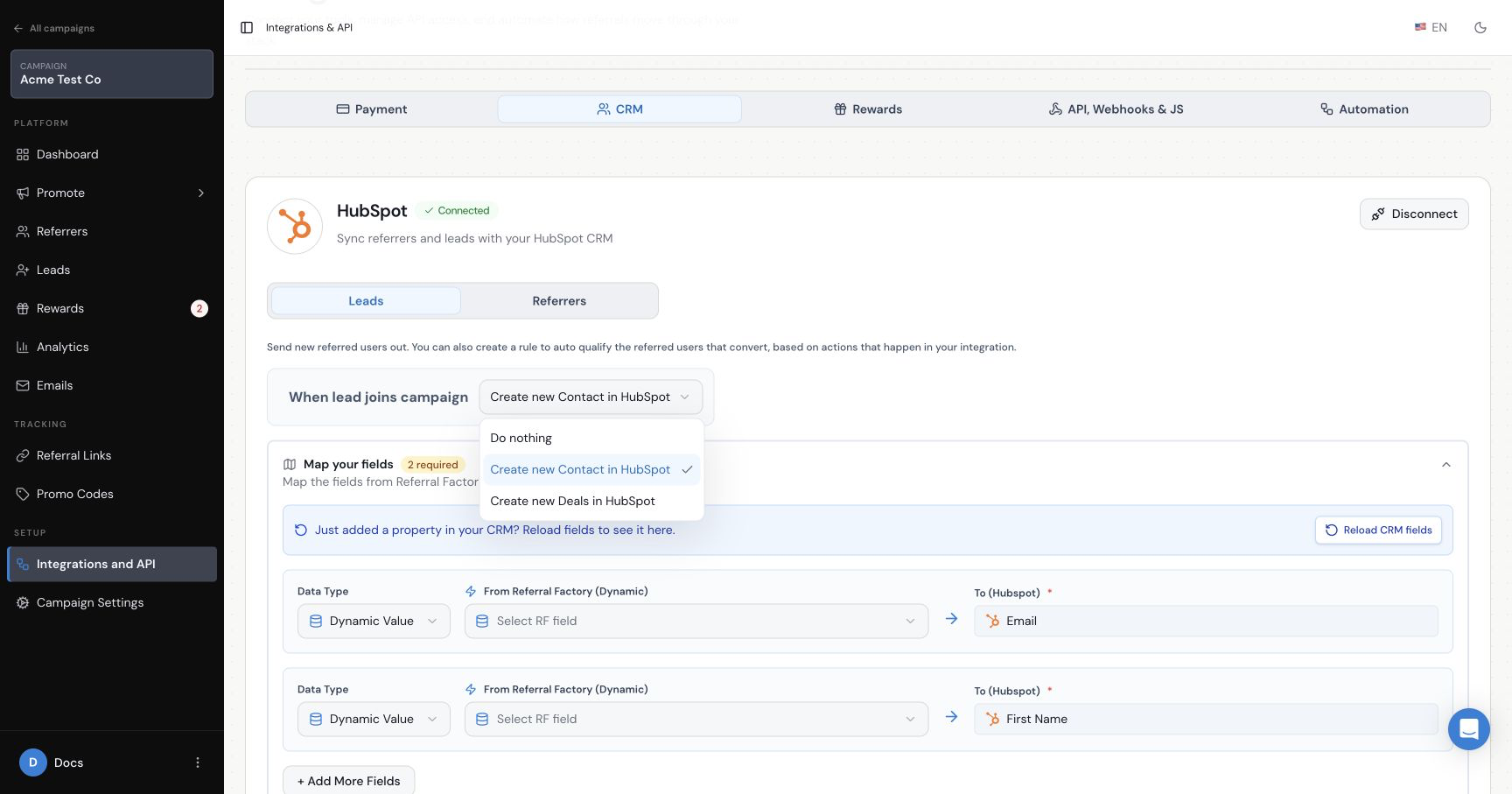
How do I configure the Contact path?
Map the required Email and First Name fields using Referral Factory values. Use Add field for other HubSpot properties you want to populate. If a recently created property is missing, reload the HubSpot fields before mapping it.
How do I configure the Deal path?
Select the HubSpot Pipeline and the required Deal Stage. Map a dynamic value for Deal Name. If Create contact associated with deal is enabled, also map the associated Contact’s Email and First Name.
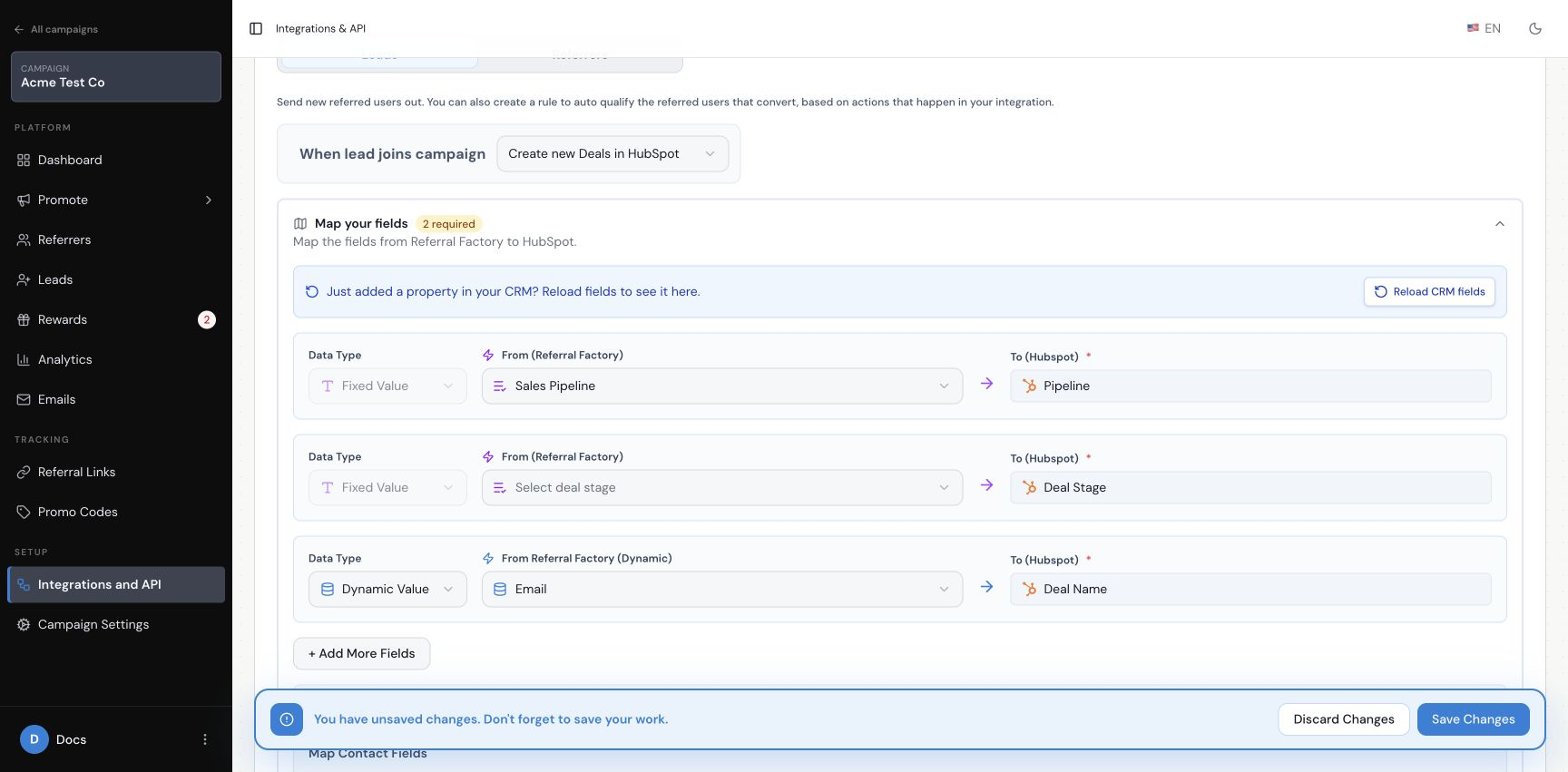
What happens if the Contact already exists?
Choose the existing-Contact option that matches your program. Do nothing, do not update the Contact in HubSpot leaves an existing record unchanged and that referral will not qualify through this integration. Update the Contact that already exists in HubSpot allows the mapped referral data to be written to the existing record and permits qualification.
The do-nothing option can help prevent someone from earning a reward by referring an existing customer. Choose deliberately rather than changing it only to make a test pass.
How do I save and test the setup?
Review the action, required fields, pipeline or stage, associated-Contact choice and existing-Contact setting, then save the configuration. Create one dummy lead and confirm that the expected Contact or Deal appears in HubSpot with the values you mapped.
Does sending a Lead automatically qualify the referral?
No. Sending the lead creates or updates the selected HubSpot record. Qualification is a separate Goal Rule. Configure it with the HubSpot automatic-qualification guide.