
Need help applying this to your account?
Contact support and we will keep this article attached to your request.
Can I run a referral program with HubSpot?
Yes. Referral Factory can work with HubSpot as the CRM for your referral program. You can bring existing HubSpot contacts into Referral Factory as referrers, send new leads or referrers to HubSpot, and use HubSpot activity to qualify referrals.
Referral Factory manages the referral experience and attribution. HubSpot remains the place where your team manages contact and sales activity. For a complete example, read the HubSpot automation guide.
What can Referral Factory and HubSpot do together?
- Add existing HubSpot contacts or a saved HubSpot list to a Referral Factory campaign as referrers.
- Write each referrer’s referral information back to mapped HubSpot fields.
- Create a HubSpot Contact or Deal when a new lead joins the campaign.
- Create a HubSpot Contact or Deal when a new referrer joins the campaign.
- Qualify a referral when a selected HubSpot Contact property or Deal stage changes.
What do I need before connecting HubSpot?
Make sure you have access to the HubSpot account you want to connect and a Referral Factory campaign to configure. You also need Account Admin or Campaign Admin permission in Referral Factory.
Decide whether new leads and referrers should be represented as HubSpot Contacts or Deals. If you plan to use custom properties, create them in HubSpot before mapping the fields.
How do I connect HubSpot?
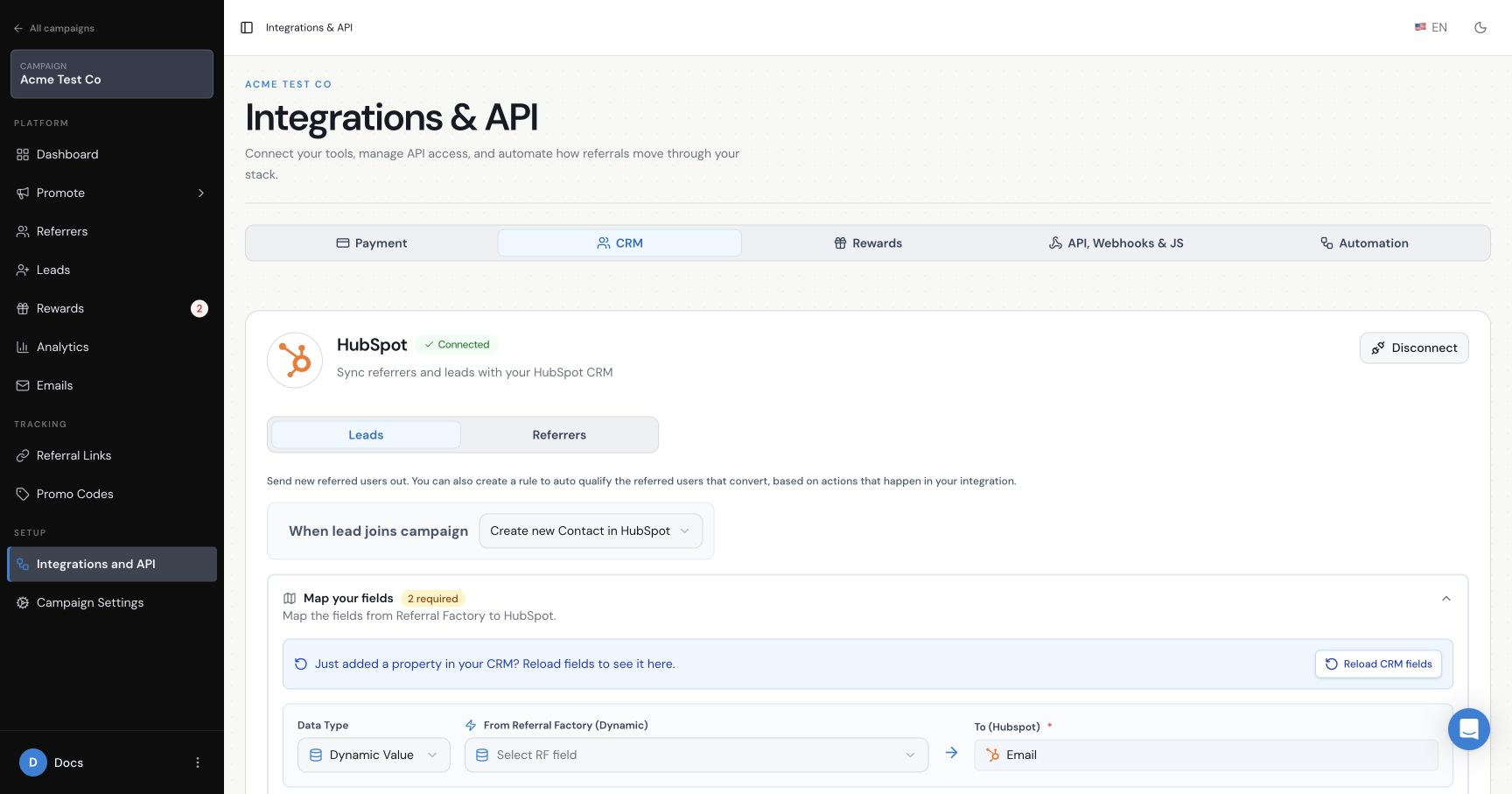
Open your campaign and go to Integrations & API → CRM. Select Connect for HubSpot, choose the intended HubSpot account and approve the connection. Referral Factory uses HubSpot’s authorisation process, so your HubSpot password is not shared with Referral Factory.
The HubSpot settings are configured separately for each Referral Factory campaign. Check that HubSpot shows Connected before setting up a sync or mapping fields.
Can existing HubSpot Contacts become Referrers?
Yes. You can select all contacts or a saved HubSpot list, map their name and email into Referral Factory, and send referral information back to HubSpot. Follow the HubSpot referral-link sync guide.
Can new Leads and Referrers be sent to HubSpot automatically?
Yes. The campaign’s Leads and Referrers settings can create HubSpot Contacts or Deals when people join. These are separate settings, so configure and test each path you intend to use.
Can HubSpot activity qualify a referral?
Yes. A Contact-based setup can qualify from a Contact property change, while a Deal-based setup can qualify from a Deal stage change. The selected rule should represent the real point at which your business considers a referral successful.
See the HubSpot automatic-qualification guide for both paths and the Contact-to-Deal workaround.
What does the referral journey look like from start to finish?
A person becomes a referrer and shares the campaign. A new lead joins through that referral experience and is sent to HubSpot as the record type selected for the campaign. Your team works the record in HubSpot, and the configured Contact property or Deal stage can qualify the referral in Referral Factory. The qualified referral can then follow the campaign’s reward rules.