
Need help applying this to your account?
Contact support and we will keep this article attached to your request.
Can existing HubSpot Contacts receive referral links?
Yes. You can add selected HubSpot contacts as referrers in a Referral Factory campaign and then send the referral information created for them back to HubSpot.
Before you start
Connect the intended HubSpot account from Integrations & API → CRM. Make sure the contacts you want to add have a name and email address, and decide whether to sync all contacts or a saved HubSpot list.
Create the HubSpot properties that will store the returned referral information before you map the fields. A single-line text property is suitable for a referral link.
How do I add existing HubSpot Contacts as Referrers?
Open the campaign’s Referrers area, select Add Referrers, choose Sync, and then select HubSpot as the source.
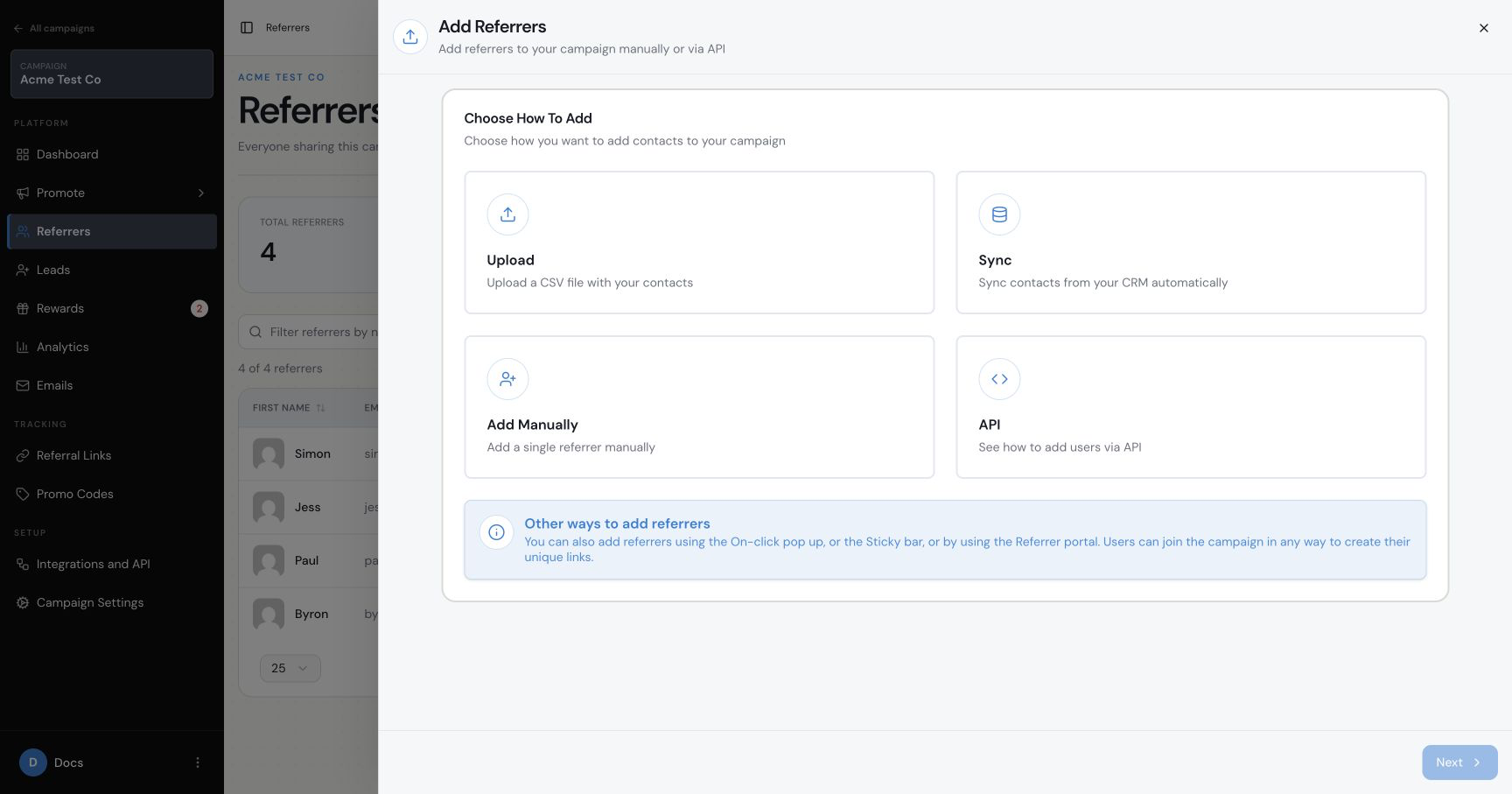
How do I choose which Contacts to sync?
Choose All Contacts to enrol the full connected contact set, or Choose from List to select one saved HubSpot list. The available lists come from the connected HubSpot account.
Start with one dummy contact or a small test list before running a large sync.
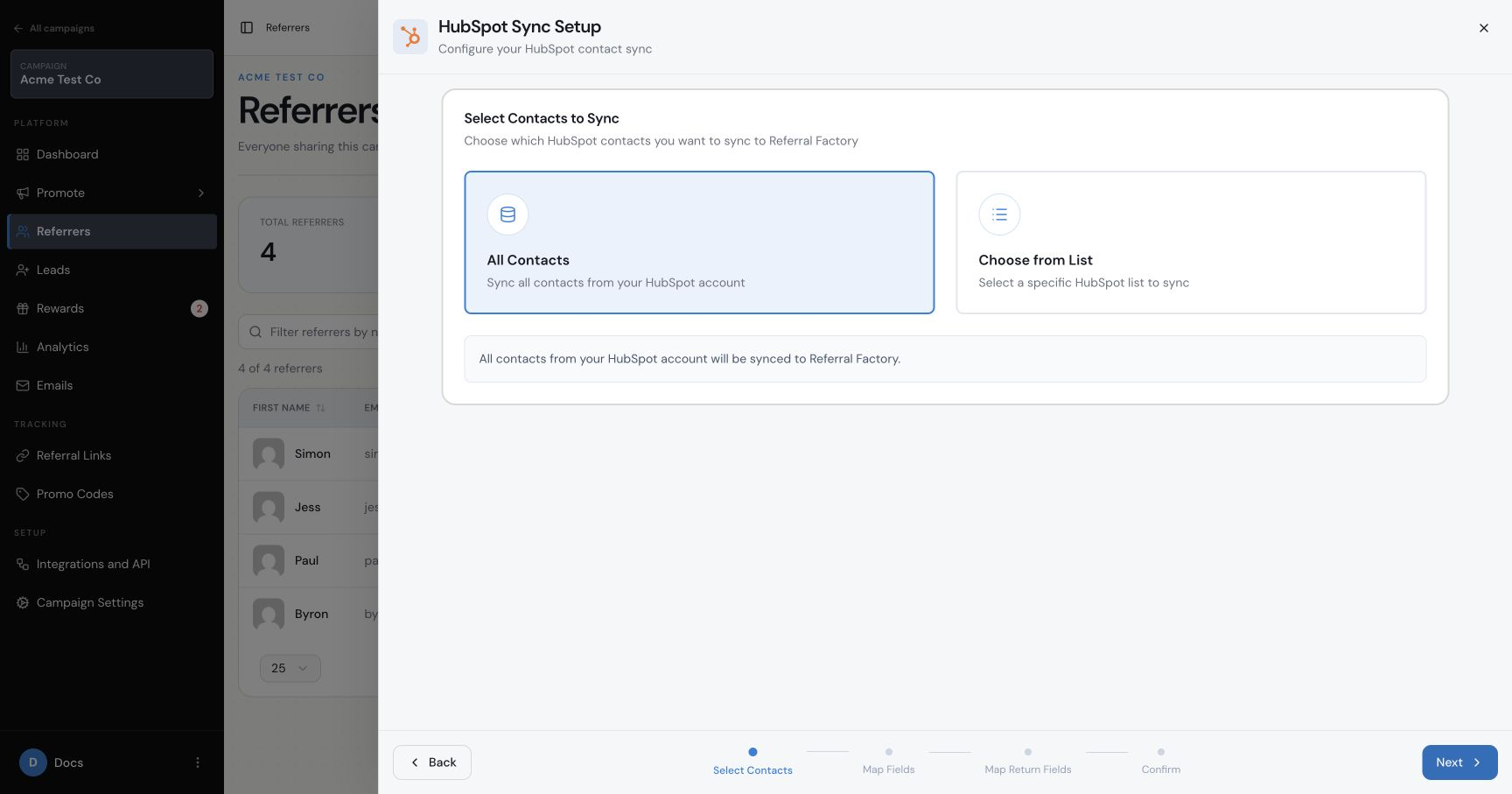
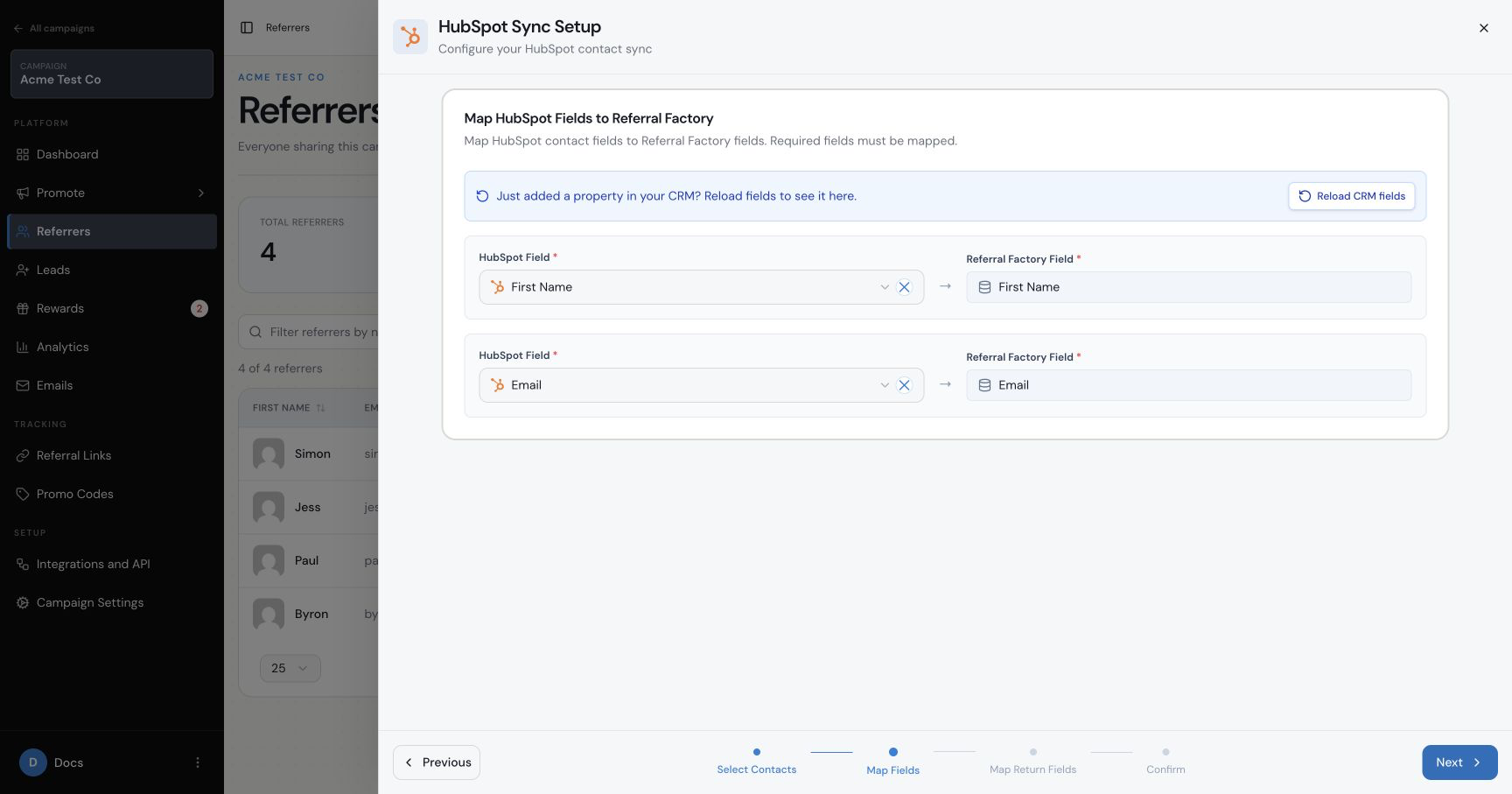
How do I map HubSpot fields to Referral Factory?
Map the HubSpot contact values into the Referral Factory referrer fields. First Name and Email are required. Check both mappings before continuing.
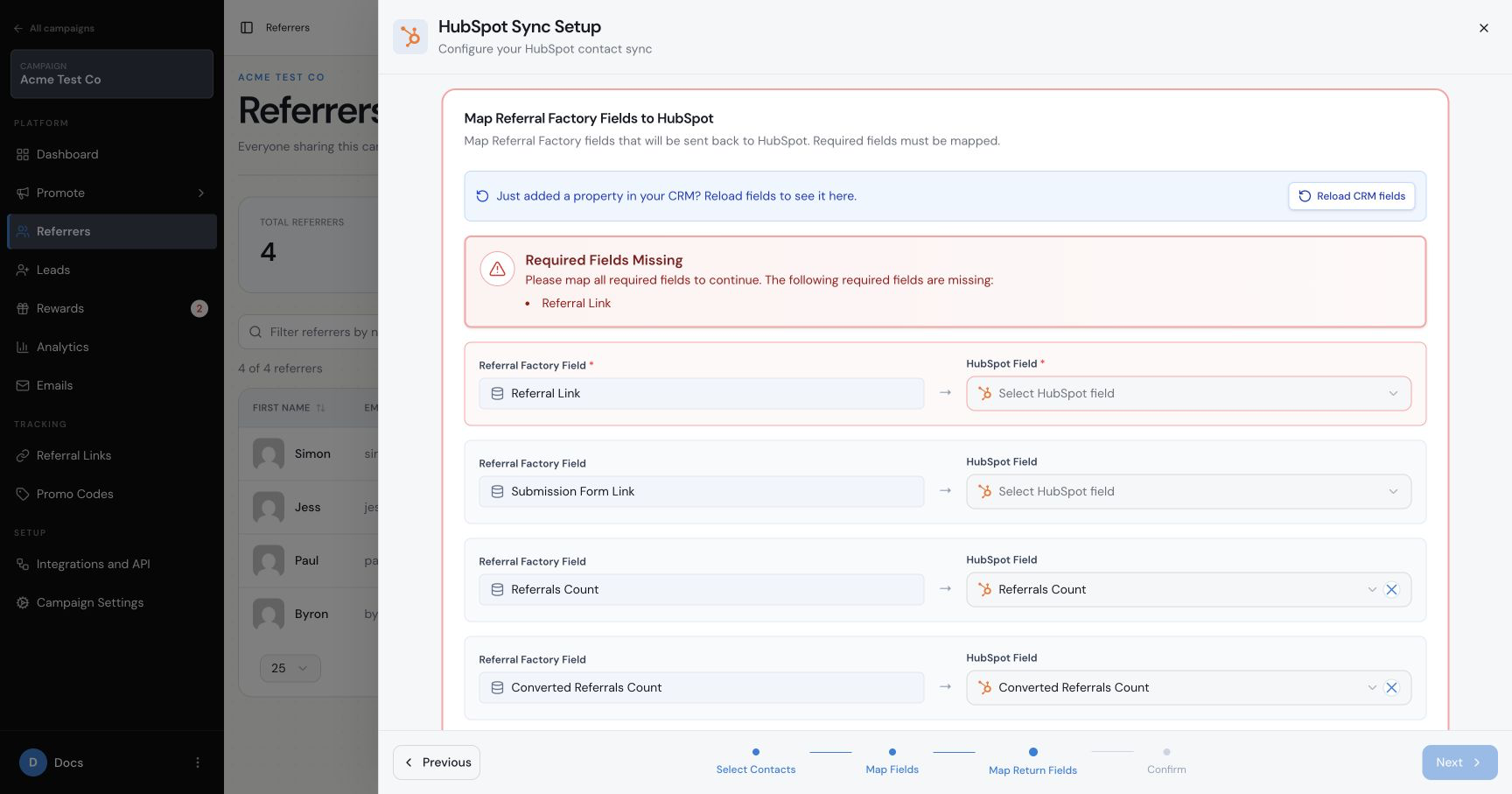
How do I send referral information back to HubSpot?
In Map Referral Factory Fields to HubSpot, map the required Referral Link field to the HubSpot property you created. Depending on the campaign, you may also be able to map Submission Form Link, Referrals Count, Converted Referrals Count or Promo Code.
Review the contact selection and both mapping directions before starting the sync.
What happens after the sync starts?
Referral Factory adds the selected contacts to the campaign as referrers and writes the mapped referral information back to their HubSpot records. Confirm that the test person appears in the campaign and that their HubSpot properties contain the expected values.
A one-time sync imports the selected contacts once. An ongoing sync continues to add contacts that later match the selected source. Use the option shown in your confirmation screen and monitor the first run before expanding the audience.
How should I handle Contacts in more than one campaign?
A person can participate in more than one Referral Factory campaign, but HubSpot still has one shared contact record for that email address. Use a separate HubSpot property for each campaign’s referral link so that one campaign does not overwrite another campaign’s link.
If more than one campaign qualifies leads from HubSpot, use separate qualification properties or campaign-specific values. This prevents one property change from qualifying the wrong campaign.
What is the difference between this sync and sending new Referrers?
This process imports people who already exist in HubSpot. The Referrers integration setting handles people who newly join the referral campaign and should then be created or updated in HubSpot. Read the HubSpot referrer-sync guide for that path.