
Need help applying this to your account?
Contact support and we will keep this article attached to your request.
Overview
If a HighLevel record is missing or a referral has not qualified, start with the checks for the workflow you are using. Leads, Referrers, Goal Rules and the contact sync are separate parts of the HighLevel integration.
What should I check first if my HighLevel integration isn’t working?
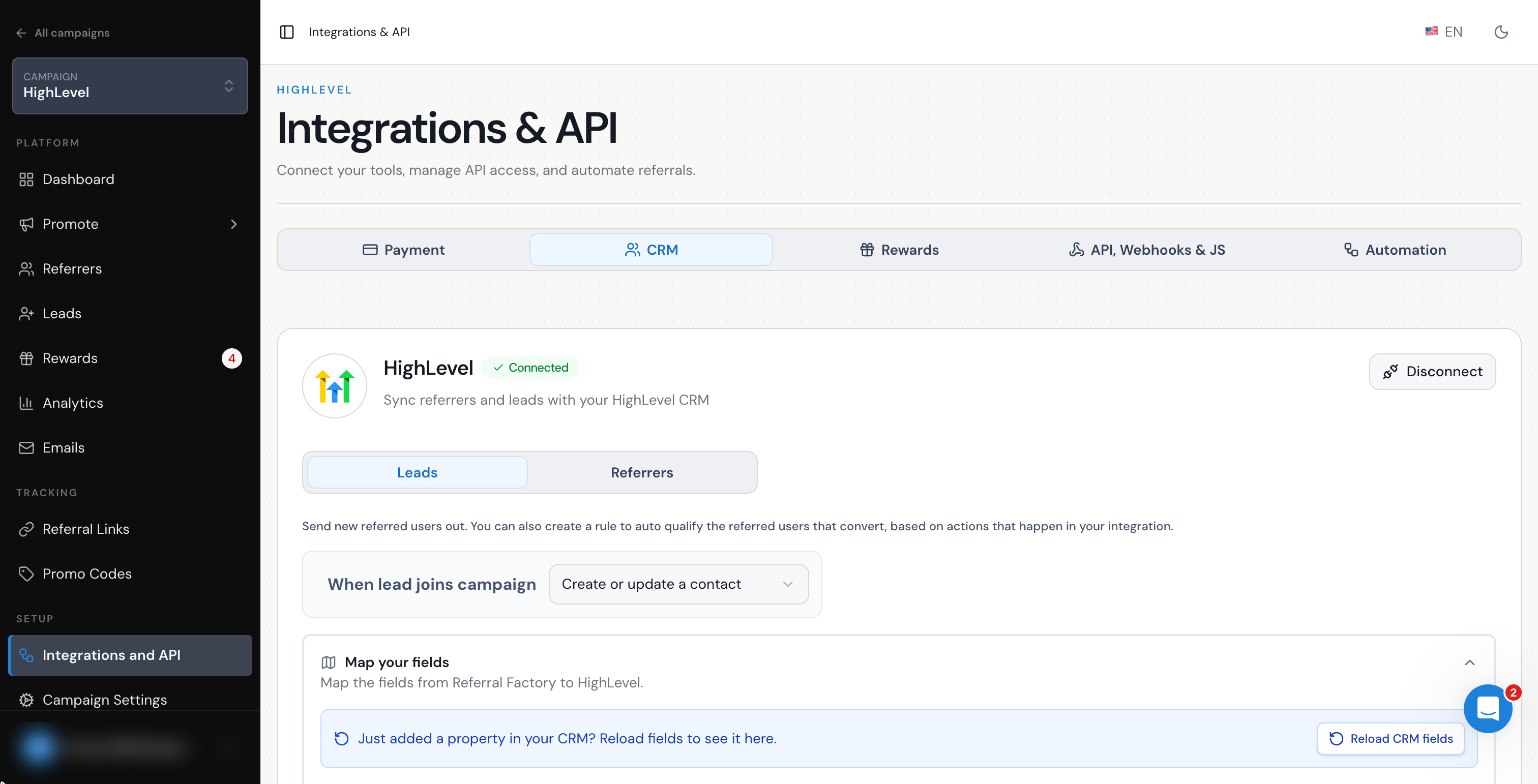
Select the campaign first, then open Integrations and API and choose CRM. Confirm that HighLevel says Connected. Next, open the tab for the thing that is not working: Leads for campaign leads, Referrers for new referrers, or Leads and Goal Rules for automatic qualification.
Check that the relevant action is not set to Do nothing, that all required fields are mapped, and that you saved the changes.
Why can’t I connect HighLevel?
In Referral Factory, only the account owner or an Account Admin can connect or disconnect HighLevel. Campaign Admins can change the Leads and Referrers settings, but cannot connect it. Referral Factory also connects one CRM at a time, so disconnect any other CRM first.
On the HighLevel approval screen, choose a sub-account, or an agency whose sub-accounts have the app installed. If you see HighLevel must be installed on a sub-account, connect again and choose a sub-account. If you close the HighLevel screen without allowing access, the connection is not made, so select Connect again.
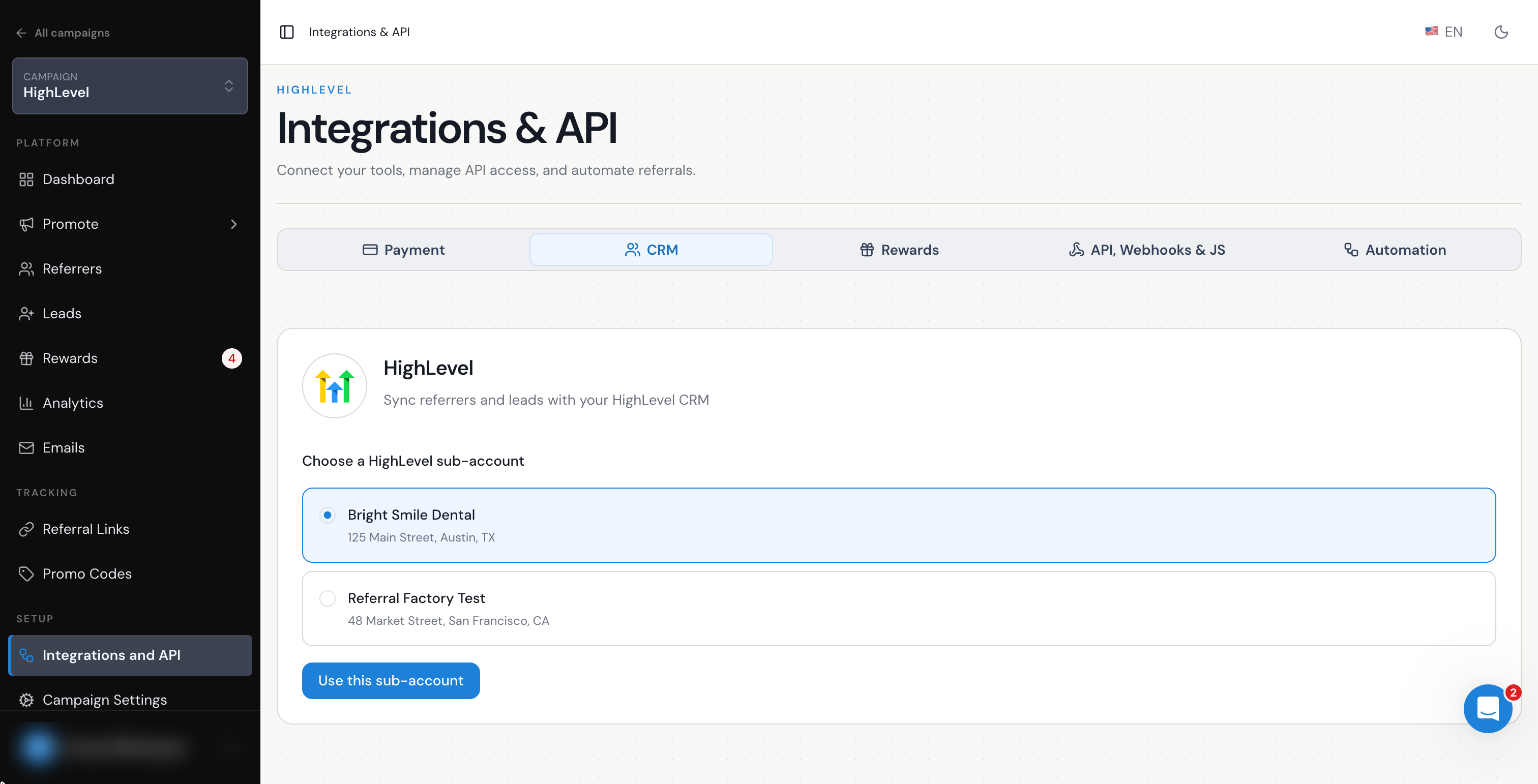
Why is Referral Factory asking me to choose a sub-account?
You connected at agency level and the Referral Factory app is installed on more than one sub-account. Choose the sub-account whose contacts and opportunities you want to use, then select Use this sub-account.
If you see No HighLevel sub-account has this app installed yet, install the app on the sub-account in HighLevel, then select Connect HighLevel again. If you see Connect HighLevel again to choose a sub-account, the choice timed out, so connect again from the CRM page.
How do I switch to a different HighLevel sub-account?
Disconnect HighLevel on the CRM page, select Connect again, and choose the other sub-account. Your campaign settings are kept, so check that the pipelines, stages and custom fields you mapped exist in the new sub-account, then save the settings again.
Why did HighLevel disconnect by itself?
If HighLevel stops accepting the connection, for example because the Referral Factory app was uninstalled in HighLevel or access was removed, Referral Factory disconnects HighLevel and emails the account owner. Your campaign settings are kept. Connect again to continue.
Why isn’t a new lead being sent to HighLevel?
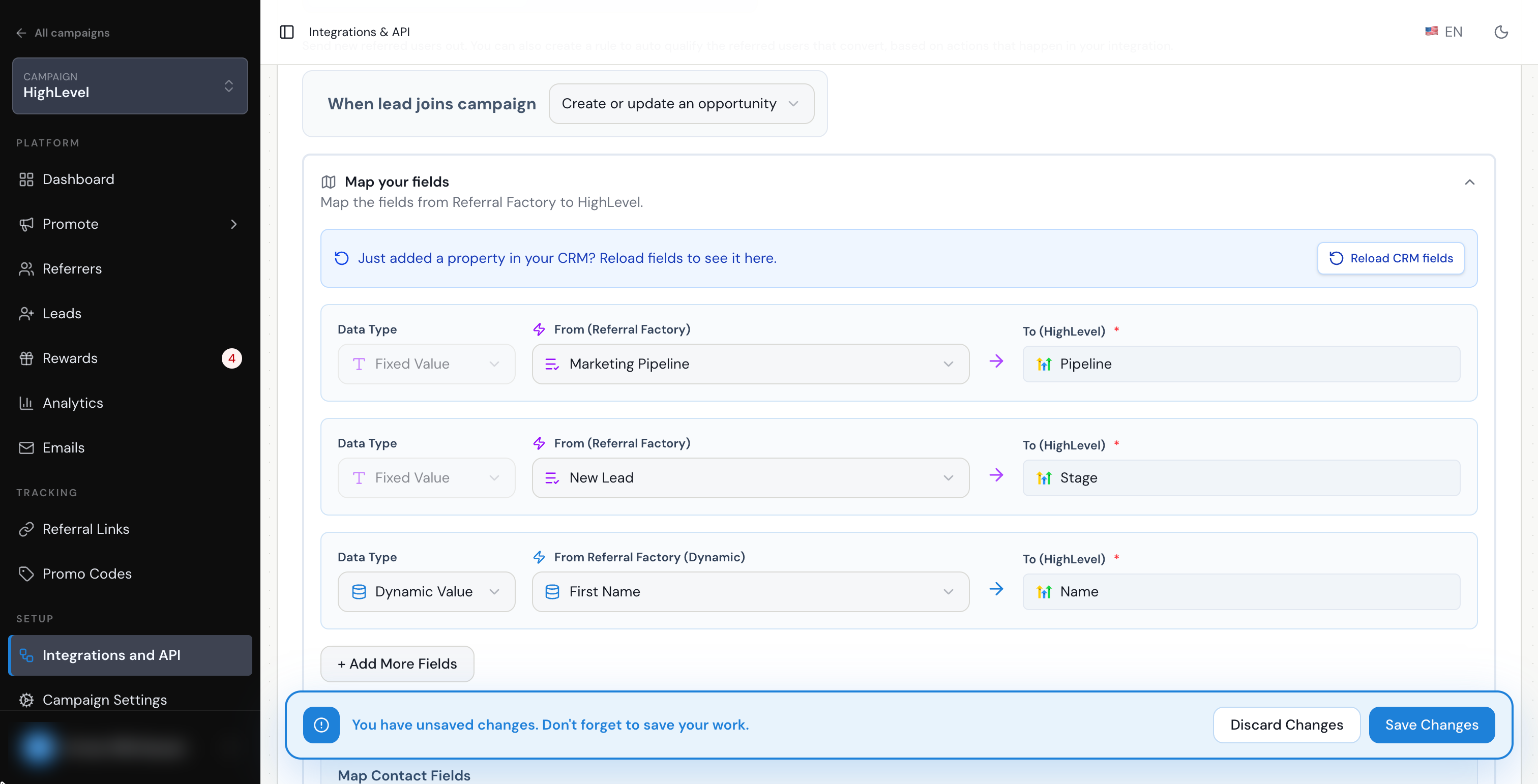
Open the Leads tab and check When lead joins campaign. It must be set to Create or update a contact or Create or update an opportunity, not Do nothing. Then open Map your fields and check that Email and First name have a Referral Factory value.
For an opportunity, Pipeline, Stage and Name must also be set, and Also create or update the related contact should stay on. If the setup shows Setup Required, complete the required rows and save again. If a lead shows Sending Failed, read the HighLevel error shown with it, fix the cause, then use Resend.
Why isn’t a new referrer being sent to HighLevel?
Open the CRM Referrers tab and check When referrer joins campaign. Its default is Do nothing, so choose Create or update a contact or Create or update an opportunity, then complete every required mapping and save.
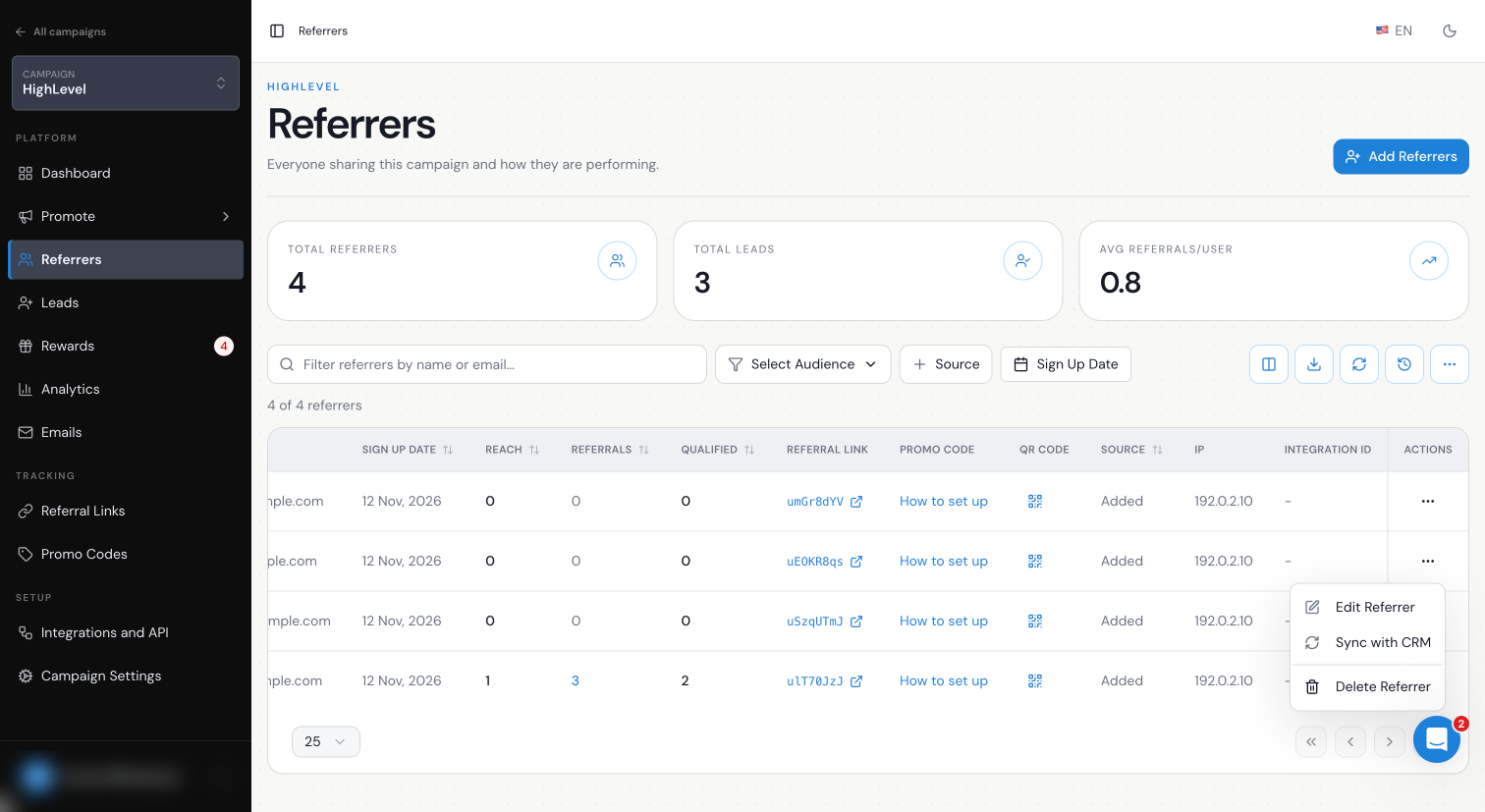
These settings apply to new referrers who join after the action and mappings have been saved. For a referrer you added by hand, open the actions menu on the referrer’s row and choose Sync with CRM. If Sync with CRM is not in the menu, the campaign has no saved Referrers action yet.
Why isn’t HighLevel qualifying referrals automatically?
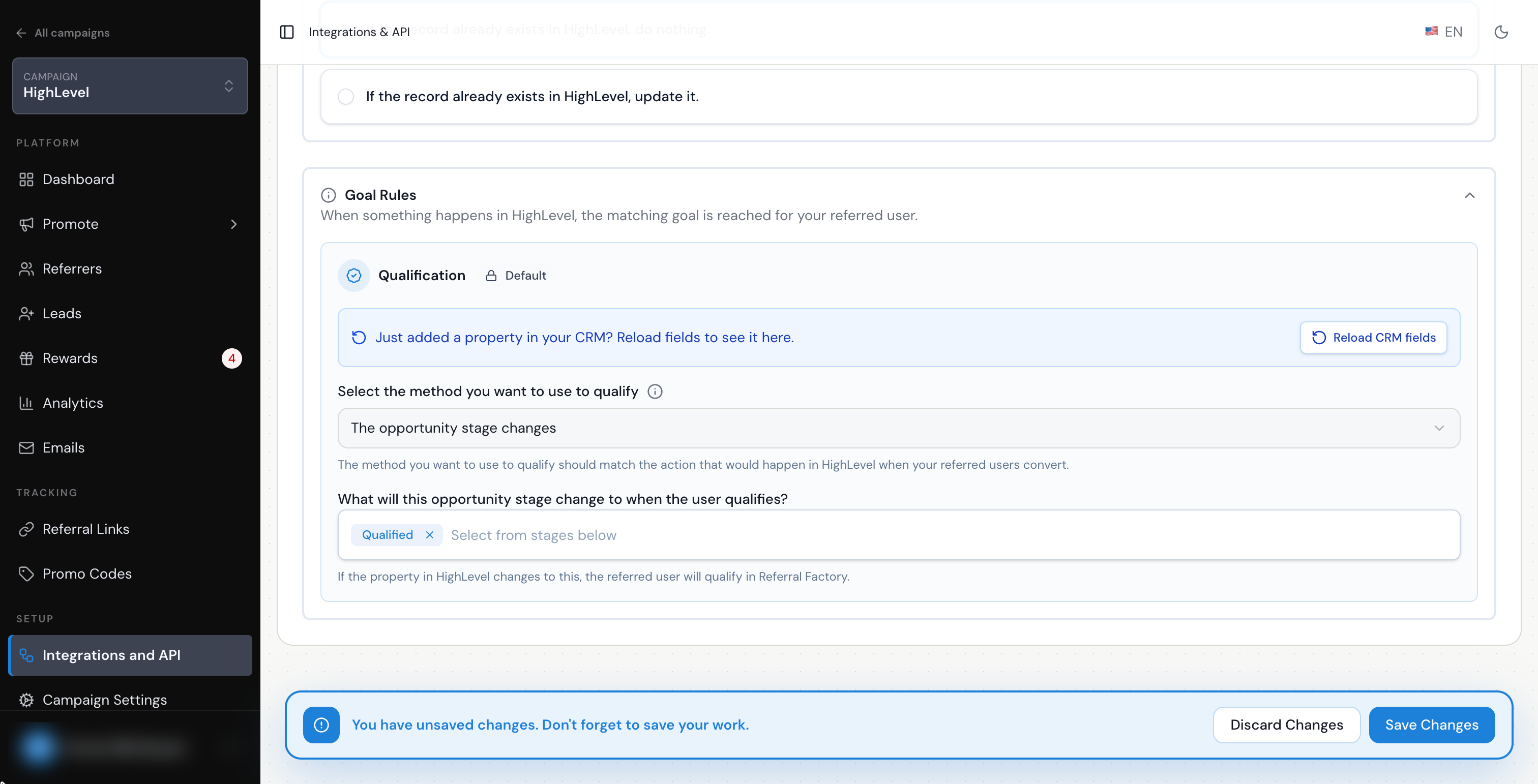
Check that the qualification method matches what the Leads tab sends: A contact field changes for contacts, or The opportunity stage changes for opportunities. Then check the selected field and values, or the selected stages of the pipeline chosen in Map your fields.
The lead must have been sent to HighLevel by Referral Factory, and the campaign must be live. If a referral was qualified and then went back to not qualified, the opportunity moved to a stage that is not selected, or the contact field no longer has the selected value. Changes usually reach Referral Factory within a few minutes.
Why is the referral link empty in HighLevel?
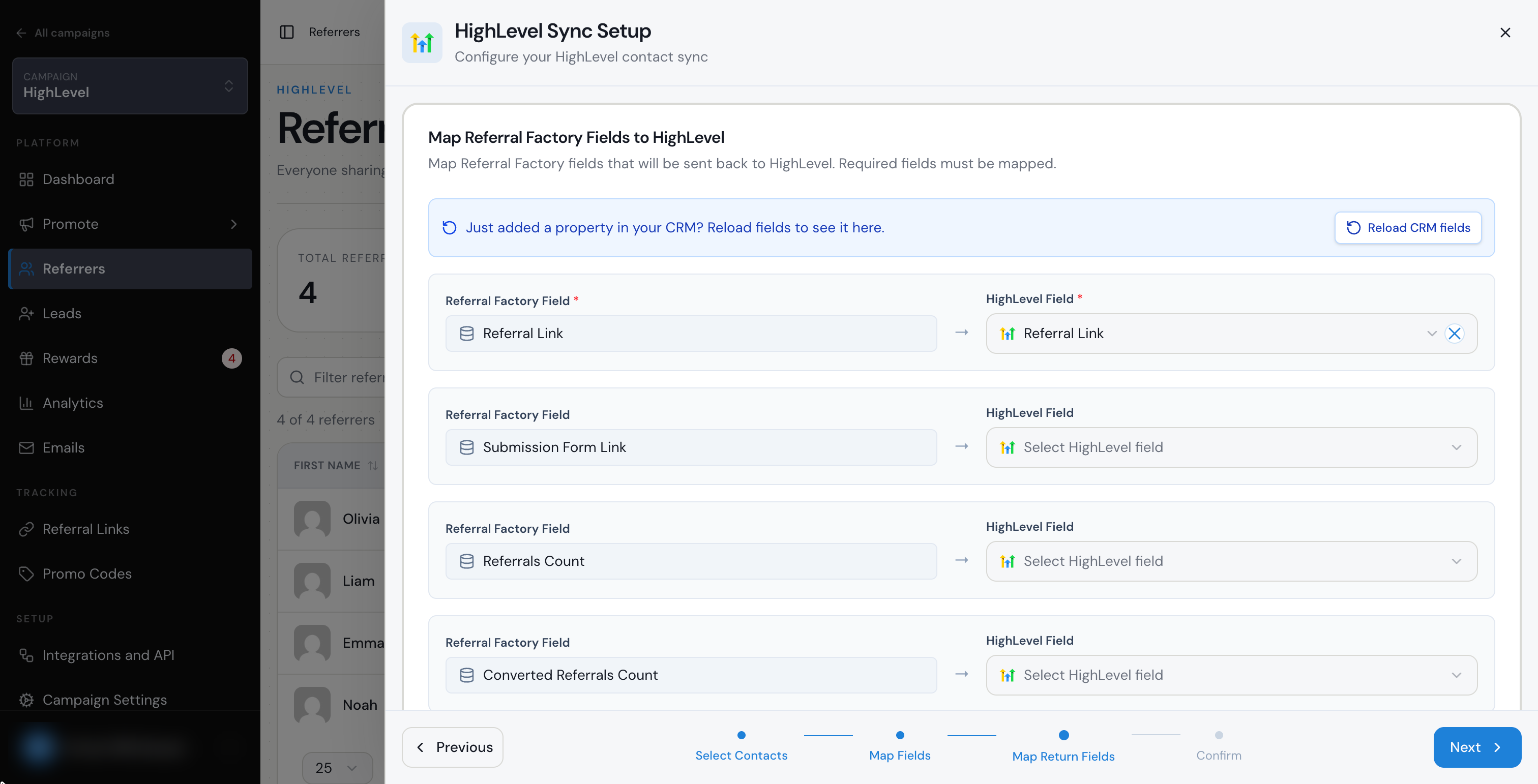
Check the contact sync settings: Referral Link must be mapped to a HighLevel contact custom field, and a text field works best. For new referrers, map Referral Link on the Referrers tab too. After a sync, it can take a few minutes for the link to appear on the contact. Contacts without an email address or first name are skipped by the sync.
Why are some HighLevel fields missing?
Open the relevant mapping section and select Reload CRM fields, then open the field menu again. If a field you just created still does not appear, wait a few minutes and reload again. File upload and signature custom fields cannot be mapped. If no pipelines are listed, create a pipeline in the HighLevel sub-account first, then reload the fields.
A field only updates when it is mapped to a Referral Factory value and the saved action sends that workflow to HighLevel.
What happens if the person already exists in HighLevel?
Referral Factory matches HighLevel contacts by email address. Under How to handle duplicate users, choose whether Referral Factory should leave the existing record as it is, or update it. Read the full text of each option before choosing one.
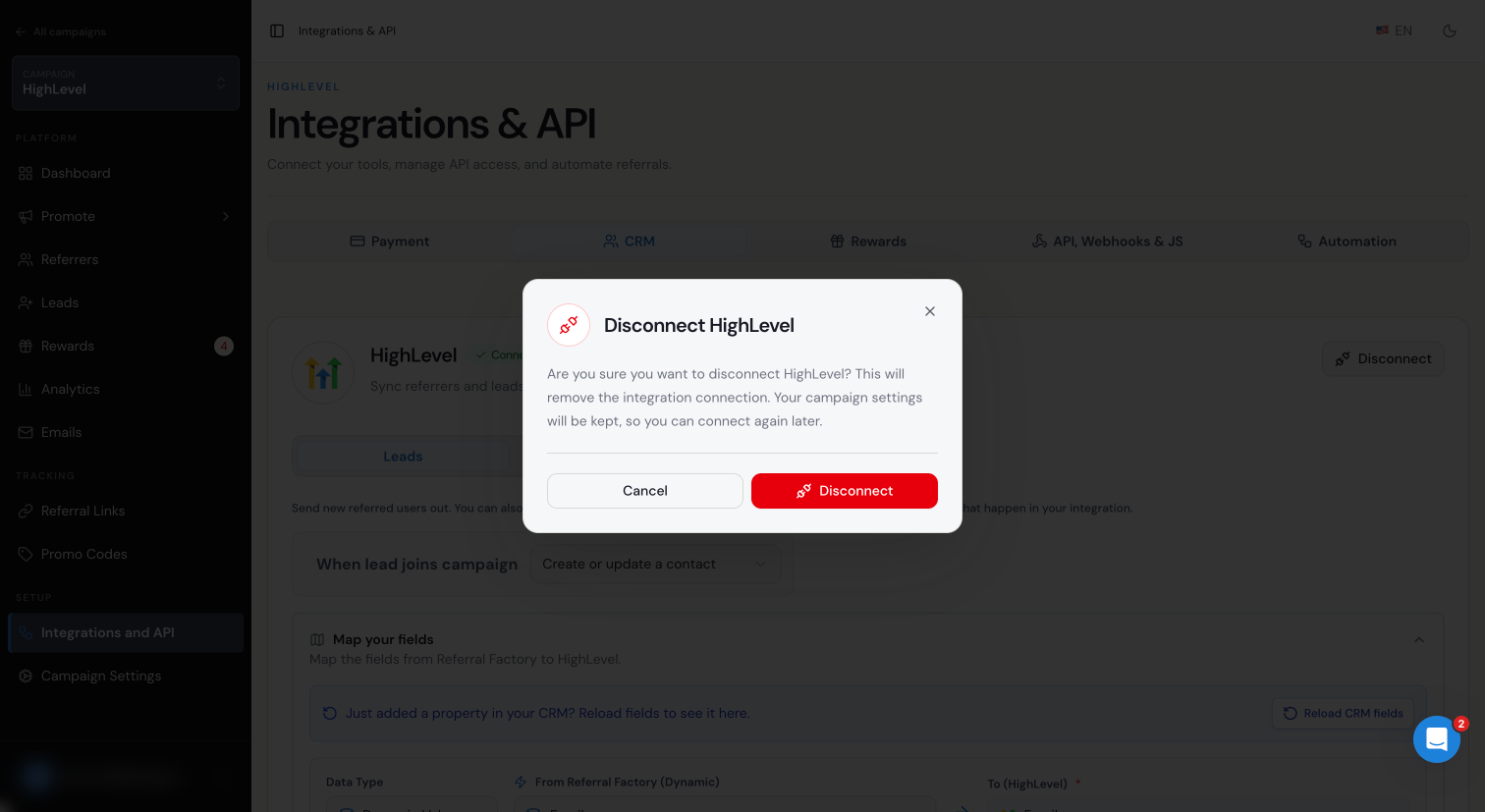
What happens when I disconnect HighLevel?
Your campaign settings are kept, so they work again when you reconnect, and the account owner receives an email confirming the disconnection. The Referral Factory app stays installed in HighLevel until you uninstall it there.
When should I contact Referral Factory support?
Contact support if HighLevel does not connect after you approve access, the sub-account you need is not listed, a required field cannot be mapped after you reload CRM fields, a saved Lead or Referrer action still does not create a record, or a qualification rule does not update the matching referral after the HighLevel record changes.
Include the campaign name, the HighLevel sub-account name, whether the issue affects a Lead, Referrer, contact sync or Goal Rule, the selected HighLevel action, the time you tested it, and the exact error or visible result. Do not send passwords or other credentials when asking for help.