
Need help applying this to your account?
Contact support and we will keep this article attached to your request.
You can also control what happens to any reward triggered by that qualification.
How a refunded or cancelled Stripe payment affects qualification and rewards
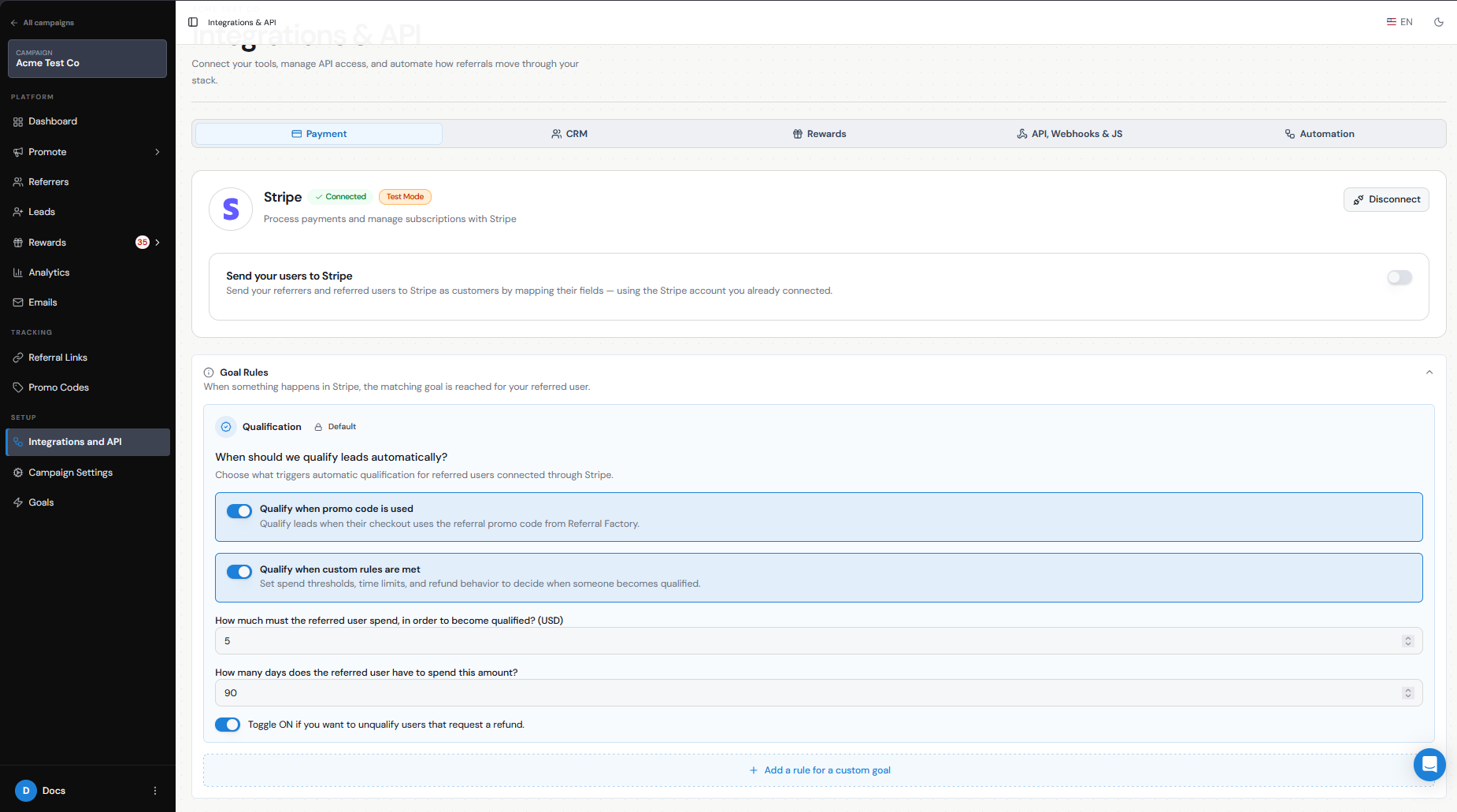
When configuring automatic qualification through Stripe, you can enable the option to unqualify users that request a refund.
With this enabled, the flow is:
Lead makes a qualifying Stripe payment → Lead becomes Qualified → Stripe refund is detected → Lead returns to Pending.
If a payment is cancelled before it successfully meets your qualification criteria, the Lead would not normally qualify from that payment in the first place.
For other cancellation scenarios, such as a customer cancelling a subscription without a refund, review whether the Lead still meets the qualification rules you have defined.
Timing of the refund/cancellation event
Automatic unqualification happens after Referral Factory receives the relevant refund event from Stripe.
This means the Lead may already have been Qualified before the refund takes place.
If automatic refund unqualification is not enabled, you can still manually unqualify the Lead from the Leads section.
What happens to due versus already-issued rewards
A refund and a reward are separate parts of the workflow.
If the reward is still Due, it has not yet been paid out. You can review the referral and cancel the reward before issuing it.
If the reward has already been Issued, unqualifying the Lead does not automatically reverse the payout. Any reversal needs to be handled separately, depending on the issuing method you used.
For example:
Refund before reward is issued → Unqualify Lead → Cancel Due reward
Refund after reward is issued → Unqualify Lead → Handle the issued reward separately
Using reward delays
If your business has a refund, cancellation, or chargeback window, it can be useful to wait before issuing rewards.
Referral Factory does not currently have an automatic reward-delay timer. Instead, leave Auto Issue Rewards turned off so rewards remain under Due Rewards until you are ready to issue them.
For example:
Lead qualifies → Reward remains Due for 30 days → Refund period passes → Reward is issued
This gives you time to catch refunds or cancellations before the reward is sent.
How to correct or review the referral
If a refunded customer should no longer count as a successful referral:
Go to Leads.
Find the relevant Lead.
Open Actions.
Select Unqualify if the Lead was not already unqualified automatically.
Check Rewards → Due Rewards for any reward that should also be cancelled.
If a reward was already issued, review it separately with the issuing provider.
This keeps the Lead's qualification status and reward outcome aligned.
Test refund scenarios
Before using Stripe qualification with live rewards, test both the payment and refund journey.
Connect Stripe in Test Mode.
Create a test Referrer and Lead.
Complete a payment that meets your qualification threshold.
Confirm that the Lead becomes Qualified.
Confirm that any expected reward is created.
Refund the payment in Stripe.
Confirm that the Lead returns to Pending when automatic refund unqualification is enabled.
Check how any Due reward is handled before issuing it.