
Need help applying this to your account?
Contact support and we will keep this article attached to your request.
You choose the reward value and trigger in Referral Factory, while the available gift cards and redemption experience are configured through your Tremendous campaign.
How to choose and deliver gift-card or voucher rewards through Tremendous
First, create a campaign in Tremendous containing the reward options you want to make available.
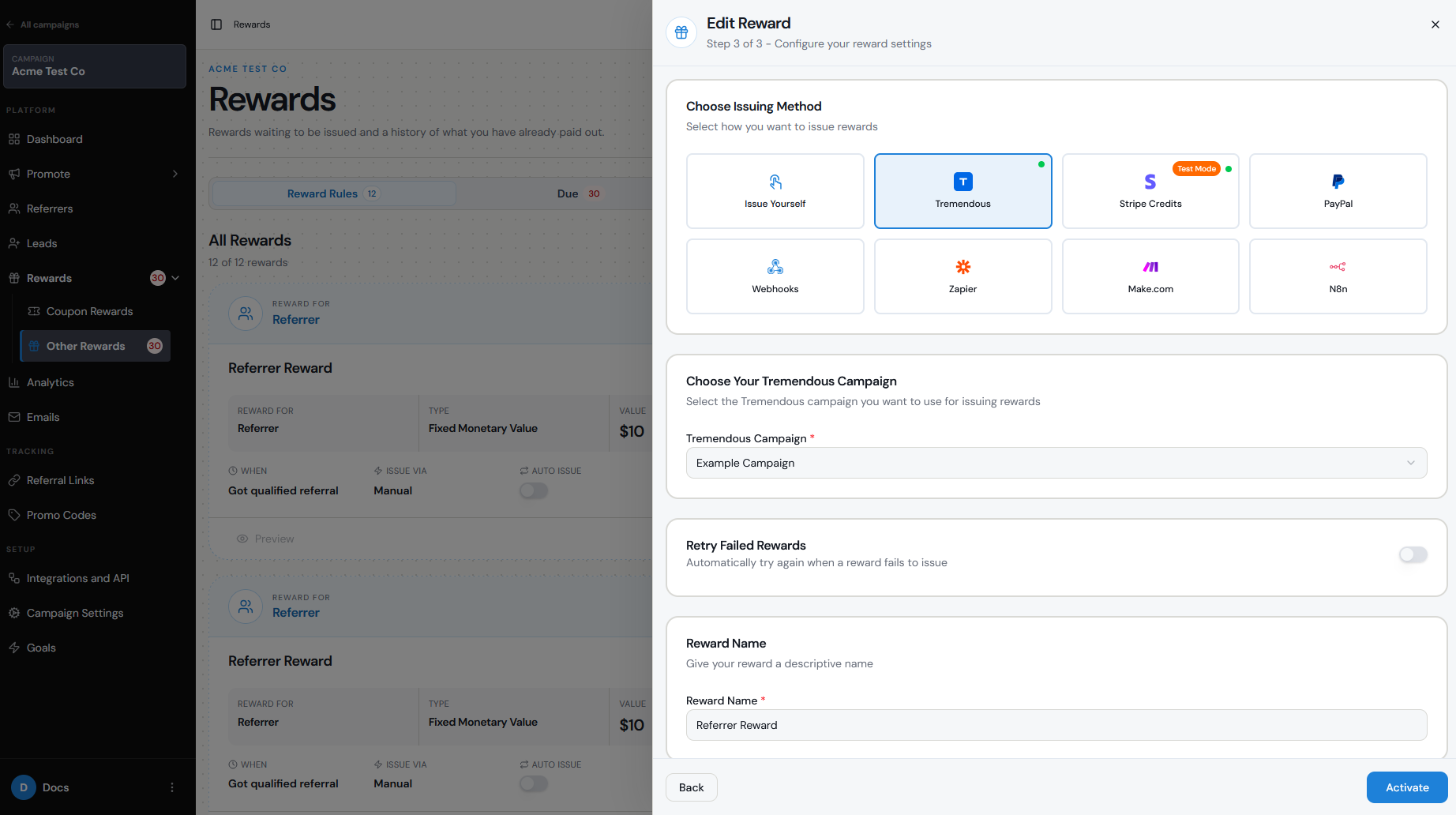
When you configure the reward in Referral Factory, select Tremendous as the issuing method and choose the Tremendous campaign you want to use.
A typical journey looks like:
Lead qualifies → Referrer earns a $25 reward → Referral Factory sends the reward to Tremendous → Referrer receives the reward and chooses from the available gift-card options
This means you do not need to manually purchase and send individual gift cards.
Supported reward catalog considerations
Tremendous offers a large catalog of digital reward options, including gift cards from many popular brands, prepaid cards, and other payout options.
Instead of selecting one specific retailer inside Referral Factory, you can configure a Tremendous campaign with a selection of reward options. The recipient can then choose their preferred reward from the options available to them.
The exact catalog depends on the recipient's country and the options enabled in your Tremendous campaign.
For example, if it’s a fixed amount reward, you could offer a $50 reward and allow the Referrer to choose from several available gift cards rather than deciding which brand every recipient should receive.
Currency/region
Reward availability varies by country and region.
When setting up the reward, make sure the currency you select in Referral Factory is appropriate for the Tremendous campaign and the recipients you expect to reward.
Some gift cards or payout methods may only be available in certain countries, so check your Tremendous campaign before launching if your referral program has participants in multiple regions.
Value
In Referral Factory, configure the monetary value the Referrer should earn.
For example:
Reward the Referrer $25 for every Qualified Lead
or:
Reward the Referrer $100 after every 5 Qualified Leads
You can configure the reward amount, currency, frequency, and qualifying conditions according to your campaign structure.
The value configured in Referral Factory is then passed to Tremendous when the reward is issued.
Recipient experience
When a Tremendous reward is issued, the recipient receives an email containing access to their reward.
Depending on how your Tremendous campaign is configured, they may be able to choose from several available reward options rather than receiving one predetermined gift card.
For example:
Referrer earns $50 → Receives Tremendous reward email → Opens reward → Selects their preferred available gift card
You can also configure a reward notification email in Referral Factory to let the Referrer know that their reward has been issued.
Setup
To configure a gift-card reward:
Create and fund your Tremendous account.
Create a campaign in Tremendous and choose the reward options you want to offer.
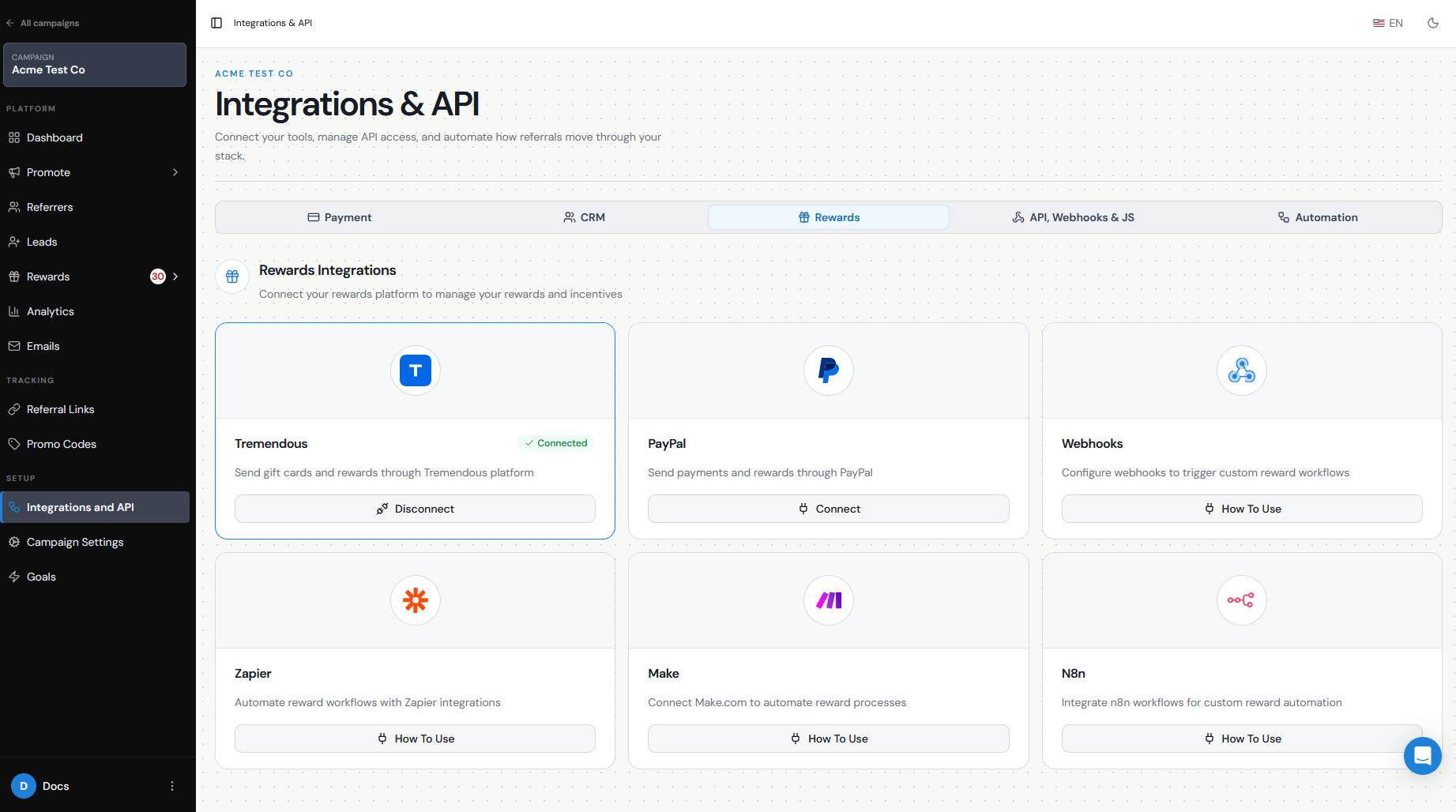
In Referral Factory, go to Campaign Settings → Integrations and API → Rewards.
Connect Tremendous.
Go to Rewards → Manage Rewards.
Click Add New Reward.
Choose the Referrer as the recipient.
Configure the reward value, currency, and trigger.
In the issuing step, select Tremendous.
Select the Tremendous campaign you want to use.
Configure automatic or manual issuing.
Automatic delivery
If Auto Issue Rewards is enabled, Referral Factory can send the reward to Tremendous automatically when it becomes due.
The journey can therefore run without manual intervention:
Lead qualifies → Reward becomes due → Reward is automatically issued → Tremendous delivers the reward
If Auto Issue is turned off, the reward remains under Due Rewards until you review and issue it manually.
Manual issuing can be useful if you want to review referrals for refunds, cancellations, or fraud before sending a reward.
Alternatives
Tremendous is useful when you want recipients to choose from a catalog of gift cards and other digital rewards, but it is not your only option.
Depending on how you want to reward your Referrers, you can also:
Use PayPal for cash payouts.
Choose Issue Yourself if you want to purchase and distribute your own gift cards or vouchers.
Use Make, Zapier, Webhooks, or another supported integration to send reward information to a different rewards platform.
Use a Custom Reward when you want to track something such as points, credits, tokens, or another non-cash incentive.
The best issuing method depends on whether you want Referral Factory to automate delivery or whether your business already has another system for managing rewards.