
Need help applying this to your account?
Contact support and we will keep this article attached to your request.
How the API flow works
Referral Factory creates a reward and shows it as Due. Your backend retrieves the Due reward, identifies the person and reward, performs the real action in your own system, and marks the reward as Issued only after that action succeeds.
For example, your backend could find a Due reward for 500 loyalty points, add those points to the customer’s account, and then issue the matching reward in Referral Factory.
API is not a Reward Rule issuing-method button. For an API-led setup, choose Issue Yourself in the Reward Rule and let your backend control the Due-to-Issued step.
Create the Reward Rule
1. Open the campaign where you want to configure the reward.
2. Go to Rewards → Reward Rules.
3. Select New reward, or open the Draft Reward Rule you want to edit.
4. Complete the recipient, reward type and trigger settings.
5. In Choose Issuing Method, select Issue Yourself.
6. Enter a descriptive Reward Name, review the rule and select Activate when it is complete.
Authenticate securely
1. In Referral Factory, open Integrations and API.
2. Open the API, Webhooks and JavaScript area and locate the API Key section.
3. Create or copy the access token shown for your account.
4. Store it in your server’s secret store or environment variables and send it in the Authorization header.
Use this format: `Authorization: Bearer YOUR_API_TOKEN`. Never put a real token in browser code, screenshots, repositories or a Help Centre article.
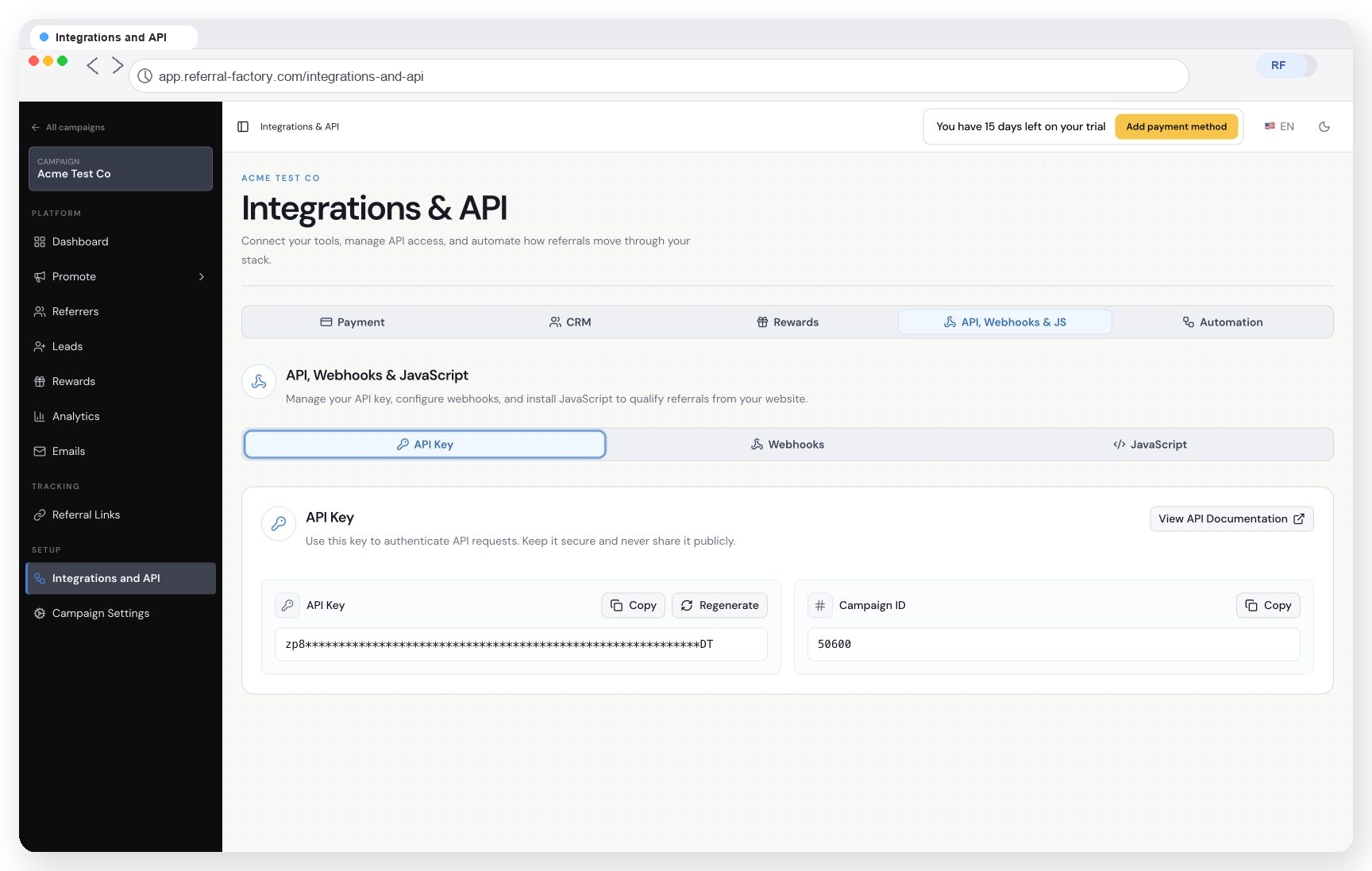
The API Key area in Integrations and API. The example must not contain a usable access token.
Retrieve and check Due rewards
Use the current developer documentation to retrieve the Due rewards available to your backend. Read the reward ID, recipient, reward type and amount or value before doing anything else.
Your backend should decide whether the reward is ready for your own process and should keep a record of the reward ID it is handling. Do not mark the reward Issued just because it was retrieved.
Perform the reward action and issue the reward
1. Match the Referral Factory recipient to the correct customer account in your own system.
2. Add the points, credit, tokens or other value in that system, or create the internal payout request.
3. Confirm that your own system completed the action successfully.
4. Call the verified issue endpoint with the unique Due reward identifier: `POST https://api.referral-factory.com/api/v2/rewards/issue/{identifier}`.
5. Save the Referral Factory reward ID and your own transaction or balance-update ID together so the result can be checked later.
Test the complete flow
Use a safe test reward and confirm that Referral Factory shows the reward as Issued, your backend recorded the successful reward action, and the customer’s balance or internal payout record changed as expected.
If your own reward action fails, leave the Referral Factory reward Due until the problem is resolved. This prevents the Referral Factory status from saying Issued when the real reward was not completed.