
Need help applying this to your account?
Contact support and we will keep this article attached to your request.
Yes. Upload a pool of unique coupon codes, choose Referrers, and select the referral event that should earn the coupon. When the event happens, Referral Factory assigns one available code to the Referrer and sends it through the delivery method you set up.
Jess and Stacey example
Jess is the Referrer. Stacey is the Lead. The business wants Jess to receive a unique $50 coupon only after Stacey becomes a qualified customer.
1. Jess refers Stacey.
2. Stacey meets the campaign's qualification criteria.
3. Referral Factory creates a Coupon Reward for Jess.
4. An available unique coupon code is assigned to Jess.
5. The reward becomes Issued.
6. Jess receives the configured coupon notification with her code.
Choose when a Referrer earns a coupon
In Rewards → Coupon Rewards → Referrers, choose when a coupon should be earned. The three options are:
When a referrer joins the portal to start referring
The Referrer earns a coupon as soon as they join the referral portal. For example, you could offer a $10 voucher for joining the programme. A coupon earned with this trigger can also be shown in the Referrer Portal.
When they get a referral
The Referrer earns a coupon as soon as they make a referral. They do not need to wait for the Lead to qualify. For example, you could offer a coupon for every person they refer.
When they get a referral and it becomes qualified
The Referrer earns a coupon only after the referral meets the campaign's qualification criteria. For example, Jess receives a $50 coupon after Stacey becomes a customer. This is the trigger used in the example above.
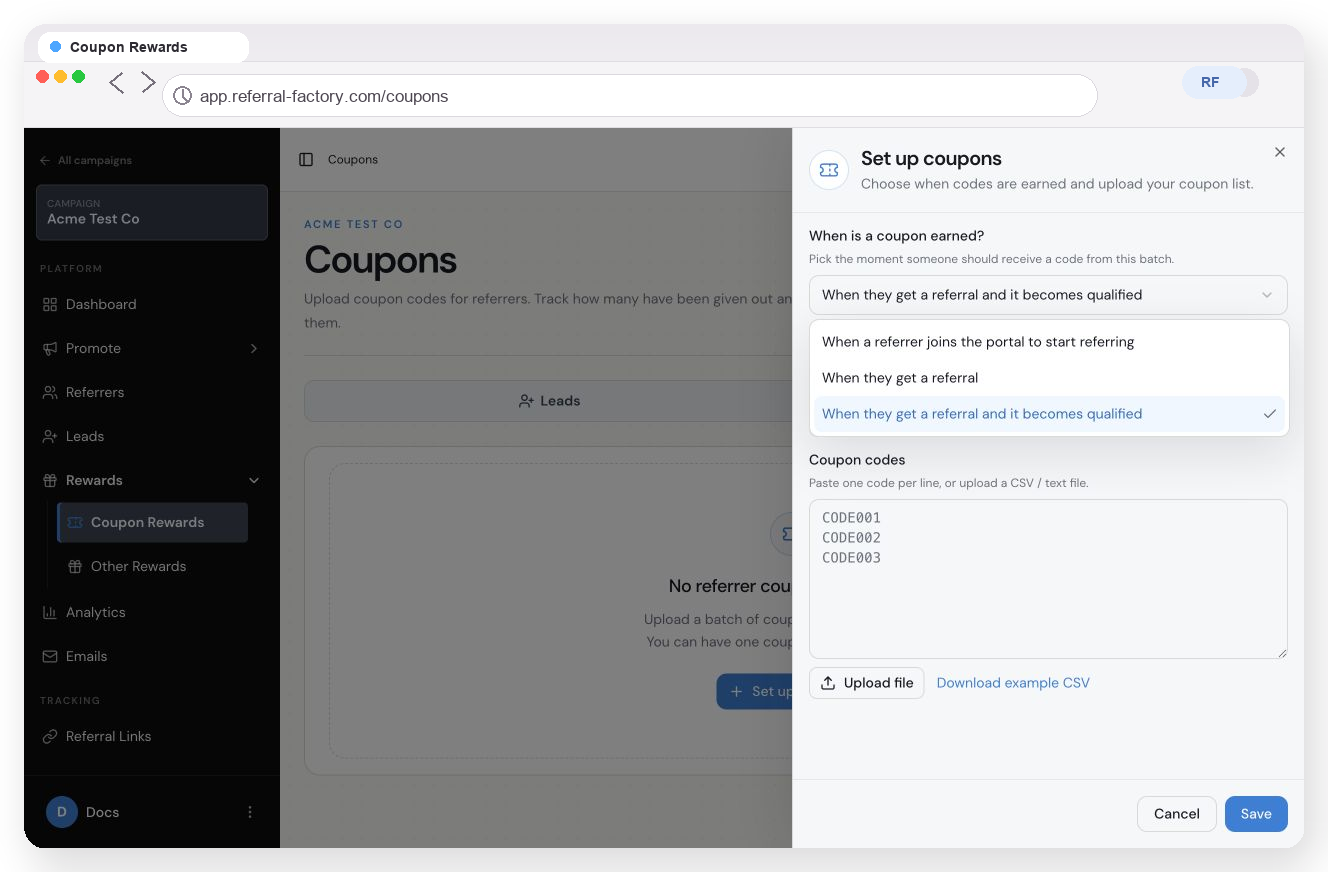
Choose the Referrer trigger and upload the unique coupon codes.
Where does the Referrer receive the coupon?
The earning event controls where the coupon can be displayed.
- Referrer joins the portal: the coupon can be shown in the Referrer Portal.
- Referrer gets a referral: send the code through the configured coupon notification.
- Referral becomes qualified: send the code through the configured coupon notification.
The Coupon Settings panel states: “Only coupons issued when a referrer joins can appear on the portal.”
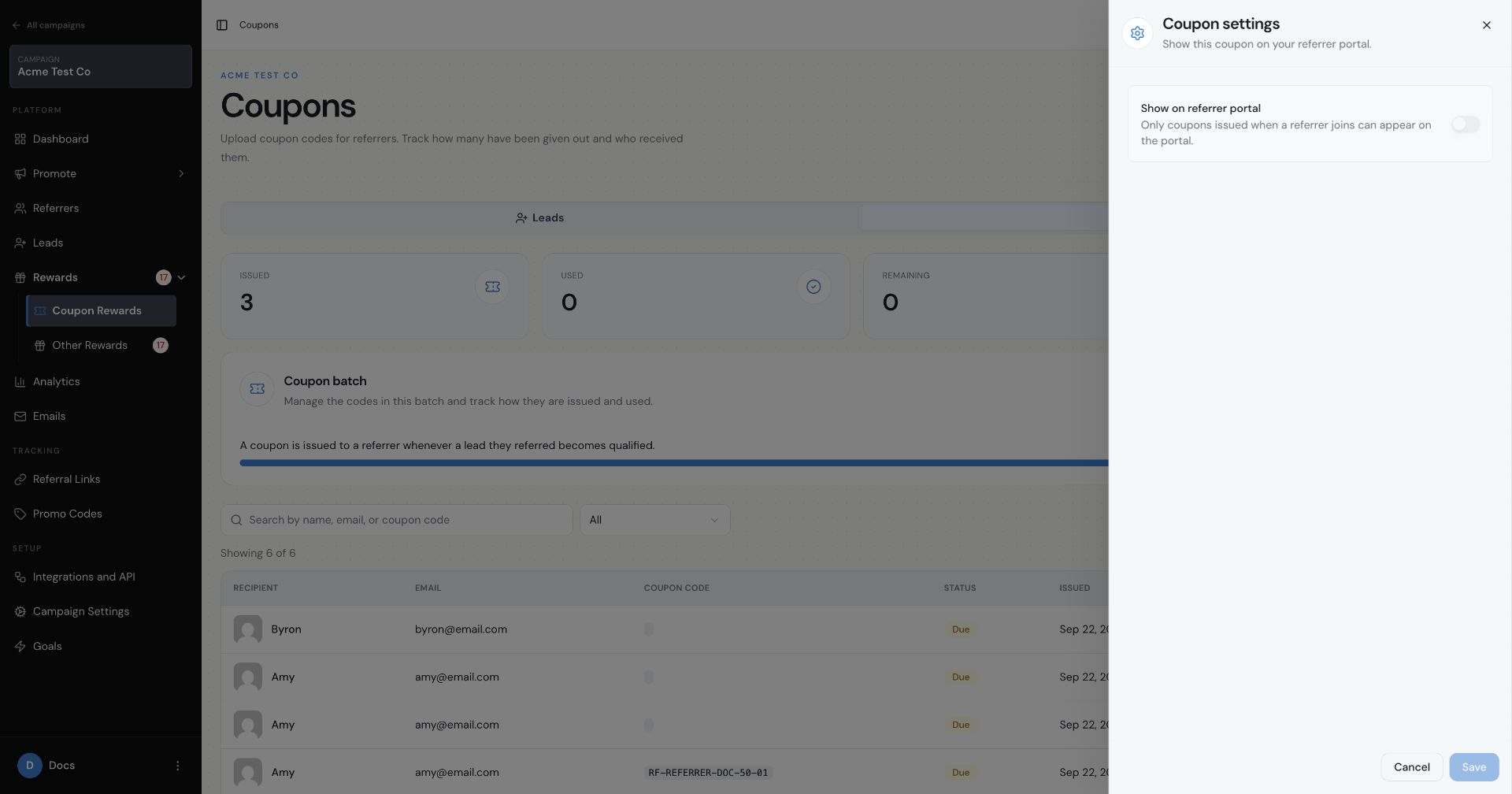
Referrer Portal Coupon Settings: only coupons issued when a referrer joins can appear on the portal.
How to set it up
1. Open Rewards → Coupon Rewards.
2. Choose Referrers.
3. Select when the coupon should be earned.
4. Paste one unique code per line, or upload a CSV or text file.
5. Click Save.
Referral Factory uses the codes you upload. It does not create the voucher value, expiry date or redemption rules. If the reward is a $50 coupon, the codes you upload must already represent $50 vouchers in the system where they will be redeemed.
Configure the coupon notification
1. Open the notification settings for the Referrer coupon batch.
2. Turn on the notification and choose a template.
3. Add {Reward Coupon} where the unique code should appear.
4. Save the notification.
When the Coupon Reward becomes Issued, Referral Factory sends the configured notification containing that Referrer's unique code.
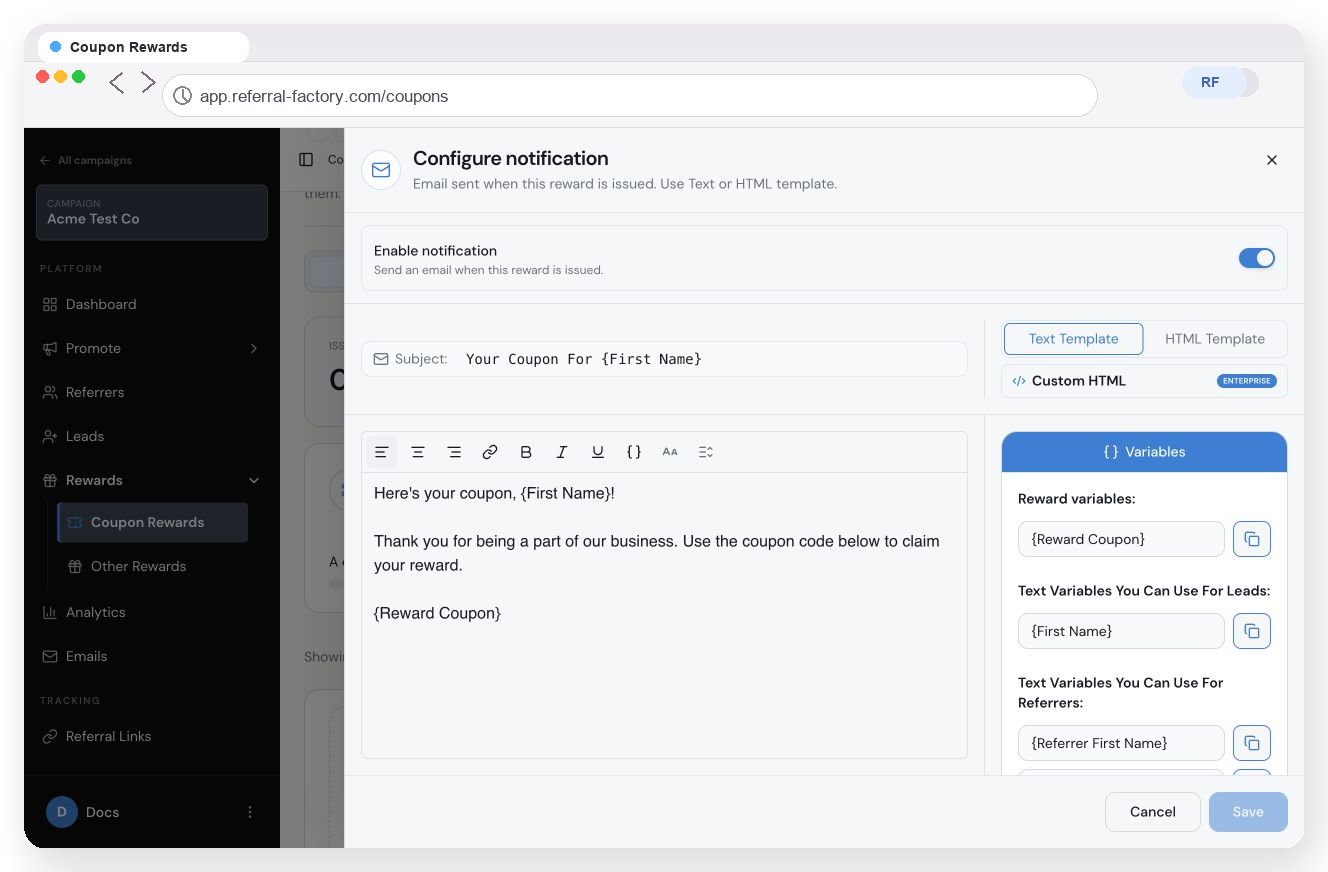
Add {Reward Coupon} to the notification so the recipient receives their unique code.
How unique codes are assigned
Referral Factory takes one available code from the uploaded pool and links it to the Referrer who earned the reward. The Coupon Rewards table shows the Referrer, email, assigned code, status and relevant dates.
If Jess refers Stacey and Ben, and the batch uses “When they get a referral and it becomes qualified”, Jess can earn one separate unique coupon for Stacey and another for Ben once each referral qualifies.
If no unused coupon is available, the reward can remain Due. After more codes are uploaded, Referral Factory can assign an available code and process the waiting reward to Issued.
Keep the coupon table accurate
The batch counters show Issued, Used, Remaining and Total. Referral Factory does not automatically know when an externally created coupon is redeemed. Use Mark as redeemed to record the used code.
Coupon rewards and Stripe Promo Codes are different
- Coupon Rewards use unique codes uploaded by the business, reward a Referrer or Lead, and assign the code when the selected earning event happens.
- Stripe Promo Codes are connected to Stripe, belong to a Referrer, and are used by the Lead at checkout to provide a discount and help with referral attribution.