
Need help applying this to your account?
Contact support and we will keep this article attached to your request.
How rewards are paid
A referral can qualify and create a reward without it being paid yet. Check whether the reward is Due or Issued, then check the Issuing Method chosen for its Reward Rule.
What decides when someone earns a reward?
Who receives the reward: Referrer or Lead.
The reward type: Fixed Monetary Value, Commission, or Custom.
What event creates the reward, such as a qualified referral or custom Goal.
The reward value, frequency, Reward Limit, and whether existing users are ignored.
Whether Auto Issue Rewards is enabled.
How is the reward sent?
In Rewards → Reward Rules, Step 3 is Choose Issuing Method. The editor offers Issue Yourself, Tremendous, Stripe Credits, PayPal, Webhooks, Zapier, Make.com, and N8n. Choose the option that matches how you want to send the reward or pass it to another tool.
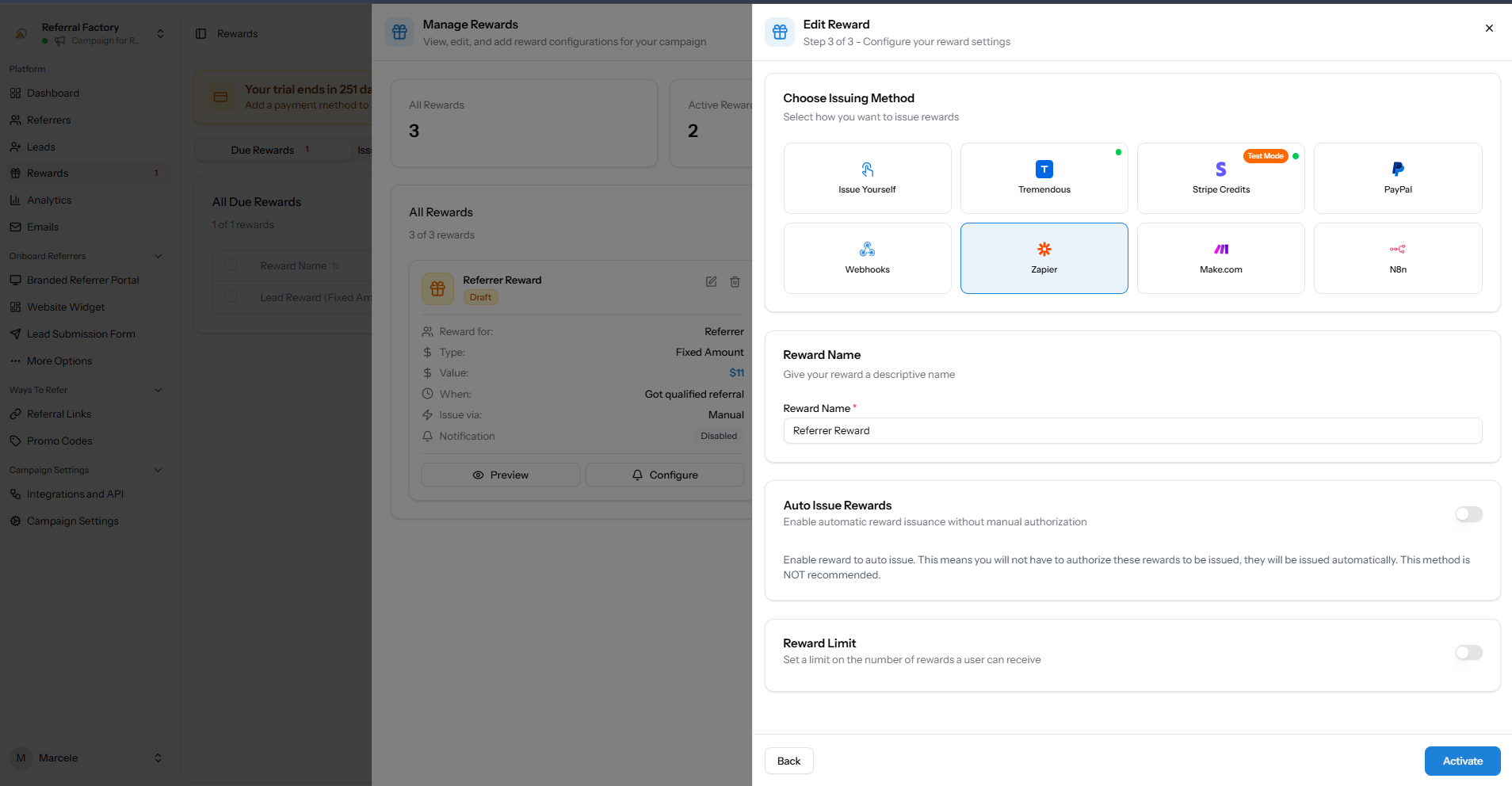
Step 3 of the Reward Rule editor shows the available issuing methods, including Issue Yourself, providers, and automation options.
| Method | How it is used |
|---|---|
| Issue Yourself | Send the reward using your own process, then choose Issue Now so Referral Factory marks it as Issued. |
| Tremendous | Sends gift cards and rewards through the connected Tremendous platform. Check Tremendous for final delivery. |
| Stripe Credits | Uses the Stripe Credits option shown in the editor. The test account labels this Test Mode; check your Stripe setup before using it. |
| PayPal | Sends payments and rewards through the connected PayPal account. |
| Webhooks | Sends reward information to the endpoint you choose so your system can take the next step. |
| Zapier | Starts a Zap so another app can record, send, or handle the reward. |
| Make.com | Starts a Make scenario so you can send reward details to another app. |
| N8n | Uses the n8n option shown in the editor. Check the n8n workflow or integration you connected to see what happens next. |
Manual or automatic issuing
If Auto Issue Rewards is off, qualifying rewards stay Due until someone chooses Issue Now or a connected workflow sends them. If Auto Issue Rewards is on, the rule can send rewards without manual approval. The editor says this option is not recommended, so only turn it on after testing the destination and checking that every qualifying reward should be processed automatically.