
Need help applying this to your account?
Contact support and we will keep this article attached to your request.
Am example of how it works
Jess is a Referrer in your campaign. Referral Factory gives Jess a unique Promo Code, such as JESS20. Jess shares it with Stacey, and Stacey enters it during the Stripe checkout journey. Stripe applies the Campaign Coupon connected to the code, while Referral Factory can use the code to identify Jess as the Referrer.
Promo Code, Campaign Coupon, and coupon reward
| Term | What it means |
|---|---|
| Coupon Reward | A different Referral Factory feature that uses unique coupon codes uploaded by the business and issues them as rewards to Referrers or Leads. |
| Promo Code | A unique code assigned to a Referrer. The referred customer enters it in the configured Stripe checkout journey. |
| Campaign Coupon | The shared discount or offer connected to the campaign in Stripe. It defines what the referred customer receives, such as 20% off. |
A Stripe Promo Code does not create a Coupon Reward. It is used for referral tracking and for applying the Stripe Campaign Coupon to the referred customer’s checkout.
To use this flow, connect Stripe, choose how your campaign tracks referrals, and create or select the Campaign Coupon that will give Stacey her discount.
1. Choose how the campaign tracks referrals
Open Campaign Settings → Tracking and choose Promo codes if you want the code to be the referral method. Choose Both if you also want to support clickable Referral Links. The current options are Referral links, Promo codes, and Both.
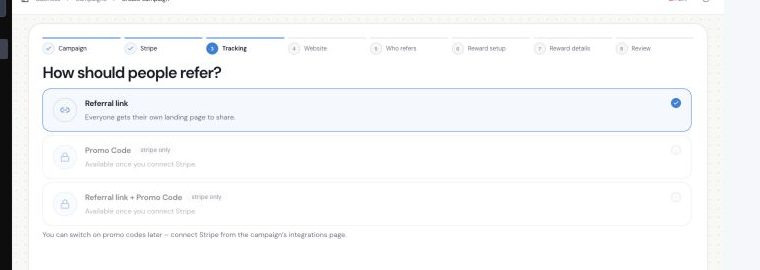
Campaign tracking can use Referral Links, Promo Codes, or both.
2. Connect Stripe and set the Campaign Coupon
Open Tracking → Promo Codes. The page should show Stripe connected. Create a new discount or choose an existing Stripe coupon for the Campaign Coupon, then set the offer you want Stacey to receive, such as 20% off.
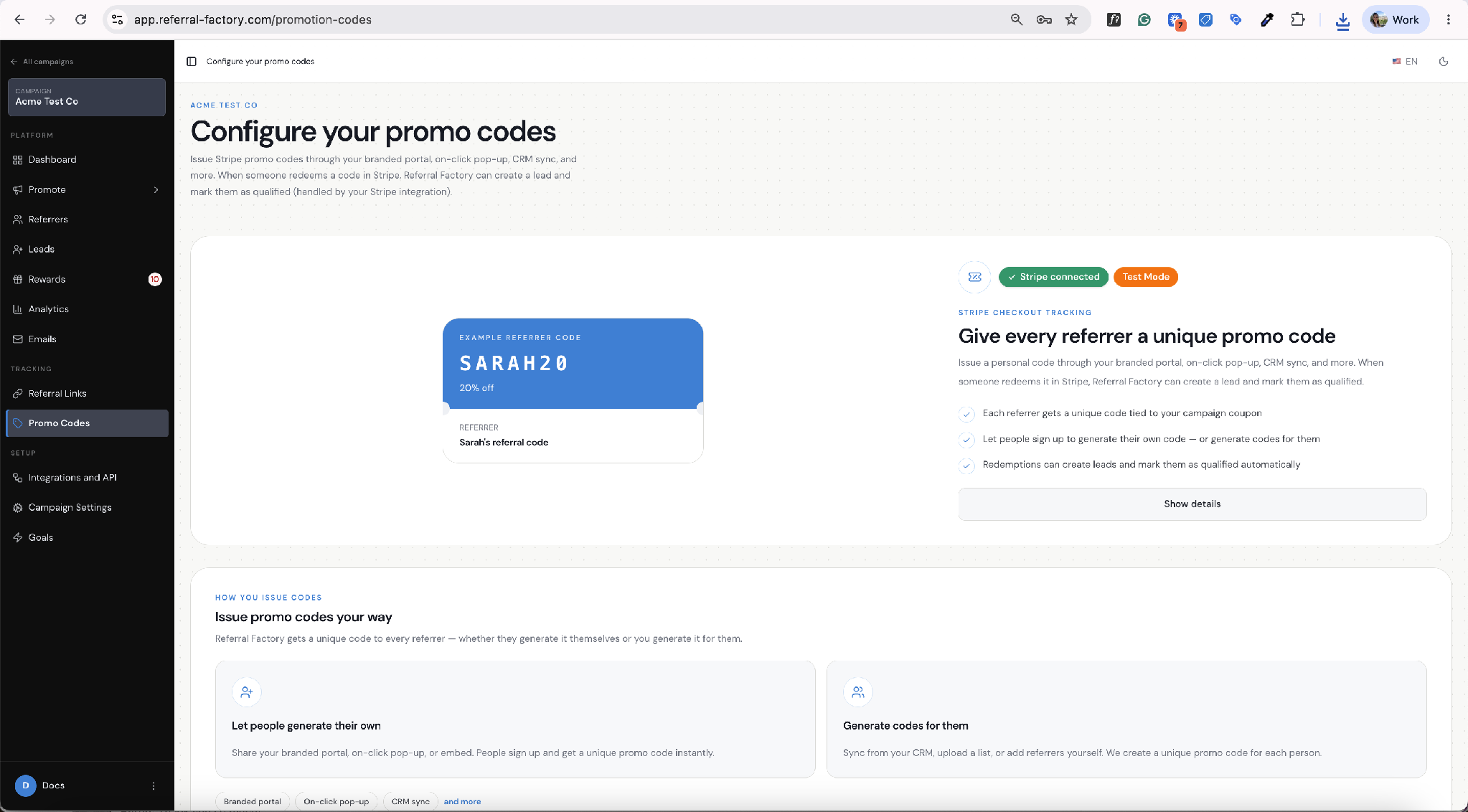
The Promo Codes page shows the Stripe connection, Test Mode, and Campaign Coupon setup.
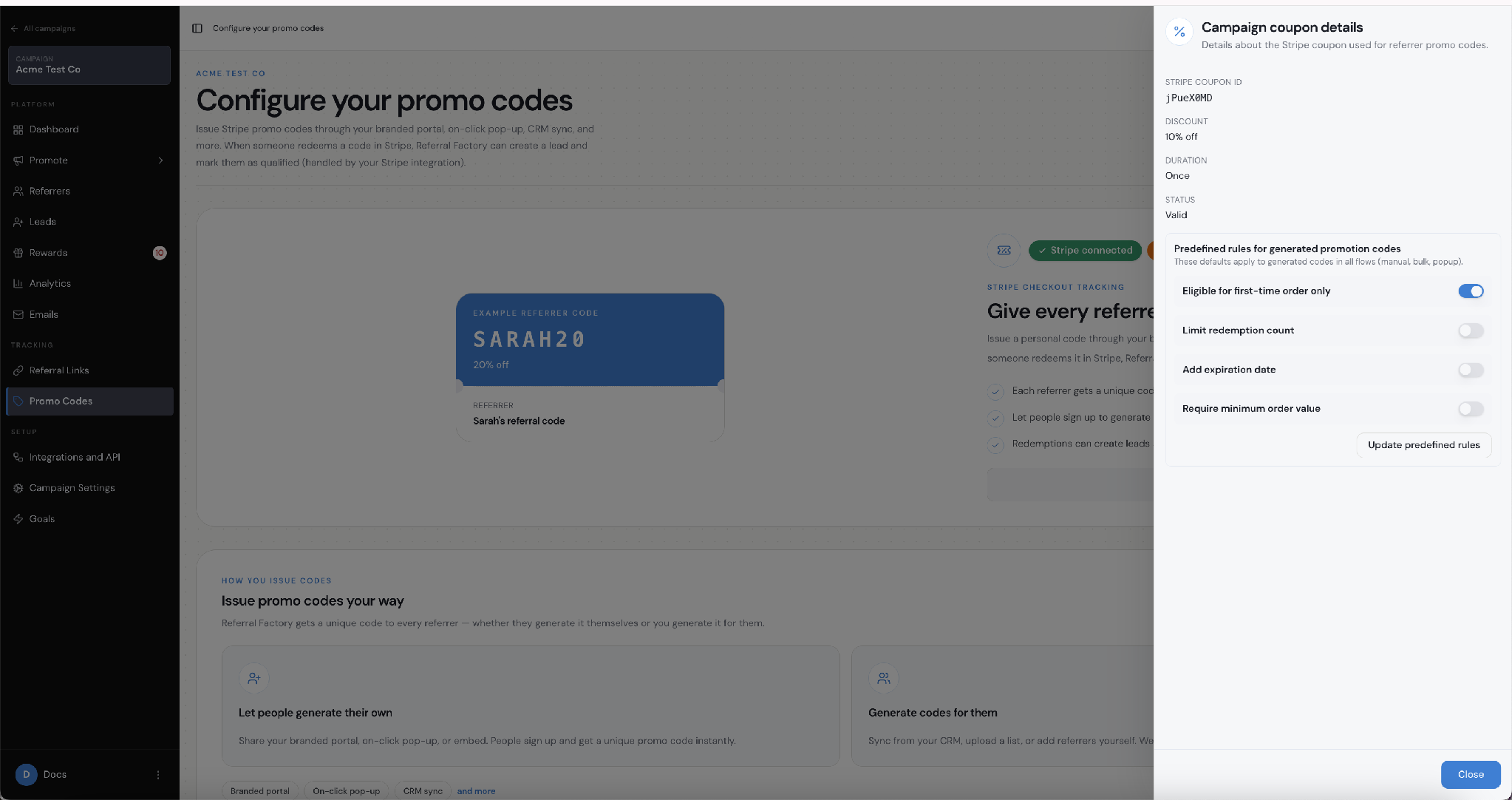
Campaign Coupon details include the discount and the rules applied to generated Promo Codes.
3. Give each Referrer a unique Promo Code
Referral Factory supports two routes: Referrers can generate their own code through the branded portal, an on-click pop-up, an embed, or another configured sign-up journey; or you can generate codes for them through an admin or connected workflow. The Referrer Portal shows the code with a Copy button and sharing options.
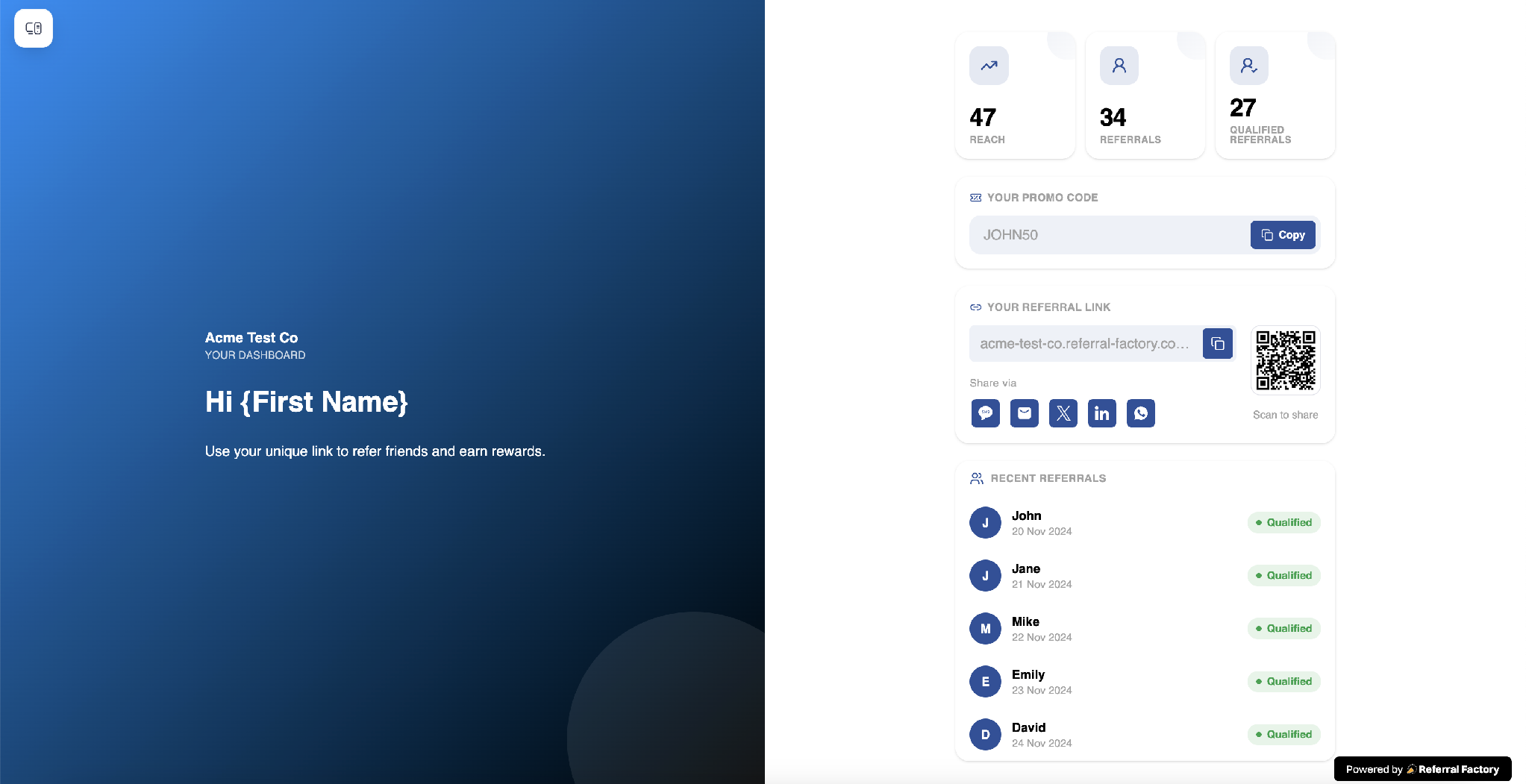
A Referrer can copy their unique Promo Code from the Referrer Portal and share it with Stacey.
4. Decide when a Promo Code qualifies the Lead
Open Payment → Goal Rules and turn on Qualify when promo code is used if using the code should qualify Stacey. This setting qualifies a Lead when their checkout uses the referral Promo Code from Referral Factory. If you leave it off, use another campaign goal to qualify the referral.
When a referred customer redeems a Promo Code in Stripe, Referral Factory can create the Lead and qualify them through the Stripe integration.
What rules can you set?
Eligible for first-time order only
Limit the number of times a code can be redeemed
Add an expiration date
Require a minimum order value
Set the rules that fit your offer. For example, you can make the discount available only on a first order, limit how many times the code can be redeemed, add an expiry date, or require a minimum order value.
Where do I check the result?
Check the Promo Codes page to confirm the campaign is connected to Stripe and the Campaign Coupon is valid.
Check the Referrers area to confirm the code is assigned to Jess.
Check Leads to see the Lead and the Referrer attribution after a successful test checkout.
Check the campaign’s qualification setting to confirm whether the Lead should be qualified by the code or by another goal.
Check Stripe Test Mode to confirm whether the Campaign Coupon was applied at checkout.
When should I use Promo Codes?
Promo Codes work well when people may hear or see a code before they reach checkout, such as at an event, in a sales conversation, in a message, or on printed material. Referral Links are often simpler when the referred person can click straight through. You can support both if your campaign needs both journeys.