Need help applying this to your account?
Contact support and we will keep this article attached to your request.
Overview
Leaderboards work particularly well for campaigns built around ambassadors, affiliates, employees, communities, events, or competitions where participants are likely to respond to recognition and friendly competition.
What a referral leaderboard is and when it motivates participation
A referral leaderboard for your customers displays your top-performing Referrers and shows participants where they stand compared with others.
It can help motivate Referrers by making progress visible. Instead of only seeing their own referral count, they can see that they are close to moving up a position or reaching the top of the leaderboard.
For example:
1st — Sarah — 12 referrals2nd — James — 10 referrals3rd — Priya — 8 referrals
This works especially well when you combine the leaderboard with a clear incentive, such as a prize for the top three Referrers or recognition for the highest performer at the end of a campaign period.
For a standard customer referral program, a leaderboard is optional. If most customers are only expected to refer one or two friends, simple milestone rewards may be more motivating than competition.
Setup and display options
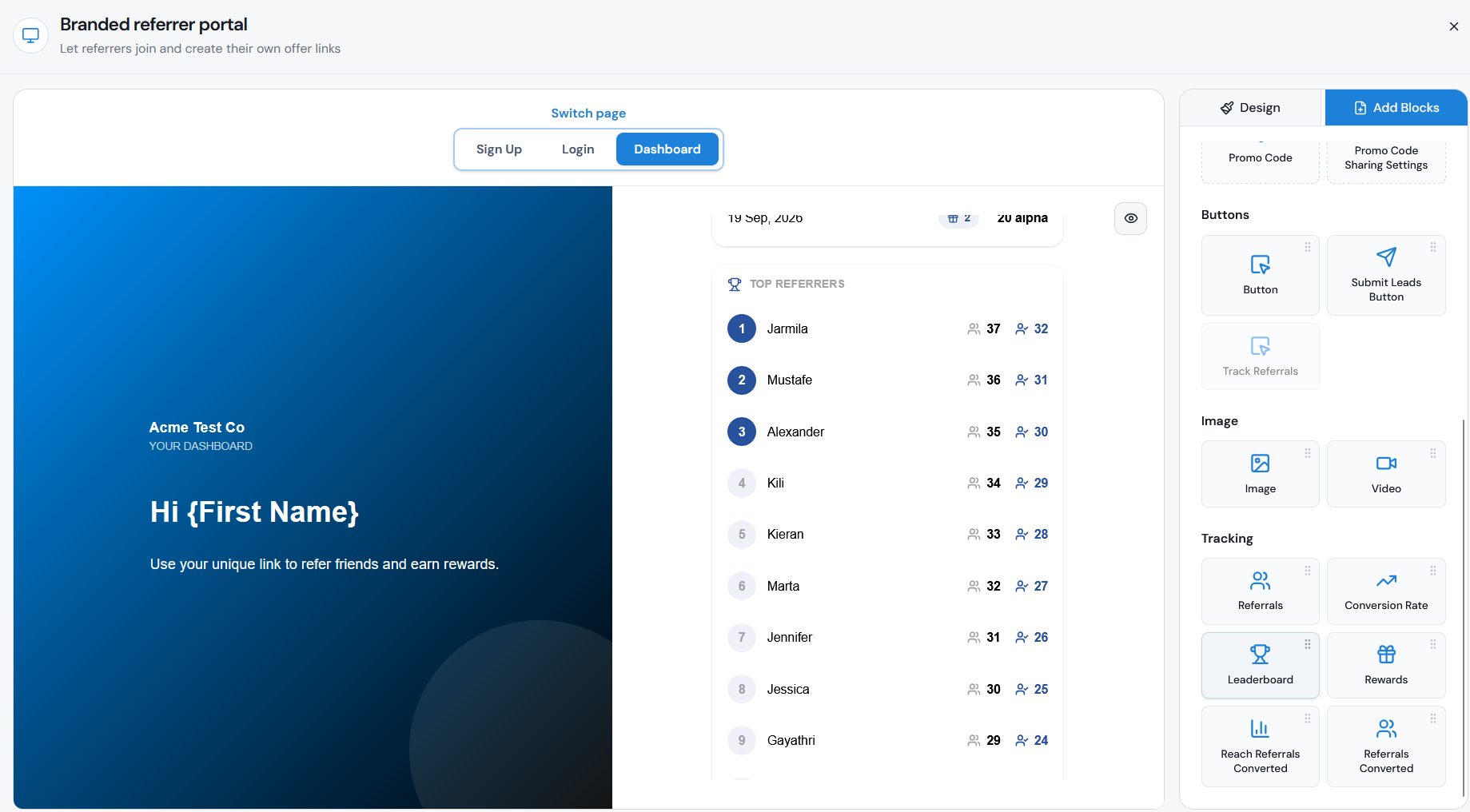
You can add a leaderboard to the Dashboard inside your Branded Referrer Portal, where Referrers can already access their Referral Link, stats, and rewards. The current portal builder includes Leaderboard as one of the available Tracking blocks.
To add it:
You can position the leaderboard alongside other Referrer performance information such as their referrals, conversion rate, converted referrals, and rewards.
Step 1
Open the campaign you want to edit.
Step 2
Go to Onboard Referrers → Branded Referrer Portal.
Step 3
Open the Dashboard page.
Step 4
Select Add Blocks.
Step 5
Find the Tracking blocks.
Step 6
Drag the Leaderboard block onto the page.
Step 7
Configure the leaderboard using the options available in the block.
Step 8
Click Save Changes.
Ranking metric
Choose a ranking method that matches what you actually want your Referrers to achieve.
You may want to rank Referrers based on:
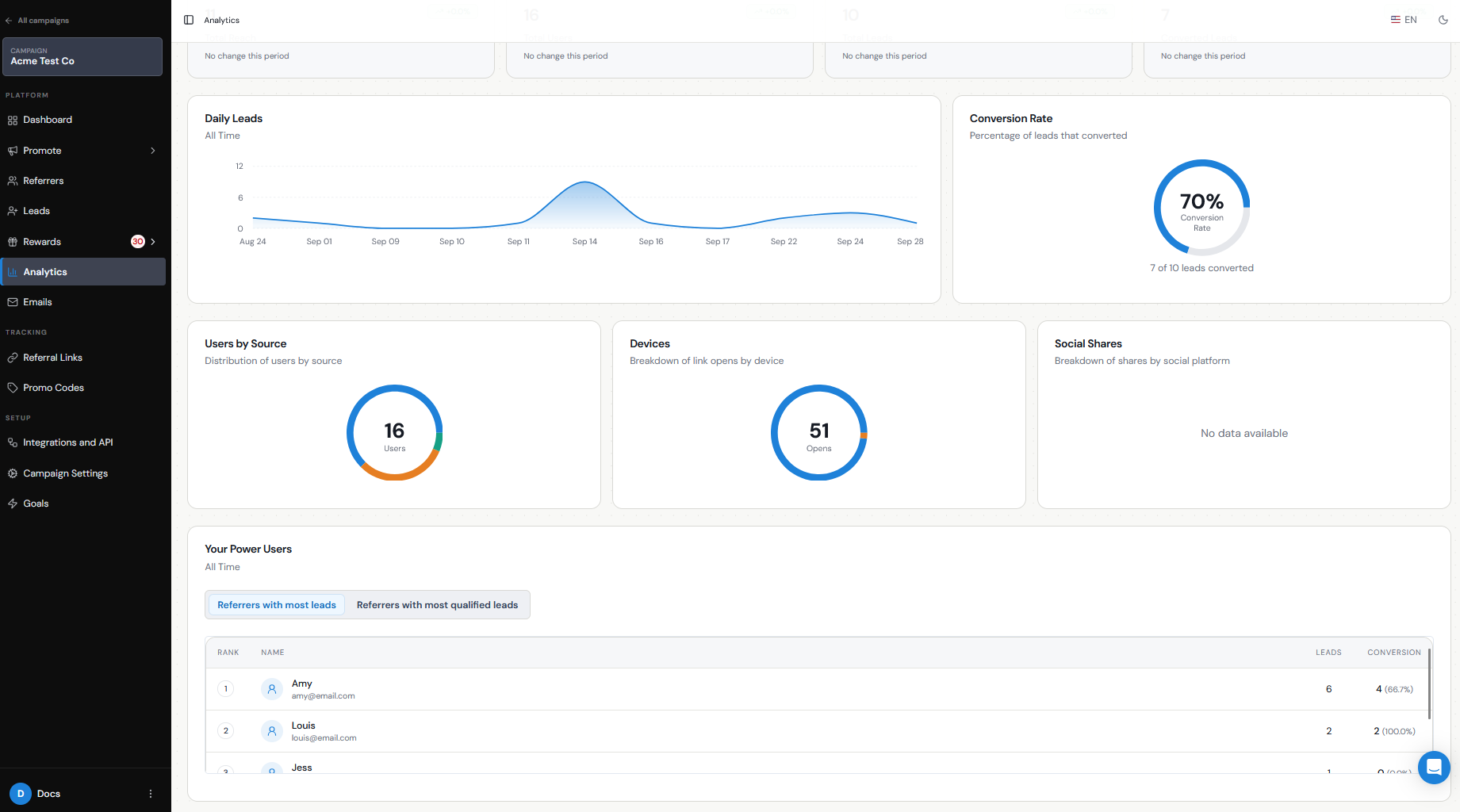
Referral Factory also uses these two views internally in Analytics → Your Power Users, where you can see top Referrers based on total Leads or qualified Leads.
If your competition is tied to a prize, make the ranking criteria clear before the competition starts.
For example:
The Referrer with the most Qualified Leads by December 31 wins a $500 reward.
That is much clearer than simply saying "Top Referrer wins."
- Referrals generated — useful when the goal is to encourage people to share and bring more Leads into the campaign.
- Qualified or converted referrals — useful when you want to reward Referrers for generating successful customers rather than simply generating Leads.
Privacy/display-name considerations
Remember that the leaderboard is visible to other Referrers who can access the campaign dashboard.
Before using one, consider what participant information you are comfortable displaying publicly within your referral community.
For a customer or community campaign, you may want to avoid exposing unnecessary personal information. The leaderboard should be used to motivate participants without sharing more identifying information than is needed for the competition.
If your audience is internal — for example, an employee referral competition — displaying participant names may be perfectly appropriate.
It is also a good idea to explain that participation may appear on the leaderboard as part of the program rules or competition terms.
Reward/competition ideas
A leaderboard does not have to replace your normal referral rewards. It can sit alongside them as an additional incentive.
For example:
You can also combine the leaderboard with your normal reward structure. For example:
Earn $25 for every Qualified Lead + an additional $250 prize for the Referrer with the most Qualified Leads this quarter.
This means everyone can still earn something while the leaderboard gives highly active Referrers an additional target.
- Top Referrer of the Month — give an additional prize to the person with the most successful referrals that month.
- Top Three Referrers — reward first, second, and third place rather than having only one winner.
- Team competition — use the leaderboard as part of an employee, ambassador, or partner campaign.
- Recognition only — highlight the top Referrer in an email, community update, or event without adding another financial reward.
- Short-term referral challenge — run a leaderboard competition for a specific month or promotional period.
Fairness and abuse prevention
If you attach a prize to the leaderboard, make the rules clear before the competition begins.
Define:
For competitions with valuable prizes, ranking by Qualified Leads can be more meaningful than ranking only by submitted Leads because the referral must meet your qualification criteria before it counts as a successful conversion.
You should also monitor unusual referral activity during the competition and make sure the same qualification rules apply to everyone.
- What counts toward the leaderboard.
- Whether you are counting all referrals or only Qualified Leads.
- The competition start and end dates.
- How ties will be handled.
- Any eligibility requirements.
- What happens if a referral is found to be invalid or fraudulent.
Measuring impact
Do not judge the leaderboard only by who finishes first. Look at whether participation across the campaign improves after you introduce it.
You can use Referral Factory's analytics and Referrer data to compare metrics such as:
Referral Factory's Analytics area also includes Your Power Users, where you can identify your highest-performing Referrers by total Leads and qualified Leads.
For example, compare the four weeks before launching your leaderboard with the four weeks after. If more Referrers are participating and your referral or qualification numbers increase, the competition is likely helping drive additional engagement.
- Number of active Referrers.
- Total Leads generated.
- Qualified Leads.
- Referrals per Referrer.
- Conversion rate.