
Need help applying this to your account?
Contact support and we will keep this article attached to your request.
What needs to happen before you email customers
Your customers need to be connected to the campaign as Referrers if the message should contain each person’s own referral information. You can add them through an upload, CRM Sync, Zapier, Make, n8n, the API, or another supported route.
After a customer is added as a Referrer, Referral Factory creates their campaign-specific referral information, such as their Referral Link, Referral Code, Referrer Portal Link, Lead Submission Form Link, QR Code, or Promo Code where that feature is configured.
You can then send the message from one of three places:
If every recipient should receive their own link, do not send one shared referral link to the whole audience.
- Referral Factory, using a Referrer email or Email blast.
- Your CRM, using a Referral Link field or other mapped referral information where the CRM connection supports it.
- Another email or customer-communication platform, using a Referral Link that your workflow stores or passes to that system.
Option 1 send the email from Referral Factory
This is usually the simplest option when you are happy to send the referral communication from Referral Factory. First add the customers as Referrers. Then use a Referrer email or an Email blast, depending on whether the message should be automatic or one-off.
The Emails area groups Automated emails, Email blasts, and Sending settings for the campaign.
Send an automatic email when a customer becomes a Referrer
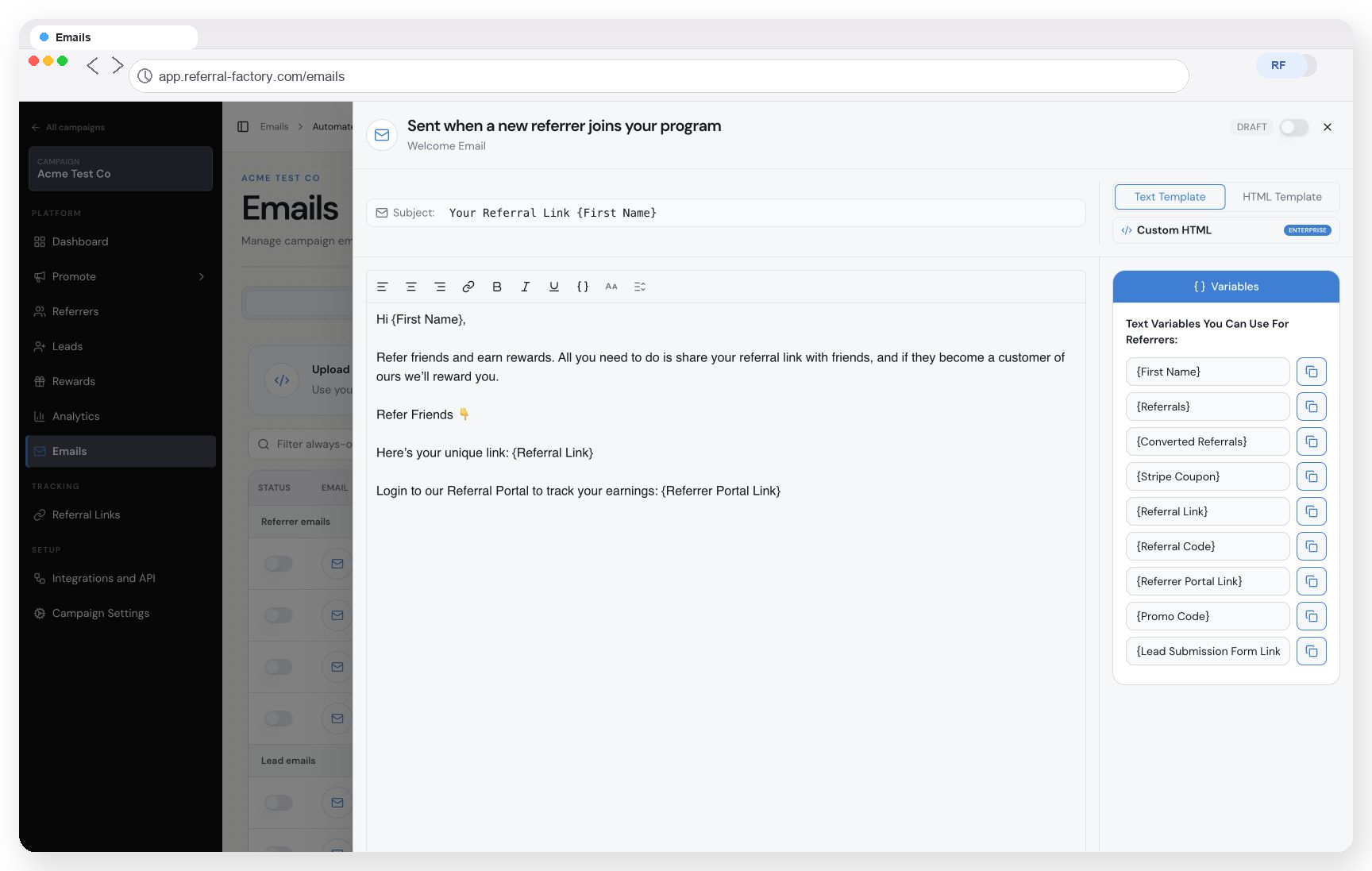
Use the Referrer Welcome Email when you want Referral Factory to email a customer as soon as they join the campaign as a Referrer.
The email editor shows the available Referrer variables. The exact variables available to use are determined by the current campaign and editor.
When customers are added through an upload, CRM Sync, an automation, or the API, the welcome email can explain what the program is, what the customer should do, what they can earn, and how to use their personal referral information.
Step 1
Open the campaign and select Emails.
Step 2
Open Automated emails and find the Referrer Welcome Email.
Step 3
Open the email editor and customise the subject and message.
Step 4
Use the Referrer variables shown in the editor when you want to include personal information such as the customer’s name, Referral Link, Referral Code, Referrer Portal Link, or other available referral fields.
Step 5
Send a test email and check that the message, personalisation and referral destination are correct.
Step 6
Activate the email only after the sender and delivery settings are ready.
Send a one-off email blast to existing Referrers
Use an Email blast when the customers are already Referrers and you want to send a one-off promotion, announcement, or reminder to a selected Referrers audience.
The Email blasts area separates one-off communications from automated emails and shows delivery activity for the blasts.
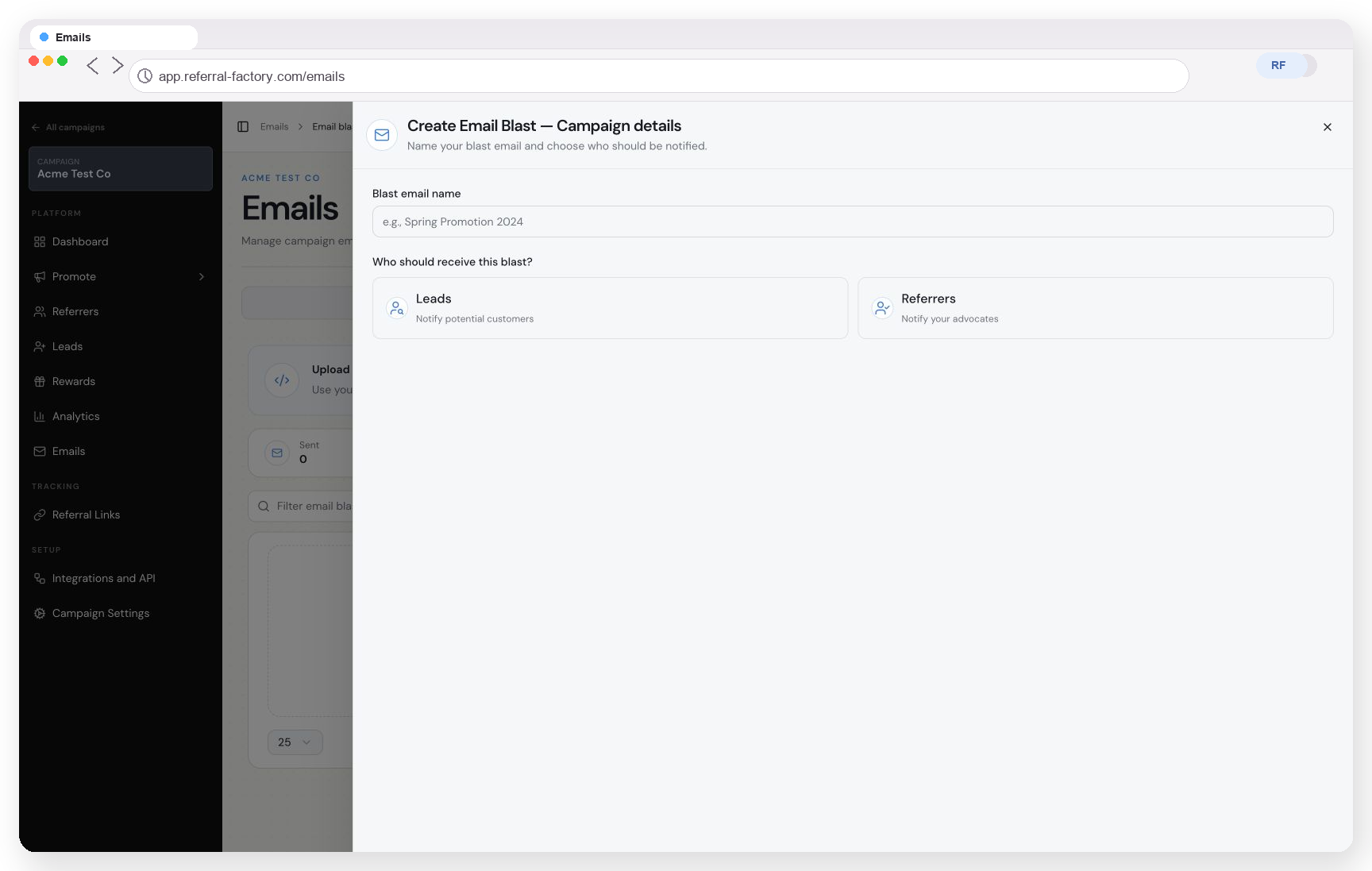
The first Email blast screen asks for a blast name and whether the message should go to Leads or Referrers. Choose Referrers when you are asking existing customers to make referrals.
If the customers are already Referrers, an Email blast is useful for a campaign-wide referral promotion. If you want the message to be sent automatically whenever a person becomes a Referrer, use the Referrer Welcome Email instead.
Step 1
Open Emails and select Email blasts.
Step 2
Select Create email blast.
Step 3
Give the blast a name and choose Referrers as the audience.
Step 4
Select all Referrers or a saved audience, where available.
Step 5
Write the email and include the personal referral information that the message needs.
Step 6
Review the audience, sender, links, reward wording, and opt-out handling.
Step 7
Send a controlled test or small first group before sending to the full audience.
Option 2 send the email from your CRM
Use this route when your customer communication already runs through a CRM such as HubSpot, Salesforce, Pipedrive, or another supported system.
The basic flow is:
Customer record in the CRM → customer is added as a Referrer → Referral Factory generates the unique referral information → the supported CRM connection writes the Referral Link back to a CRM field → the CRM email uses that field as a personalised value.
The exact fields and write-back behavior depend on the CRM connection. Do not assume that every CRM has the same sync steps, Referral Link field, or write-back options.
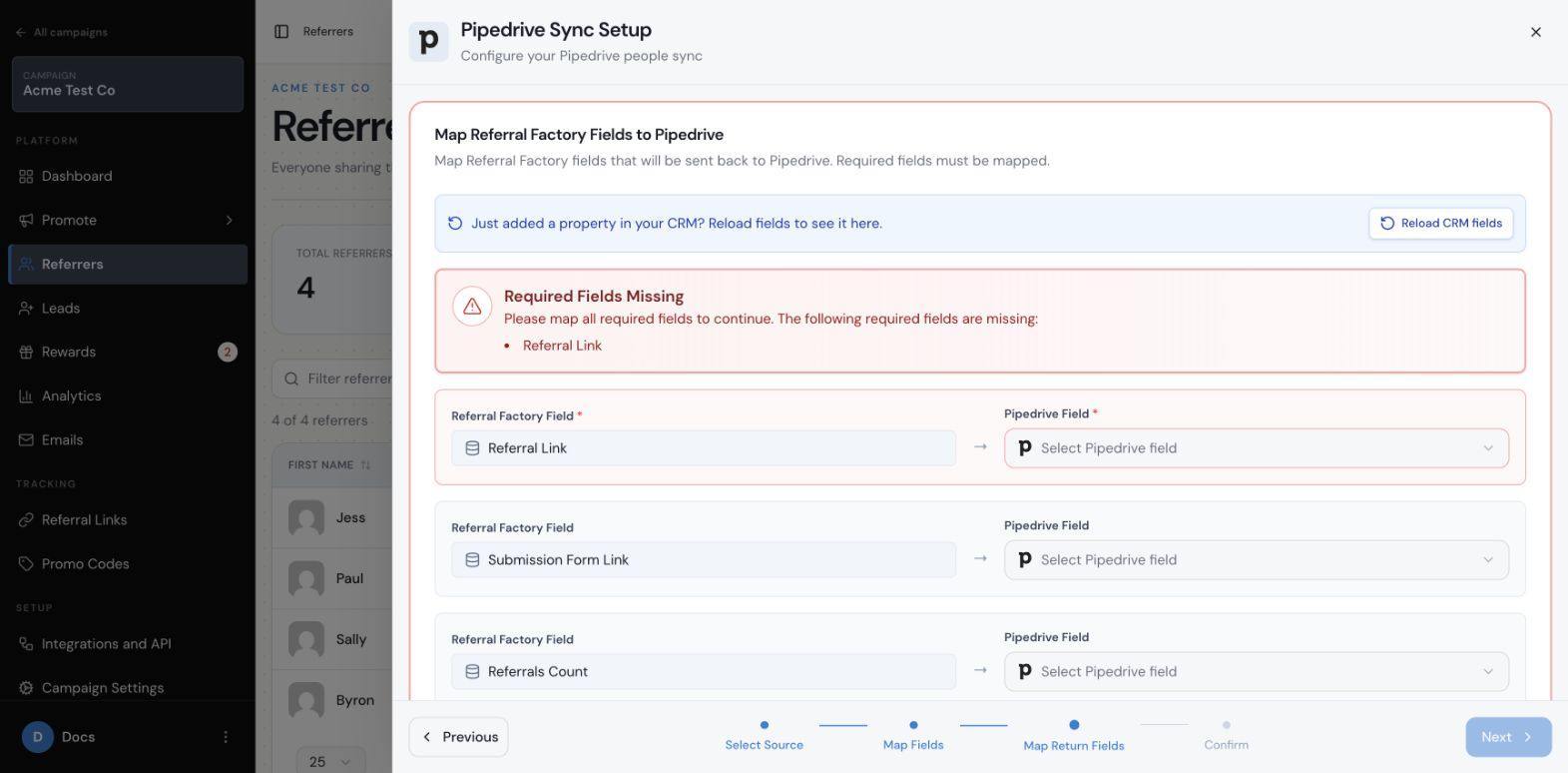
For example, the Pipedrive sync flow shown below maps the Referral Factory Referral Link to a Pipedrive field. This is a provider-specific example of return mapping, not a statement that every CRM exposes the same fields.
To use this route:
For CRM-specific navigation and field availability, use the guide for that CRM.
Step 1
Connect the supported CRM and choose the records that should become Referrers.
Step 2
Map the CRM customer fields to the Referral Factory Referrer fields.
Step 3
Where the connection supports it, map Referral Link or other available Referral Factory fields back to CRM properties or columns.
Step 4
Test with one or two customer records.
Step 5
Confirm that each CRM record has the matching referral information before using it in an email workflow.
Step 6
Use the CRM field as the personalised link or value in your normal customer email.
Option 3 send the email from another email platform
You do not have to send from Referral Factory or a native CRM integration. If customers live in an email platform or another customer-communication system, an automation or API workflow can connect the customer to Referral Factory and return the referral information where the chosen setup supports it.
The basic flow is:
Mailchimp can be an example of this model, but this does not mean Mailchimp is a native Referral Factory integration. The same principle can apply to another email or customer-communication platform when the workflow can move the customer and their referral information between systems.
Step 1
Customers or subscribers live in the email platform.
Step 2
Zapier, Make, n8n, or the API adds the intended customers to the Referral Factory campaign as Referrers.
Step 3
Referral Factory creates each customer’s unique referral information.
Step 4
The workflow stores or passes the Referral Link back to the external customer record where the chosen setup supports it.
Step 5
The email platform uses that Referral Link as a custom field or personalisation value in its normal campaign.
Which sending option should I choose
Use Referral Factory when you want the simplest setup and are happy to send the invitation or promotion from Referral Factory.
Use your CRM when customer communication already runs there and the supported CRM connection can make the Referral Link available as a customer field.
Use another email platform when that is where you manage customer communications. Use Zapier, Make, n8n, or the API to connect the customer record and the Referral Factory Referrer record, then pass the individual referral information into the email platform where supported.
What should the email say
Explain what the referral program is and why you are inviting the customer.
Tell the customer who they should refer and what action they need to take.
Describe the reward accurately and do not promise anything outside the campaign rules.
Include the customer’s own Referral Link, Referral Code, or another appropriate referral method.
Explain what happens after someone uses their referral and when a reward may become available.
Use one clear call to action, such as opening the customer’s Referral Link or Referrer Portal.
When should I send the email
Send the first invitation after a meaningful customer moment, such as a successful purchase, completed onboarding, or another point when the customer is likely to recommend your business.
Start with one useful invitation. Add reminders only when they are allowed by your customer-communication policy, spaced appropriately, and sent to people who have not already acted.
How do I measure the result
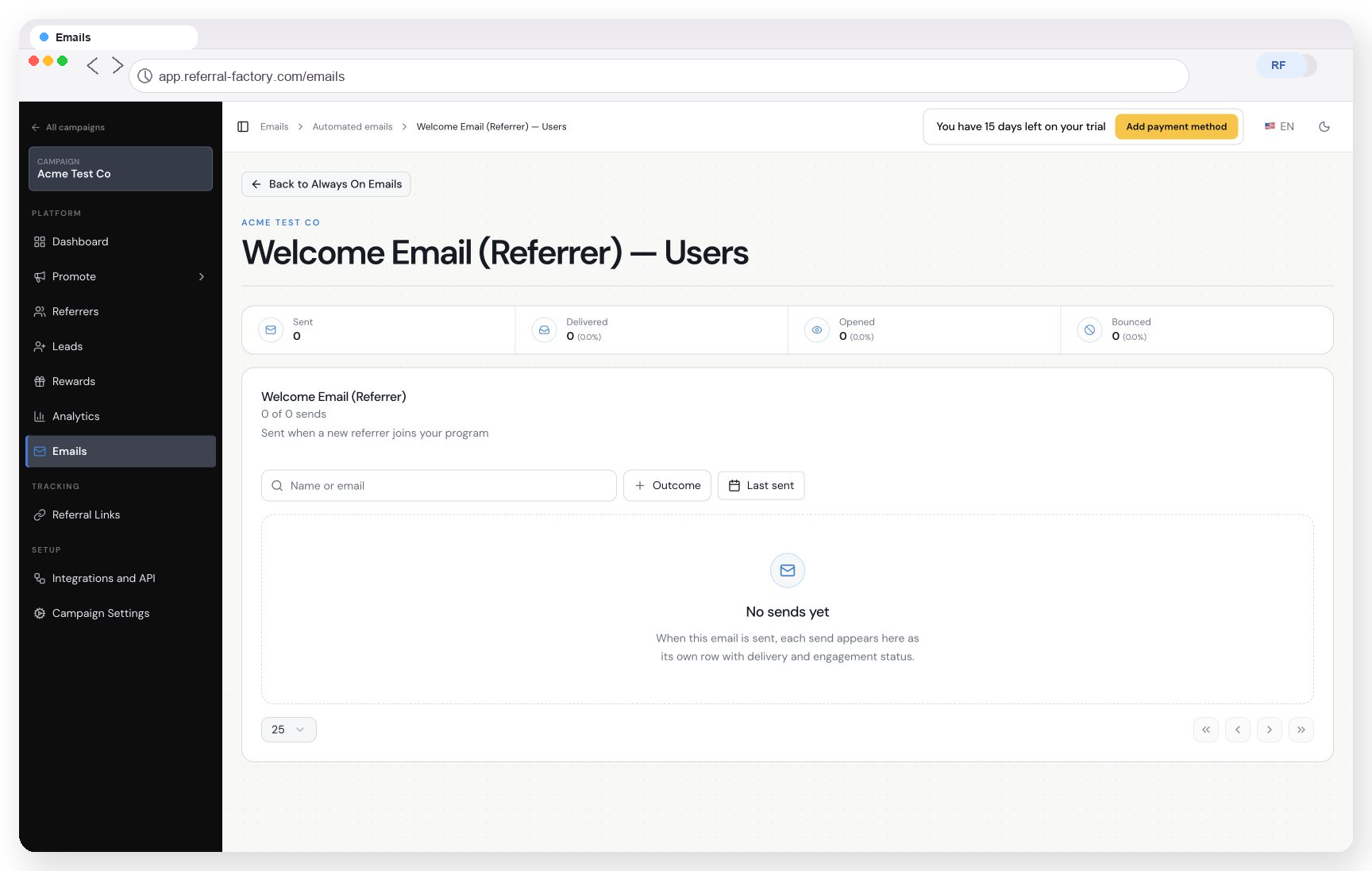
For messages sent from Referral Factory, review the available delivery measures such as Sent, Delivered, Opened, and Bounced.
Then measure referral activity separately: new Referrers, leads, qualified referrals, and rewards. A high open rate does not necessarily mean that the email generated successful referrals.
For CRM or external email-platform sends, also check the workflow log and confirm that the personalised Referral Link was inserted for the correct customer. Test two different customer records so you can verify that their links are not accidentally swapped or shared.
What should I check before sending
The recipients are eligible and you have permission to contact them.
Each recipient is a Referrer if the message uses personal referral information.
The message explains the referral action and reward accurately.
The sender and delivery settings are ready.
The test confirms that personalisation, links, tracking, and opt-out handling work as expected.