
Need help applying this to your account?
Contact support and we will keep this article attached to your request.
Which sending option should I use?
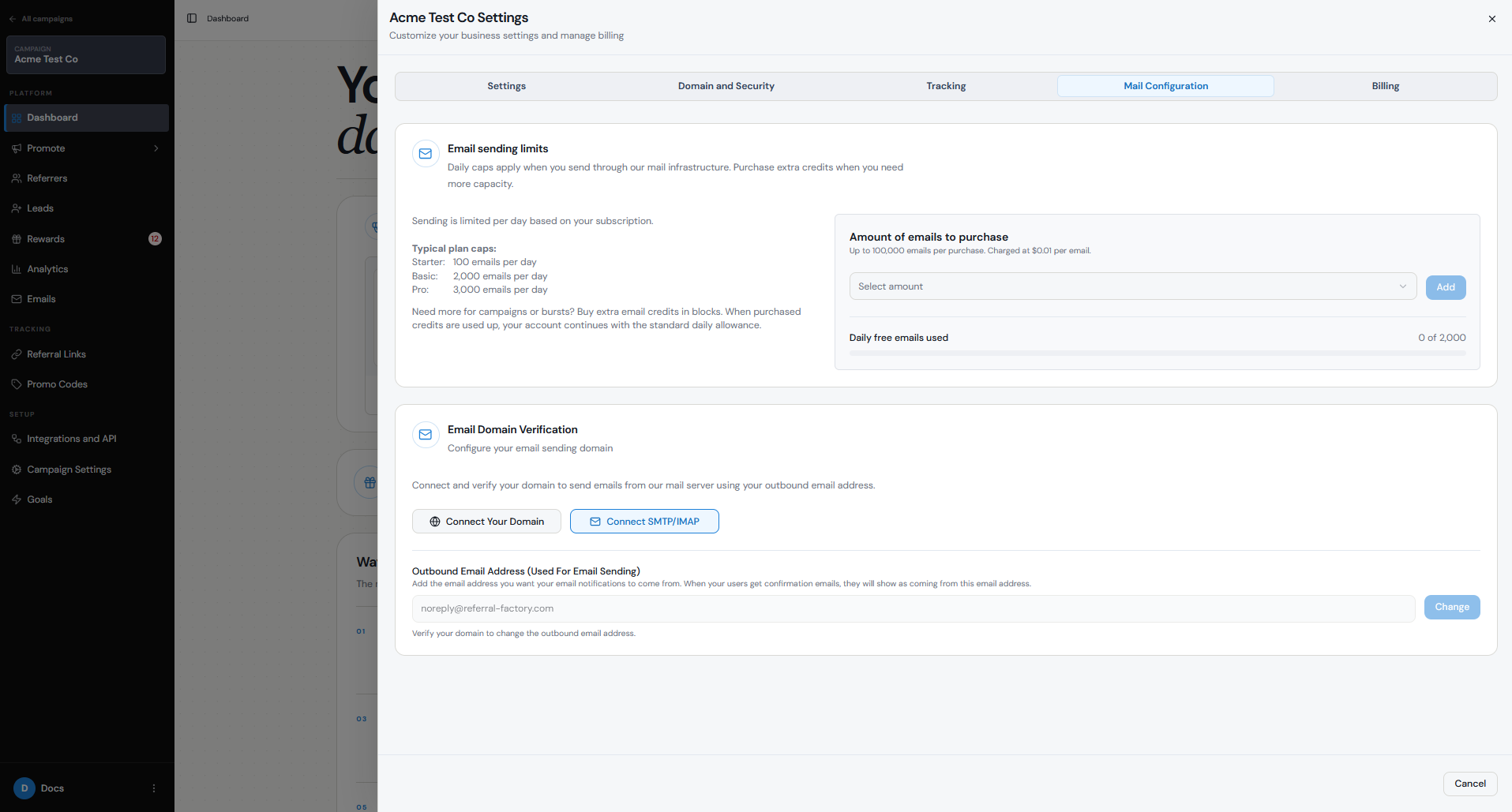
Referral Factory can send campaign emails from your verified business domain while continuing to handle delivery for you. Enterprise customers can instead connect their own mail server with SMTP/IMAP.
For most businesses that simply want emails to come from an address such as referrals@yourbusiness.com, Connect Your Domain is the more straightforward option.
- Connect Your Domain: Referral Factory delivers the email using your verified business domain.
- Connect SMTP/IMAP: Referral Factory sends through your own mail server. This option is available on the Enterprise plan.
How do I connect my business domain?
You need access to your domain provider’s DNS settings. Referral Factory supplies the exact SPF, DKIM and CNAME records required for verification.
Step 1
Open your campaign and select Emails.
Step 2
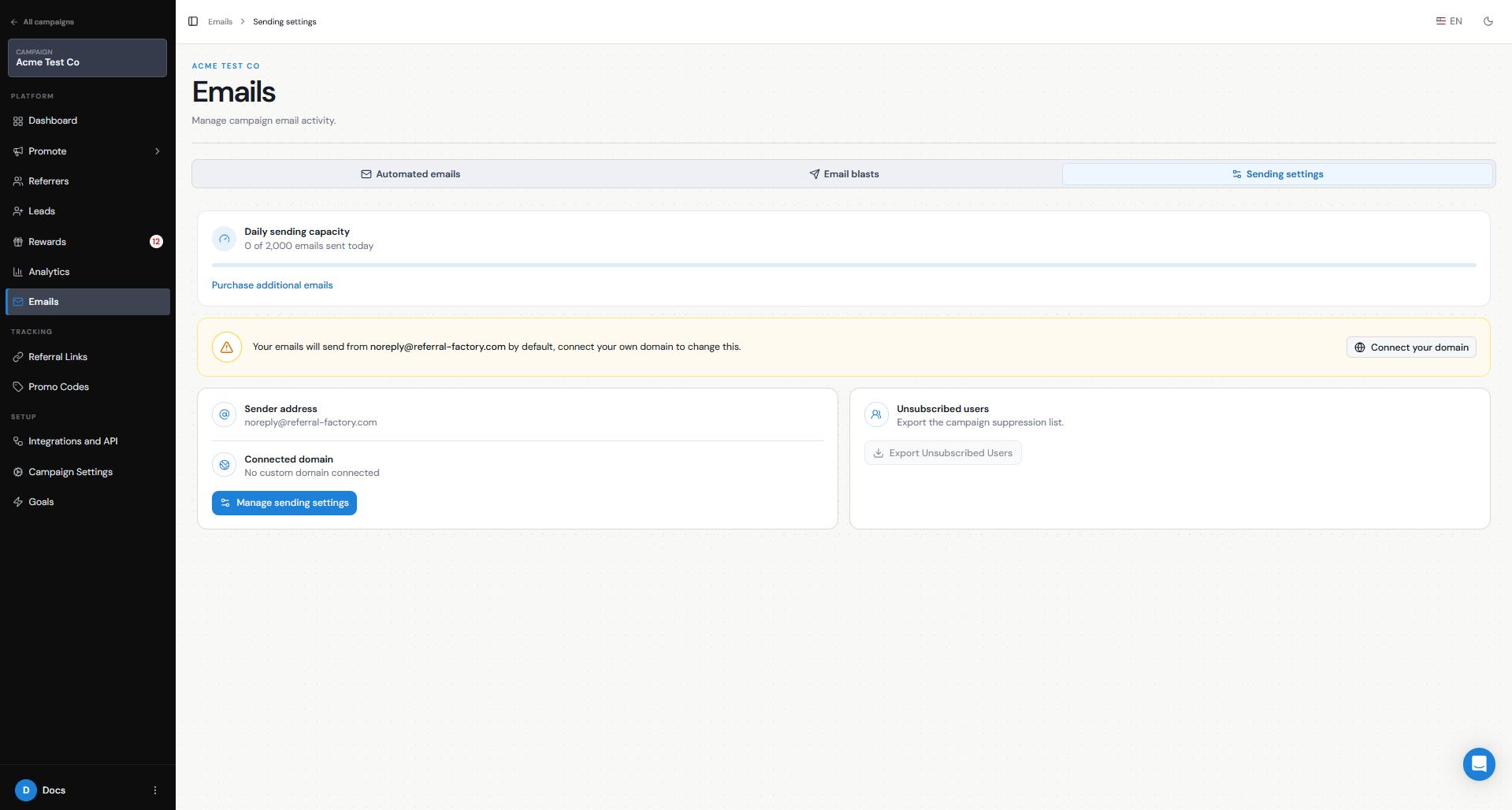
Open Sending settings and select Connect your domain. This opens Organisation → Mail Configuration.
Step 3
Enter the business domain you want to use.
Step 4
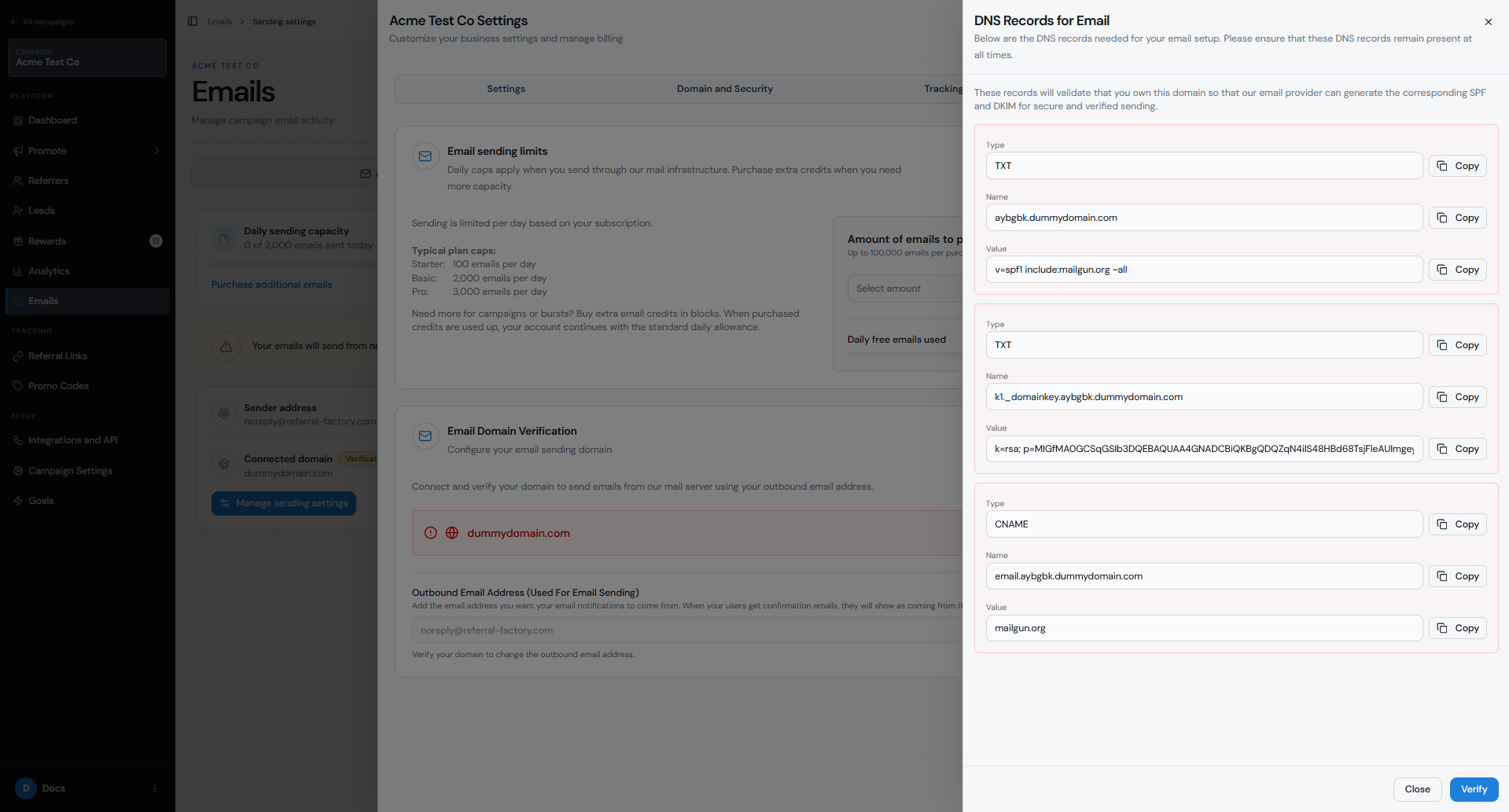
Copy each DNS record shown by Referral Factory into your domain provider exactly as displayed.
Step 5
Return to Mail Configuration and verify the domain.
Step 6
Set the Outbound Email Address recipients should see.
What DNS records are required?
SPF authorises the sending service to send on behalf of your domain. DKIM adds a signature receiving providers can verify. Referral Factory also provides the required CNAME record.
Keep the records in place after verification. DNS changes often appear within 5–30 minutes but can take up to 48 hours. In Cloudflare, keep the CNAME set to DNS only, not proxied.
- TXT record for SPF
- TXT record for DKIM
- CNAME record
How do I connect my own mail server?
Enterprise customers can select Connect SMTP/IMAP in Mail Configuration and enter the Host, Port, Username, Password, Encryption and Outbound Email Address supplied by their email provider or IT team.
Referral Factory does not create these credentials. Sending through your own server is also subject to your email provider’s limits and policies.
How do I test the setup?
Send yourself a test email before contacting referrers or leads.
- Confirm the email arrives successfully.
- Check that the From address uses your business email address.
- Check that links and personalisation display correctly.
- Confirm the domain still shows as verified in Mail Configuration.
How is this different from the referral link domain?
The email sending domain controls the address recipients see when your campaign sends an email. The referral link domain controls the URL referrers share with other people.
Configuring one does not configure the other. Read the domain comparison guide for a direct comparison.
If you have not chosen a delivery method yet, start with the email sending setup guide. For a direct comparison of the two domain features, read Referral Link Domain vs Email Sending Domain.
- Email sending domain: referrals@yourbusiness.com
- Referral link domain: refer.yourbusiness.com/ABC123