
Need help applying this to your account?
Contact support and we will keep this article attached to your request.
What does adding existing customers as Referrers mean?
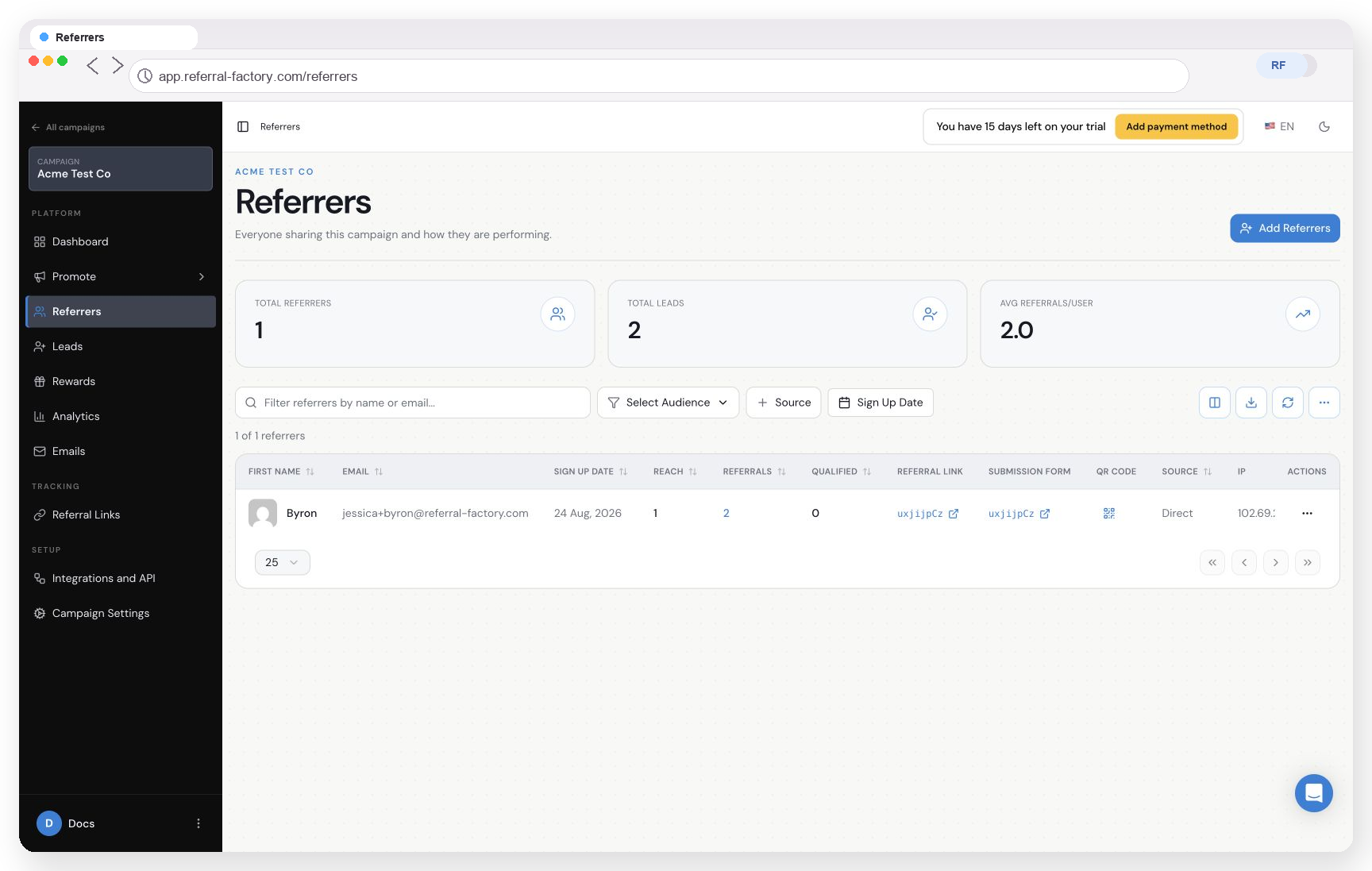
Instead of waiting for every customer to register individually, you can bring an existing customer audience into a campaign as Referrers. Once a person is added, Referral Factory can create the referral information that your campaign makes available, such as a unique referral link and sharing options, a submission form, a QR code, and a promo code where the Stripe promo-code feature is configured.
Which ways can I add existing customers?
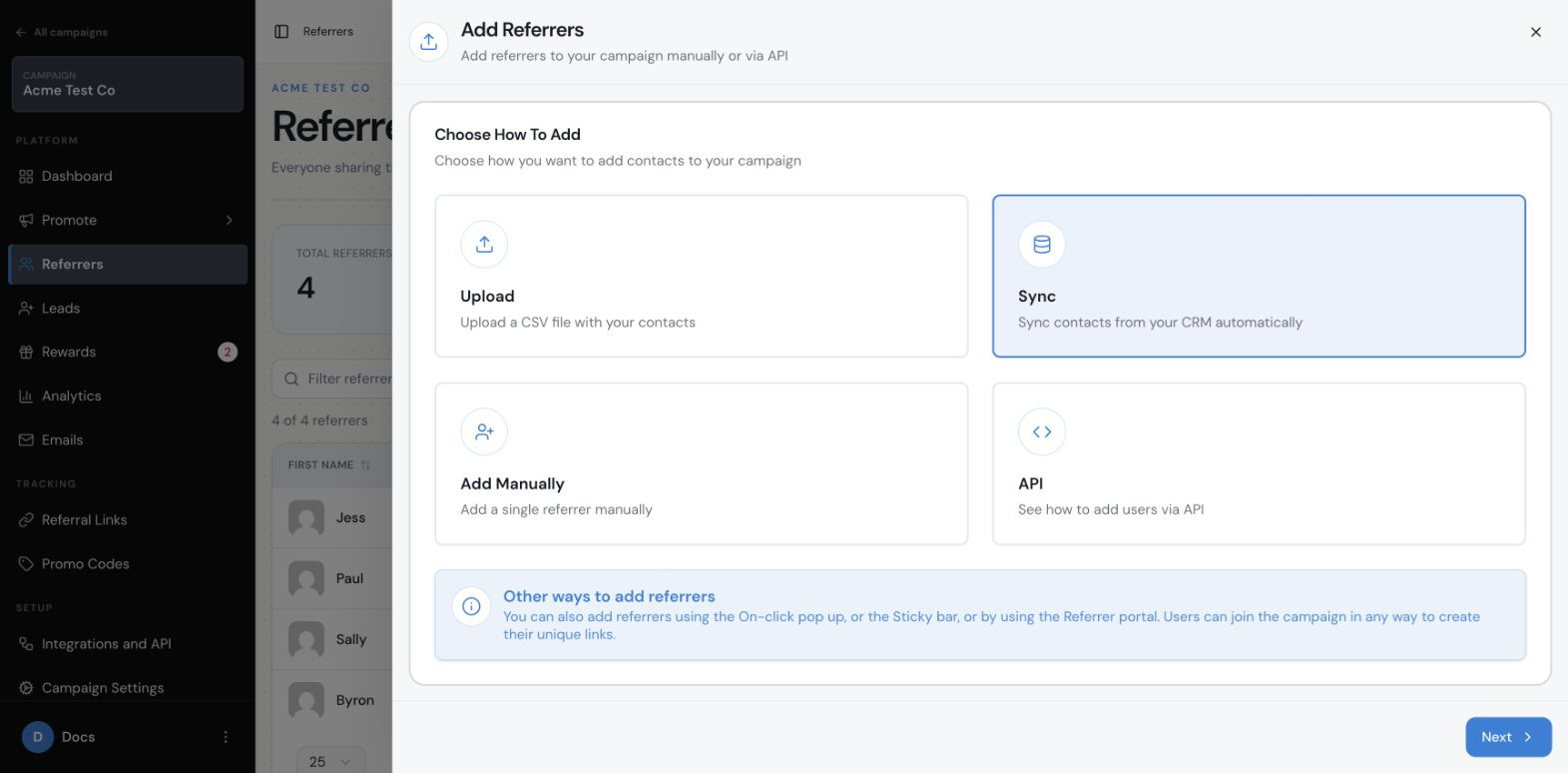
Choose the route that matches where your customer data already lives and how often it changes:
- Upload a list when you have a one-time or occasional batch of customers. See How Do I Upload a List of Customers and Generate Referral Links for Them?
- Sync from a CRM when your customer records are already maintained in a supported CRM. See How Can I Sync Your Referral Program With Your CRM?.
- Use Zapier, Make, n8n, or another supported automation route when a customer event in another system should trigger the handoff. See How Can I Add Referrers Automatically From Other Apps?.
- Use a custom API workflow when your own product or customer system needs to control the handoff.
When should I use an upload?
Use an upload when the customer list is known and does not need a continuous connection. It is usually the simplest way to start with a defined audience, but you should review the imported records before sending them campaign communications.
When should I use a CRM or app connection?
Use a CRM sync when the CRM is the source of truth for your customer records. Use Zapier, Make.com, or n8n when an external system should trigger the handoff automatically. The fields, trigger, duplicate handling, and available write-back fields depend on the connection.
When should an existing customer become a Referrer?
Choose the moment in your customer journey when someone should enter the referral campaign, often after a positive customer interaction. That moment might be when they become a customer, complete a purchase, finish onboarding, reach a customer-status milestone, or meet another event you define in your own system.
The external system or automation can trigger the handoff to Referral Factory. Do not assume that Referral Factory itself detects these events unless the selected connection specifically supports it.
What happens after customers are added?
Review the Referrers area to confirm that the expected people were added to the correct campaign and that their available referral assets are present. Decide how you will introduce the program to them, for example through an existing email or message, the campaign’s Email blasts, or a configured automated email.
How do I choose the right route?
- Use Upload for a controlled list and a one-time import.
- Use CRM Sync when records should be selected and mapped from a supported CRM.
- Use an app automation when the same handoff will happen repeatedly.
- Use another supported integration when the customer data or event lives in a system that needs to pass the person into the campaign.
- Use the API when your product or customer database needs a custom integration.
What should I check before inviting the audience?
- Confirm that the people belong in the campaign and that you have permission to contact them.
- Test with one or two records before importing or automating the full audience.
- Decide which referral method you will promote: referral link, QR code, direct lead submission, or a configured Stripe promo code.
- Decide how customers will access their referral experience and how you will deliver their referral information.