
Need help applying this to your account?
Contact support and we will keep this article attached to your request.
When should I upload a customer list?
Use an upload when you already have a defined list and do not need a live CRM connection for this first import. Uploading a CSV is a quick way to generate individual referral information for a known audience.
What should I prepare first?
- Choose the Referral Factory campaign where the customers should become Referrers and receive their unique referral links.
- Prepare a clean CSV with one customer per row and the contact fields shown as required by the upload flow.
- Remove duplicates and check that email addresses are correct before importing.
- Decide how you will send each person their referral information after the import.
How do I upload the list?
Step 1
Open the campaign’s Referrers area.
Step 2
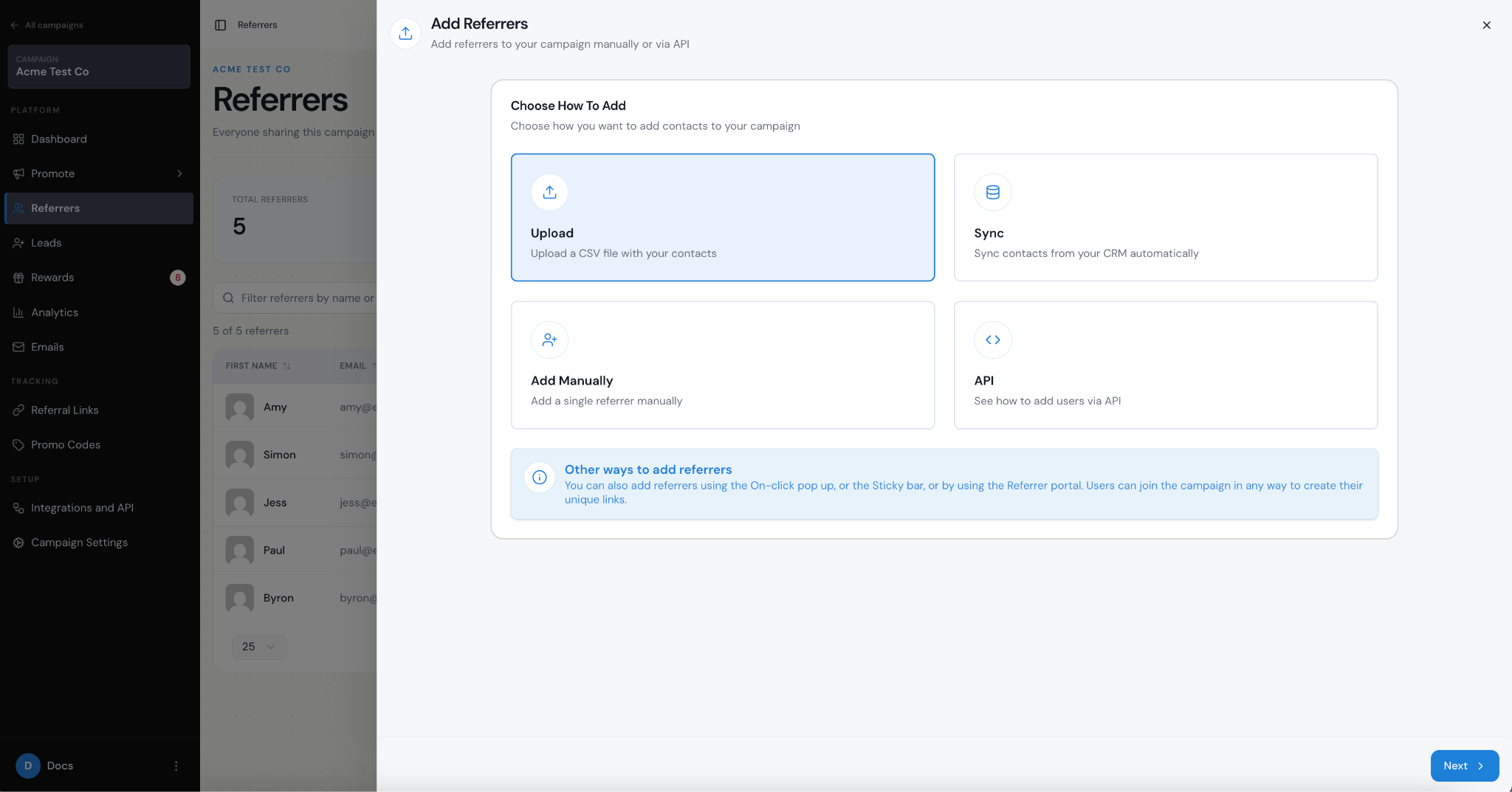
Select Add Referrers, then choose Upload.
Step 3
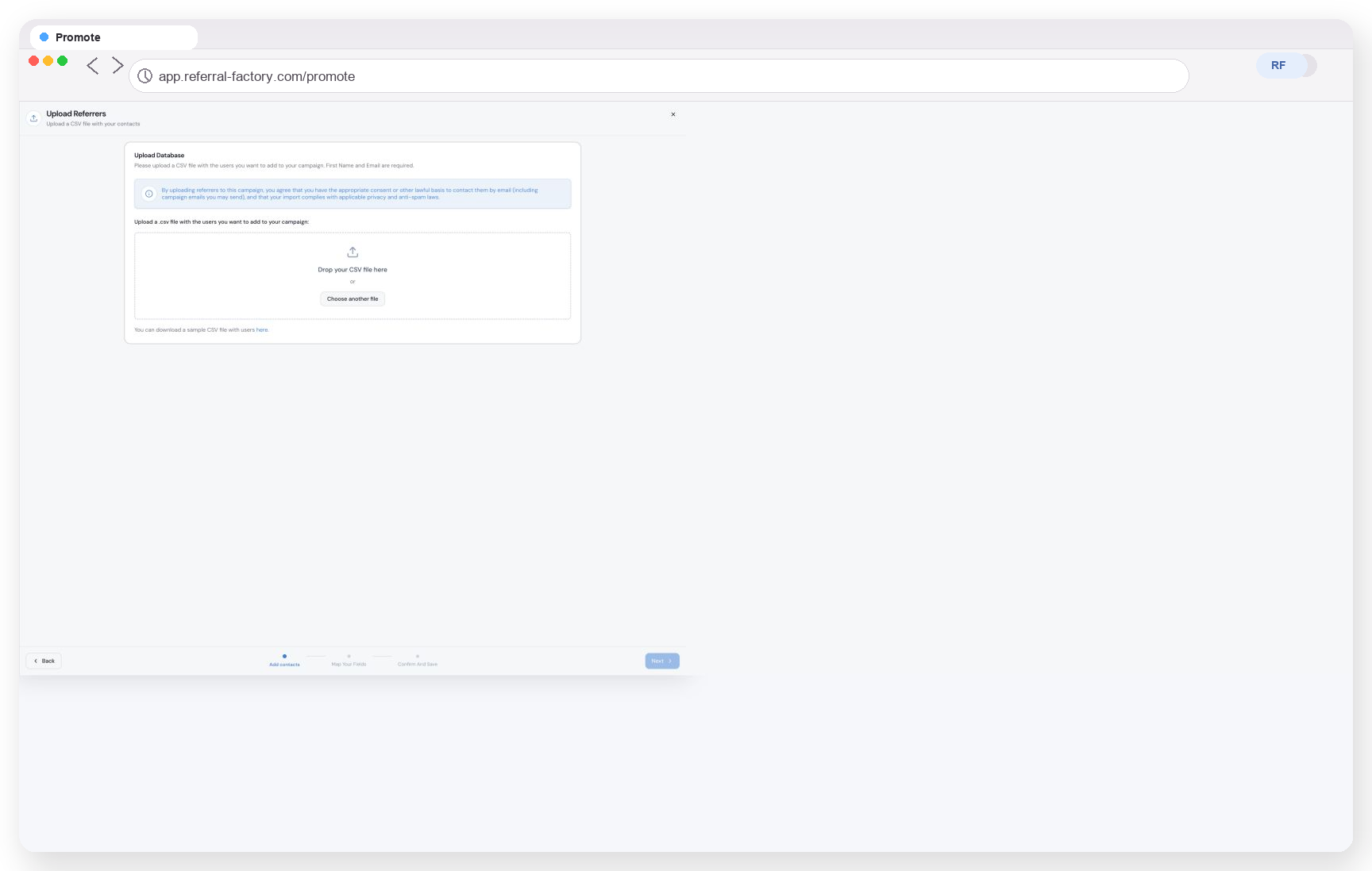
Choose the CSV upload route and provide the prepared list.
Step 4
Map the customer fields to the Referral Factory fields shown in the flow. Use the screen’s required-field indicators rather than assuming that every campaign or connection uses the same mapping.
Step 5
Review the records and confirm the import.
Step 6
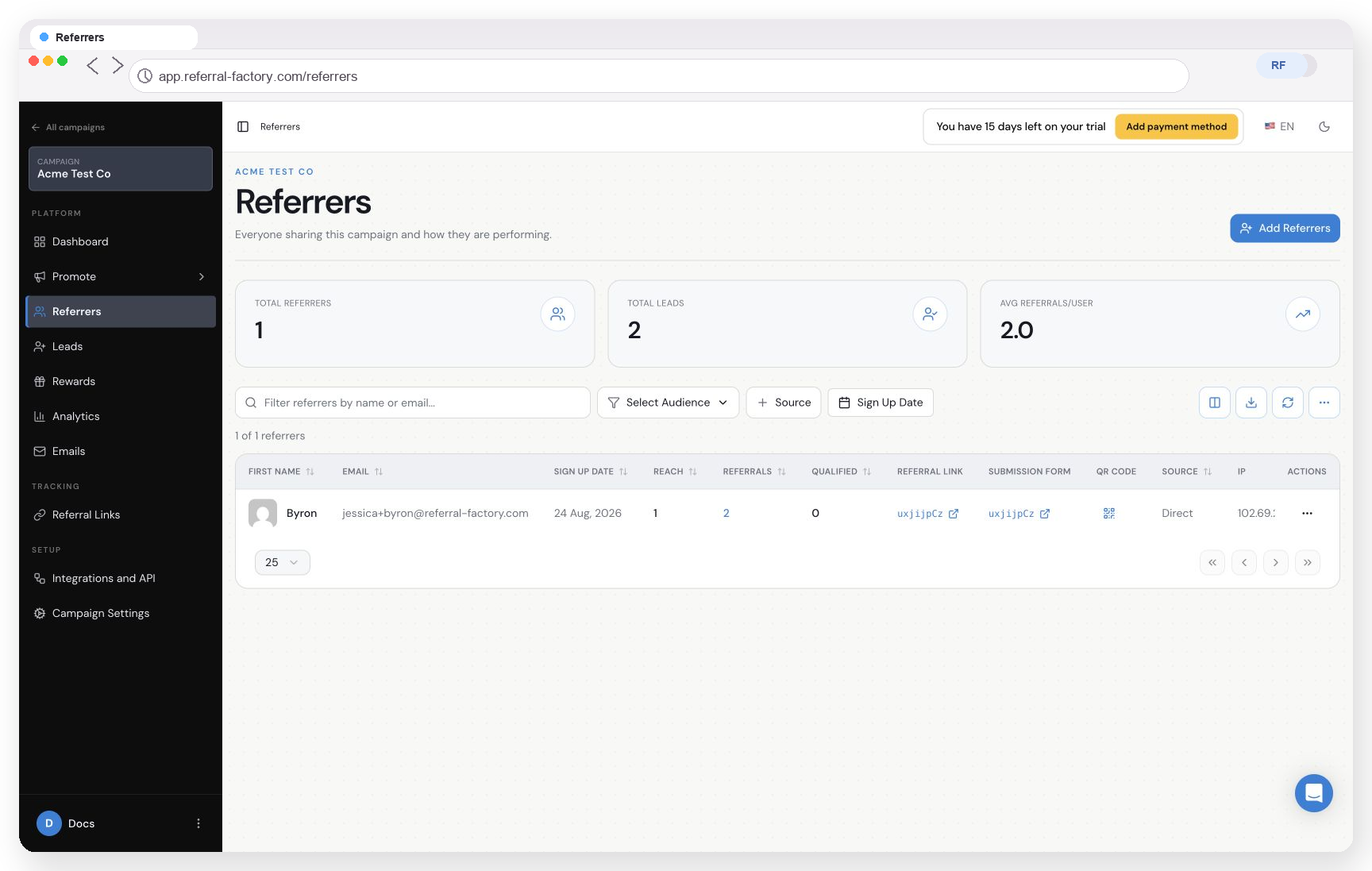
Wait for the import to finish, then review the Referrers table.
How do I check that referral links were generated?
Open the campaign’s Referrers table and look for the imported people. The table can show each person’s referral link and other available assets such as a submission form, QR code, or promo code where configured. Test one imported record in the referrer experience before contacting the full audience.
How should I send the links to customers?
You have two main options after the import:
Do not send one shared link to the whole list if you need Referral Factory to attribute referrals to individual customers.
- Send an email from Referral Factory. When customers are added as Referrers, you can send a customizable email that explains the referral program, what the customer should do, what the reward is, and their personal referral link. This is the simplest option when you do not need another sending platform.
- Export the Referrers list, including each person’s unique referral link, and import that data into your database, CRM, email tool, messaging platform, or another system. Use each customer’s individual link as a personalisation field in your existing communications.
What if the import is incomplete or incorrect?
The exact required columns, duplicate rules, and notification options can vary by the current upload flow. Verify those items in the screen before confirming a large import.
- Check the CSV for blank required fields, duplicate rows, and invalid email addresses.
- Confirm that you selected the intended campaign before importing.
- Review the mapping and the resulting Referrers table before running the batch again.
- If you need a continuously updated audience, use a CRM sync or an app automation instead of repeating manual uploads.