
Need help applying this to your account?
Contact support and we will keep this article attached to your request.
Overview
When Monday.com does not behave as expected, first identify which flow is affected: existing-contact sync, new referrer sending, new lead sending, or qualification. The checks below keep those flows separate.
What should I check first if the Monday.com integration is not working?
Open the correct campaign.
Confirm Monday.com shows as connected under Integrations and API.
Check whether the issue concerns a lead, referrer, existing sync or qualification.
Check that the fields required by the selected destination are mapped.
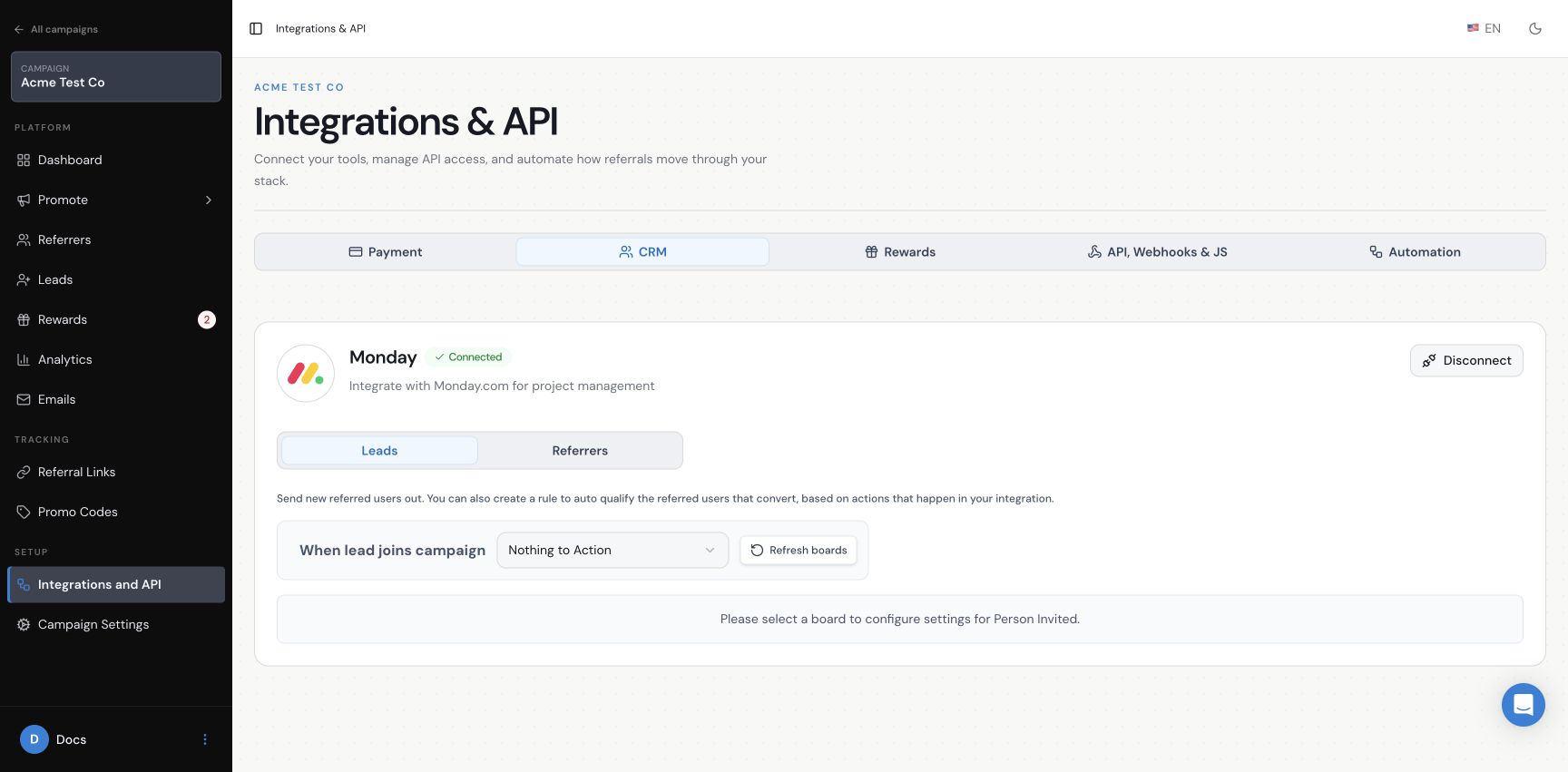
Why are my Monday.com boards or groups not showing in Referral Factory?
Check that the connected Monday.com account can access the board and group, then reopen the selector. If they still do not appear, contact support rather than repeatedly changing the connection.
Why was a new Lead not sent to Monday.com?
Check the Leads tab for the same campaign.
Check the destination and mappings for the fields it requires.
Check duplicate handling if the lead may already exist.
Create a new dummy lead after saving and check Monday.com.
Use the new-leads setup guide for detailed configuration.
Why was a new Referrer not sent to Monday.com?
Check the Referrers tab.
Check that the person joined as a new referrer.
Check the destination and mappings for the fields it requires.
Create a dummy referrer after saving and check Monday.com.
Use the new-referrers setup guide for detailed configuration.
Why did my existing Contacts not receive their referral links?
Check that you used Referrers > Add Referrers > Sync.
Check the selected board and group.
Check Map to RF for Name and Email and Map to Monday for Referral Link.
Allow extra time for a very large sync.
Use the existing-contacts guide for the full flow.
Why did Monday.com not qualify the referral?
Check that the lead was sent to Monday.com and linked to the correct campaign.
Check that the property, group or board condition changed.
If two conditions are required, check both happened.
Use the qualification guide for the full rule setup.
Why is a required field missing from the mapping screen?
Fields depend on the destination selected. Recheck the destination and the Monday.com board. If a required field is still missing, send support the campaign, destination and mapping screenshot.
Why is a mapped field not updating in Monday.com?
Check the Dynamic Value or Fixed Value, the Monday column, and that you tested with a new record after saving. For an existing item, review the duplicate-handling choice before expecting an update.
Could the Monday.com sync simply be delayed?
Processing time can depend on the number of contacts or records involved. Sync can take up to 12 hours. Test one dummy record separately before treating a larger sync as failed. If it still has not arrived after checking the setup, contact support.
Why can I not connect or reconnect Monday.com?
Confirm the intended Monday.com account and board access. If the connection still fails or destinations are incomplete, contact support with the connection message and campaign. Avoid repeated connection changes while diagnosing the issue.
When should I Contact Referral Factory support?
Contact support after checking the campaign, connection, destination, field mappings and any qualification rule with one dummy test. Include the campaign, board/group, test email, test time, visible error and relevant screenshot. Do not send passwords or secrets.