
Need help applying this to your account?
Contact support and we will keep this article attached to your request.
Overview
You can configure Referral Factory to send each new campaign lead to Monday.com. The Leads setup starts by choosing a destination, then mapping name and email, reviewing duplicate handling, and saving the settings.
Can I automatically send new Leads to Monday.com?
Yes. Referral Factory has a separate Leads integration path for new leads. Configure it independently from the Referrers path.
Before you start
Connect Monday.com and choose the campaign.
Choose the Monday destination and board.
Make sure the selected destination exposes the fields you need to send.
When does Referral Factory send a new Lead to Monday.com?
A lead is sent when a new lead joins the campaign and the Leads integration is configured. If the lead arrived through a referrer’s link, Referral Factory keeps that attribution.
How do I choose what happens when a Lead joins the campaign?
Step 1
Open the campaign and select Integrations and API, then Monday.com.
Step 2
Select Leads.
Step 3
Open the destination selector and choose the Monday area for new leads.
Step 4
Open mapping and duplicate handling.
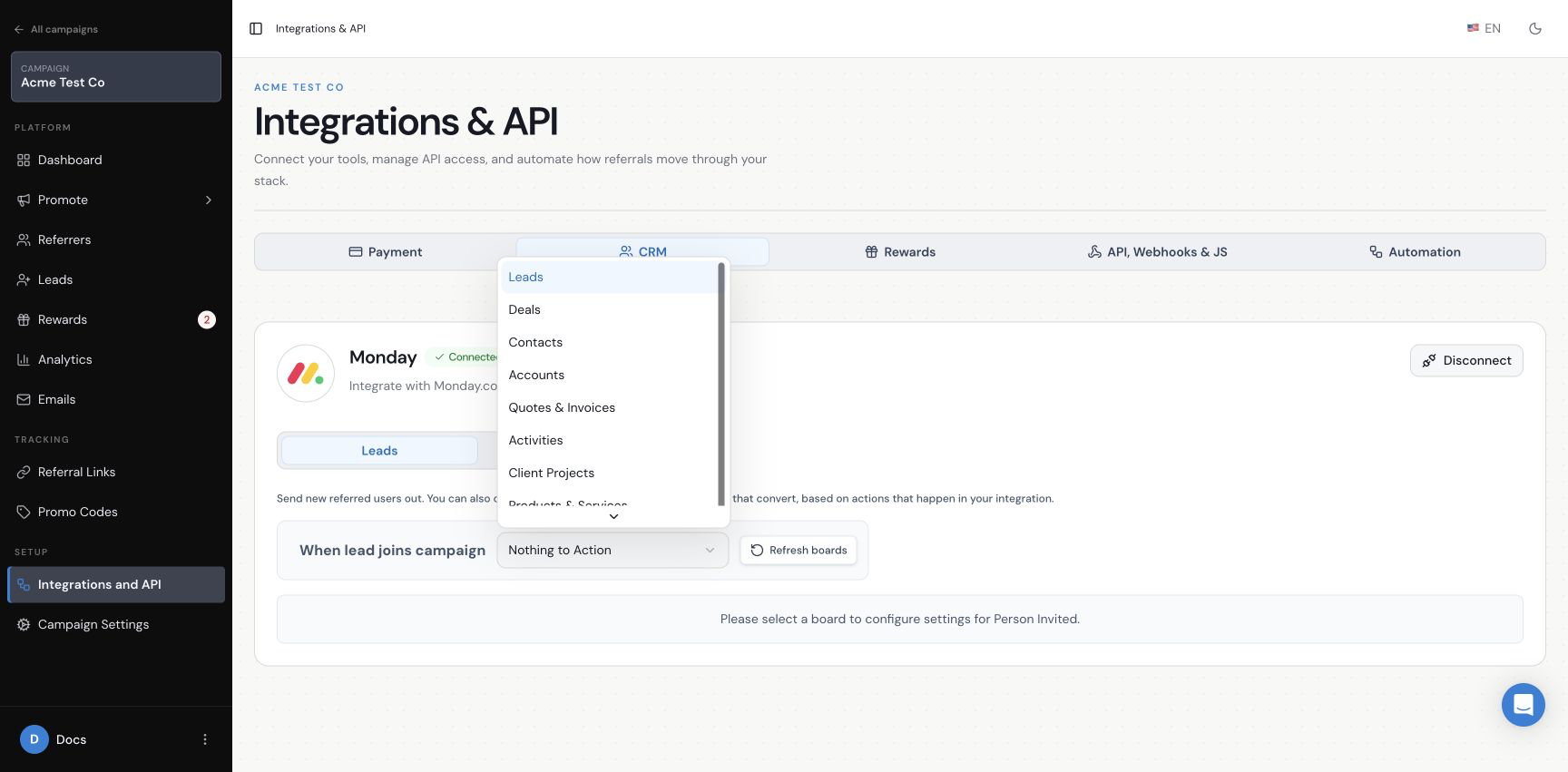
How do I choose the Monday.com destination for new Leads?
The current selector includes Leads, Deals, Contacts, Accounts, Quotes & Invoices, Activities, Client Projects, Products & Services and Nothing to Action. The fields shown later depend on the destination you choose.
How do I map Lead information to Monday.com?
Use Dynamic Value for information from the lead or campaign, or Fixed Value for the same value on every lead. Map the lead’s name and email to the matching Monday.com fields shown in the setup screen.
Add other fields only when they are available in the selected destination and needed by your team.
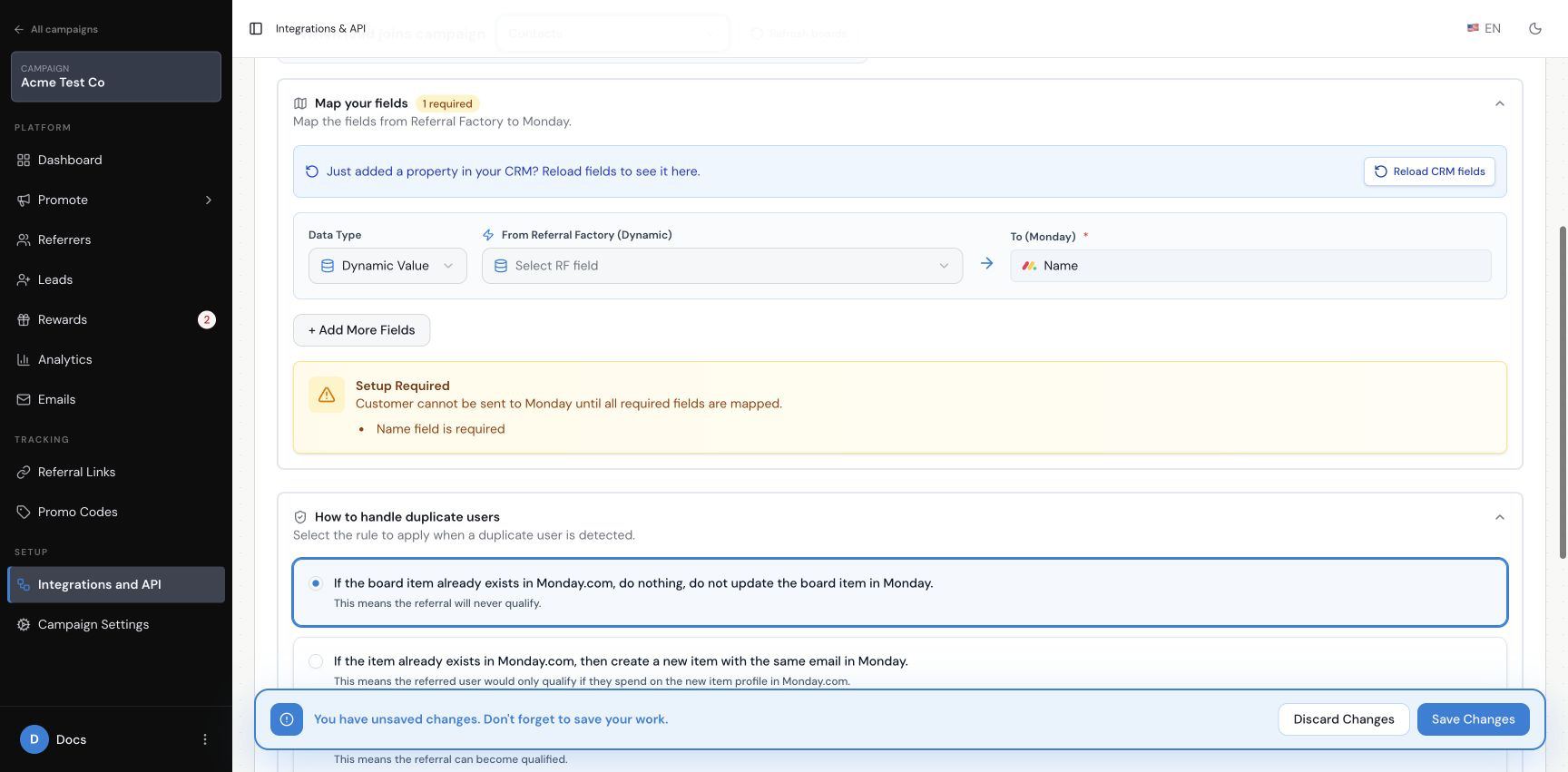
What happens if the Lead already exists in Monday.com?
The current interface offers three choices: do nothing, create a new item with the same email, or update the existing item. Select the option that matches how you want a possible existing item handled.
How do I save and test the Lead setup?
Step 1
Check the destination and confirm the fields it requires are mapped.
Step 2
Review duplicate handling.
Step 3
Save the configuration.
Step 4
Create one dummy lead and check the selected Monday destination.
Step 5
If it came through a referrer, check the attribution in Referral Factory.
Does sending a Lead to Monday.com automatically qualify the referral?
No. Sending a lead to Monday.com and qualifying a referral are separate settings. Use the Monday.com qualification guide if you want Monday activity to qualify the referral.