50% off

Half price through October on Basic and Pro plans. New customers only. See pricing

Back to Help Hub
IntegrationsGuide3 min readUpdated 2026-09-30

How Can I Send New Referrers to Intercom Automatically?

Create an Intercom Lead or User automatically whenever a new referrer joins your Referral Factory campaign.

Send this article context to support so a human can pick up quickly.
Browse topics and support
Navigation

Topics

Article

On this page

Support

Ask AI

Ask a product or setup question without leaving this page.

Need human help?

Still stuck?

If this article does not solve the problem, send the context to support or book time with a human.

We will keep the article or page context with your request so support can respond faster.
Need help applying this to your account?

Contact support and we will keep this article attached to your request.

Before you start

Connect Intercom and open the campaign’s Referrers settings. This is separate from syncing people who already exist in Intercom.

Choose what happens when a referrer joins

Select Create New Lead In Intercom or Create New User In Intercom. Nothing to action leaves Intercom unchanged.
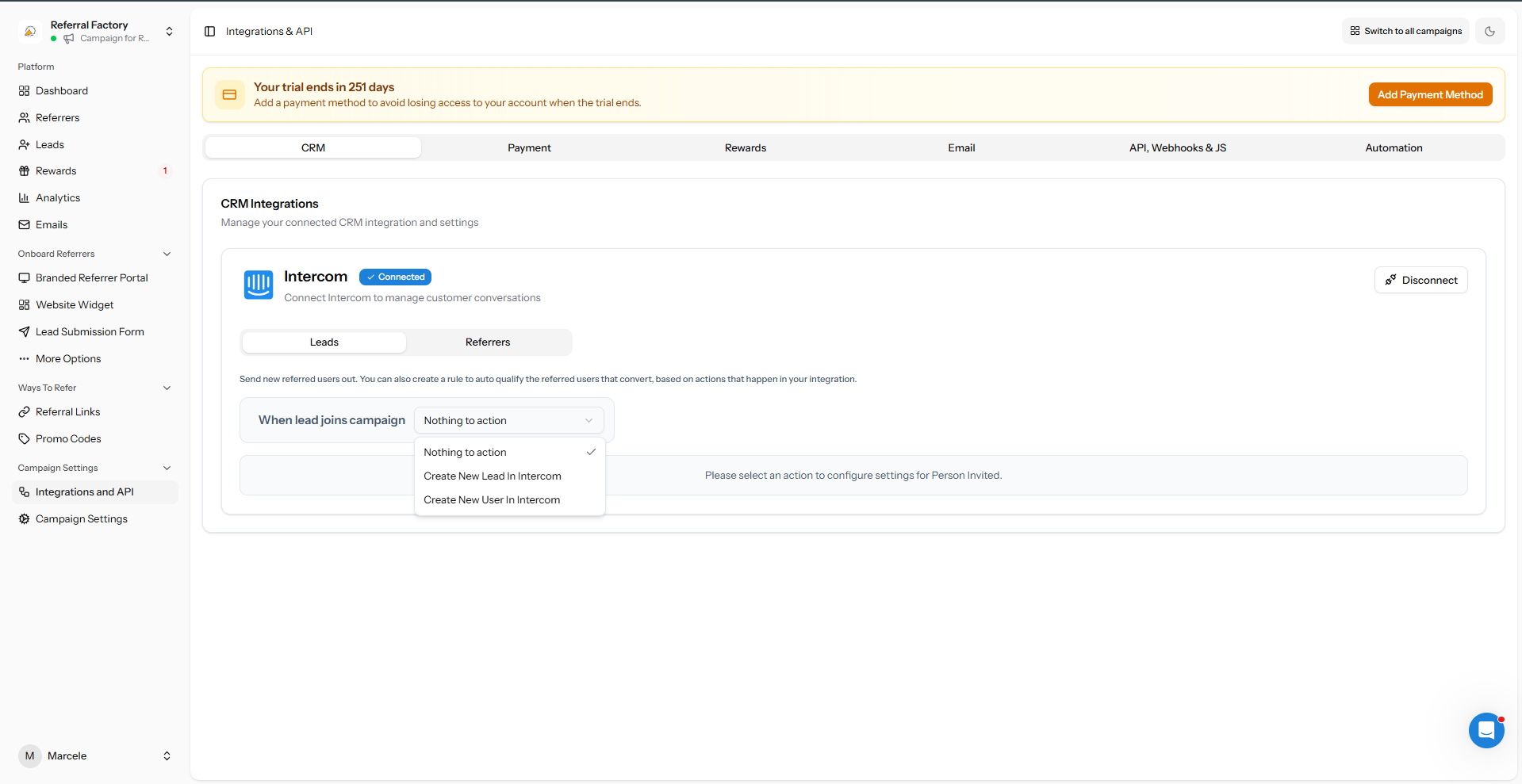
Intercom action options for new referrers
Choose the Intercom record type created for each new referrer.

Map referrer information

Map Referral Factory Email to Intercom Email, then add useful fields such as first name, referral link, promo code or referral counts where available.
Choose how Referral Factory should handle a matching contact that already exists in Intercom.
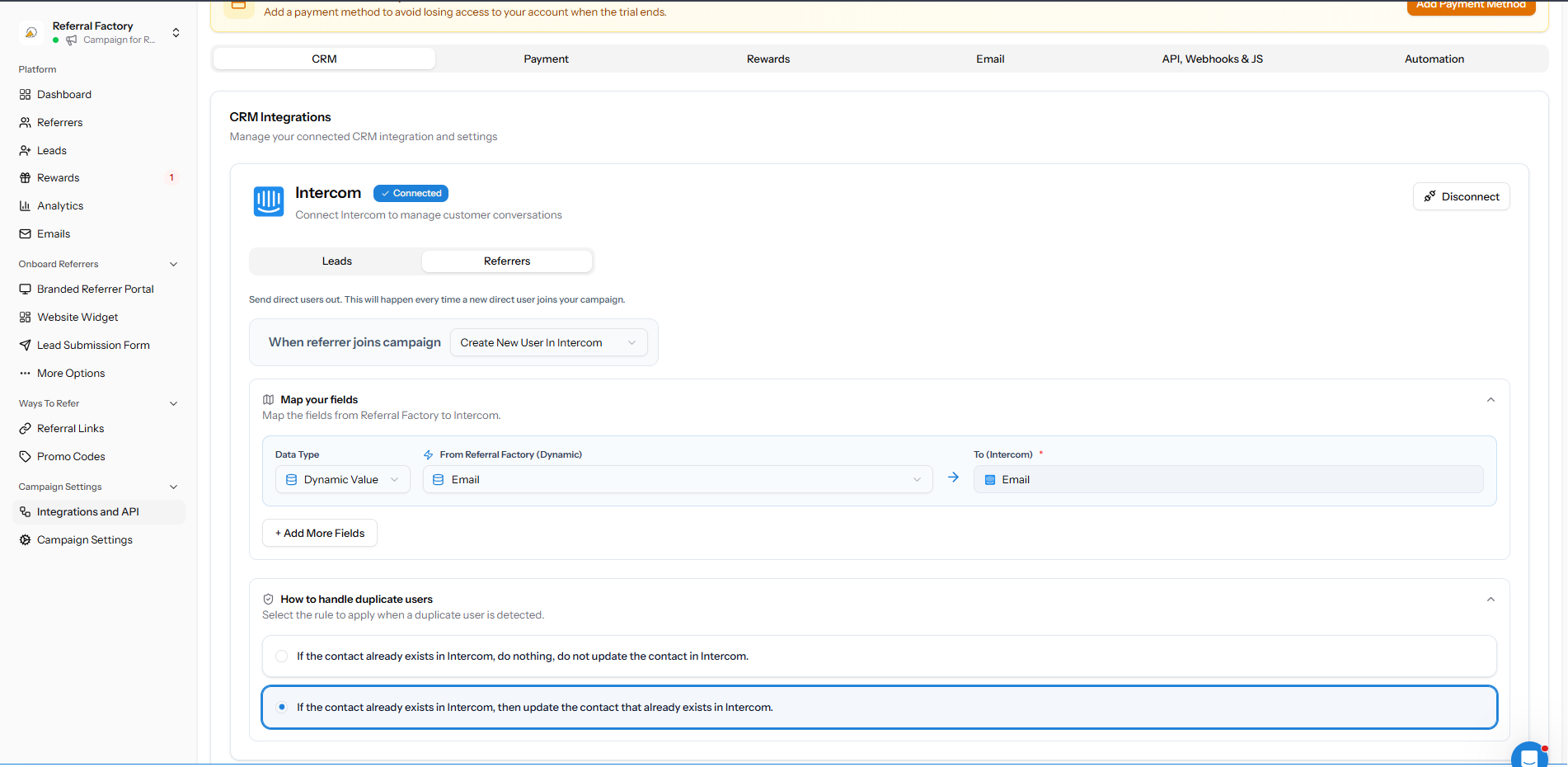
Referral Factory referrer fields mapped to Intercom
Map the referrer information your team needs in Intercom.

Save and test the setup

Create one test referrer, confirm the Intercom record is created or updated as expected, and check that the referral link is available if you mapped it.
To import people who already exist in Intercom, use How Can I Give Existing Intercom Contacts Their Own Referral Links?.
Still need help?

Send this article to support

A human can review the article you were reading and help with the exact next step.

Article feedback

Did this answer your question?

Your vote helps support spot weak articles, fix missing steps, and decide when a person should step in.