
Need help applying this to your account?
Contact support and we will keep this article attached to your request.
What can I use the Referral Factory API for?
The API lets your own application work with Referral Factory programmatically. Common tasks include adding a person as a referrer, marking a lead as Qualified after a conversion and retrieving campaign or referrer data.
What do I need before I start?
You need a Referral Factory account with API access, a campaign and its Campaign ID, an API Key from the API Key screen, and a server-side application that can store the key safely.
Do not put an API Key in browser JavaScript, a public repository, a mobile app or other customer-visible code.
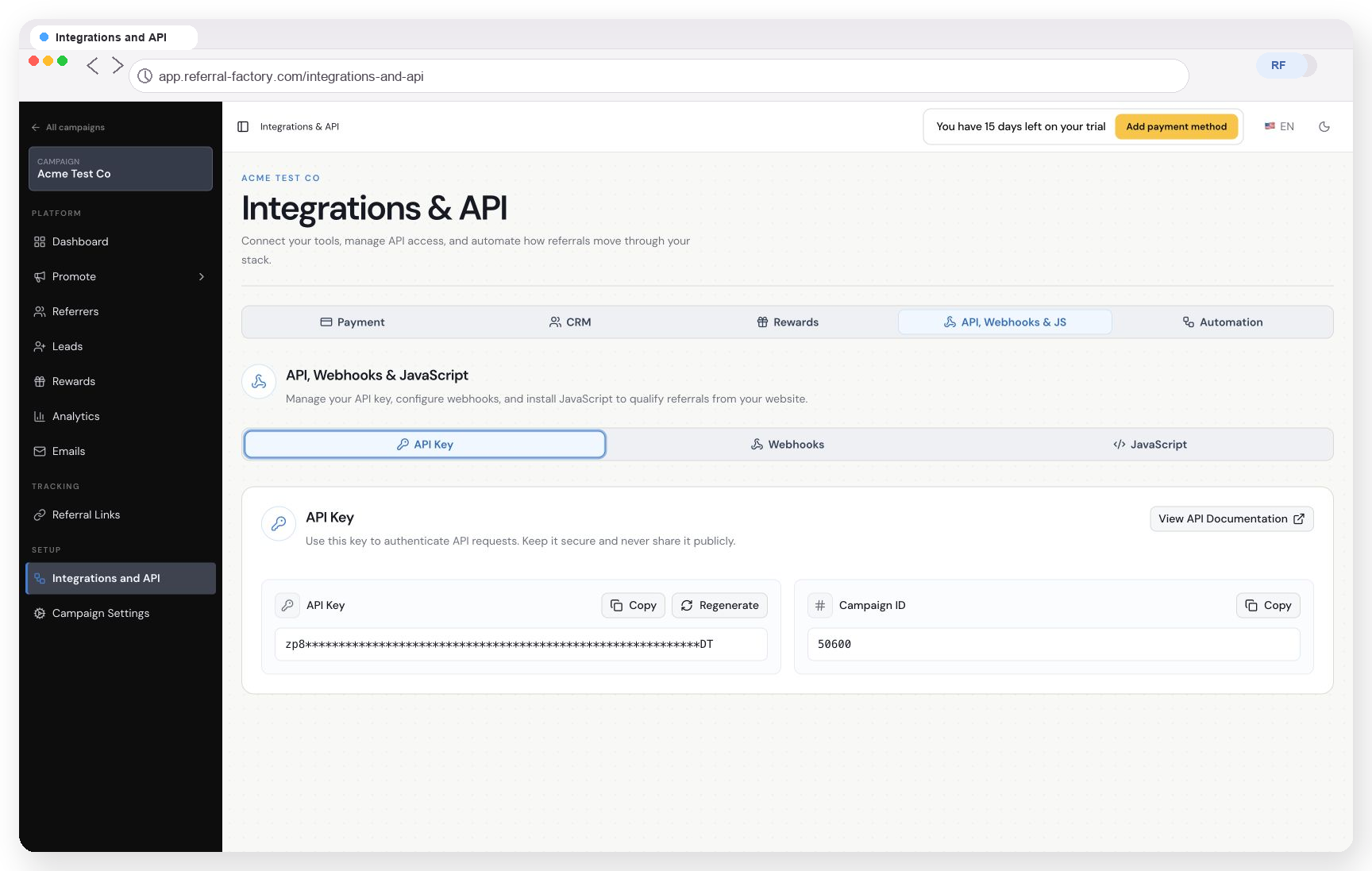
Where do I find the API Key and campaign ID?
Open Integrations & API, select API, Webhooks & JS and then open API Key. Copy the Campaign ID or the required API Key from this screen.
For detailed key management, see the API credentials guide.
How is the API authenticated?
Send the API Key in the Authorization header using the Bearer scheme:
Authorization: Bearer YOUR_API_KEY. Use JSON for request bodies where the endpoint expects a body.Use the base URL and version documented for the specific endpoint. The referrer and qualification endpoints currently use different documented versions, so do not replace an endpoint version without checking the current API documentation.
What should I read next?
Use the API referrer-creation guide for referrer creation and the API conversion guide for qualification.
Test with a test campaign and fake data before connecting an API request to a live customer flow. Log response codes and bodies without logging secrets.