
Need help applying this to your account?
Contact support and we will keep this article attached to your request.
Where do I find the campaign ID and API Key?
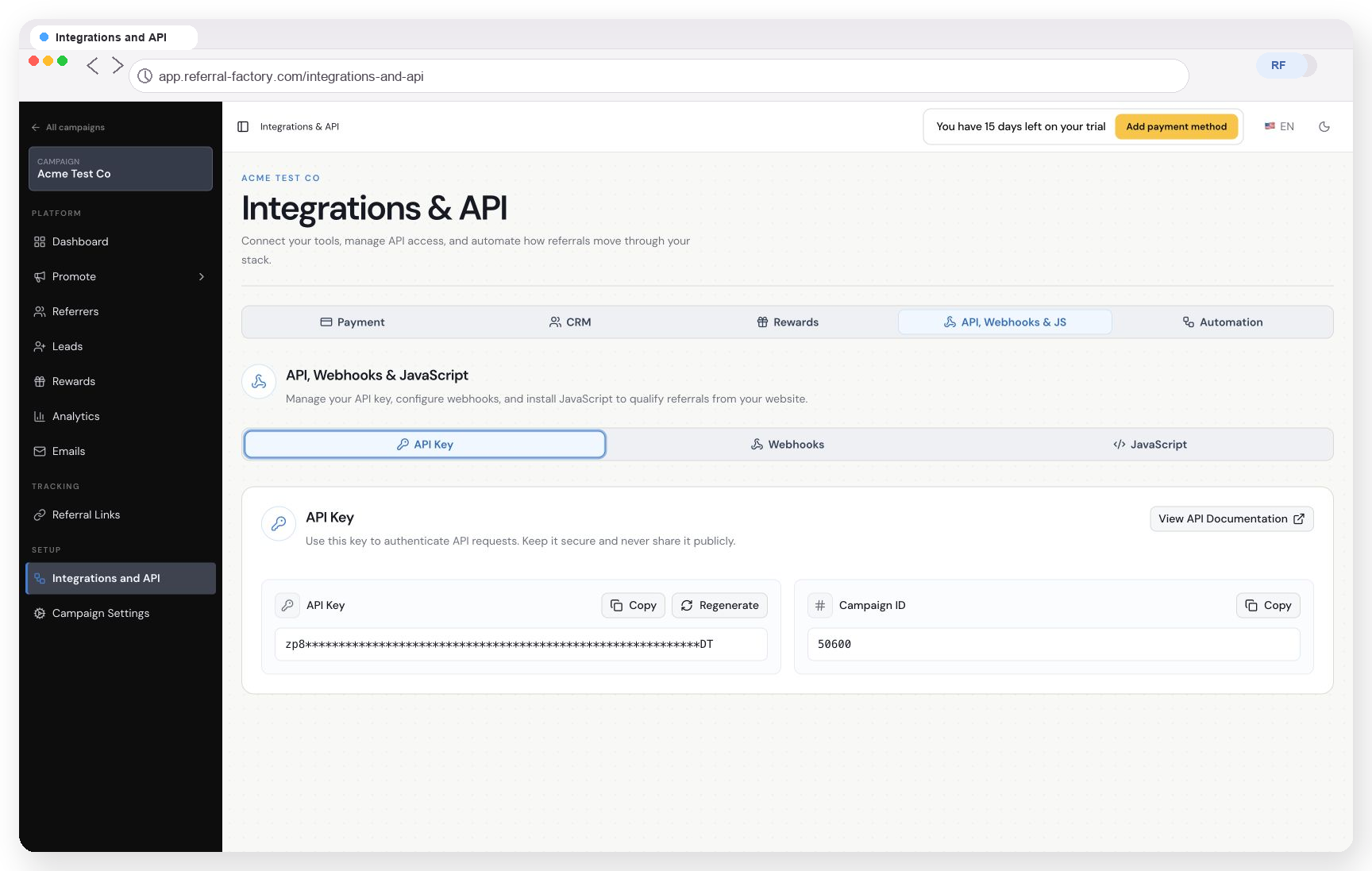
Open Integrations & API in Referral Factory, select API, Webhooks & JS, open API Key, and copy the Campaign ID or API Key shown on the screen.
Step 1
Open Integrations & API.
Step 2
Select API, Webhooks & JS.
Step 3
Open API Key.
Step 4
Copy the required Campaign ID or API Key.
What is the campaign ID used for?
The Campaign ID tells the API which Referral Factory campaign the request should use. Include it whenever the documented endpoint requires it, including referrer creation and email-based qualification.
What is the API Key used for?
The API Key authenticates requests. Send it in the Authorization header using
Authorization: Bearer YOUR_API_KEY.Can I create separate keys?
Yes. The API Key screen supports additional named keys. Use separate keys for different integrations when practical so one can be regenerated or deleted without changing every connection.
Regenerating a key invalidates the previous value. Update every integration that uses that key.
How should I store the API Key?
Store it in a protected server-side environment variable or secrets manager. Never expose it in browser code, screenshots, public repositories or customer-visible applications.
If a request returns Unauthorized, check that the key was copied completely, the header uses the Bearer scheme and the key has not been regenerated or deleted.