
Need help applying this to your account?
Contact support and we will keep this article attached to your request.
Start by finding the reward under Rewards and checking its status. The status tells you where the problem is.
- No reward created — check the reward setup and trigger.
- Reward is Due — the reward was earned but not sent yet. Auto Issue Rewards is probably off, so issue it manually with Issue Now.
- Reward is Failed — Referral Factory sent the reward to Tango and Tango rejected it. Read the failure reason.
Read the failure reason
Go to Rewards → Failed and open the warning icon next to the reward. Tango failures start with “Tango:” followed by the message Tango returned.
Common reasons and how to fix them:
- Insufficient funds — your Tango account balance does not cover the reward. Add funds in Tango, then resend the reward.
- Amount not allowed for the item — the reward value is not the item’s fixed amount or is outside its allowed range. Change the reward value or choose a different Tango Reward Item.
- Currency mismatch — the reward currency does not match the item’s currency. Change the reward currency to the item’s currency.
- “Calculated reward amount is missing or not positive” — usually a Commission reward that worked out to zero. Check the commission percentage and the conversion value it is based on.
- Item no longer available — the item was turned off in your Tango catalog. Edit the reward and choose an active item.
- Recipient errors — the recipient’s email address is missing or invalid. Correct the Referrer or Lead’s email address, then resend.
Check the connection
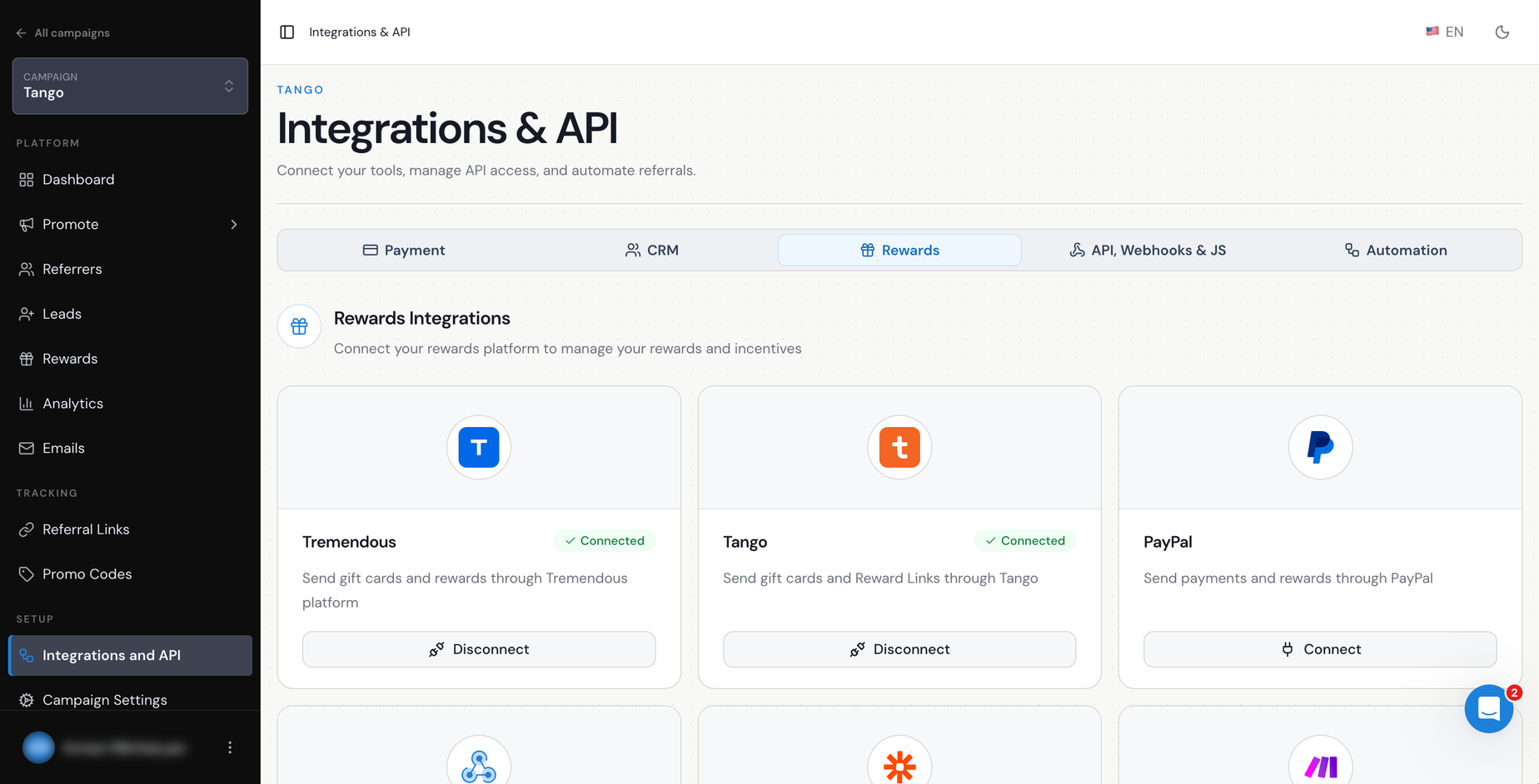
Go to Integrations and API → Rewards and confirm that Tango shows as Connected.
If your Tango credentials change — for example, someone rotates the client secret or resets the service account password — Referral Factory can no longer send rewards. Disconnect Tango and connect it again with the new credentials.
When connecting, Referral Factory uses the first active account it finds in your Tango platform. If you see “Tango has no active account”, make sure at least one account in Tango is active.
Disconnecting removes the existing connection settings, so have your Client ID, Client Secret and service account details ready before you disconnect.
Check the reward setup
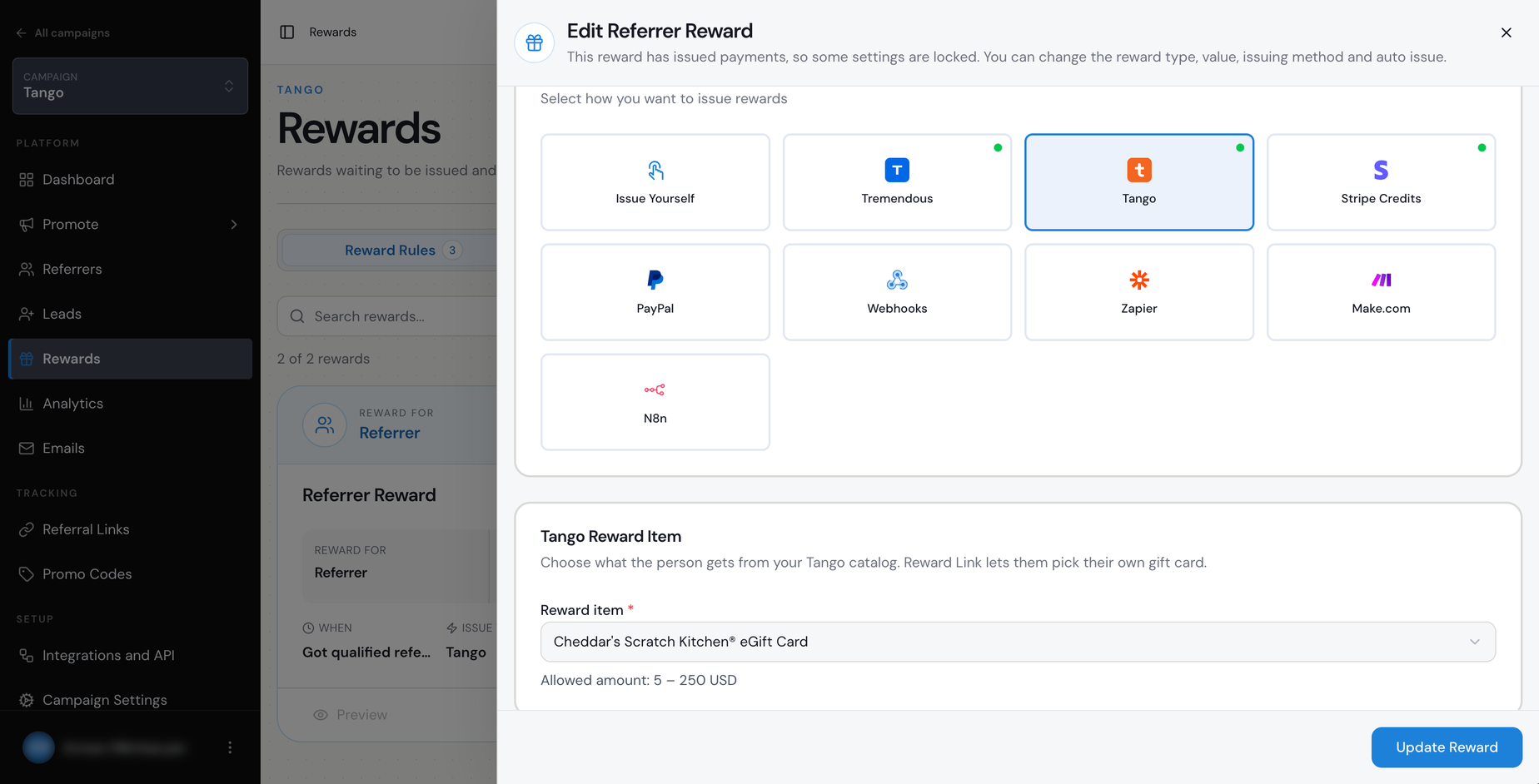
Open the reward under Rewards → Reward Rules and confirm that:
- The reward is active.
- The reward type is Fixed Monetary Value or Commission. Tango cannot issue Custom or Coupon rewards.
- A Tango Reward Item is selected.
- The reward value and currency match what the item accepts.
- The correct person is set as the recipient.
Check Test Mode
If Tango is connected in Test Mode, rewards go to Tango’s sandbox and recipients do not receive real gift cards. Tango shows a Test Mode badge under Integrations and API → Rewards while this is the case.
To send real rewards, disconnect Tango and connect again with Connect Live Mode and your live Tango credentials.
Resend a failed reward
Once you have fixed the cause:
- Go to Rewards → Failed.
- Find the reward you want to resend.
- Click the resend icon — the circular arrow next to the failed reward.
- Confirm that the reward moves out of Failed and appears under Issued.
You can also select several failed rewards and retry them together using the bulk actions.
To have Referral Factory retry automatically in future, turn on Retry Failed Rewards in step 3 of the reward.
If Tango is connected, funded and the reward setup is correct, but the reward still fails after retrying, contact our support team so we can investigate it with you.