
Need help applying this to your account?
Contact support and we will keep this article attached to your request.
The important distinction
A Custom Reward tells Referral Factory what is owed. It does not automatically add points or tokens to a customer account somewhere else.
| Referral Factory manages | Your existing system manages |
|---|---|
| Who earns the reward | Which customer account should receive the balance update |
| What action triggers it | Adding the points, tokens, miles or credits |
| How many are due | The actual balance in the loyalty or rewards system |
| Whether the reward is Due or Issued | The result of the balance update in your own system |
| The Referrer or Lead connected to the reward | Your customer record and any internal audit trail |
Think of Referral Factory as the referral and reward-tracking layer. Your loyalty platform, wallet or backend remains the source of truth for the actual points or token balance.
A simple example
A business already has a loyalty programme. Its referral offer is: “Refer a friend and earn 500 loyalty points when they become a customer.”
The business creates a Custom Reward in Referral Factory with:
Metric Name: Loyalty Points
Metric Amount: 500
Trigger: the referral qualifies, such as when the referred person becomes a customer
Referral Factory then records that 500 Loyalty Points are due for the Referrer. The business uses its own backend, loyalty platform or wallet system to find that customer and add the 500 points. Once the update succeeds, the reward can be marked as Issued in Referral Factory.
Set up the custom reward
On the Referral Factory side, choose Custom as the Reward Type. The Custom option is designed for points, tokens, credits or another value that your business defines.
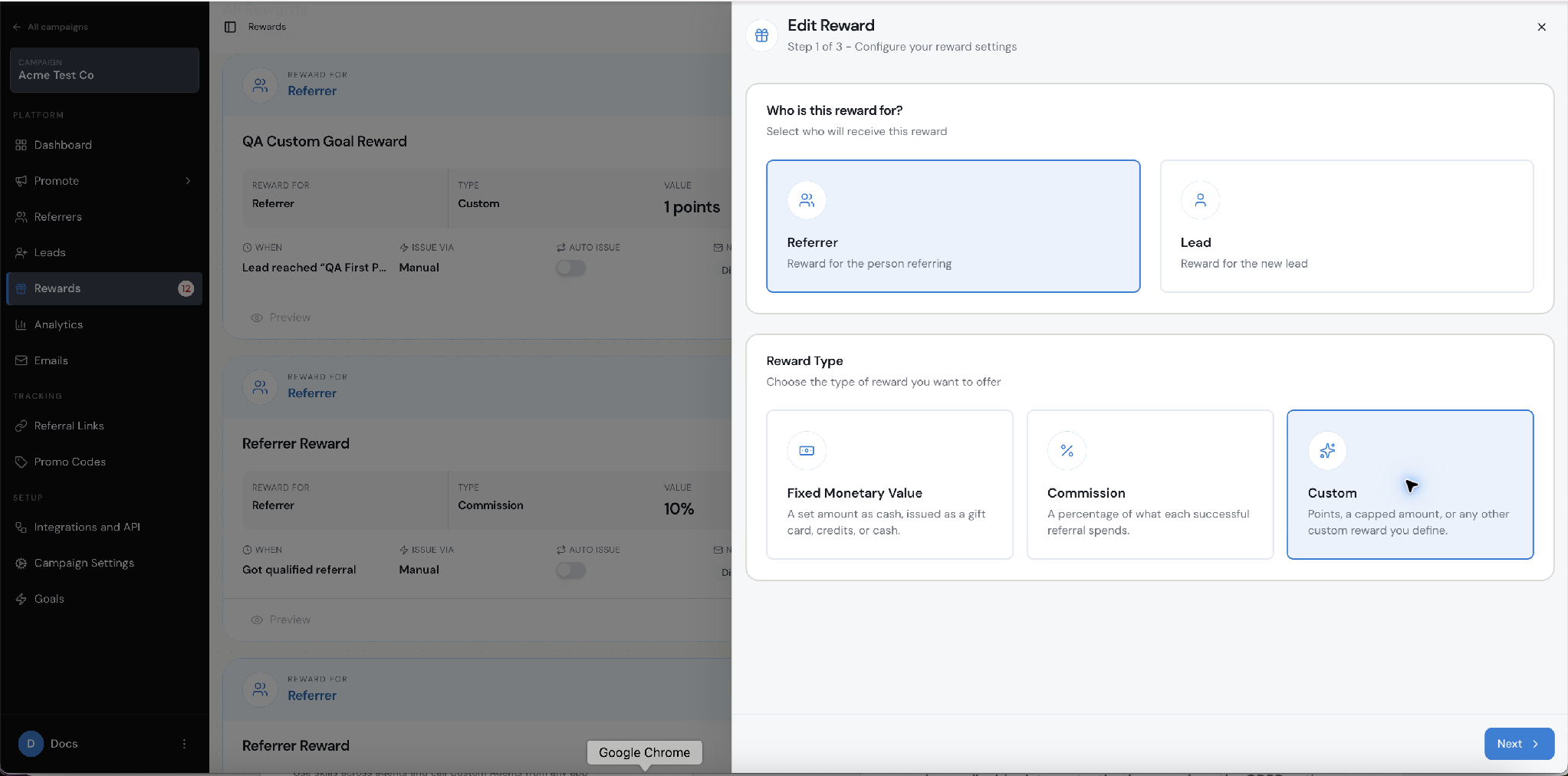
Choose Custom when the reward is a quantity or value defined by your own rewards system.
Then enter the metric that your business uses. For the example above, use Metric Name = Loyalty Points and Metric Amount = 500. You could also use Metric Name = Miles and Metric Amount = 1,000, or Metric Name = App Credits and Metric Amount = 25.
These fields describe what Referral Factory records as being owed. They do not connect to, or change, the balance in your loyalty platform by themselves.
How the API-led flow works
For an API-led setup, select Issue Yourself in the Reward Rule. Your backend then checks Due rewards through the Referral Factory API, updates the matching loyalty account, and marks the reward as Issued after the update succeeds.
A referral reaches the action required by the Custom Reward, such as becoming a qualified customer.
Referral Factory creates the Custom Reward and shows it as Due.
Your backend checks the Due rewards available through the Referral Factory API and reads the reward and recipient information it needs.
Your backend identifies the same person in your loyalty, wallet or account system.
Your backend adds the correct number of points, tokens, miles or credits to that person’s account.
After the points are added successfully, your backend issues the Due reward in Referral Factory.
The current API documentation shows the issue endpoint as POST https://api.referral-factory.com/api/v2/rewards/issue/{identifier}. The identifier is the unique ID of the Due reward. Check the current developer documentation for the latest way to retrieve Due rewards and for authentication details. Never place a real API token or customer data in a Help Centre article.
Where the webhook option fits
Webhooks are another way to connect the Custom Reward to your own system. Select Webhooks as the issuing method in the Reward Rule, then send the reward information to your configured endpoint. Your backend can use that information to find the customer and add the points or tokens.
Zapier and Make.com can also pass reward information into a connected workflow. They are useful alternatives when you do not want to build the full API flow yourself.
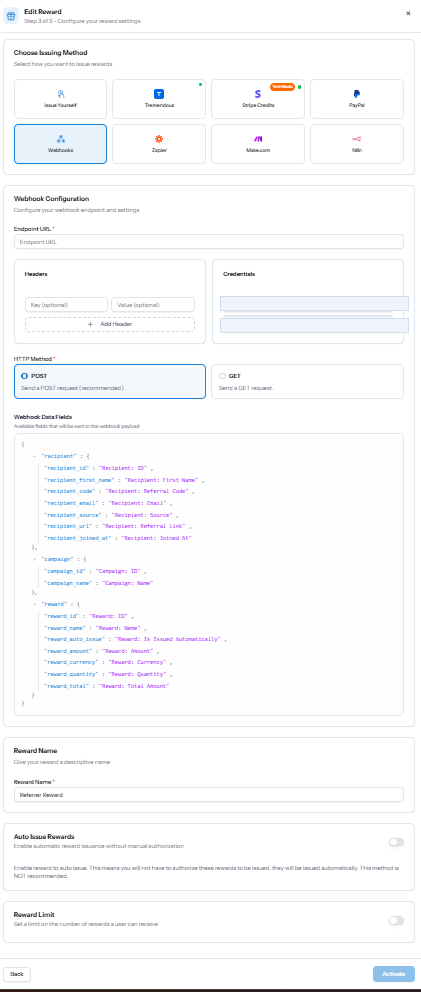
Webhooks selected as the issuing method inside the Reward Rule.
How the other connection options fit
The API approach is the most direct option when your own backend owns the loyalty balance. You can also connect the same Custom Reward through Webhooks, Zapier or Make.com, depending on how your business already moves data.
API with Issue Yourself: your backend retrieves Due rewards, updates the balance, then marks the reward as Issued.
Webhooks: Referral Factory sends reward information to your configured endpoint.
Zapier or Make.com: a connected workflow passes the reward information to the system that owns the balance.
What can you use this for?
Loyalty points
Airline or travel miles
Membership points
In-app or usage credits
Tokens or virtual currency
Internal account balances
Tier or status credits
The important requirement is that your business has a reliable way to update the external balance, either through that platform’s API or through logic in your own backend.
When this setup is a good fit
This approach is useful if you already have a loyalty programme, customer wallet, membership rewards platform, internal points system, fintech rewards balance or SaaS credit system. You do not need to replace that infrastructure to use Referral Factory.
Referral Factory can sit on top of the system you already trust and decide when a referral reward should be earned. Your own system still decides whether the points or tokens were added successfully and what the current balance is.
Before you go live
Decide which customer identifier your backend will use to match the Referrer or Lead to the correct account.
Make sure your backend can safely add the reward only once if the same event is received again.
Test the Custom Reward, API or webhook flow with test records before using real customer balances.
Confirm that the reward is marked Issued only after your own system confirms the balance update succeeded.