
Need help applying this to your account?
Contact support and we will keep this article attached to your request.
Yes. Upload a pool of unique coupon codes, choose Leads, and decide when a Lead should earn a code. Referral Factory assigns an available code to the Lead and can show it on the referral-link thank-you page or send it by email, depending on the trigger and settings you choose.
Jess and Stacey example
Jess is the Referrer and Stacey is the Lead. The business can choose when Stacey should receive her unique coupon:
- When Stacey joins the campaign: she can receive a coupon for an immediate discount, and the code can be shown on the referral-link thank-you page.
- When Stacey becomes qualified: she earns the coupon later, after she meets the campaign's qualification criteria. The code should be delivered through the coupon notification.
How Lead coupons work
A Lead coupon is a unique code that you upload to Referral Factory for a Lead to receive as part of your referral campaign. Referral Factory assigns the uploaded code, but it does not create the underlying discount. The code, including its value, expiry and redemption rules, must already exist in the system where the Lead will use it, such as your ecommerce or booking platform.
For example, you could upload 1,000 unique $20 discount codes. When a Lead reaches the earning event you choose, Referral Factory assigns one unused code to that Lead and tracks it through the coupon lifecycle.
Choose when a Lead earns a coupon
In Rewards → Coupon Rewards → Leads, choose one of the two Lead triggers:
When a lead joins the campaign
The Lead earns a coupon when they submit their details and join the campaign. This is the trigger to use if you want the code to be available on the referral-link thank-you page.
When a lead becomes qualified
The Lead earns a coupon only after they meet the campaign's qualification criteria. This trigger is useful when the discount should be tied to a completed action rather than sign-up. A coupon earned this way cannot be shown on the referral-link thank-you page, so use the coupon notification instead.
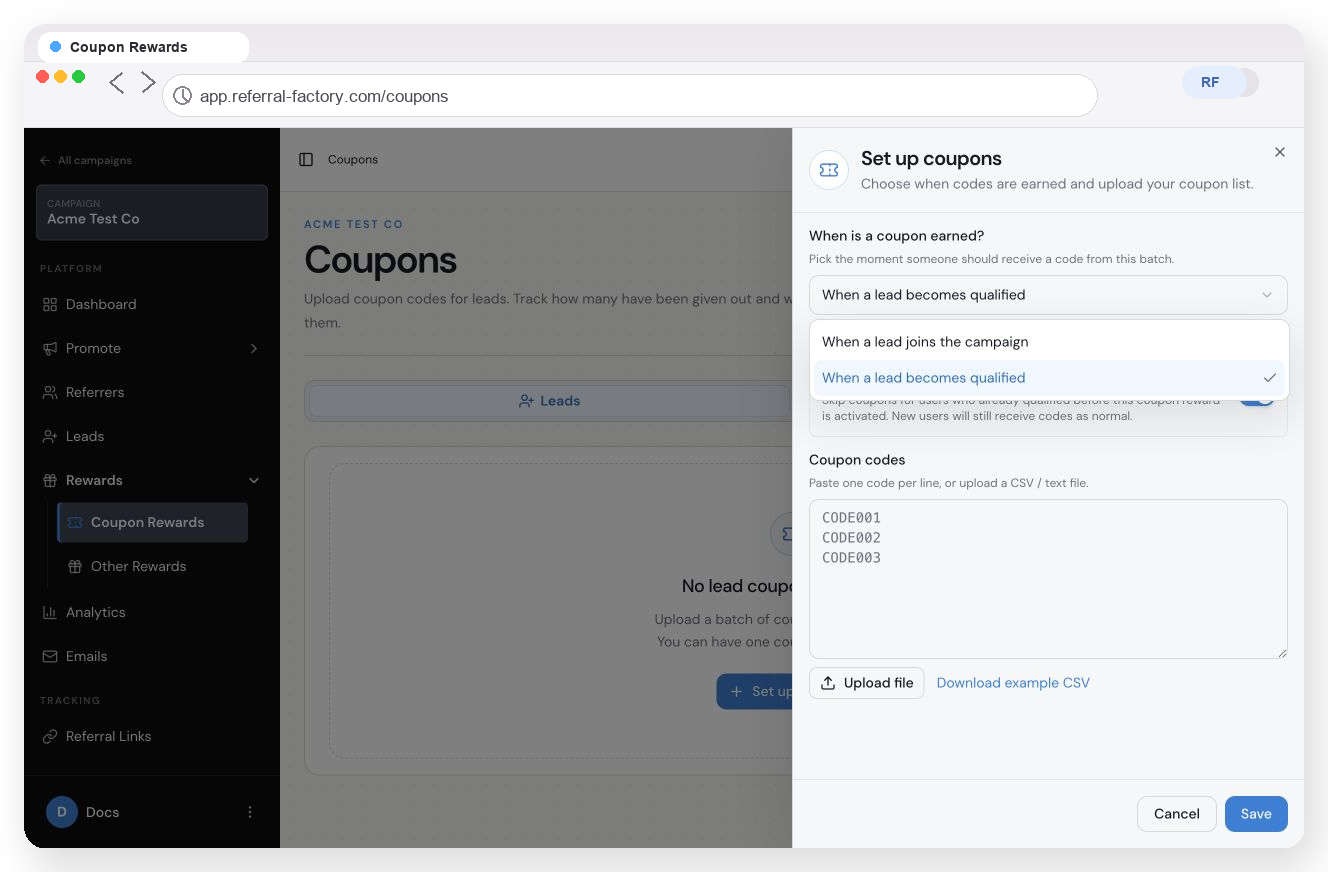
Choose when a Lead earns a coupon and upload the unique code list.
How to set up Lead coupons
1. Open Rewards → Coupon Rewards.
2. Choose Leads.
3. Click Set up coupons.
4. Choose when the Lead should earn a coupon.
5. Decide whether to keep Ignore rewards for existing users turned on. This skips users who qualified before the coupon reward was activated; new users still receive codes as normal.
6. Paste one unique code per line, or upload a CSV or text file.
7. Click Save.
You can have one coupon batch for Leads. Add enough unused codes for the number of Leads you expect to reward, and add more codes to the same batch later if needed.
Choose where the coupon can be shown
The earning trigger controls where a Lead coupon can appear.
For Leads who join the campaign
To show the coupon on the referral-link thank-you page, open Coupon Settings and turn on Show on referral link pages. Referral Factory only allows coupons earned when a Lead joins to appear there.
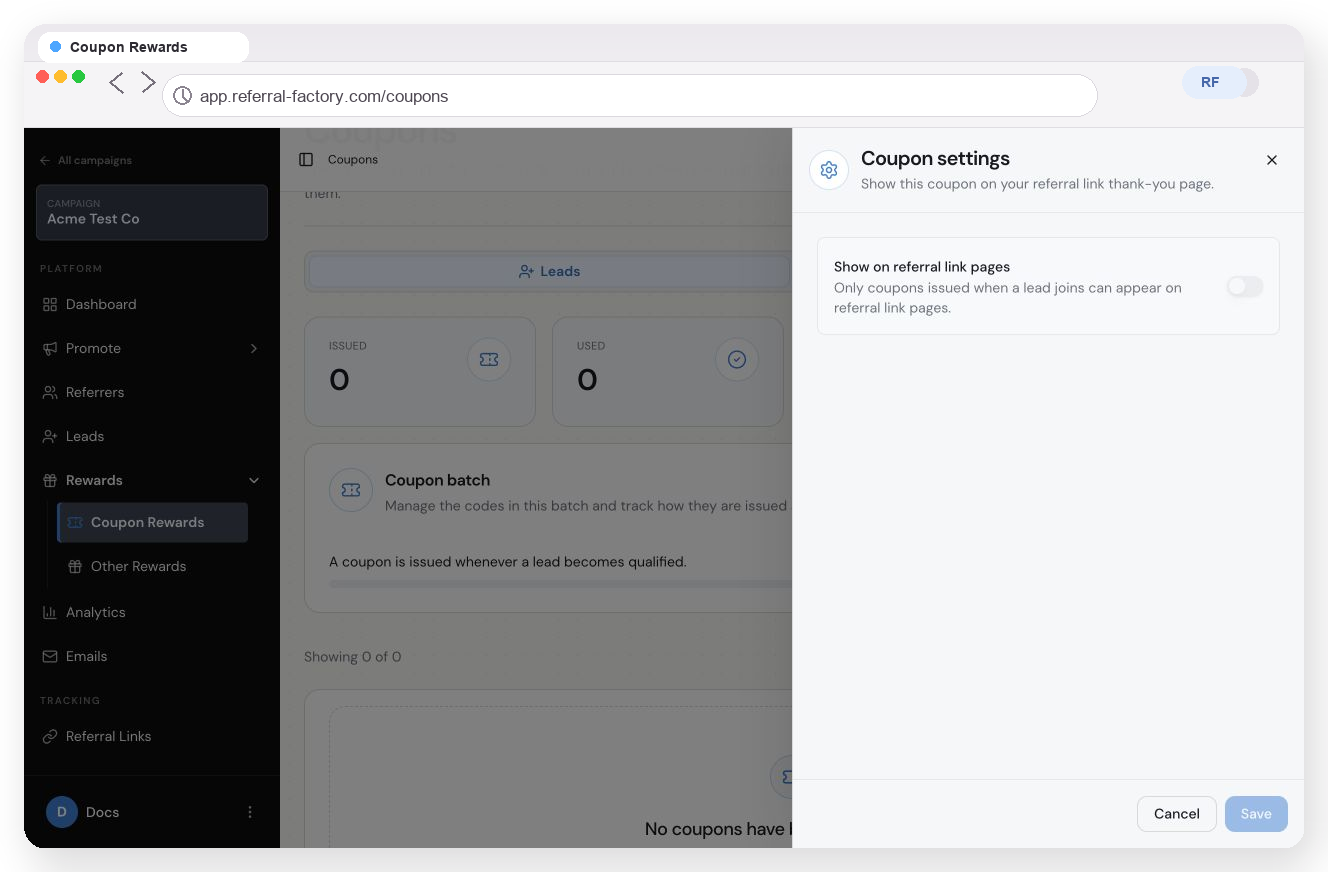
Lead coupon settings show that only coupons issued when a Lead joins can appear on referral-link pages.
For Leads who become qualified
If the coupon is earned when a Lead becomes qualified, it cannot appear on the referral-link thank-you page. Configure the coupon notification so the Lead receives the code after the reward is issued.
Send the coupon by email
You can send the unique coupon code by email when the Coupon Reward is issued. This works for either Lead trigger.
1. Open the notification settings for the Lead coupon batch.
2. Turn on Enable notification.
3. Add {Reward Coupon} where the unique code should appear in the email.
4. Save the notification.
When the reward is issued, Referral Factory sends the configured notification with the Lead's assigned code.
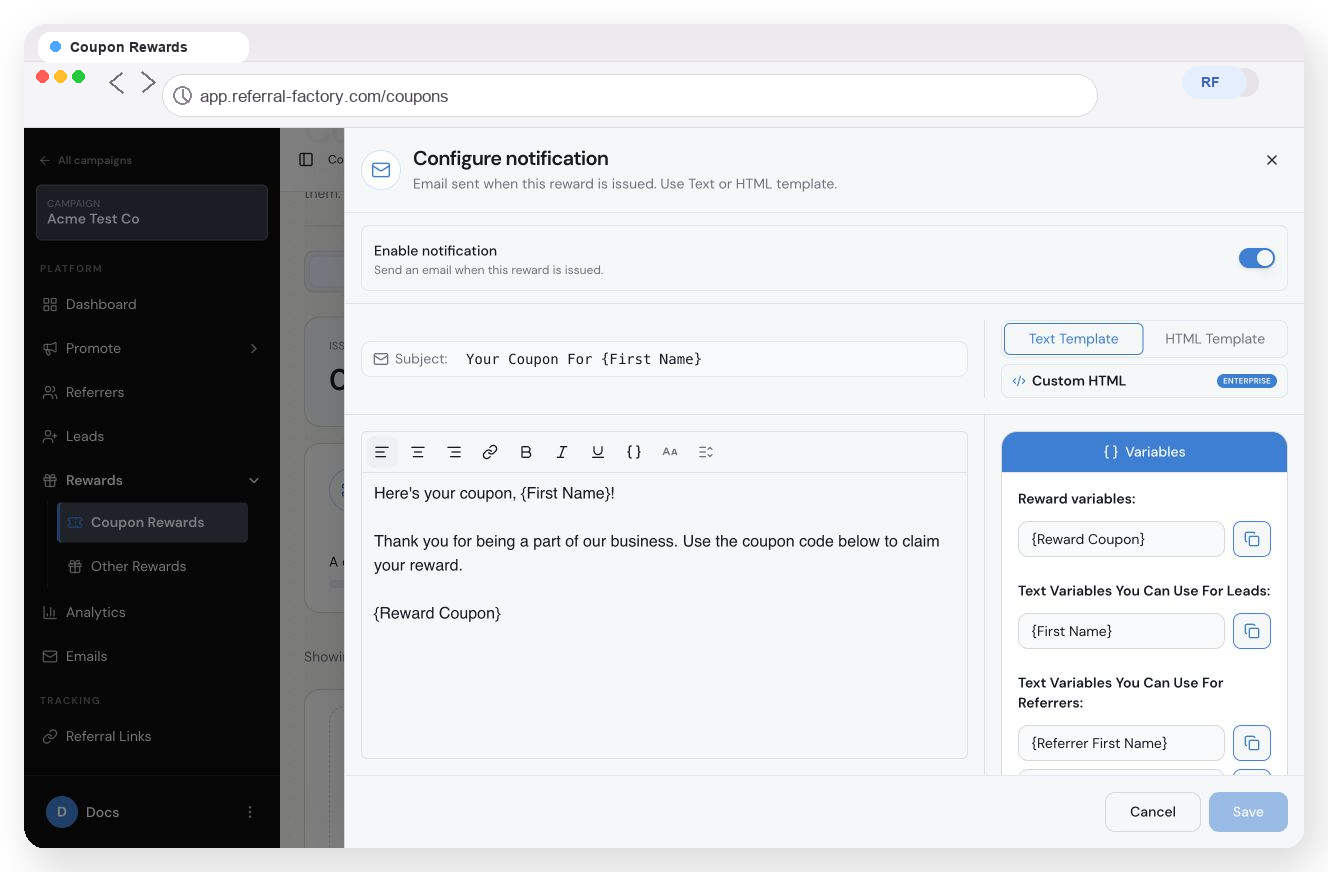
Add {Reward Coupon} to the notification so the Lead receives the assigned code.
How the code is assigned
Referral Factory takes one unused code from the uploaded list and links it to the Lead who earned the reward. You can use the Coupon Rewards area to check the recipient, assigned code and reward status.
If there are no unused codes when a Lead earns a coupon, the reward can stay Due. After you upload more codes to the existing batch, Referral Factory can assign an available code and process the reward to Issued.
Coupon rewards and Stripe Promo Codes are different
- Coupon Rewards use unique codes uploaded by the business. They can be given to Leads or Referrers when the selected earning event happens.
- Stripe Promo Codes are connected to Stripe. They are used by a Lead at checkout to receive a Stripe discount and help Referral Factory track which Referrer made the referral.
Use a Coupon Reward when you already have unique coupon codes that you want Referral Factory to assign and deliver. Use Stripe Promo Codes when Stripe should create and apply the checkout discount while also supporting referral tracking.