
Need help applying this to your account?
Contact support and we will keep this article attached to your request.
Overview
You can promote the program from your own brand accounts or give Referrers simple sharing tools so they can promote it through their own networks.
How to promote/share the program on social channels
There are two main ways to promote your referral program on social media.
You can share your Branded Referrer Portal from your business's social accounts. This sends people to a page where they can join your referral program and receive their own unique Referral Link.
You can also enable social sharing for your Referrers so they can share their individual Referral Links directly through channels such as Facebook, LinkedIn, WhatsApp, X, Messenger, and other supported platforms.
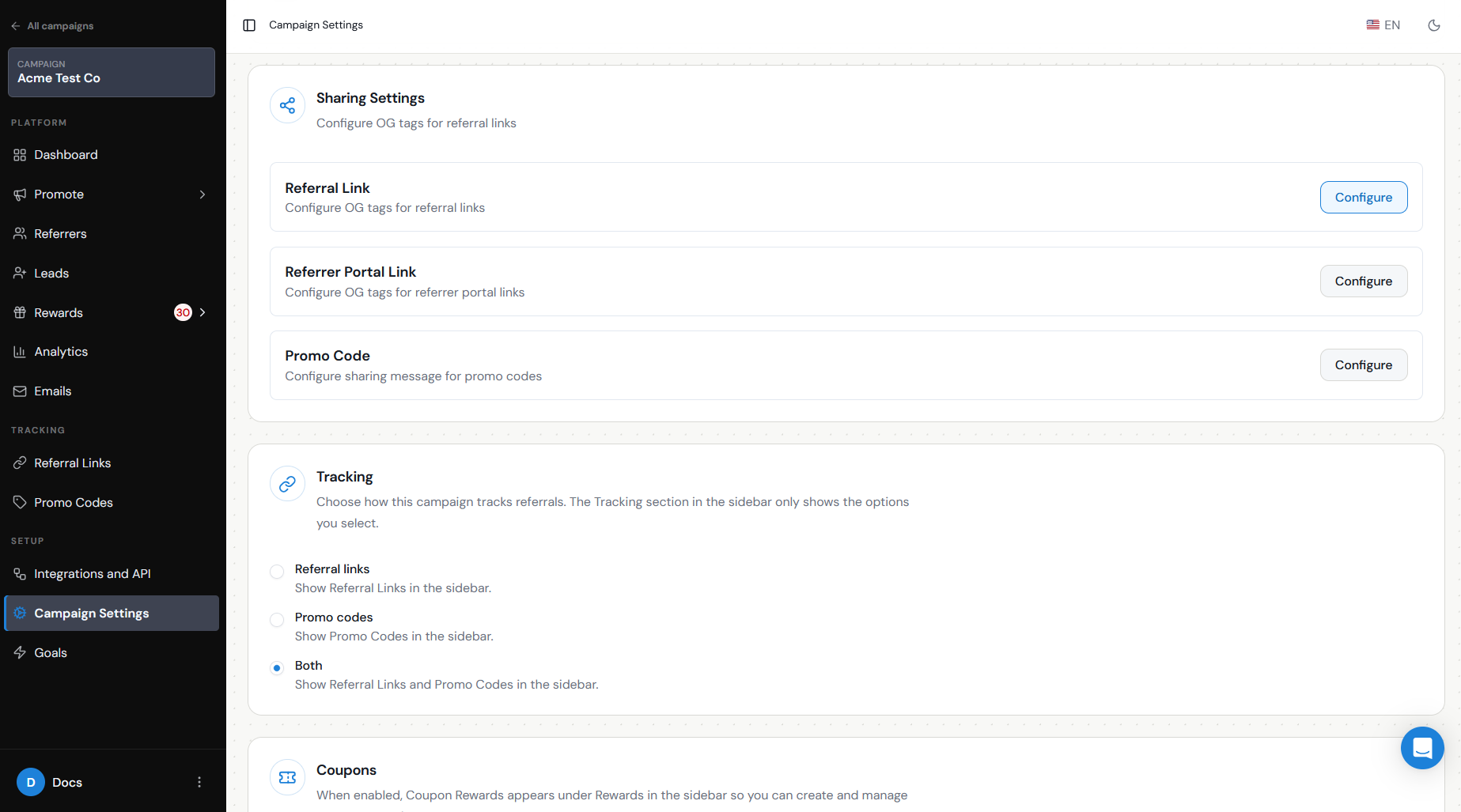
You can configure the message that accompanies the Referral Link so Referrers do not have to write their own message every time they share.
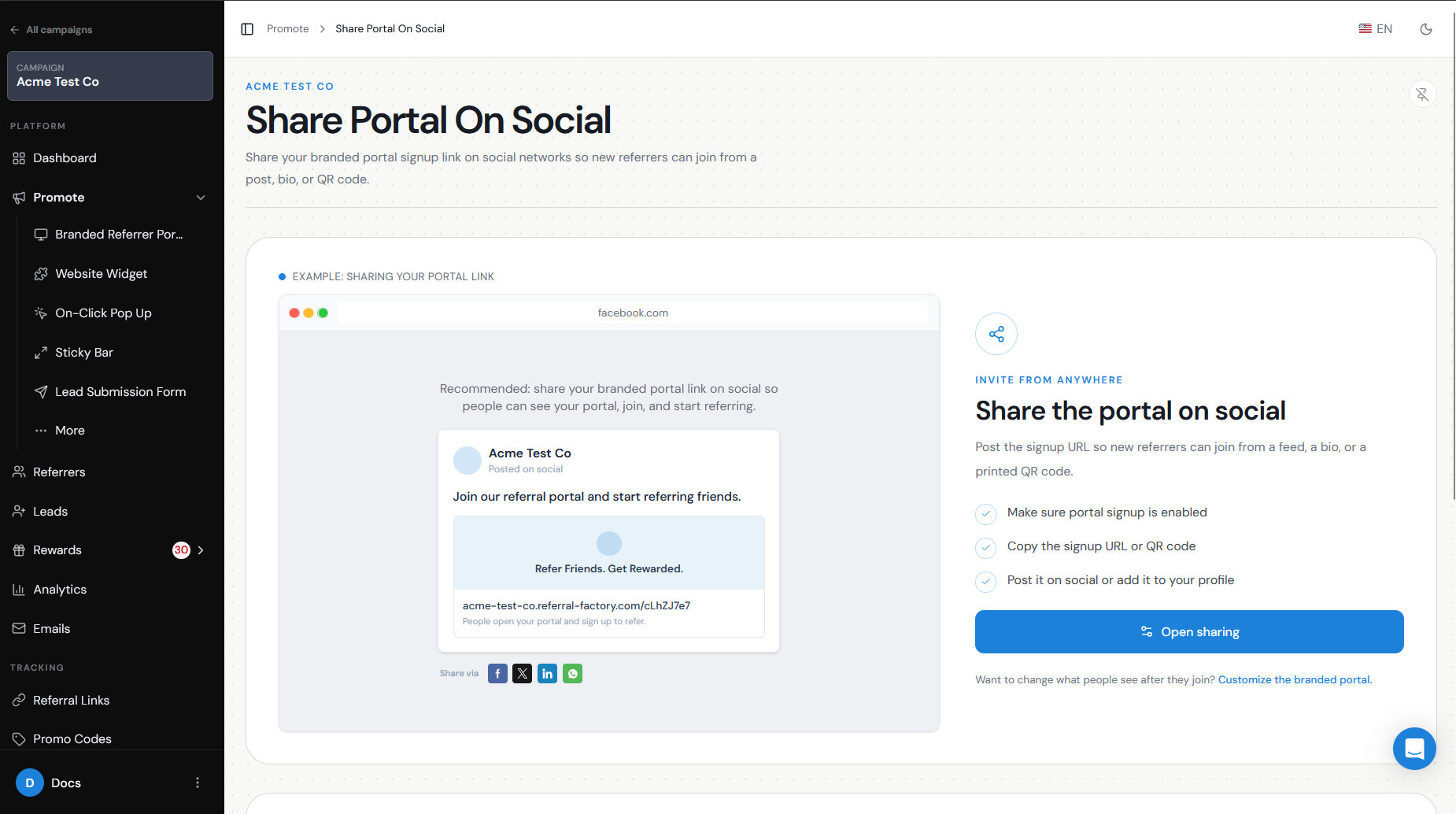
Brand posts versus Referrer sharing
A post from your brand account and a post from a Referrer serve different purposes.
A brand post normally promotes the referral program itself.
For example:
Love using Acme? Join our referral program, recommend us to your network, and earn a $20 reward when your referral becomes a customer. Join here: [Branded Referrer Portal URL]
Someone who clicks that post can join the program and become a Referrer.
Referrer sharing is different. Once somebody is enrolled as a Referrer, they receive their own unique Referral Link. They can share that link from their personal social account or send it directly to people they know.
For example:
I've been using Acme and thought you might find it useful too. You can check it out here: [Unique Referral Link]
This second type of sharing is what allows Referral Factory to attribute the resulting Lead to the correct Referrer.
Of unique links/codes
Each Referrer receives their own unique Referral Link, and this should normally be the main link they share on social media.
When someone clicks that link, Referral Factory knows which Referrer sent them. If the person then submits their details on the Referral Link Page, they are added as a Lead and attributed to that Referrer.
If your campaign also uses promo codes, you can include the code alongside the link where it makes sense. Codes can be useful when the referral may continue outside the original social post, such as during checkout, a sales conversation, or another offline interaction.
For social sharing, however, the unique Referral Link is generally the simplest option because the attribution information is already built into the link.
Suggested content/CTA
Keep social posts simple. People should quickly understand:
For a brand post, a CTA could be:
Join our referral program and start referring friends.
For an existing Referrer:
Know someone who would love this? Share your Referral Link with them.
If you offer a reward, make the qualifying action clear rather than simply saying that people can "earn rewards."
For example:
Refer a friend and earn $25 when they become a paying customer.
Referral Factory also lets you configure the Sharing Message that accompanies a Referral Link when a Referrer uses one of the social sharing options.For example:
I’ve been using Acme and thought you might like it too. Take a look here: [Referral Link]
Or, if there is an offer for the person being referred:
Want to try Acme? Use my link to get started and receive 20% off your first purchase: [Referral Link]
- What you are asking them to do.
- Who the referral program is for.
- What they or their friend can receive.
- What action they should take next.
Timing/frequency
Promote your referral program regularly rather than relying on a single launch post.
Good opportunities include:
Avoid posting the exact same referral message too frequently. Changing the message, creative, or reason for referring can help keep the program visible without making your social feed feel repetitive.
- When the referral program launches.
- After customers have had a positive experience with your business.
- After a purchase, renewal, successful project, or other customer milestone.
- When you introduce a new referral reward or promotion.
- As part of your regular social media calendar.
Tracking
Referral Factory tracks referrals through each Referrer's unique Referral Link.
When a Lead enters the campaign through that link, the referral is attributed to the Referrer who shared it. You can then track Leads, Qualified Leads, and referral performance inside Referral Factory.
This means a Referrer can share the same unique link across different social channels and still receive credit for the Leads generated through that link.
For brand-level promotion, you can also compare your Referral Factory results with the analytics available from the social platform you are using, such as post clicks, reach, or engagement.
You can also track how many new Referrers sign up after a social promotion. This helps you understand whether your posts are successfully driving people to join your referral program, not just generating clicks or engagement.
Privacy/spam considerations
Social promotion should make it easy for people to share your program without encouraging unwanted or misleading messages.
Your Referrers should choose who they share their Referral Link with and should follow the rules of the social platform or messaging service they use.
Avoid encouraging Referrers to:
Your preconfigured Sharing Message can help by giving Referrers a clear, accurate message they can use when sharing their Referral Link.
- Post repeatedly in groups where promotional content is not allowed.
- Send unsolicited bulk messages.
- Make claims about your product, service, or reward that are not accurate.
- Share another person's contact information without the appropriate permission.