
Need help applying this to your account?
Contact support and we will keep this article attached to your request.
Before you start
Open the campaign and go to Integrations & API → CRM. Select Salesforce and complete authorisation if needed. Decide whether new referrers should become Salesforce Leads or Contacts.
When is a new Referrer sent to Salesforce?
The Referrers setting runs when someone newly joins the campaign as a referrer. It does not backfill people who were already present before the setting was saved.
How do I choose what happens when a new Referrer joins?
In the CRM Referrers tab, find the action for a new referrer and choose Create New Lead In Salesforce, Create New Contact In Salesforce, or Nothing to action.
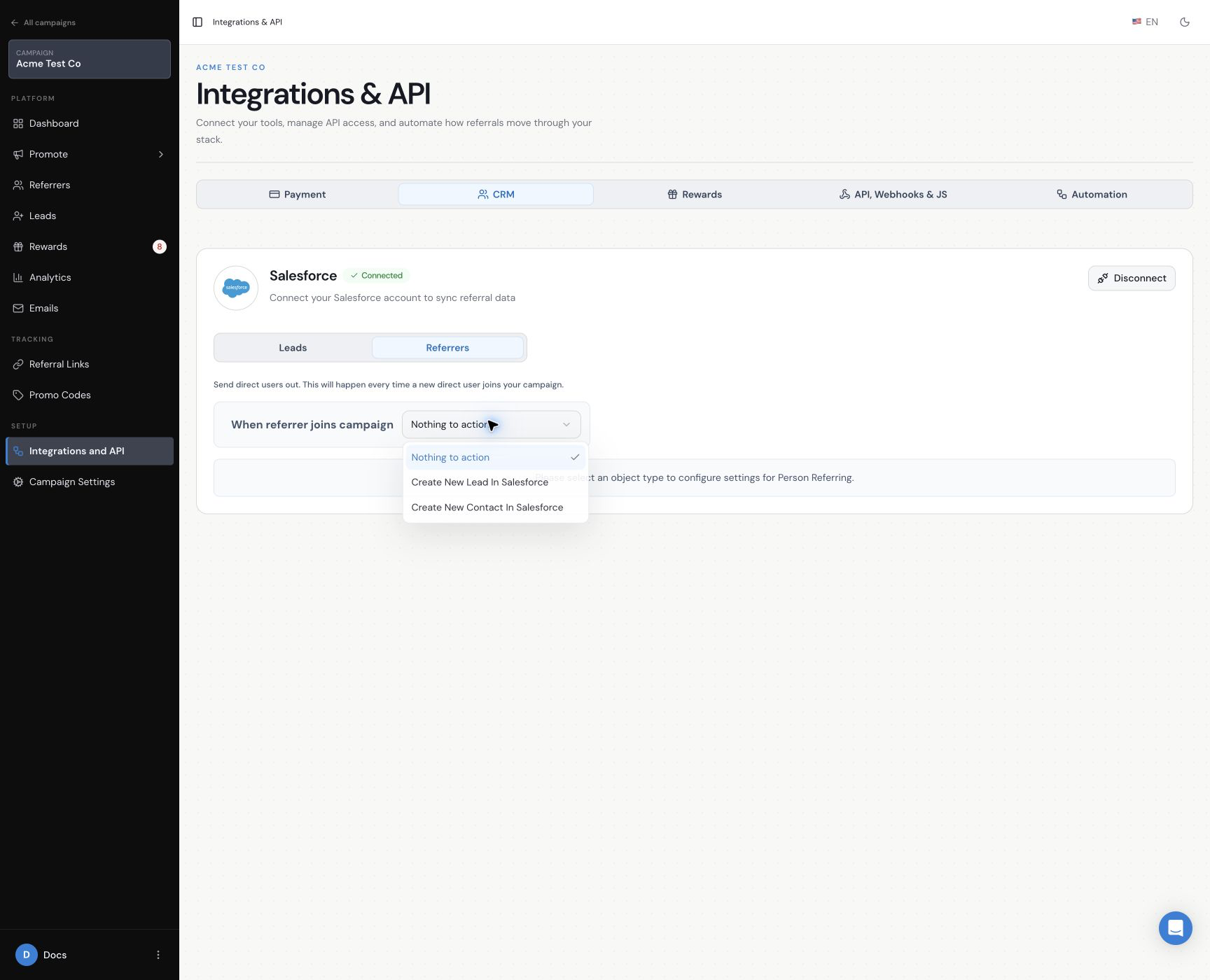
How do I create a new Lead for each Referrer?
Choose Create New Lead In Salesforce and map the referrer values to the Salesforce Lead fields. Last Name and Company are required for this path.
How do I create a new Contact for each Referrer?
Choose Create New Contact In Salesforce and map the referrer values to the Salesforce Contact fields. Last Name is required for this path.
How do I map Referrer information to Salesforce?
Use Dynamic Value for values supplied by the referrer or campaign and Fixed Value for a value that should be the same on every record. Use Add More Fields for additional mappings and Reload fresh data from integration when you need the current Salesforce field list.
What happens if the Referrer already exists in Salesforce?
- Do nothing and leave the existing Lead or Contact unchanged.
- Update the existing Lead or Contact to mark the person as referred.
- Create a new Lead or Contact with the same email as a separate Salesforce record.
How do I save and test the setup?
Save the Referrers configuration, then join the campaign once with a dummy referrer. Confirm that the expected Salesforce record appears and that the mapped values are correct.
This setup sends newly joined referrers to Salesforce. To bring existing Salesforce people into Referral Factory instead, use the Salesforce referral-link sync guide.