
Need help applying this to your account?
Contact support and we will keep this article attached to your request.
Before you start
Open the campaign and go to Integrations & API → CRM. Select Salesforce and complete authorisation if it is not already connected. Decide whether you want to sync Leads, Contacts or records from a Salesforce campaign, and prepare the Salesforce fields you want to use.
How do I sync existing Salesforce Leads or Contacts as Referrers?
Open Referrers, select Add Referrers, choose Sync, and select Salesforce. In Salesforce Sync Setup, choose the Salesforce records you want to bring into Referral Factory.
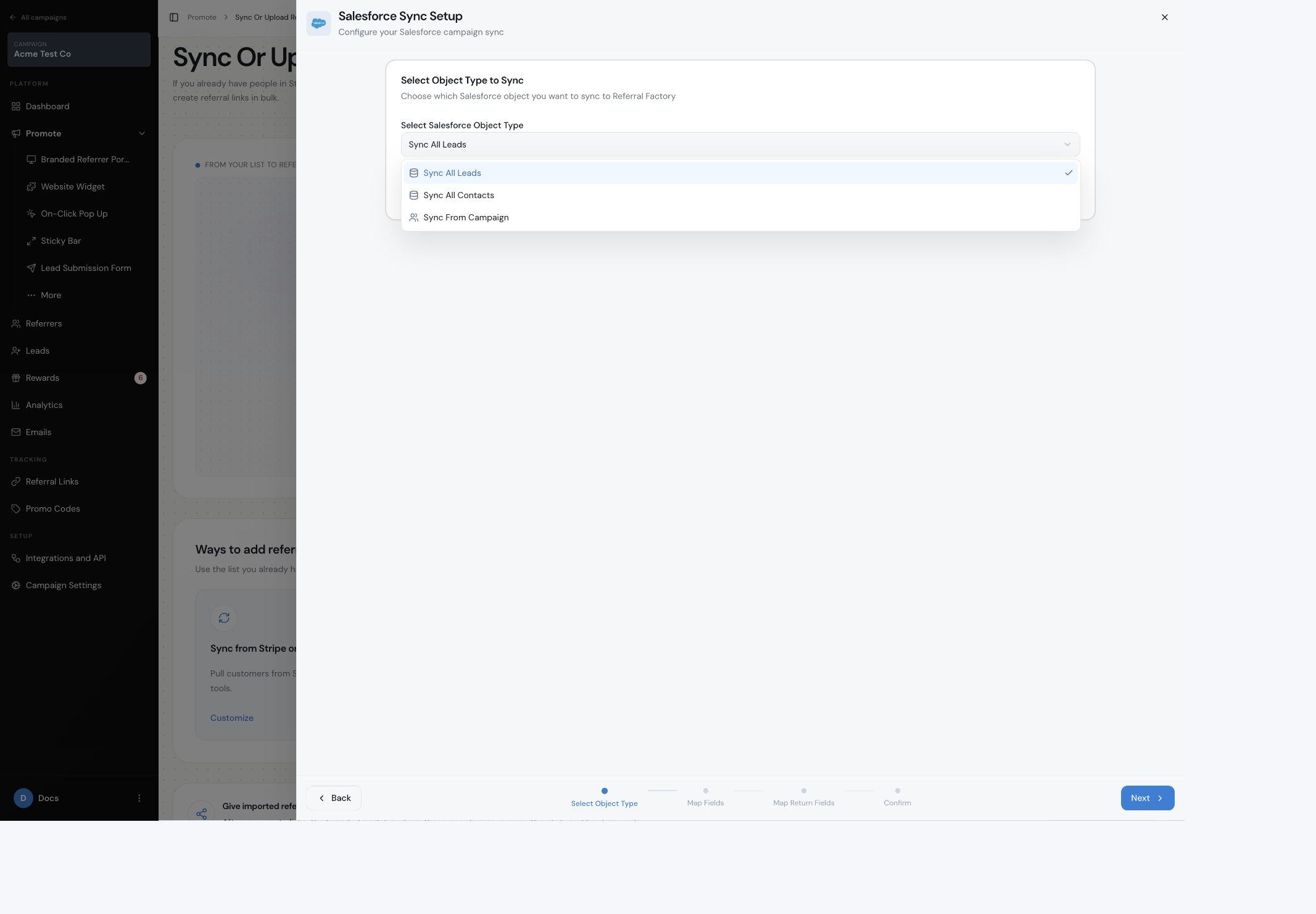
How do I choose which Salesforce records to sync?
Under Select Object Type to Sync, choose Sync All Leads, Sync All Contacts or Sync From Campaign. If you choose the campaign option, select the Salesforce campaign shown in the next step.
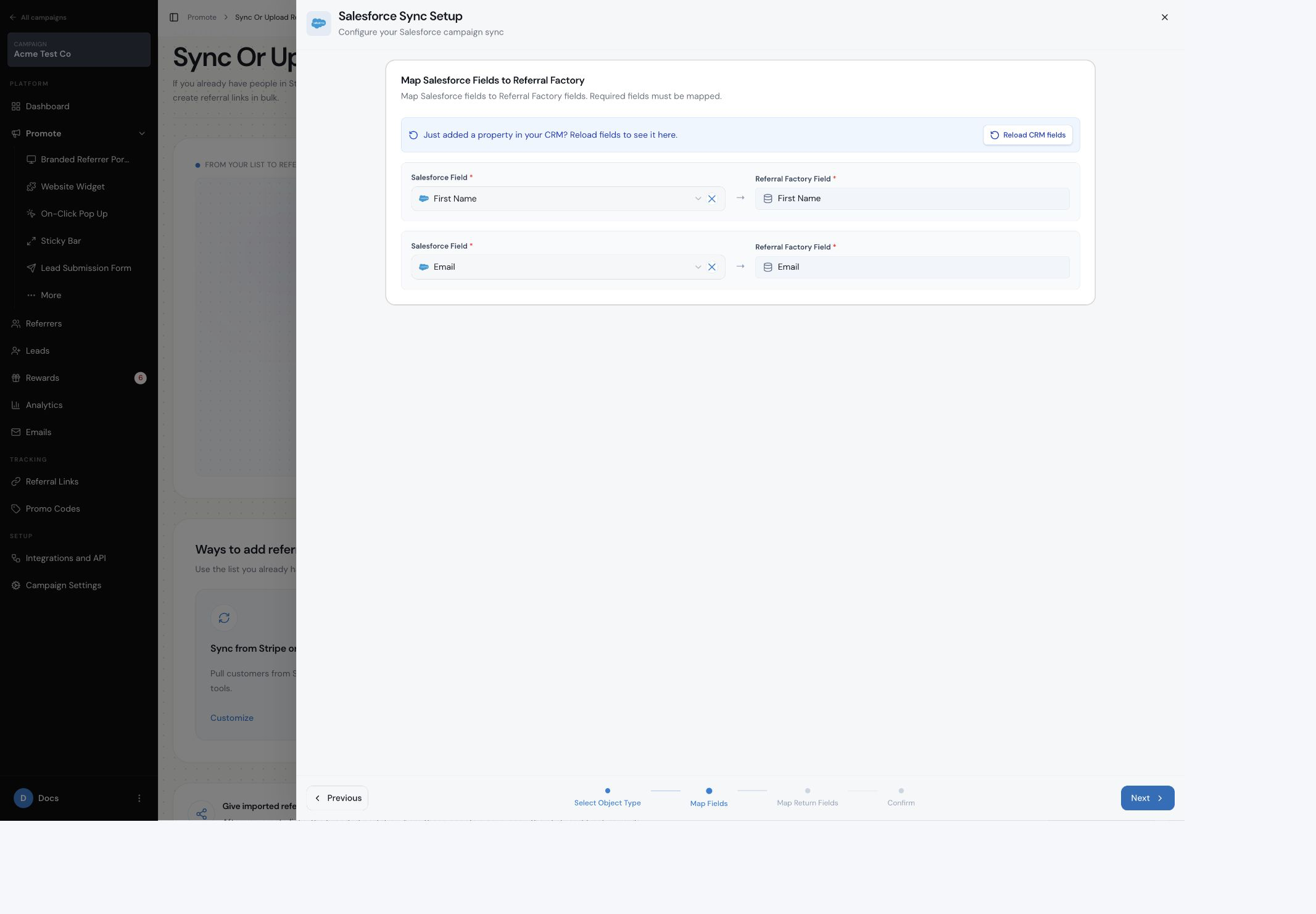
How do I map Salesforce fields to Referral Factory?
Map the Salesforce values to the corresponding Referral Factory referrer fields. Include First Name and Email where those fields are used, and map every required Referral Factory field before continuing.
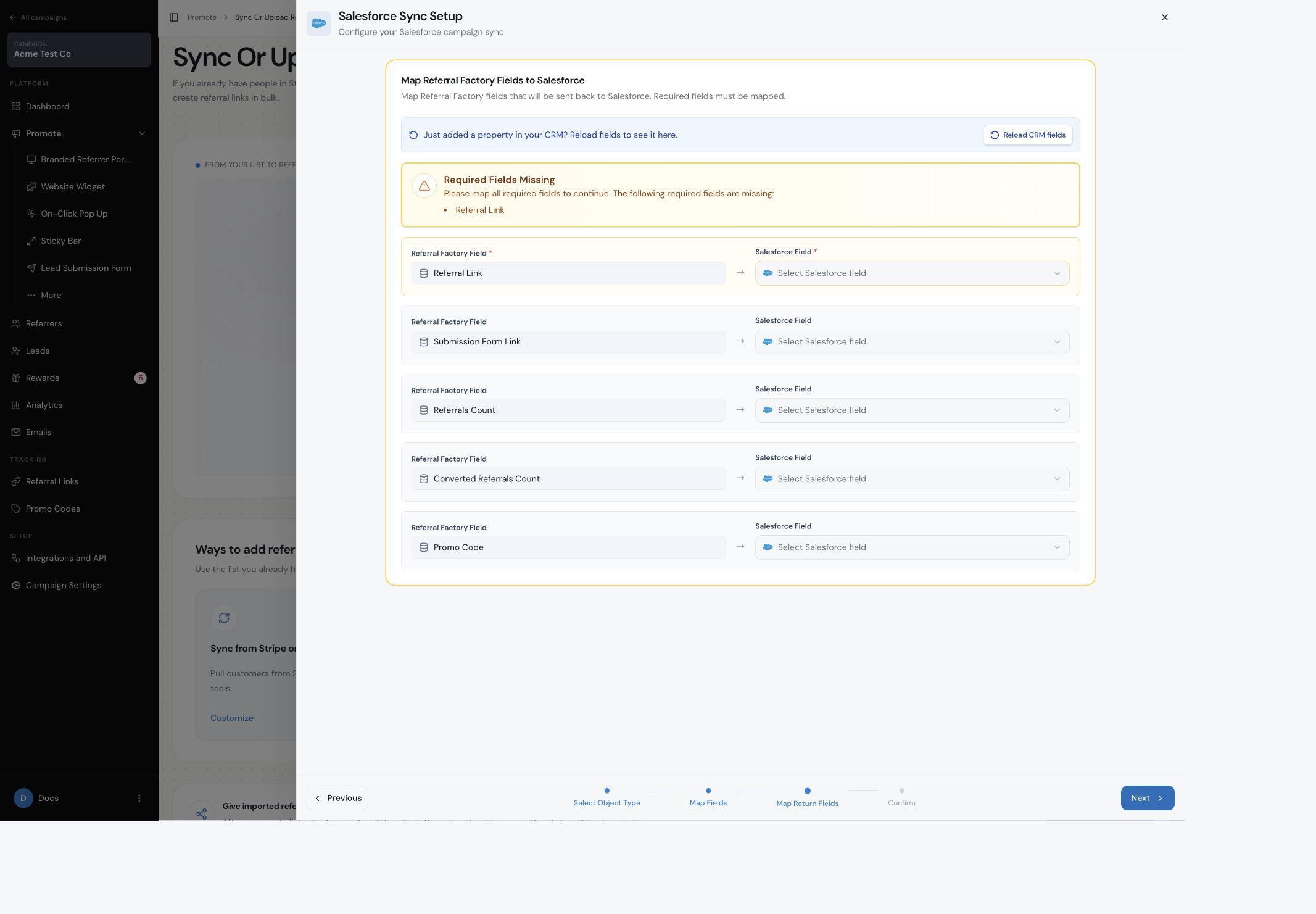
How do I send each Referrer’s referral link back to Salesforce?
In Map Referral Factory Fields to Salesforce, map the required Referral Link to the Salesforce field where it should be stored. The available return fields can also include Submission Form Link, Referrals Count, Converted Referrals Count and Promo Code.
Referral links are created for synced referrers. Promo codes are optional and are available when Promo Code is mapped in the return fields.
Is the sync one-time or ongoing?
Choose One-Time Sync to sync the selected Salesforce records once with no automatic updates. Choose Ongoing Sync to sync records on a schedule so later Salesforce changes can be reflected in Referral Factory.
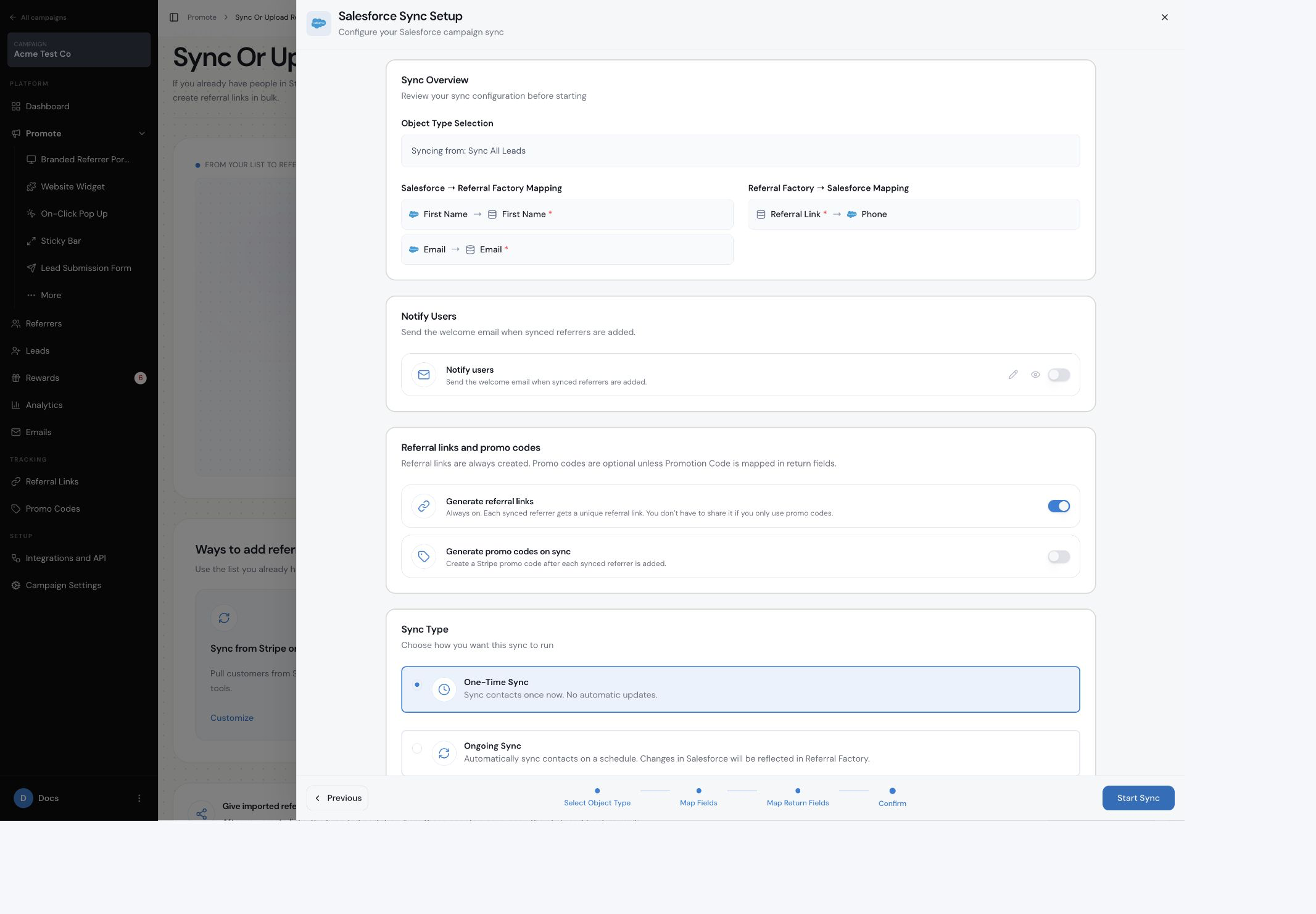
Are synced Referrers automatically notified?
No. Turn on Notify Users on the confirmation screen if you want Referral Factory to send the welcome email when synced referrers are added. Leave it off if you do not want that email sent.
What happens after the records are added?
The selected Salesforce people are added to the campaign as referrers. Referral Factory creates the referral information available for that campaign and writes the mapped fields back to Salesforce.
How do I test the sync?
Start with one dummy Salesforce record or a small test group. Confirm that the person appears under Referrers, then check that the mapped referral information appears in the intended Salesforce field.
If fields remain empty, check both mapping directions and confirm that the destination field exists on the Salesforce object you selected. Use the Salesforce troubleshooting guide for a full checklist.