
Need help applying this to your account?
Contact support and we will keep this article attached to your request.
Before you start
Open the campaign and go to Integrations & API → CRM. Select Salesforce and complete authorisation if needed. Decide whether a new lead should become a Salesforce Lead or Contact, and prepare the Salesforce fields you want to fill.
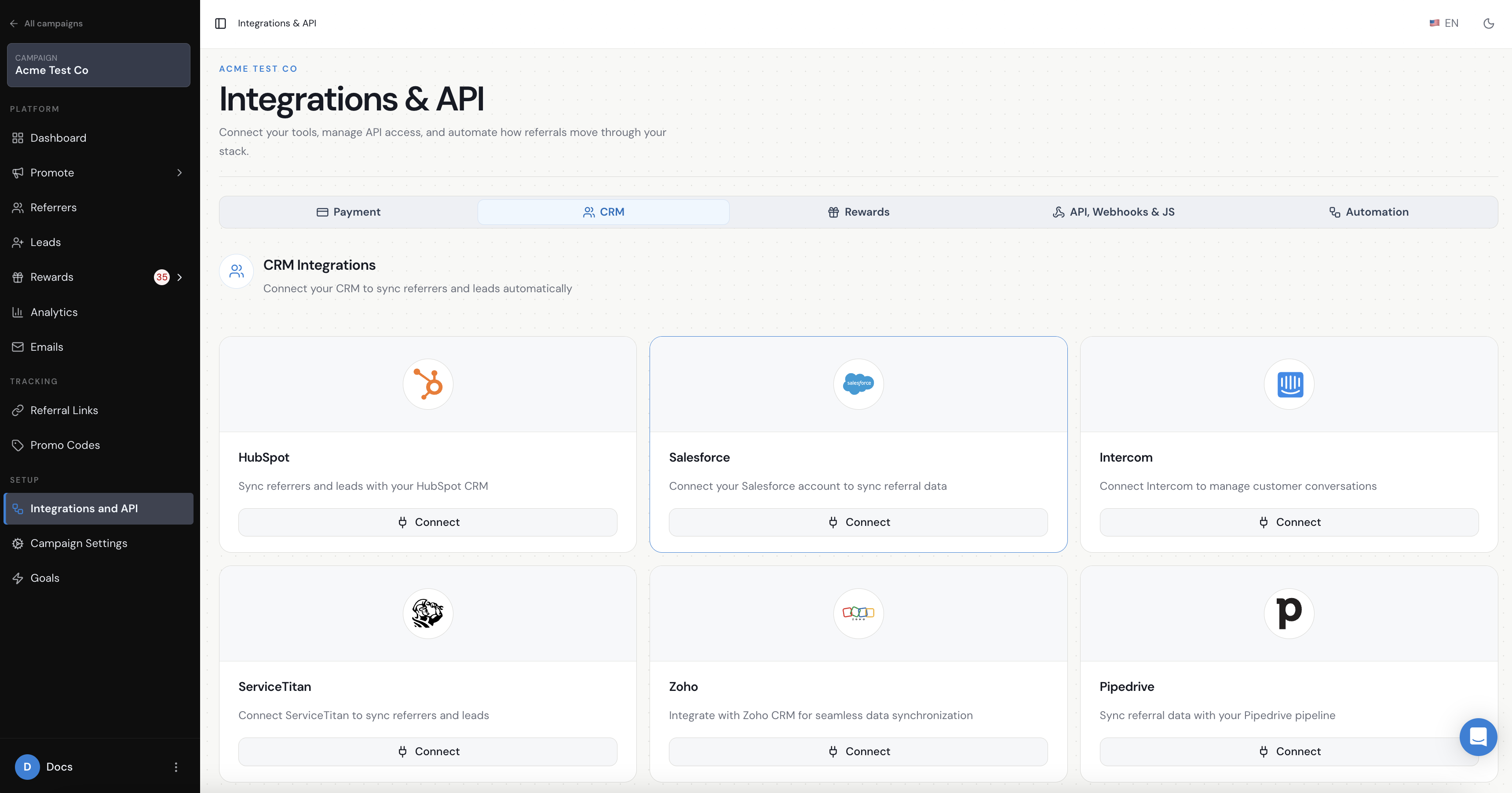
When does Referral Factory send a new Lead to Salesforce?
Referral Factory sends the person when the lead joins the campaign and the Leads setting is configured to create a Salesforce record.
How do I choose what happens when a Lead joins?
In the CRM Leads tab, find When lead joins campaign. Choose Create New Lead In Salesforce, Create New Contact In Salesforce, or Nothing to action.
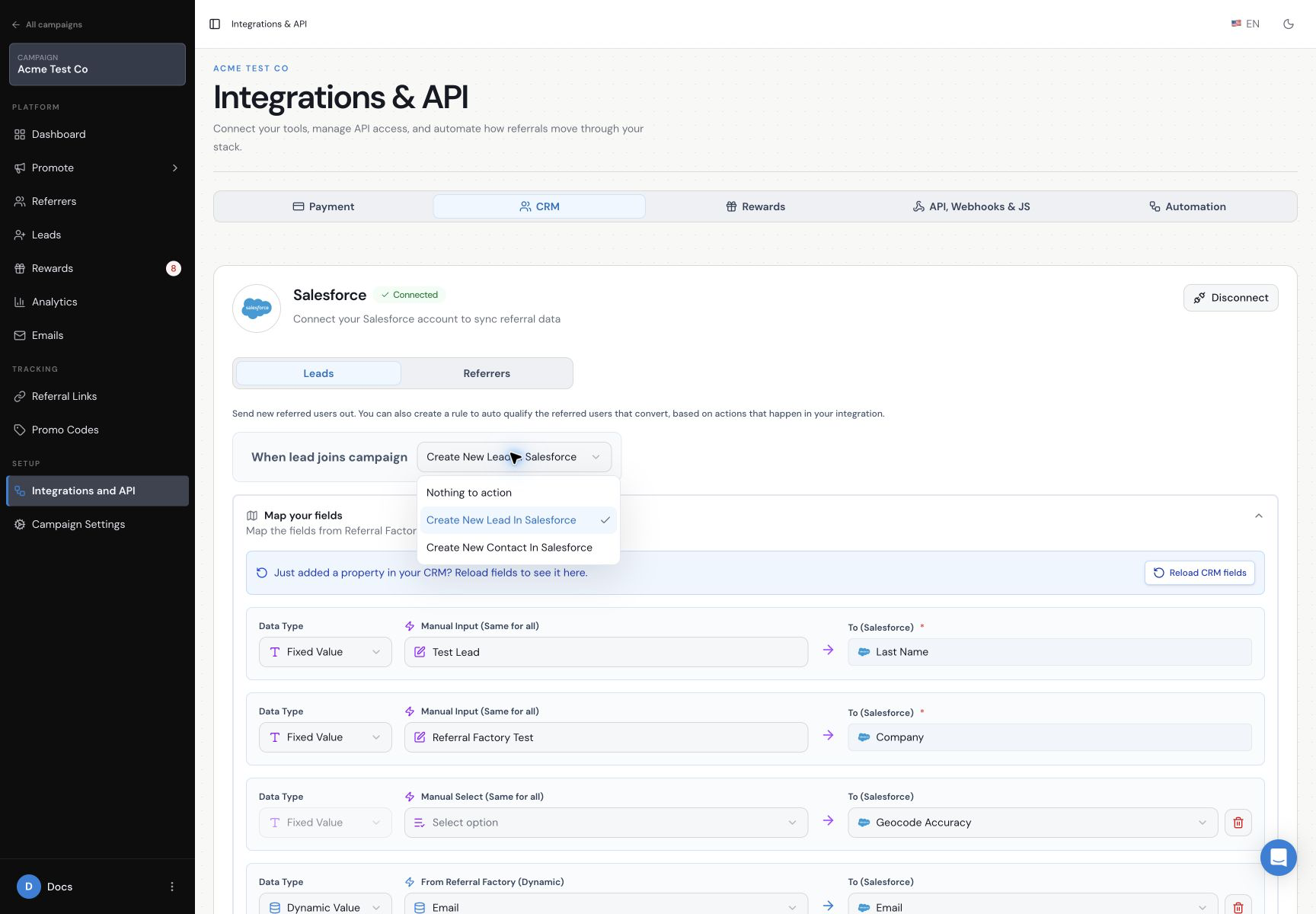
How do I create a new Lead in Salesforce?
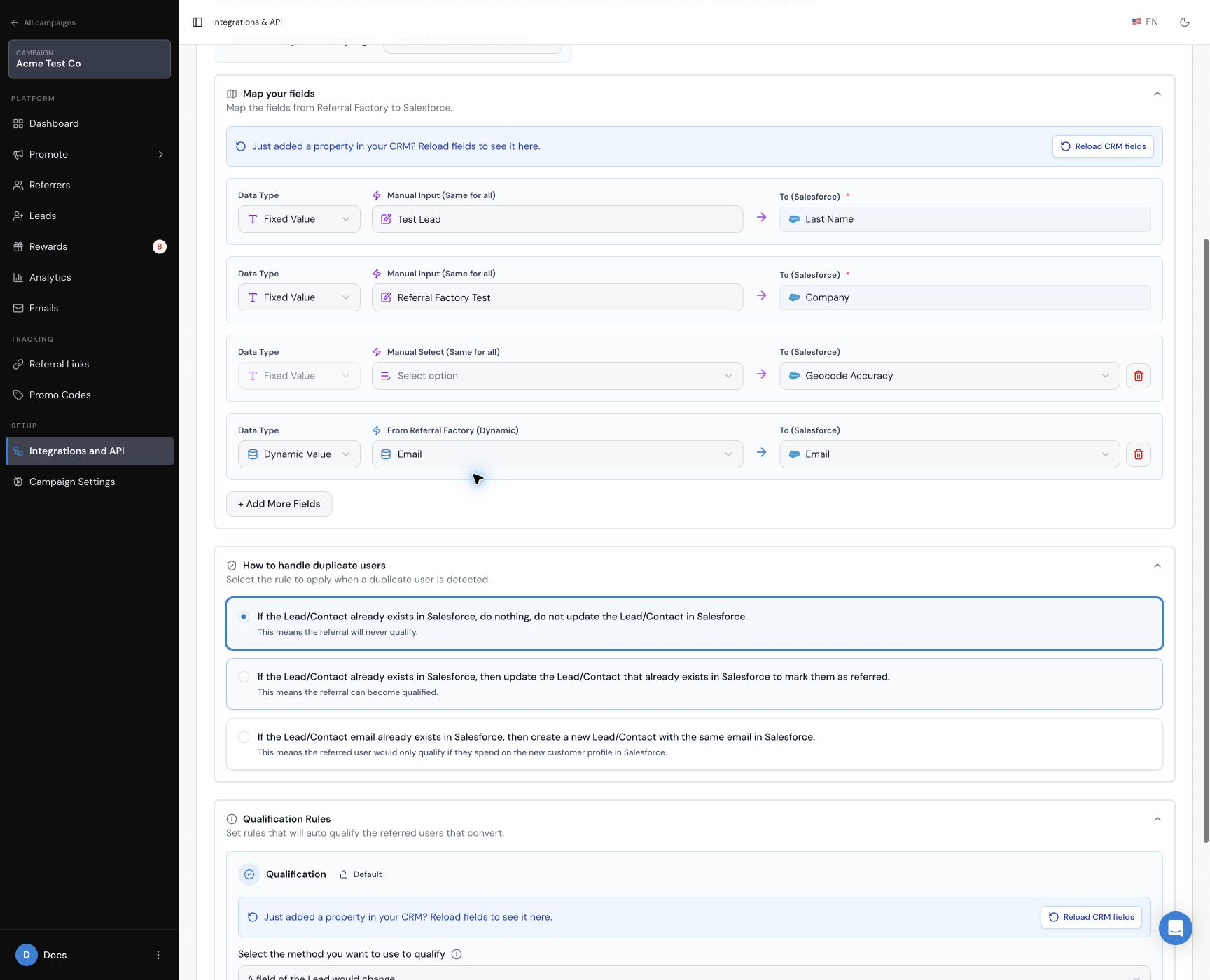
Choose Create New Lead In Salesforce and map Referral Factory values to Salesforce fields. Salesforce Last Name and Company are required for this path. Map both before saving, then add any other fields you want to send.
How do I create a new Contact in Salesforce?
Choose Create New Contact In Salesforce and map the Referral Factory values to the Salesforce Contact fields. Last Name is required for this path; Company is not required for a Contact.
Which other fields can I map?
Use Dynamic Value when a value should come from the lead or campaign, or Fixed Value when every new record should receive the same value. Add More Fields can include values such as First Name, Email, Campaign Name, Referral Code, Source and Referral Link.
If your Salesforce field list is out of date, use Reload fresh data from integration. A custom field must exist on the selected Salesforce object before it can be mapped.
What happens if the Lead already exists in Salesforce?
Choose the duplicate rule that matches your Salesforce process.
- Do nothing and do not update the existing Lead or Contact. The referral will not qualify through this Salesforce record.
- Update the existing Lead or Contact to mark the person as referred. The referral can qualify when its Salesforce qualification rule is met.
- Create a new Lead or Contact with the same email. The referral can qualify only from activity on the new Salesforce record.
What should I know about accounts and opportunities?
Referral Factory creates Salesforce Leads or Contacts, not Opportunities. An Opportunity can later be used for qualification after a Lead converts.
If your Salesforce organisation uses both standard Accounts and Person Accounts, mapping Company on the Lead path creates a standard Account when Salesforce converts that Lead.
How do I save and test the setup?
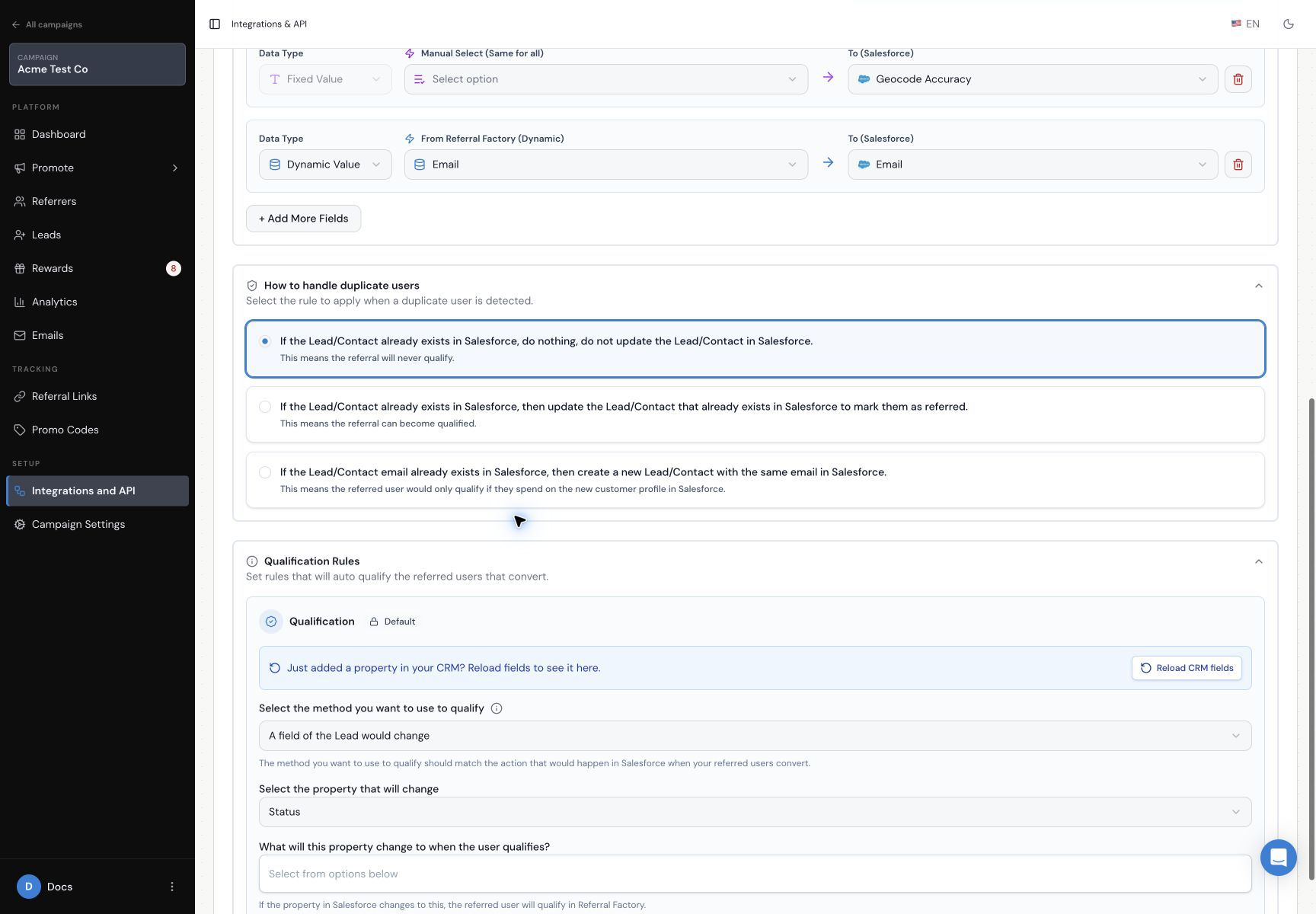
Save the Leads setting, then submit one dummy lead through the campaign. Confirm that the expected Salesforce record is created and the mapped values are present. Do not use a real customer or a live reward for testing.
Sending a lead to Salesforce does not qualify it by itself. Configure the separate rule in the Salesforce automatic-qualification guide.